




New Trade Zone
Trade Zone is now live
Use the new Trade Zone for auctions and instant-price trades so Pokemon and item offers are easy to find.

Scara
Suspended
-
Joined
-
Last visited
Everything posted by Scara
-
ping
-
Umbreon is better
-
Hello @Electrocute4u Congrats on contributor looking forward to more of your content
-
Pokemon
-
Ara ara
-
Uh no I opened all of them
-
go sleep I'm winning this
-
I win
-
The website is now active 24/7
-
Must've taken you ages to do this all from scratch damn, overall very good guide and thank you for including our app in helpful topic section.
-
Seems like the download links for all clients are broken you'll have to use the web version till I have this sorted Here is the link for the web client: https://map.djd.wtf
-
-
-
Omoshiroi
-
Monke
-
Changelog: Changed overflow value from "auto" to "hidden" for HTML element "map-inner-cont". This removes the scrollbars display around the map and disables scrolling, but retains the hold and drag functionality.
-
Idk what to say
-
This is the last message here
-
We've updated our domain the website is now called https://map.djd.wtf Check here for more info: https://pokemonrevolution.net/forum/topic/159909-tool-pro-map-interactive-spawn-explorer-v250-cross-platform-release/page/2/?tab=comments#comment-902683
-
Note: https://promap.djdev.tech will soon be taken down so we have moved domains to https://map.djd.wtf 😄
-
I forgot to mention that https://promap.djdev.tech/ is still available if you don't want to download the desktop client
-
The Linux client was tested and it works thanks to @Alixx7 for testing
-
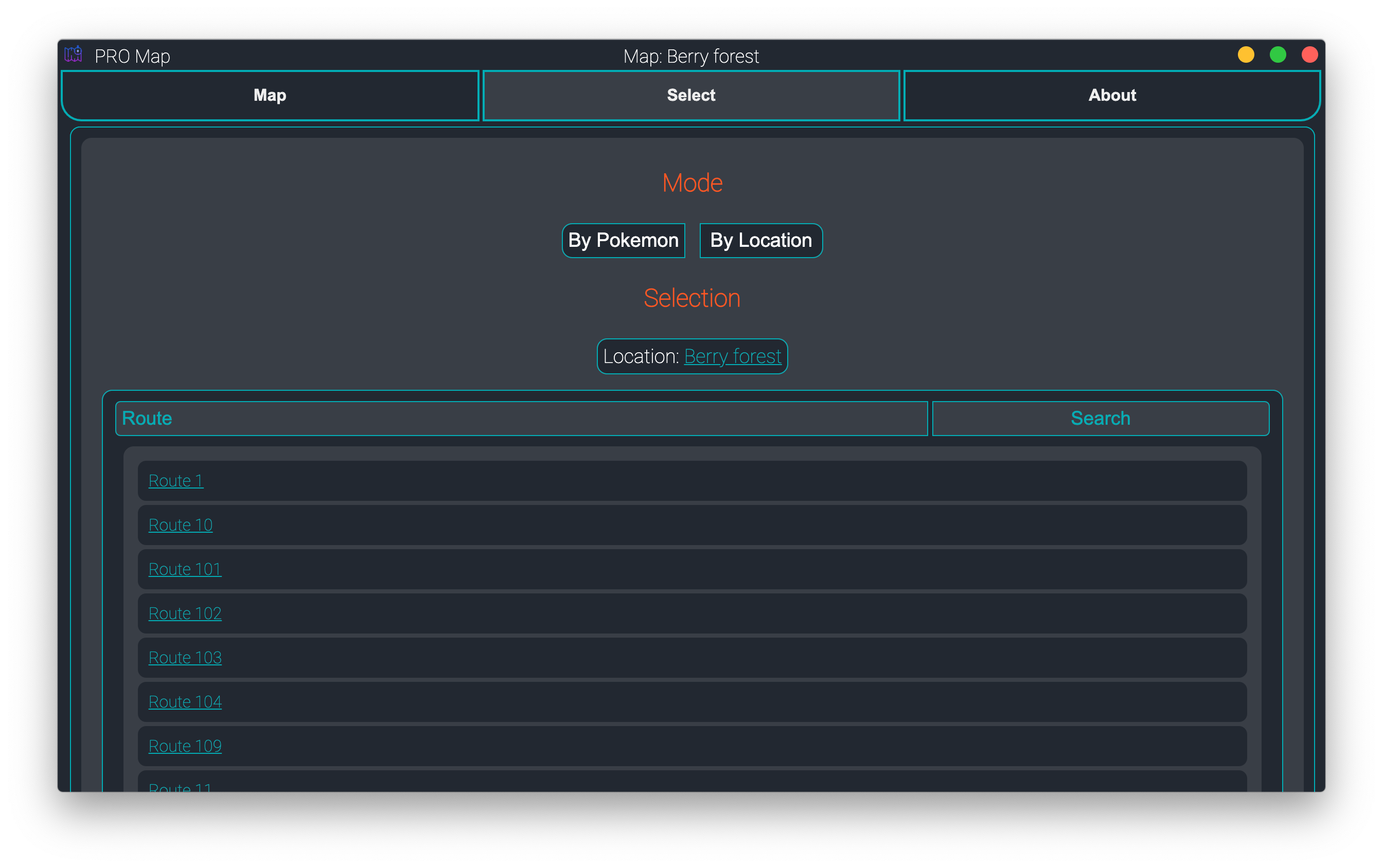
PRO Map is an advanced, efficient and interactive Spawn Explorer tool which can be used to locate/find spawns in seconds. We're back here to release cross-platform binaries (or "executables") for the tool, and it no longer would require hosting. The spawns in the app are fetched from the dumps (https://pokemonrevolution.net/spawns) at app startup, so they are always updated unless dumps are not. LINKS 1) Windows - Download link not working 2) Linux (arch x64) - Download link not working 3) macOS - Download link not working Due to the Download link not working you will have to make do with the website for now which is now active 24/7 Link: https://map.djd.wtf Notes All the Binaries were tested and they work like they're supposed to leave a comment if you find anything broken. Developers Scara#6080 DjDeveloper#7777 Screenshots Suggestions are always welcome! (We were not sure which topic this thread should go to, since Tech one was removed with new forums)


-
+1
-
Amazing guide thanks
