New Trade Zone
Trade Zone is now live
Use the new Trade Zone for auctions and instant-price trades so Pokemon and item offers are easy to find.

Qonqueror23
Registered User
-
Joined
-
Last visited
Everything posted by Qonqueror23
-
i trade my clamperl to a player with nickname Crimsondking, for evolution, but it turns out he not finished hoenn yet (my clamperl is from johto) please if you can find a way to make it back to me (with deep sea tooth held). thanks. my IGN is kamika23
-
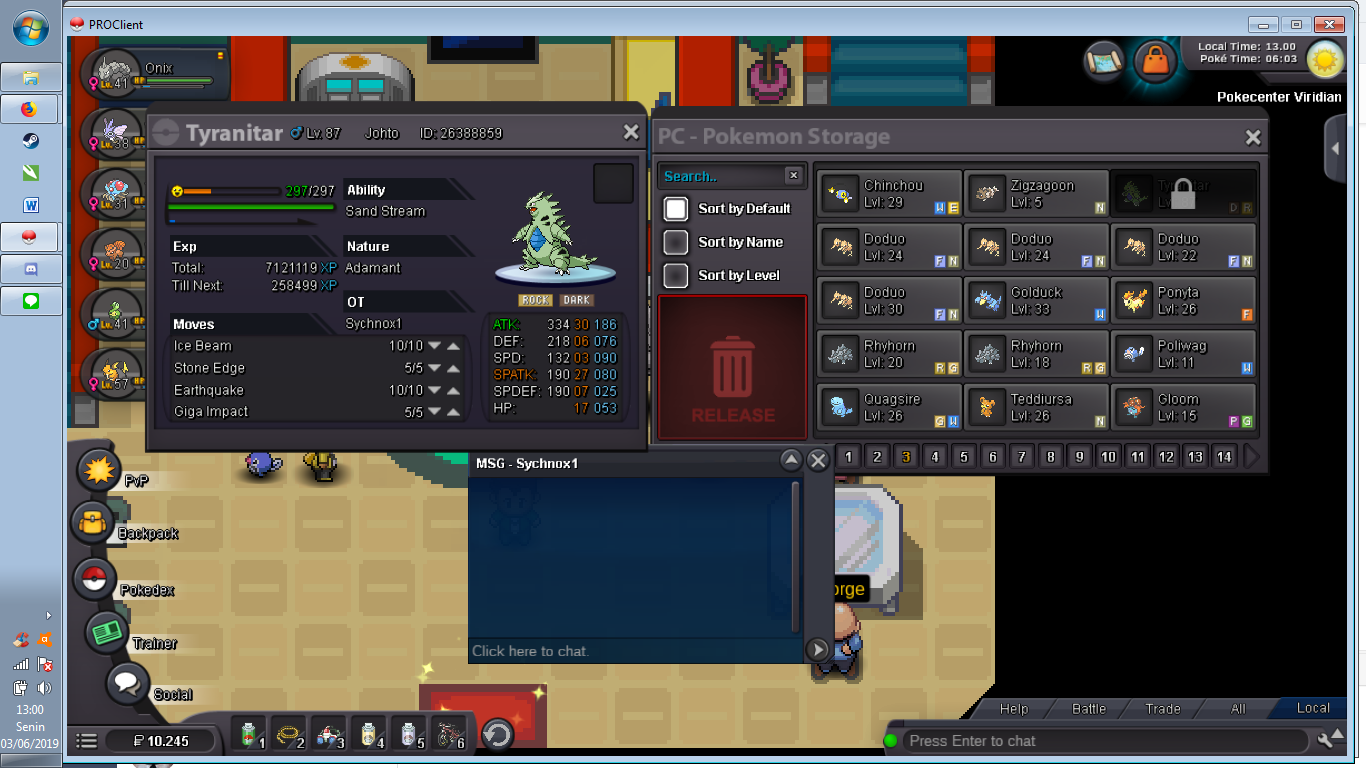
My nickname is Qonqueror23. I bought this pokemon from Sychnox1, but i deleted the messages, the Tyranitar i bought is from johto. I play on Gold Server. Waiting your response:)
-
Solved, maybe mod can close this thread now. But yeah that bug is not cool.
-
Actually it works now, i did the same way before but this time with other player and it is works. maybe the problem is the 1st guy who helping me took my pokemon to the tutor at blackthron have corrupted file at his device but idk xD
-
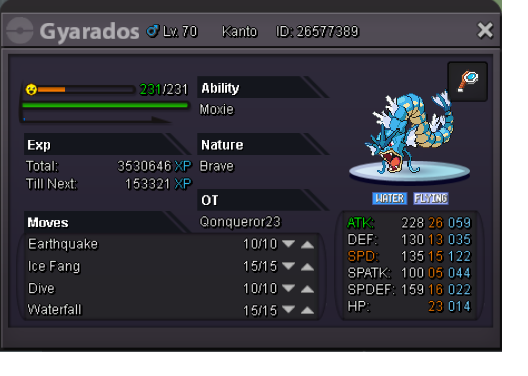
i do, my moveset was eq, wf, ice fang and dragon dance, but some guy tell me he can help me to bring my pokemon to the tutor at blackthron, since i'm not beating kanto e4 so i can't leave kanto. but the moveset not changing, he tries it 3 times. and he tries to teach dive and it works on dive but not on d.pulse
-
Because when choosing move to forget, the sever went down, and when i taught for the 2nd time, it's not changing, i tried trade and retrade but nothing happened, seems my pokemon is error now.