New Trade Zone
Trade Zone is now live
Use the new Trade Zone for auctions and instant-price trades so Pokemon and item offers are easy to find.

Scrubdoodle
Registered User
-
Joined
-
Last visited
Everything posted by Scrubdoodle
-
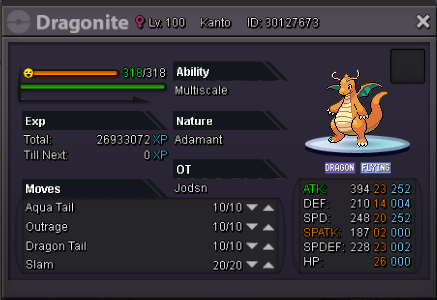
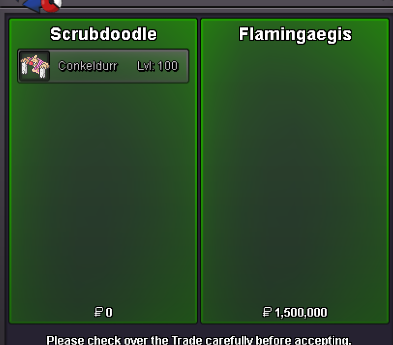
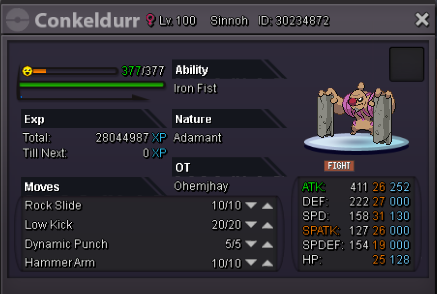
sold insta to flamingaegis
-
Thank you <3
-
21 hours left
-
So I won an auction but the guy who is auctioning his pokemon hasn't responded in a couple of days, and im curious if staff is allowed to just make the trade go through between us. Here is the forum page https://pokemonrevolution.net/forum/topic/141491-url
-
Im not doing trades just money cc or rerolls. I can accept the 5.5m but not the bisharp
-
insta added
-
@Daredevil hey is it possible for you to do the trade between me and this guy. Idk where he went but he hasn't responded for the past few days
-
i only got the 5m start from mighty if u want to bid raise him dont comment other than that
-
Auction start December 14 (saturday 11:34 AM) Auction end December 19 (thursday 11:34 AM)
-
started by mightykuriboh

-
Accept cc as 300k, reroll ticket 600k, and cash. Not accepting pokemon trades Auction will last 5 days(120 hours) from first bid Minimum raise 200k S.O 5m Insta 7m Current Offer: 6m
-
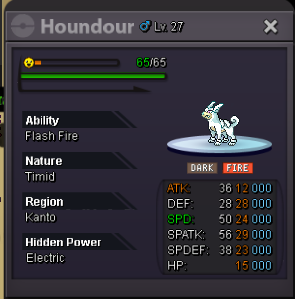
starting offer: 600k Min raise: 100k Auction time: 48 hrs Current offer: Insta by flamingaegis Auction ends: Monday 4:42 A.M. Pacific standard Insta: 1.5m
-
My discord is Mk#9487 contact me whenever for the trade
-
Have I won?
-
600k
-
wtb a shiny weavile pm offer
-
how long is the auction
-
ill start
-
im on rn if u want to meet
-
600k
-
500k
-
looking for a good or epic 31 speed gengar epic croagunk or evo post whatever offer youve got
-
500k h.a. Drillbur
-
400k for the h.a. drillbur
-