




New Trade Zone
Trade Zone is now live
Use the new Trade Zone for auctions and instant-price trades so Pokemon and item offers are easy to find.

Jigglypuffsalot
Registered User
-
Joined
-
Last visited
Everything posted by Jigglypuffsalot
-
21m
-
20m
-
19m
-
18m
-
17.25m will transfer
-
No ty
-
Closed
-
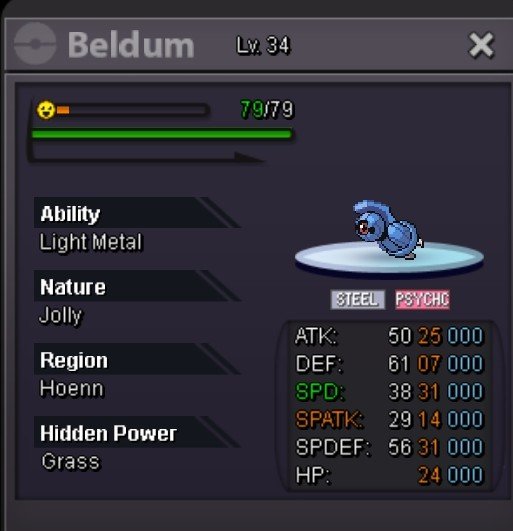
Start 8m Min bid 100k End 30 hours after start Accept cash, cc = 600k *Bundle*


-
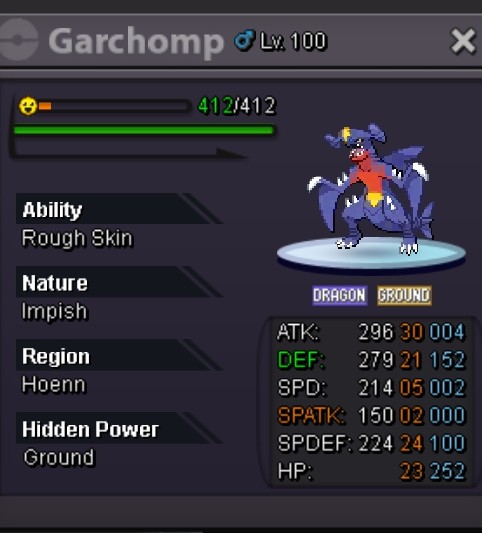
Starting 1m Min bid 100k 24 hours from first bid Accept cash, iv rr 600k
-
-
I'd like to try this, pm when you're available
-
None of them are epic, please end the click baits
-
wow thank you so much, it worked ^^
-
hi, i am missing "all" and "trade" chat tabs in game. I checked the wrench icon on chat bar, all chat and trade chat tabs are missing there as well. i do not know if i am banned or something. but i receive no ban message. all/trade chat tab are just missing. i do not know why. any help would be greatly appreciated. thank you
-
Hi, you post in cross server, so seller has to take to winner. Btw what is eevee's hidden power?
-
Cofagrigus sold
-
Haxo sold in game
-
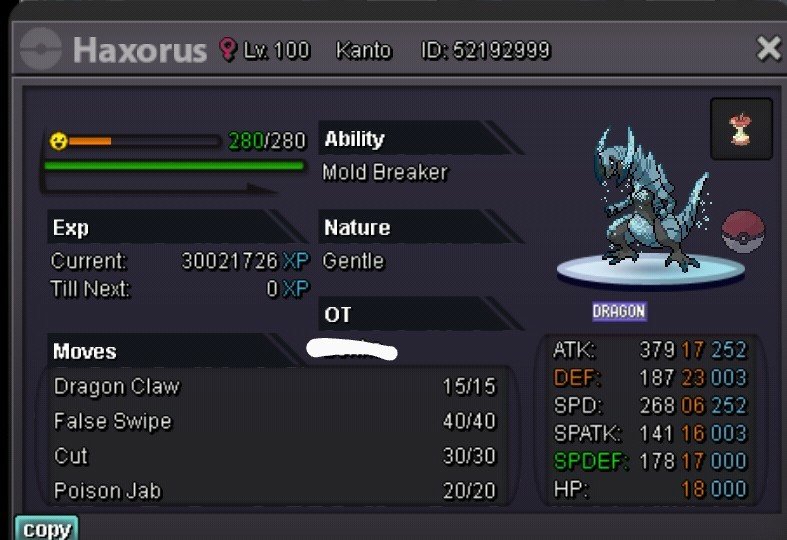
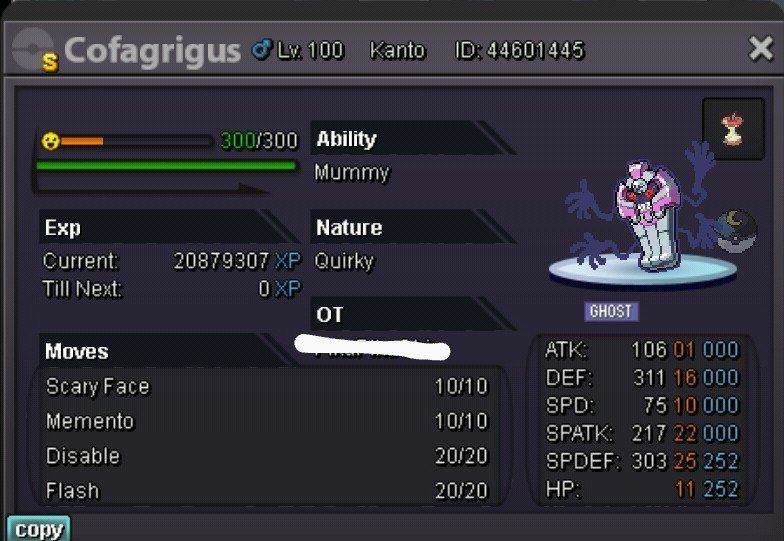
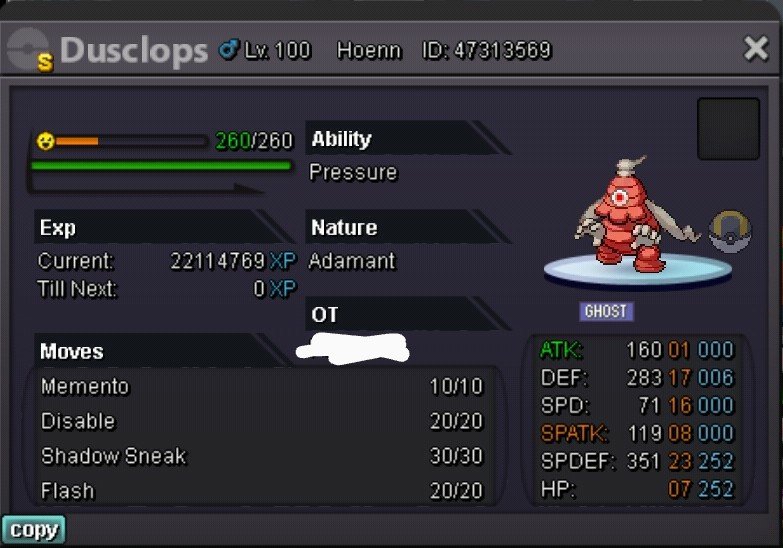
Xmas haxorus mold breaker 2.5m Shiny cofagrigus 6m Shiny dusclops 2.5m Accept cc 400k and poke dollars
-
I am curious, can you please say what is "epic" about this?
-
.
-
Need protean ability to be battle bond
-
BIG +1 , was thinking about this the other day. Send out animation for different forms would be awesome. Agree with all the suggestions for potential animations. Great post, really hope it gets added
-
Can start Pinsir at 1m, hardy Ponyta at 200k and start tangela, let me know if acceptable thanks
-
Ok, I will transfer and be in game in around 10 minutes
-
1.6m
