




New Trade Zone
Trade Zone is now live
Use the new Trade Zone for auctions and instant-price trades so Pokemon and item offers are easy to find.

Daktilobey
Registered User
-
Joined
-
Last visited
Everything posted by Daktilobey
-
up
-
ah goddamnit 650k
-
1 day left
-
make it 550k lol
-
Start the auction boi
-
okey auction started and it's gonna end in 2 days!
-
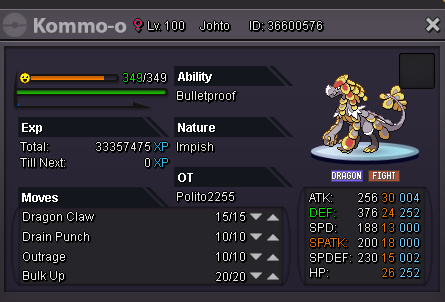
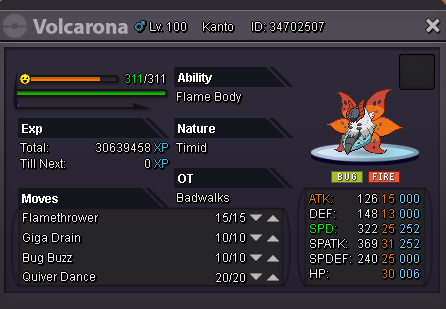
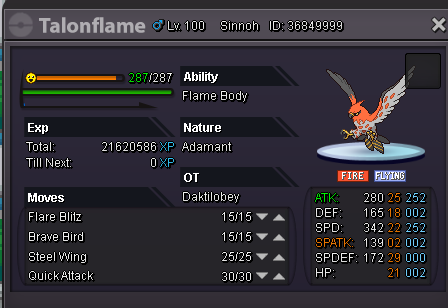
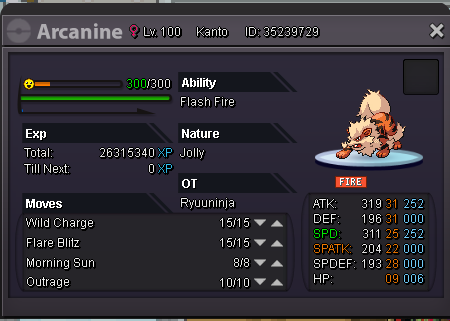
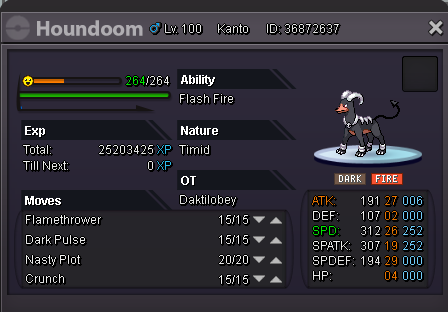
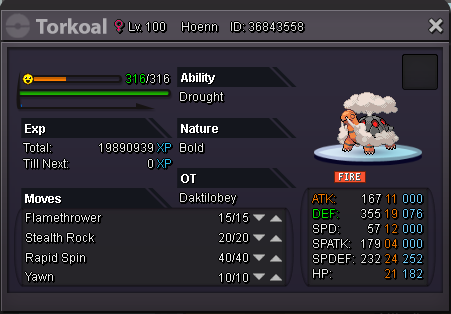
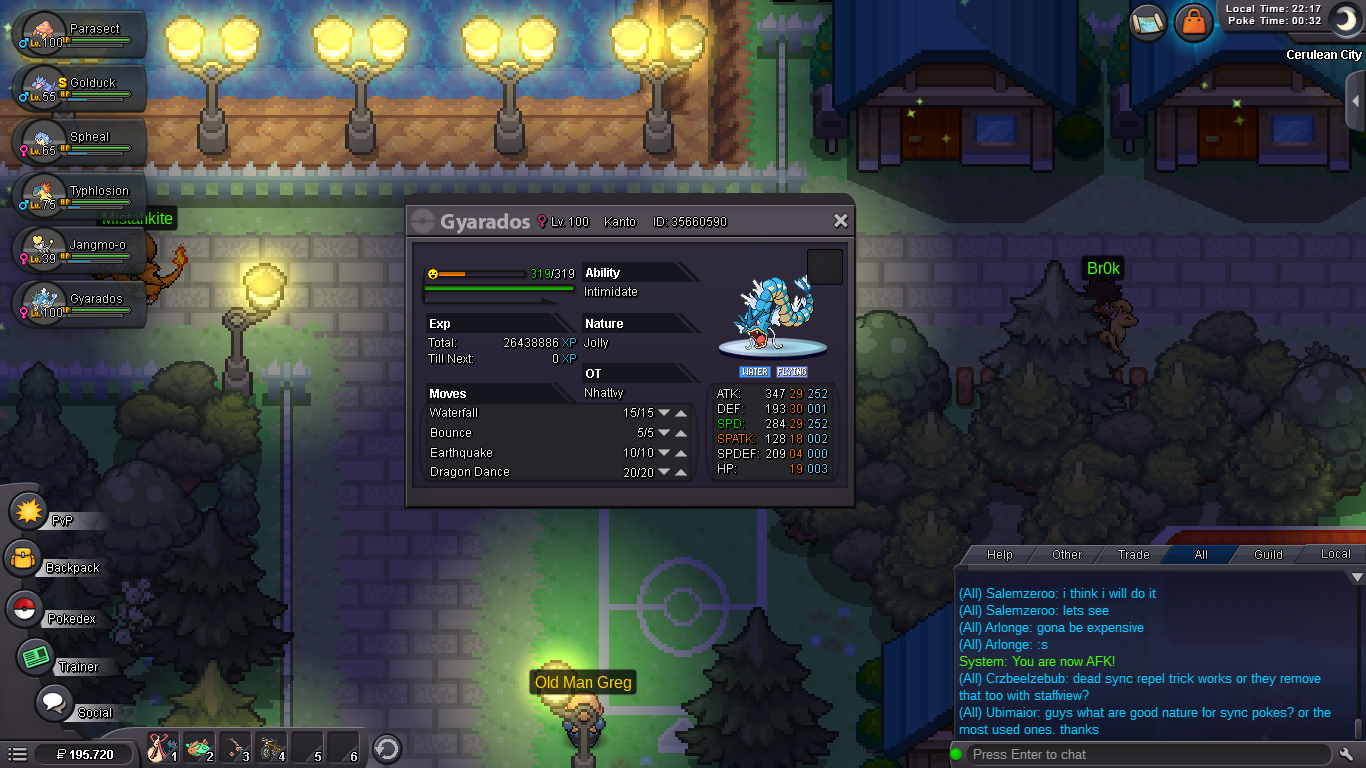
s.o 350k, min bid 50k ,insta 750k, auction starts after the first bid, ends in 2 days after the first bid, pm me in game or leave a reply here ( ign: Daktilobey)
-
Effect spore is not preferred
-
Aight, thank you
-
I'm going to vacation soon, I want to know when the events will start
-
Cesarhr just bought it for 700k! Auction closed
-
350k by Bennxxchwa6!
-
alright auction started and it'll be end 2 days later
-
s.o 300k, min bid 50k, auction starts after the first bid, insta 700k, auction ends in 2 days after the first bid, pm me in game or leave a reply here (ign: Daktilobey)

-
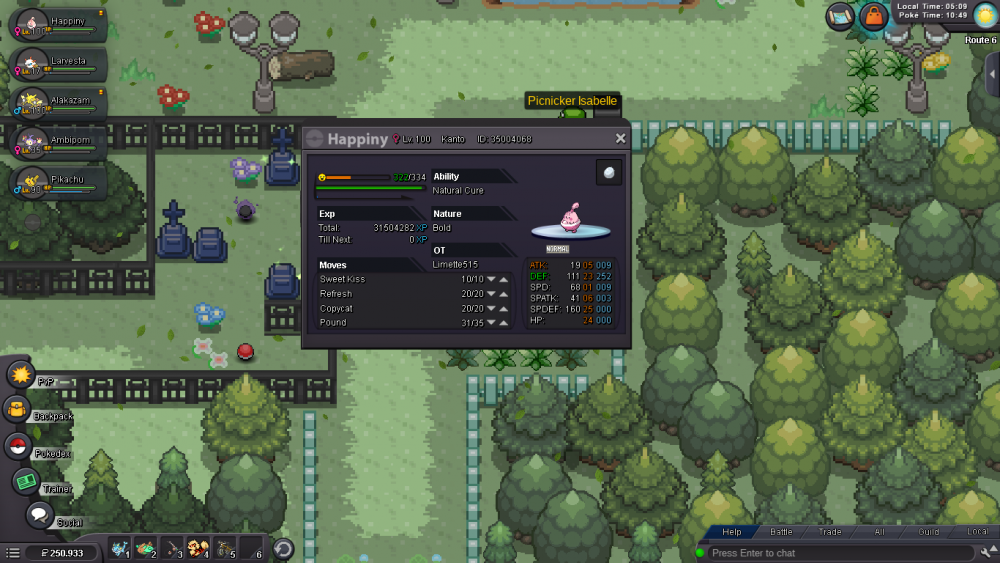
ID:35004068A staff fixed ityes I leveled up with rare candys but I tried fighting with wild pokemons but it didn't worked, someone on the chat tell me I need to de-level my pokemon so I go to this thread https://pokemonrevolution.net/forum/topic/65717-url but they still didn't do anythingign:Daktilobey - I'm on gold server - I have a level 100 happiny ID:35004068it's holding a oval stone and it's day time but still not evolving


Account
Navigation
Search
Configure browser push notifications
Chrome (Android)
- Tap the lock icon next to the address bar.
- Tap Permissions → Notifications.
- Adjust your preference.
Chrome (Desktop)
- Click the padlock icon in the address bar.
- Select Site settings.
- Find Notifications and adjust your preference.
Safari (iOS 16.4+)
- Ensure the site is installed via Add to Home Screen.
- Open Settings App → Notifications.
- Find your app name and adjust your preference.
Safari (macOS)
- Go to Safari → Preferences.
- Click the Websites tab.
- Select Notifications in the sidebar.
- Find this website and adjust your preference.
Edge (Android)
- Tap the lock icon next to the address bar.
- Tap Permissions.
- Find Notifications and adjust your preference.
Edge (Desktop)
- Click the padlock icon in the address bar.
- Click Permissions for this site.
- Find Notifications and adjust your preference.
Firefox (Android)
- Go to Settings → Site permissions.
- Tap Notifications.
- Find this site in the list and adjust your preference.
Firefox (Desktop)
- Open Firefox Settings.
- Search for Notifications.
- Find this site in the list and adjust your preference.