




New Trade Zone
Trade Zone is now live
Use the new Trade Zone for auctions and instant-price trades so Pokemon and item offers are easy to find.


Jadeash
Contributor
-
Joined
-
Last visited
Everything posted by Jadeash
-
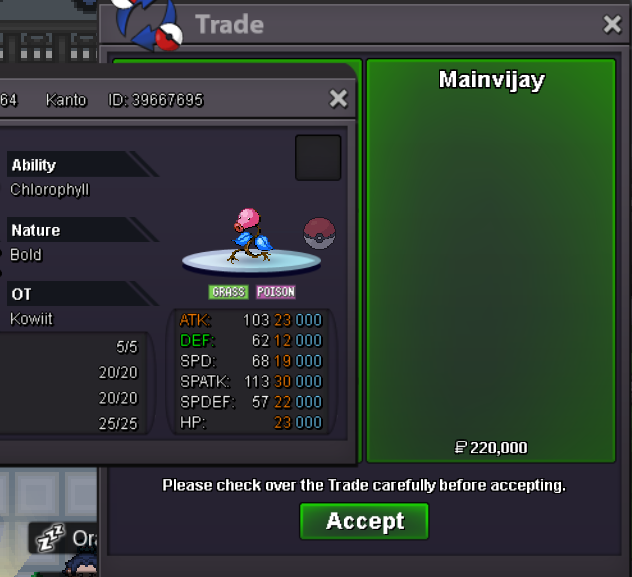
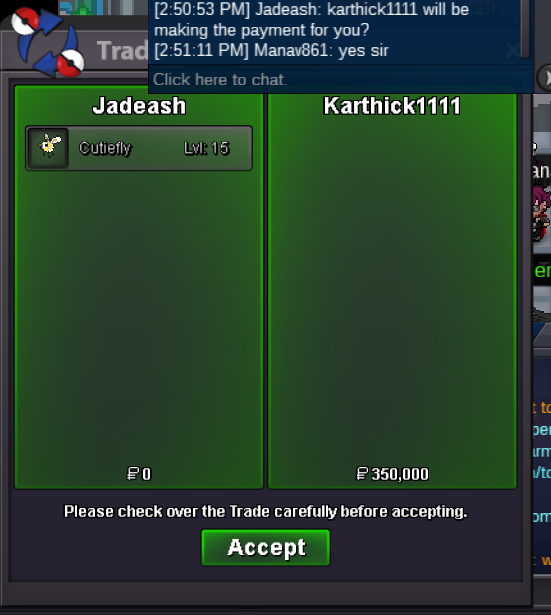
Auction ended. Winner @Manav862 please contact me for trade.bumpbumpbumpbumpThen all the more reason to remove the limit and make it just a 24h WQ, no? That way neither silver nor gold will fail and people who submit will be rewarded.If doing it with multiple accounts doesnt give any advantage then all the more reason to disallow it. I personally have failed all 3 last WQs. And for all of them I started hunting on time. I failed mainly because players who hunt/repel on multiple accounts keep submitting and it ends so quickly that it doesn't give a chance to other players.As the title says. Treat WQ the same way as leaderboards and don't allow the same player to submit Pokemon with multiple accounts. Its already hard enough to complete as it is. If this is not a well-fit solution there are other solutions. Staff can decide which of them is best to implement without affecting the game negatively. - Remove repel tricks during WQs or nerf them significantly - Remove the total IV goal and just make it a 24 hour event (whoever submits enough of a pre-required number of IVs/number of Pokemon gets a ticket by the end of the 24 hours) (If needed I will make a separate post for the alternate solutions)600kbumpbumpbump510k weavile310k plusle270k plusle 460k weavile410k weavileplusle 210k weavile 300k160k plusle110k plusle, 150k weavile


Account
Navigation
Search
Configure browser push notifications
Chrome (Android)
- Tap the lock icon next to the address bar.
- Tap Permissions → Notifications.
- Adjust your preference.
Chrome (Desktop)
- Click the padlock icon in the address bar.
- Select Site settings.
- Find Notifications and adjust your preference.
Safari (iOS 16.4+)
- Ensure the site is installed via Add to Home Screen.
- Open Settings App → Notifications.
- Find your app name and adjust your preference.
Safari (macOS)
- Go to Safari → Preferences.
- Click the Websites tab.
- Select Notifications in the sidebar.
- Find this website and adjust your preference.
Edge (Android)
- Tap the lock icon next to the address bar.
- Tap Permissions.
- Find Notifications and adjust your preference.
Edge (Desktop)
- Click the padlock icon in the address bar.
- Click Permissions for this site.
- Find Notifications and adjust your preference.
Firefox (Android)
- Go to Settings → Site permissions.
- Tap Notifications.
- Find this site in the list and adjust your preference.
Firefox (Desktop)
- Open Firefox Settings.
- Search for Notifications.
- Find this site in the list and adjust your preference.