New Trade Zone
Trade Zone is now live
Use the new Trade Zone for auctions and instant-price trades so Pokemon and item offers are easy to find.
.jpg.f794fa4e6f21dcfc94693fbe38cfed09.jpg)

Deritmai
Registered User
-
Joined
-
Last visited
Everything posted by Deritmai
-
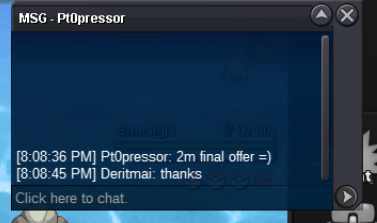
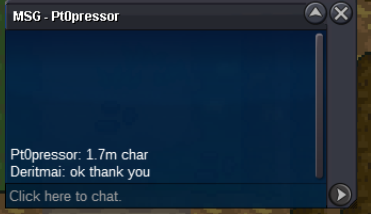
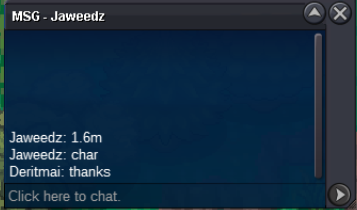
1m420k
-
S.O. = 500K MIN. BID = 50K 2 DAYS AUCTION INSTA = 3.5M 350K CC START AFTER FIRST BID.
-
1m220k
-
1m20k for gren
-
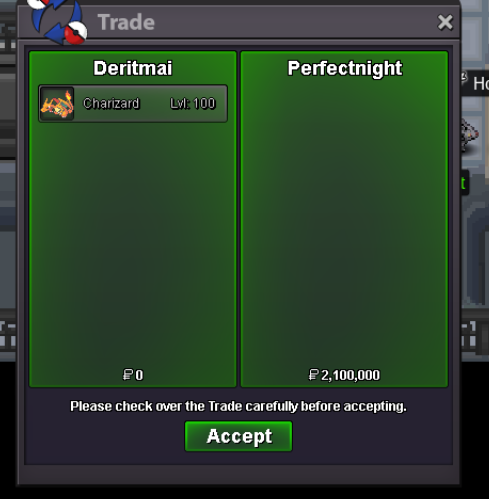
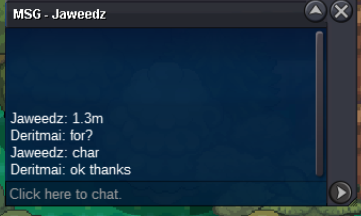
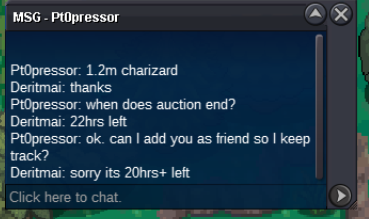
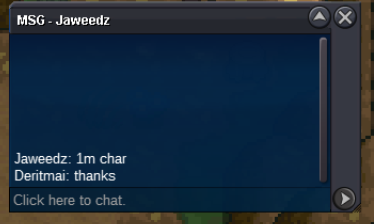
@Perfectnight Won the bidding for Charizard. Congrats!!!BUMP!! Current Offers: Charizard = 1m (23hrs+ left) https://www.timeanddate.com/countdown/generic?iso=20230710T2019&p0=145&font=cursive Deino = NoneStart for both?Each Pokemon has: S.O. = 800K Min. Bid = 100K 2-Day Auction CC = 350K Each pokemon starts after first bid. Charizard : https://www.timeanddate.com/countdown/generic?iso=20230710T2019&p0=145&font=cursive
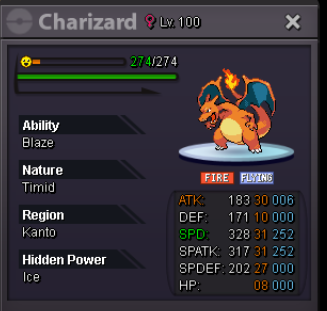
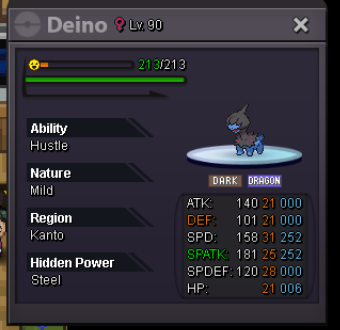 Thank you Everyone!!!
 Hydreigon Ends. @Laviter won. ThanksHawlucha ends. @Ahir Won. Thank YouBUMP!! Current Offers: Hydreigon = 700k https://www.timeanddate.com/countdown/generic?iso=20230708T1937&p0=145&font=cursive (Manila City) Hawlucha = 900k https://www.timeanddate.com/countdown/generic?iso=20230708T1924&p0=2265&font=cursive (Baguio City) Time Left 1h+ Goodluck.Each pokemon has: S.O. = 700K Min. Bid = 50K No insta 2-Day Auction CC = 350K Each pokemon starts after first bid. Hawlucha https://www.timeanddate.com/countdown/generic?iso=20230708T1924&p0=2265&font=cursive Hydreigon https://www.timeanddate.com/countdown/generic?iso=20230708T1937&p0=145&font=cursive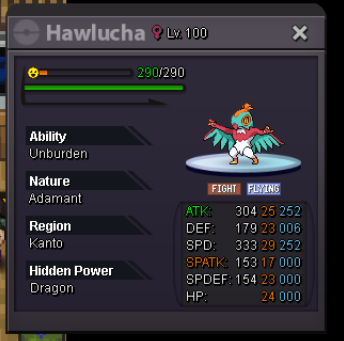
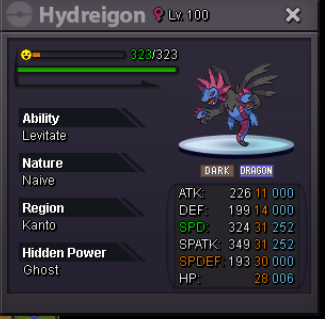 Username : DeriTmai Server: Silver Country/Timezone: 🇵🇭 Philippines/ GMT+8
Account
Navigation
Search
Configure browser push notifications
Chrome (Android)
- Tap the lock icon next to the address bar.
- Tap Permissions → Notifications.
- Adjust your preference.
Chrome (Desktop)
- Click the padlock icon in the address bar.
- Select Site settings.
- Find Notifications and adjust your preference.
Safari (iOS 16.4+)
- Ensure the site is installed via Add to Home Screen.
- Open Settings App → Notifications.
- Find your app name and adjust your preference.
Safari (macOS)
- Go to Safari → Preferences.
- Click the Websites tab.
- Select Notifications in the sidebar.
- Find this website and adjust your preference.
Edge (Android)
- Tap the lock icon next to the address bar.
- Tap Permissions.
- Find Notifications and adjust your preference.
Edge (Desktop)
- Click the padlock icon in the address bar.
- Click Permissions for this site.
- Find Notifications and adjust your preference.
Firefox (Android)
- Go to Settings → Site permissions.
- Tap Notifications.
- Find this site in the list and adjust your preference.
Firefox (Desktop)
- Open Firefox Settings.
- Search for Notifications.
- Find this site in the list and adjust your preference.