




New Trade Zone
Trade Zone is now live
Use the new Trade Zone for auctions and instant-price trades so Pokemon and item offers are easy to find.

Malvadao
Registered User
-
Joined
-
Last visited
Everything posted by Malvadao
-
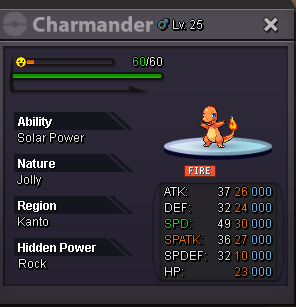
Hey @Magicarpediem yes you won, ill let you know when im online so we can tradeBump800kS.o : 10k Min bid : 10k Ends 24h after start No insta Accept as payment : Pokedollars CC - 400k RR IV - 500k
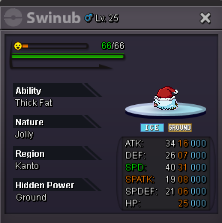 1m71.2mIm looking for a jolly xmas charmander or evo with 28+ speed and decent ivs DM me with screenshot of the char with price700k from silver server will transfer with alt if i winS.o lowered, Insta added, CC and RR prices adjusted2.25mHey, i need: 186 - politoed 199 - slowking 237 - hitmontop 238 - smoochun 242 - blissey 311 - plusle 317 - swalot Pm in-game when u canS.o : 100k Min bid : 20k No insta Auction ends 24h after start Accept as payment : Pokedollars CC - 400k IV RR - 500k
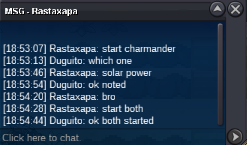
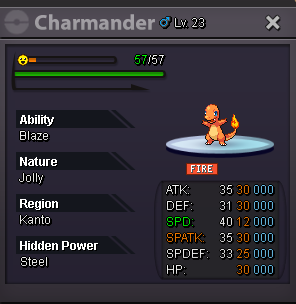 Both auctions ended Rastaxapa won both charmanders
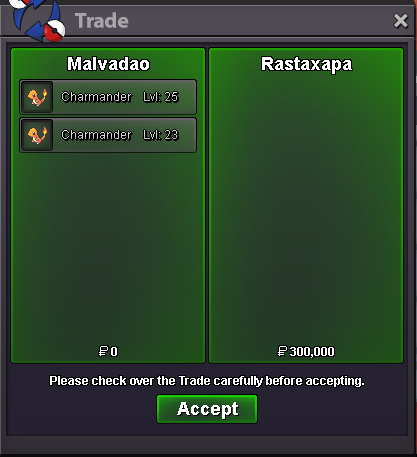 Its already started bro, c.o for charmander 1 (blaze) is 100kNot a Bundle Charmander 1 Charmander 2 S.o : 100k (each) Min bid : 20k (each) No insta (each) Auction ends 24h after start (each) Accept as payment: Pokedollars CC - 400k IV RR - 500k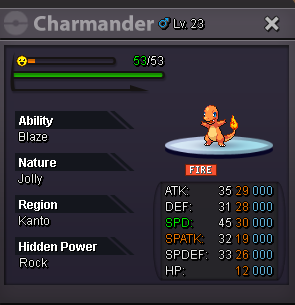
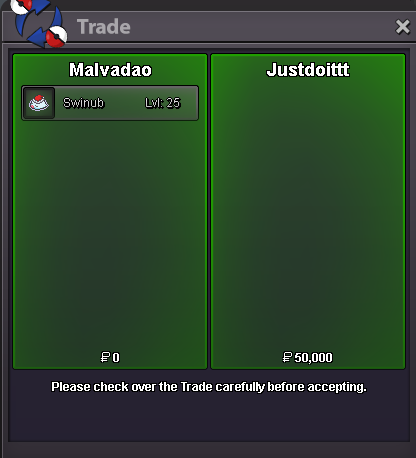
 350k porygon15 min rule triggered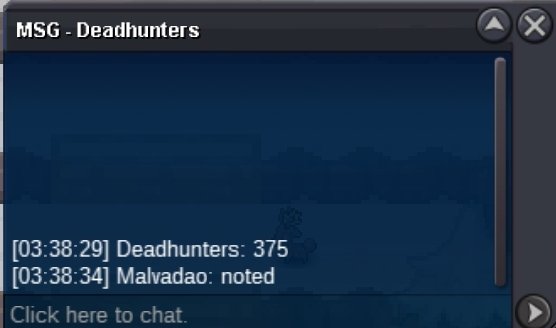



Account
Navigation
Search
Configure browser push notifications
Chrome (Android)
- Tap the lock icon next to the address bar.
- Tap Permissions → Notifications.
- Adjust your preference.
Chrome (Desktop)
- Click the padlock icon in the address bar.
- Select Site settings.
- Find Notifications and adjust your preference.
Safari (iOS 16.4+)
- Ensure the site is installed via Add to Home Screen.
- Open Settings App → Notifications.
- Find your app name and adjust your preference.
Safari (macOS)
- Go to Safari → Preferences.
- Click the Websites tab.
- Select Notifications in the sidebar.
- Find this website and adjust your preference.
Edge (Android)
- Tap the lock icon next to the address bar.
- Tap Permissions.
- Find Notifications and adjust your preference.
Edge (Desktop)
- Click the padlock icon in the address bar.
- Click Permissions for this site.
- Find Notifications and adjust your preference.
Firefox (Android)
- Go to Settings → Site permissions.
- Tap Notifications.
- Find this site in the list and adjust your preference.
Firefox (Desktop)
- Open Firefox Settings.
- Search for Notifications.
- Find this site in the list and adjust your preference.