




New Trade Zone
Trade Zone is now live
Use the new Trade Zone for auctions and instant-price trades so Pokemon and item offers are easy to find.

Kaihanninja123
Registered User
-
Joined
-
Last visited
-
Are you still selling it?
-
hmmmmm
-
i have unware clefable Dm me on my discord : SImple#1110 if interested.

-
bro when can i collect it ? 🙂
-
Hi it would be really nice if you could return lending trades, it helped a lot of people and it was a service too It can help guilds rank up in pvp and was generally a awesome feature. It created a way of helping people without the stress or trouble if they took your poke, please consider this - thank you for reading
-
I belive i have one to your liking bt i cant show yet since server shutdown 😕
-
ive waited 3 days..
-
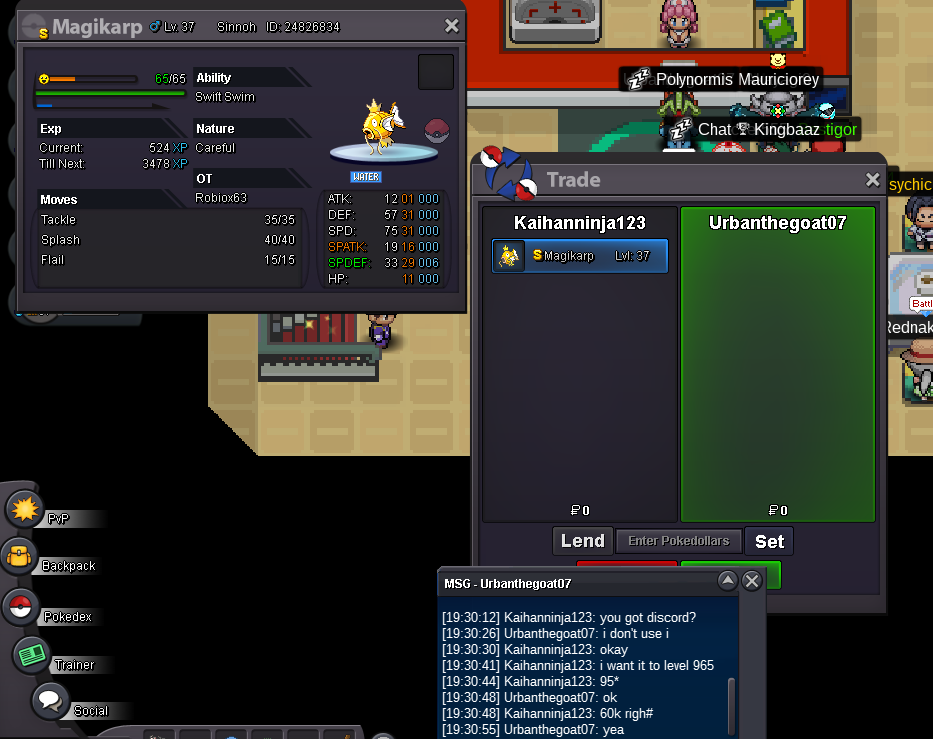
Hi im sorry if this is in the wrong forum i tried clicking help center but it only directed me to here, I bought level service for my shiny Magicarp but he accidently unfriended me or other way round Now i dont know when hes online can you please force trade?
-
volcarona starting 150k fine\?=
-
oh i didnt see that he won it... well can you start tyrnaitar
-
My in game is Kaihanninja123 btw
-
500k bisharp if i am not online , please result to force trade as when i go online i tend not to come back for quite a while
-
okay. understandable good luck have fun
-
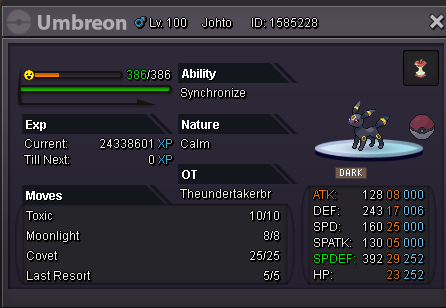
give me a offer :) accept cc,pvp items ounts etc. gl man :)
-
if its possible i would like start 150k . i knwo this is lower and all but. tell em ur answer
