




New Trade Zone
Trade Zone is now live
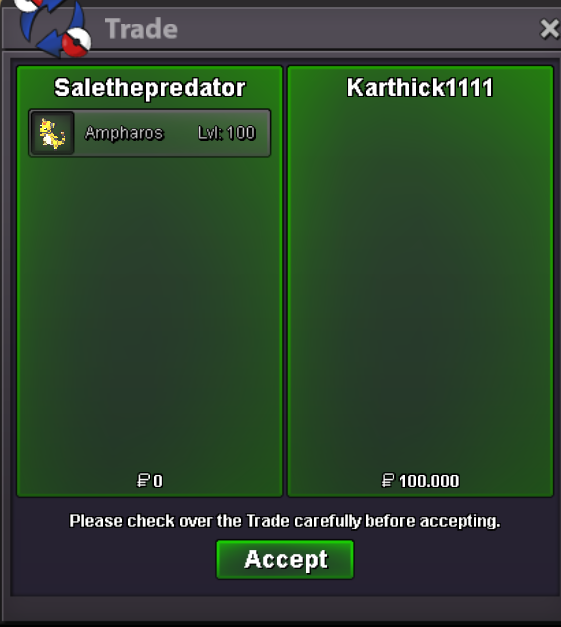
Use the new Trade Zone for auctions and instant-price trades so Pokemon and item offers are easy to find.

Sale01
Registered User
-
Joined
-
Last visited
Everything posted by Sale01
-
-
start
-
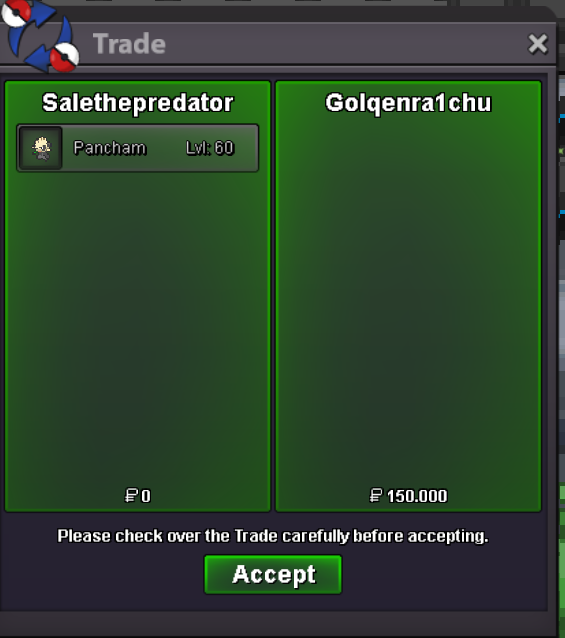
270k donphan
-
-
if u mean this 2 sure, pm me in game

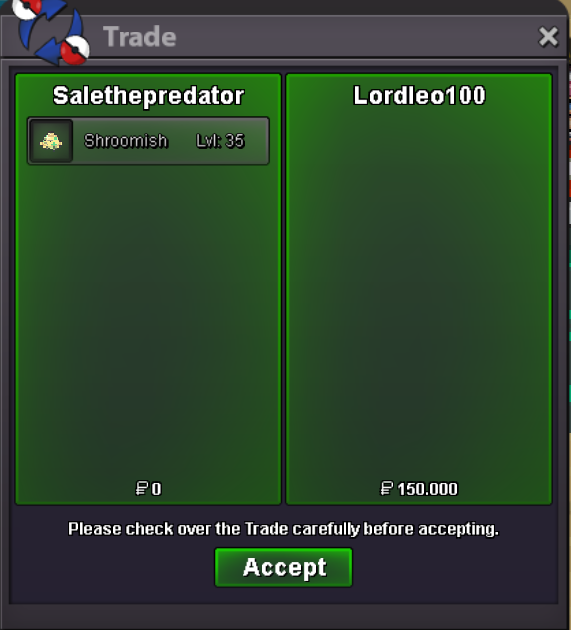
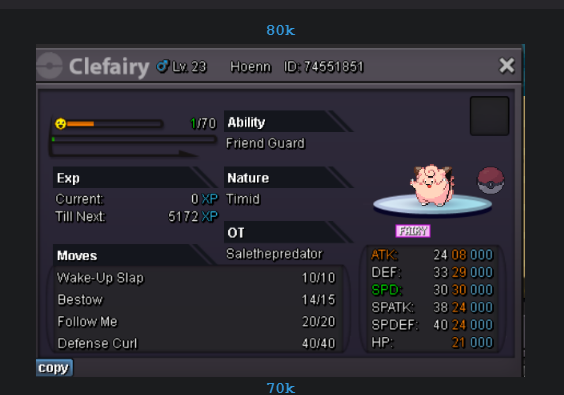 yes all available, pm me in gameada shroomish sold
 ACCEPTED PAYMENTS Pokedollar Coin Capsule = 370k Rare Candy = 6.5k CONTACTS IGN = Sale01 Discord = Sale_Gudman#9908 TRAINED POKEMOM UNTRAINED POKEMON STORY POKEMON 50K EACH
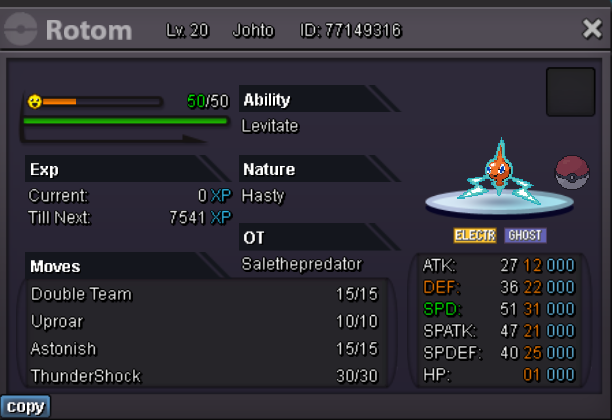
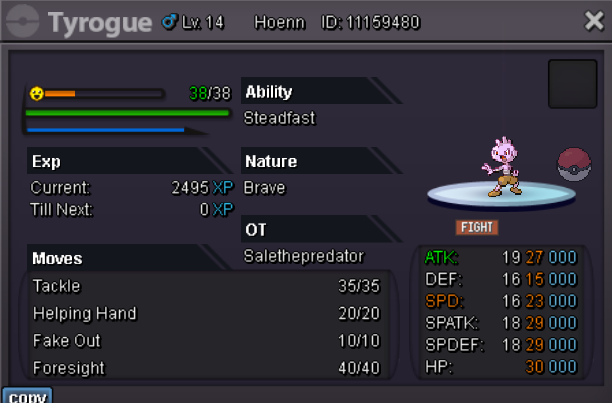
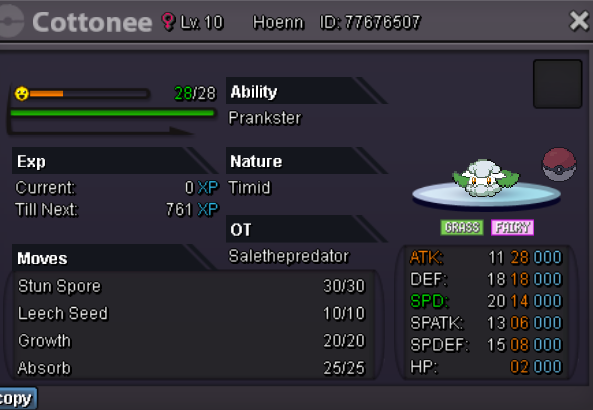
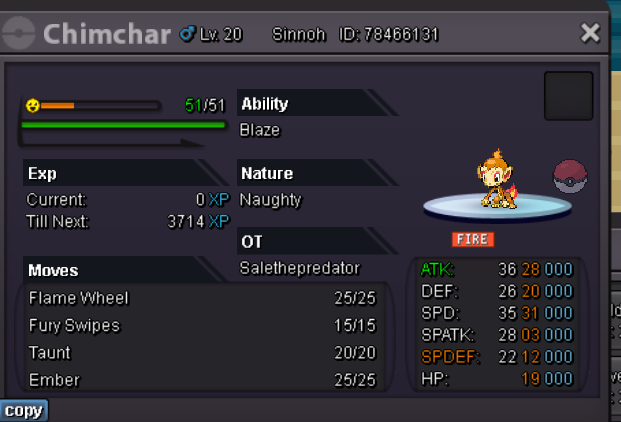
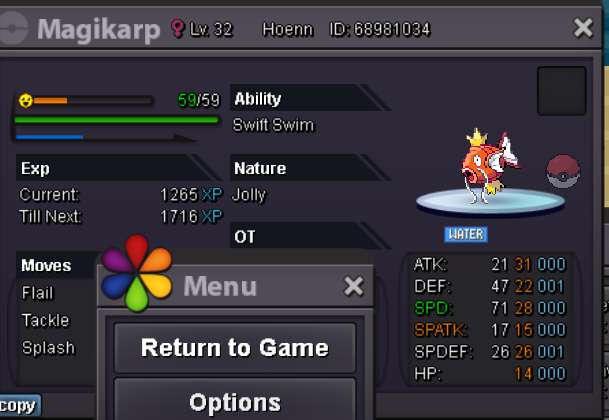

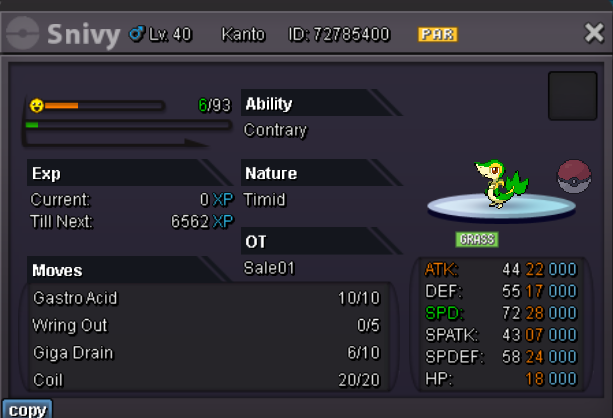
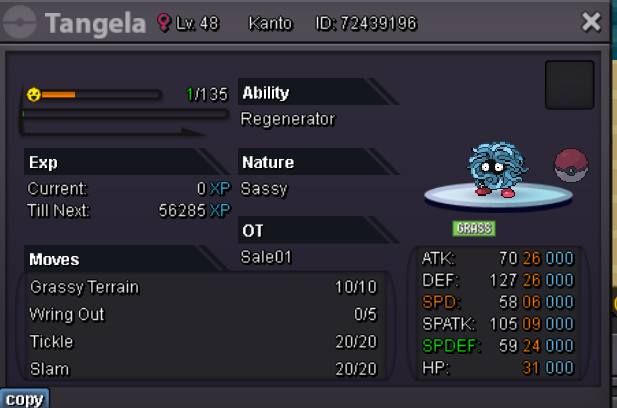
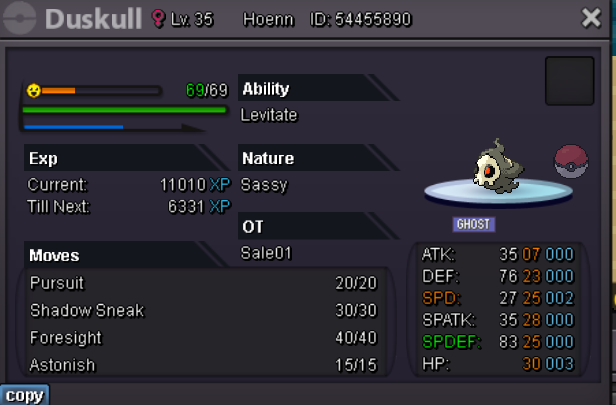
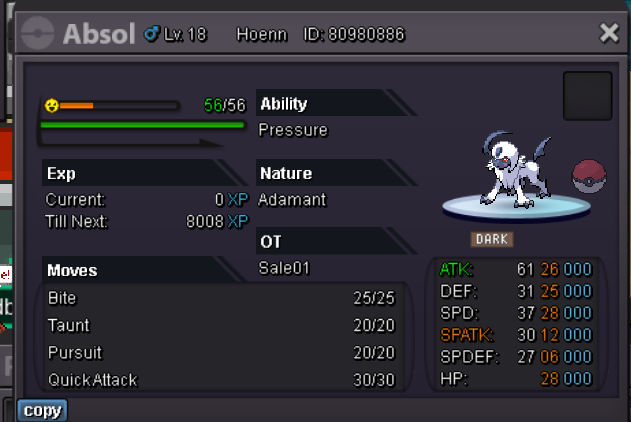
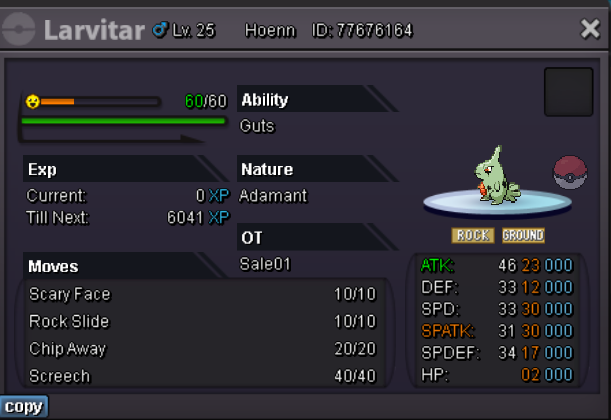
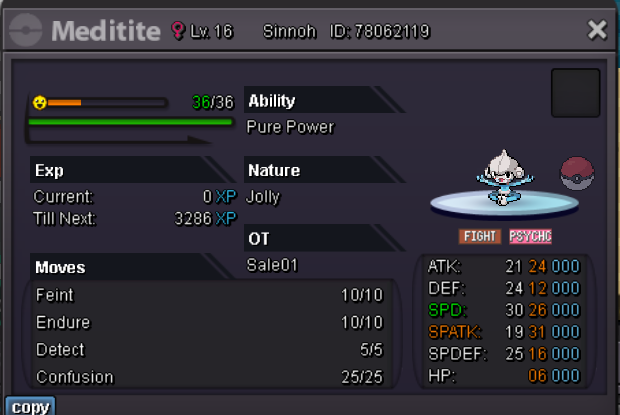
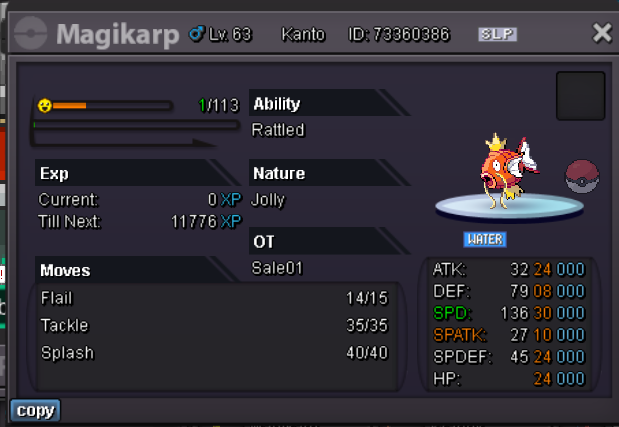
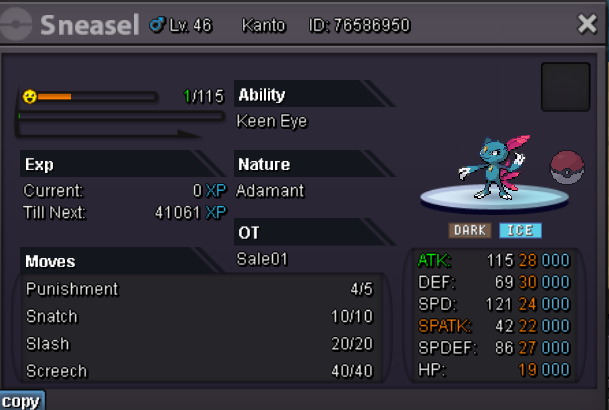
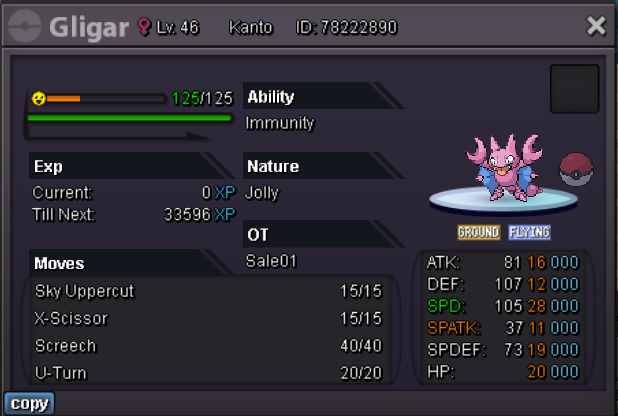


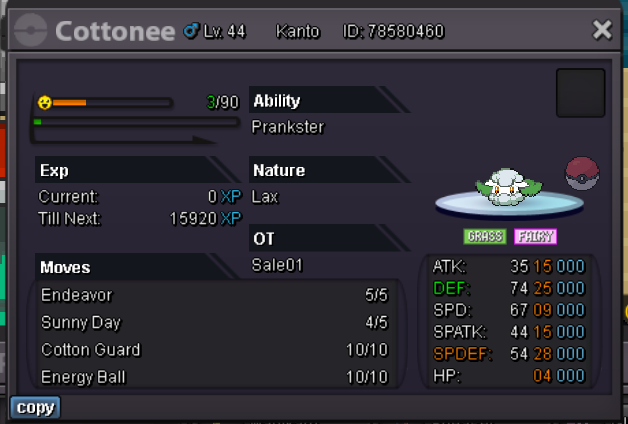

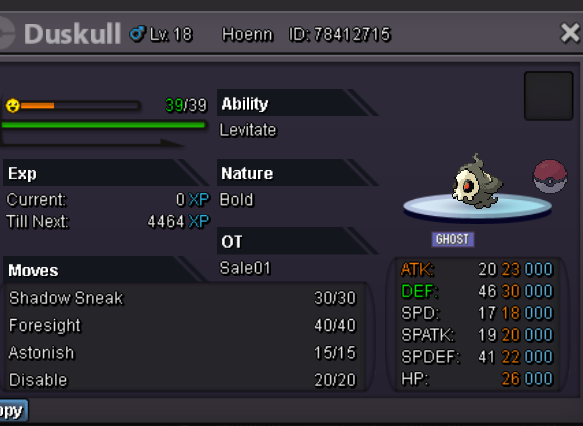
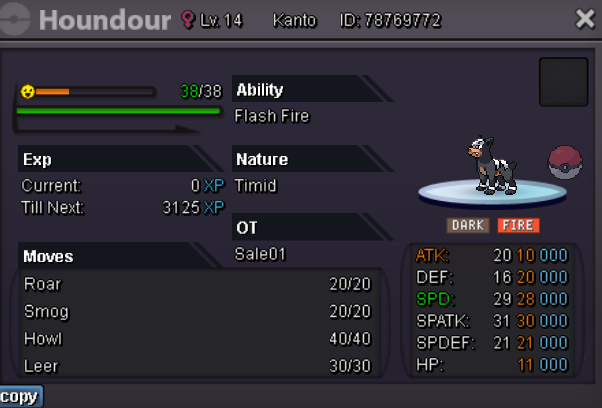
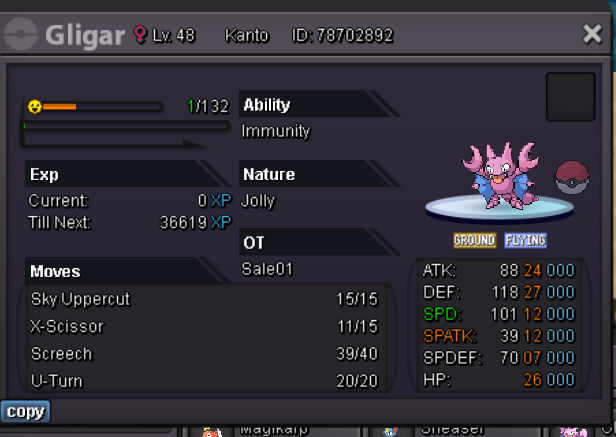
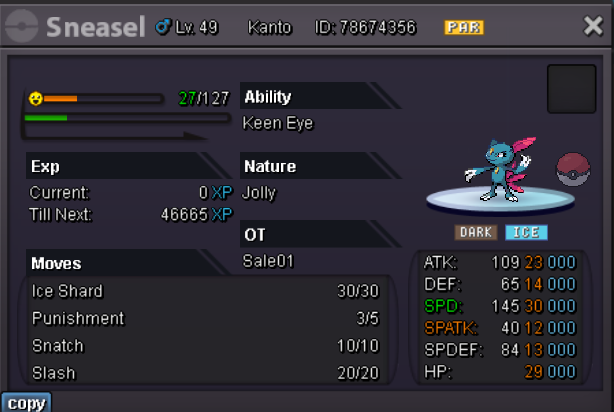

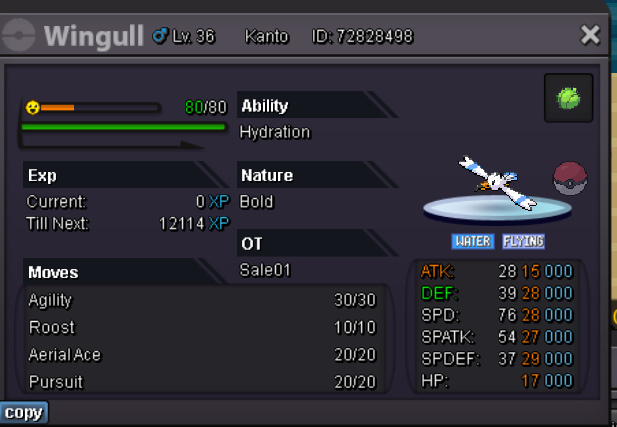
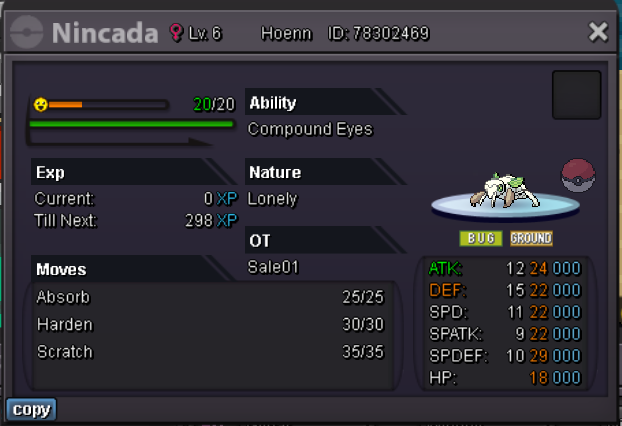


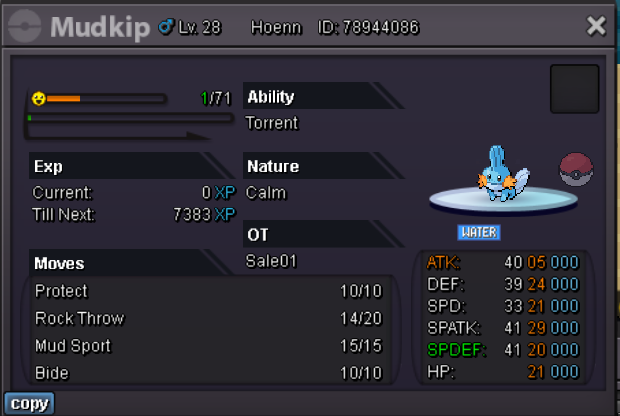
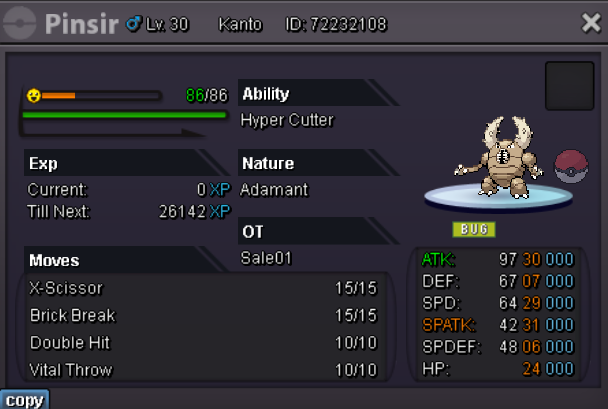

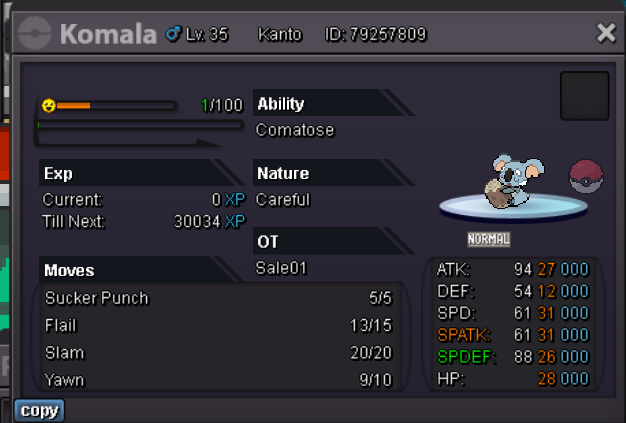
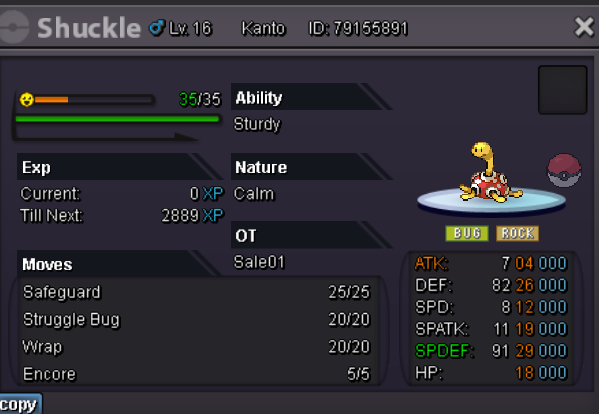
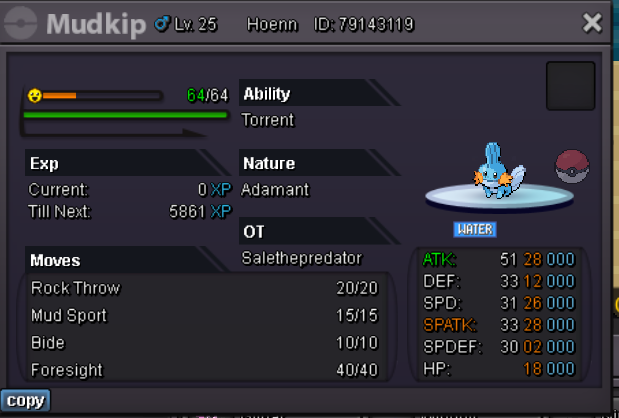

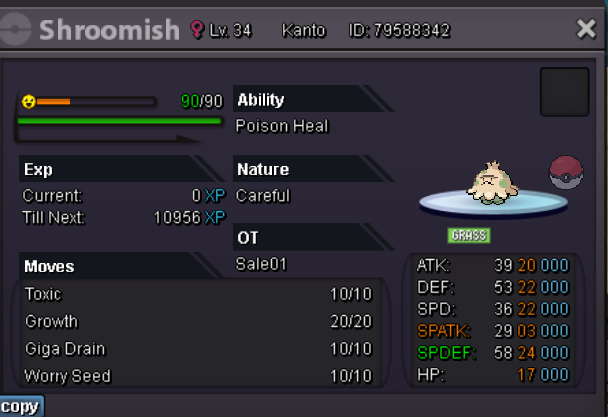


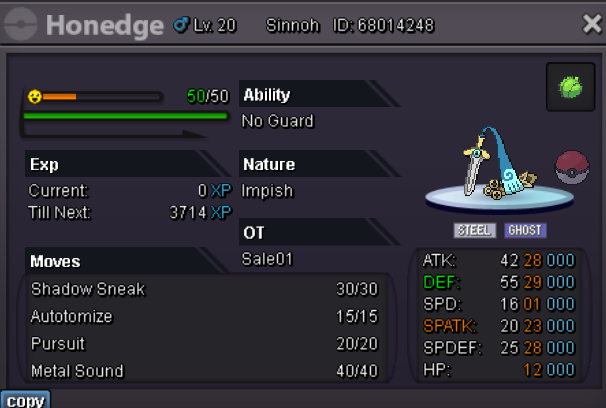
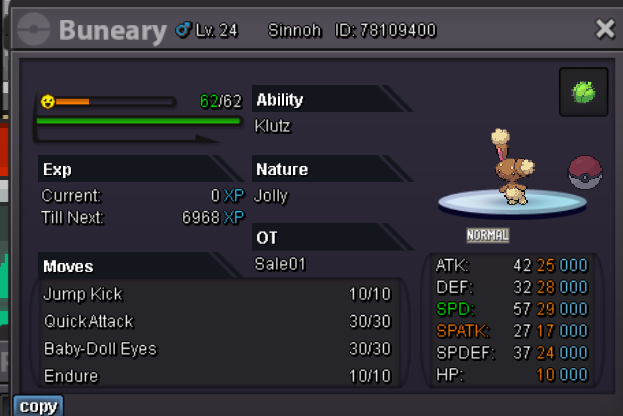
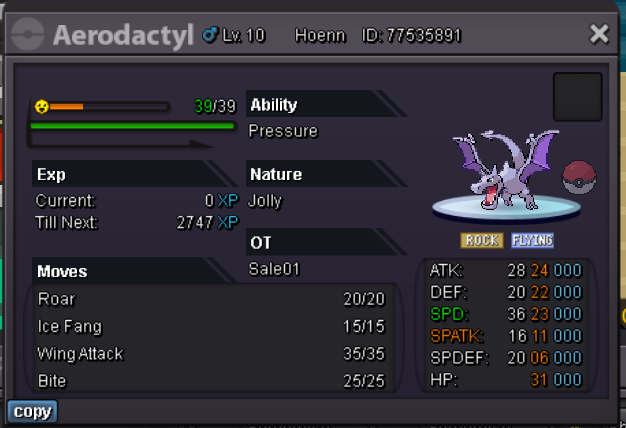
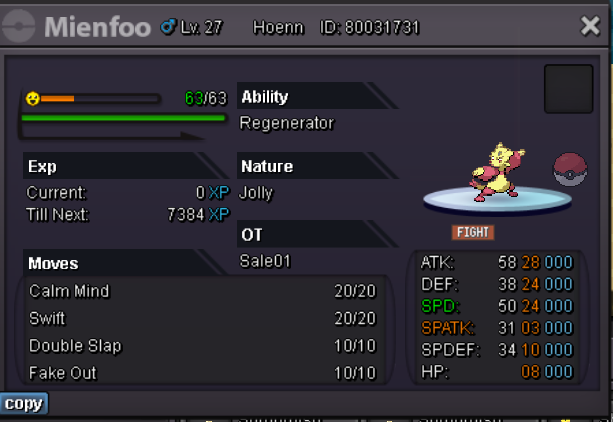
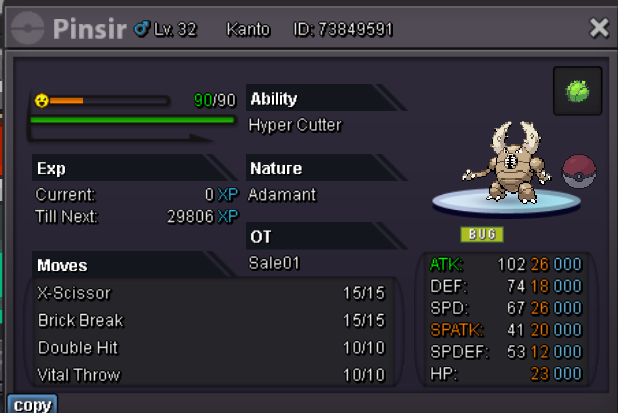
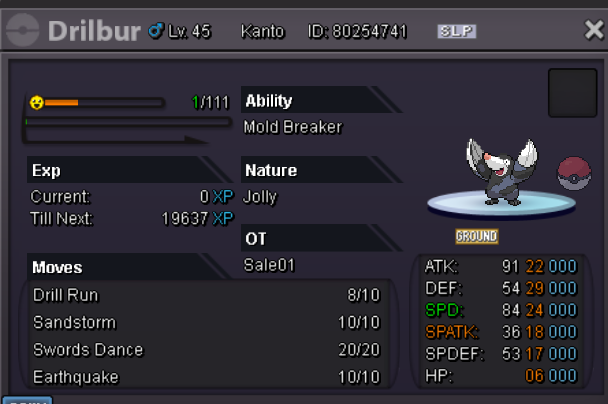
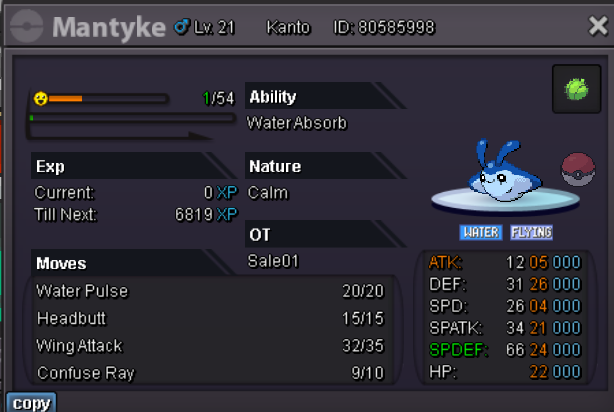


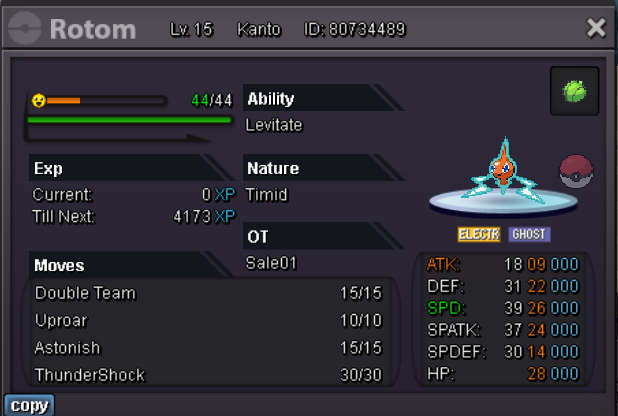
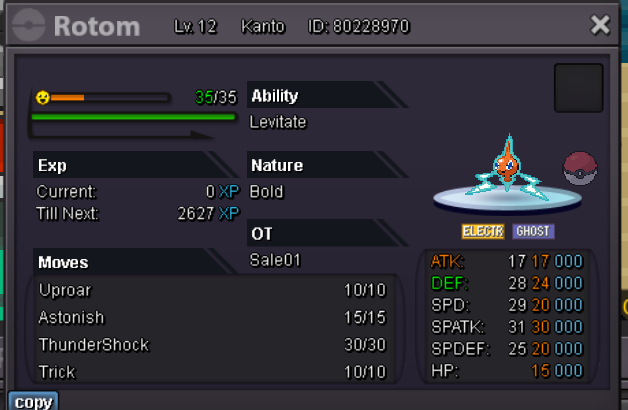
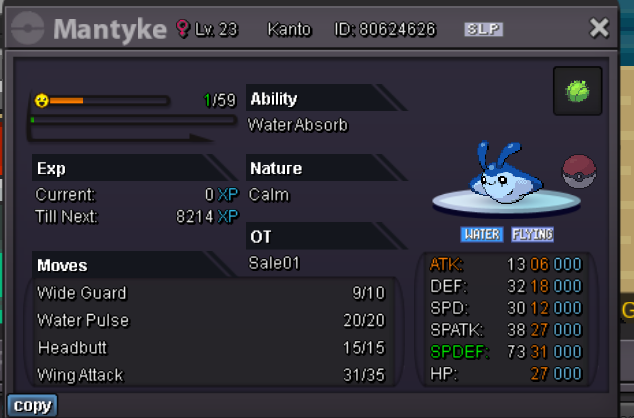
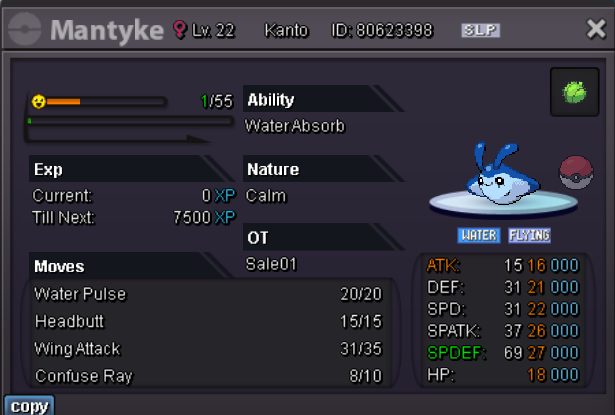
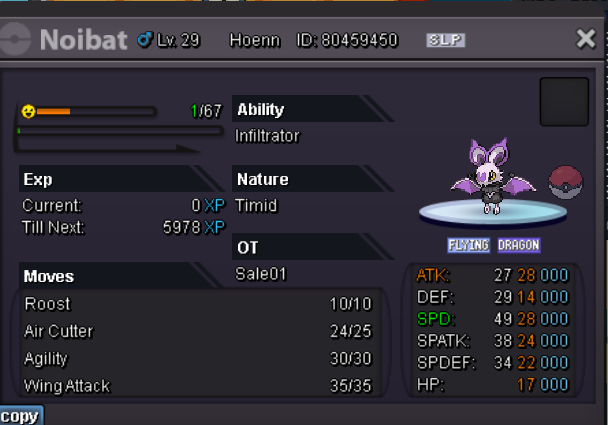
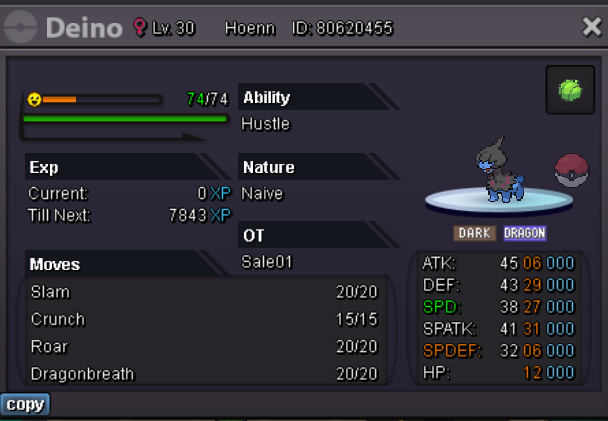
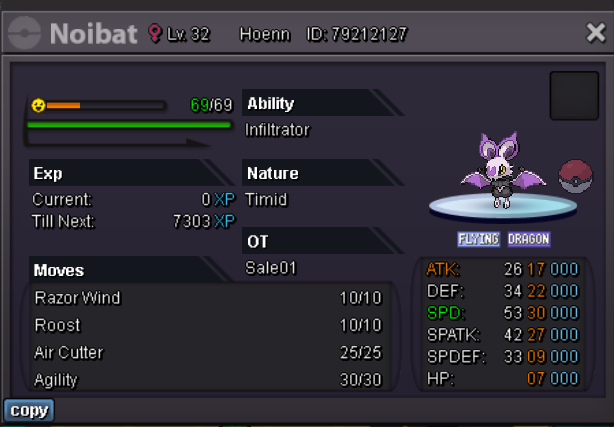
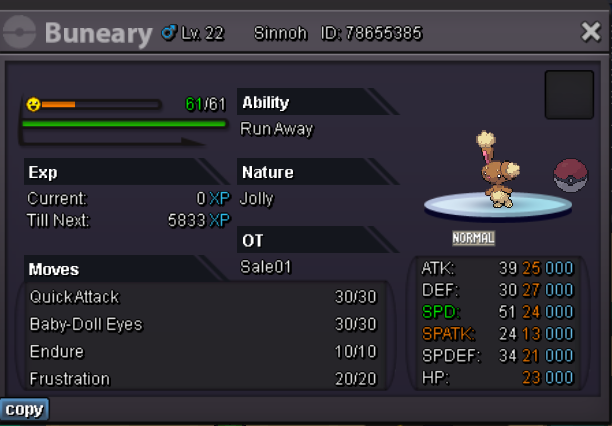
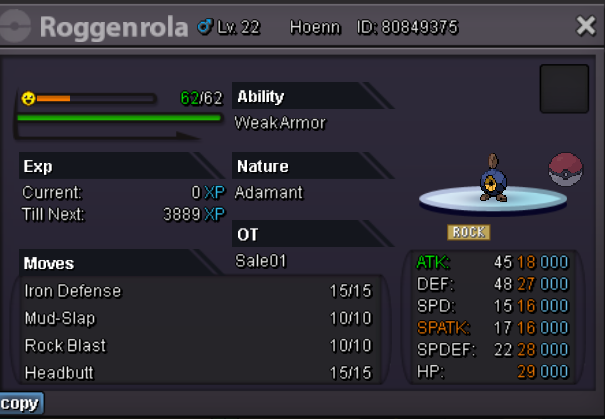

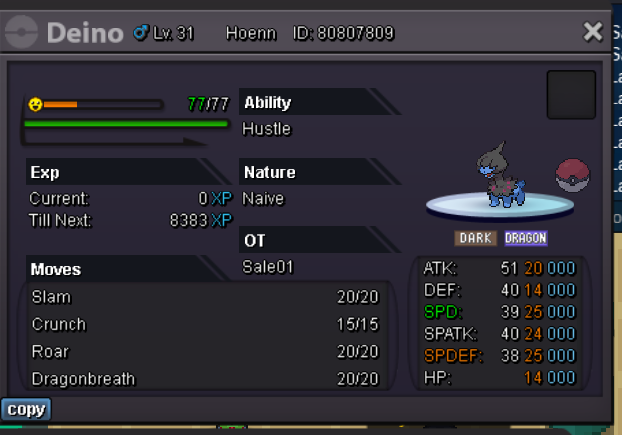
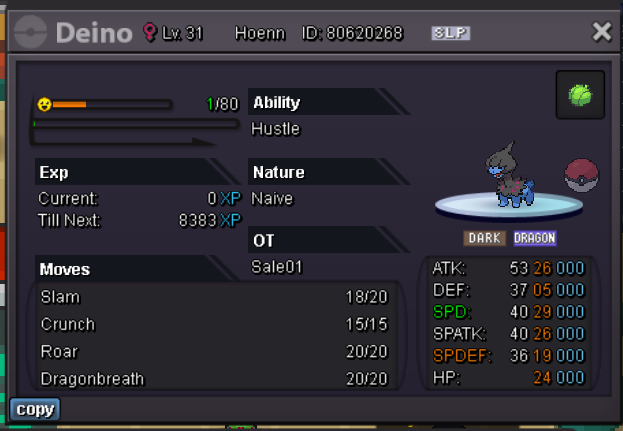
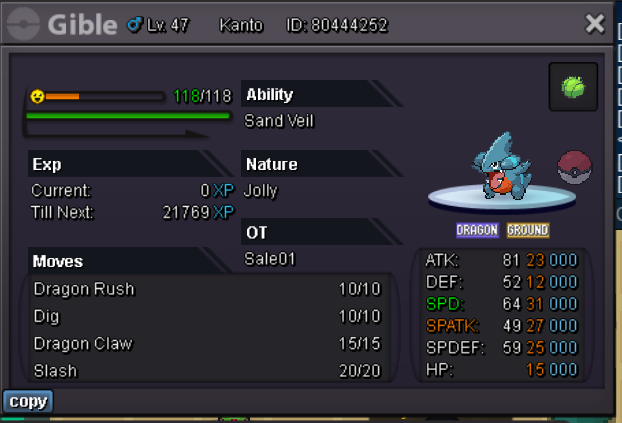
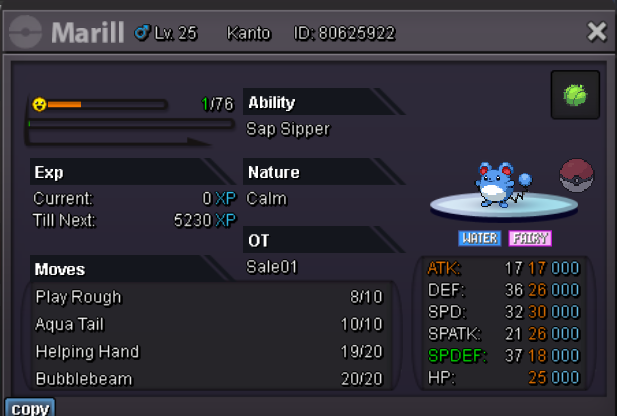
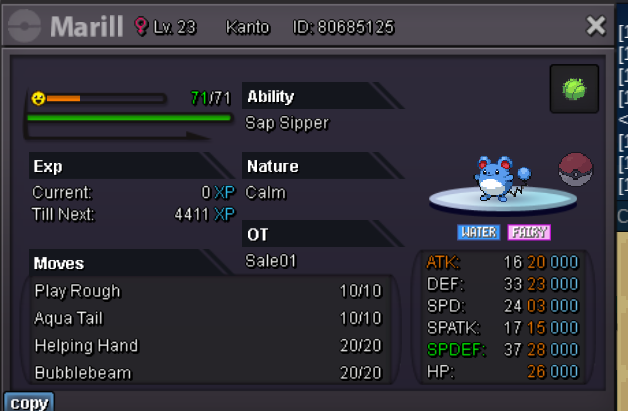

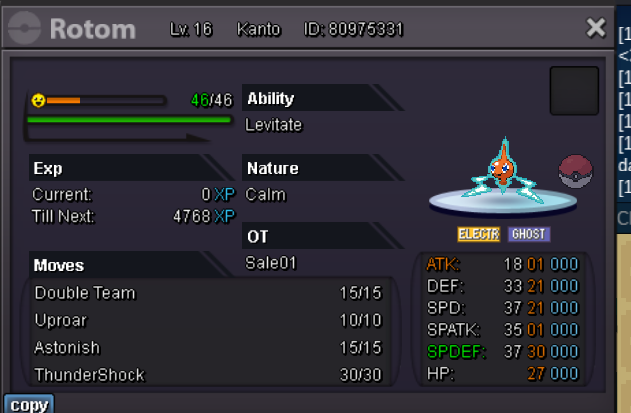
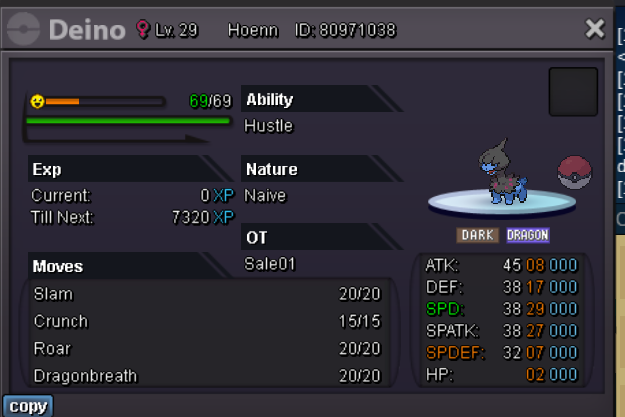
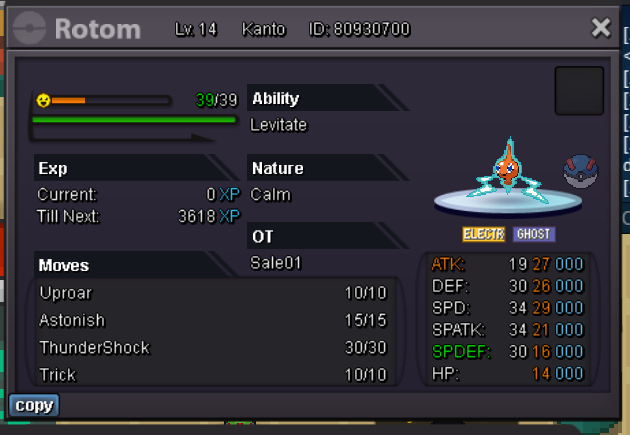
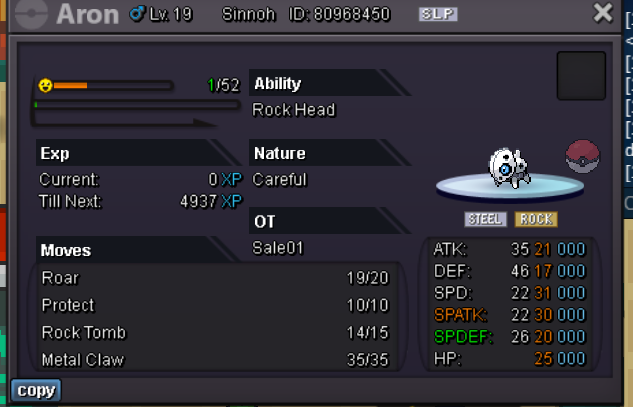

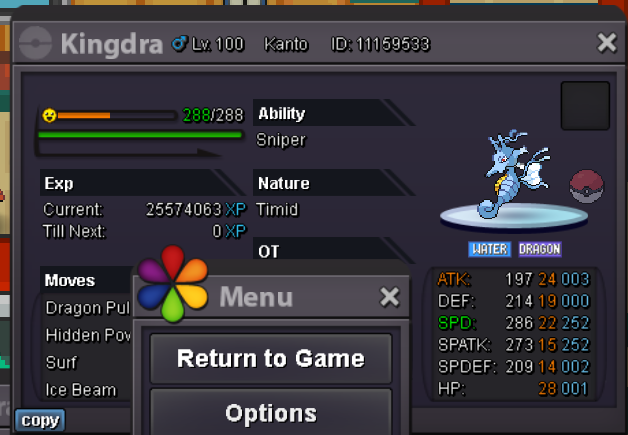
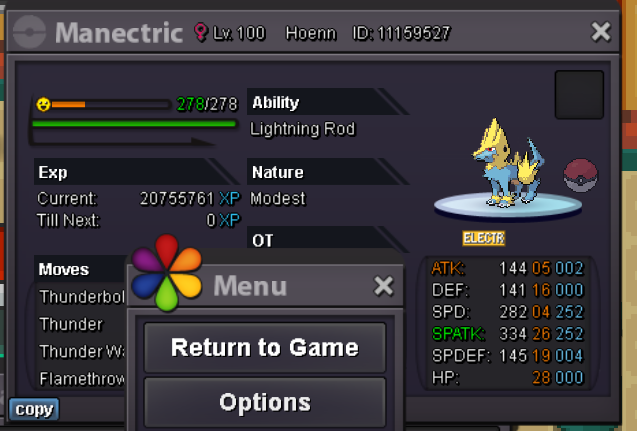
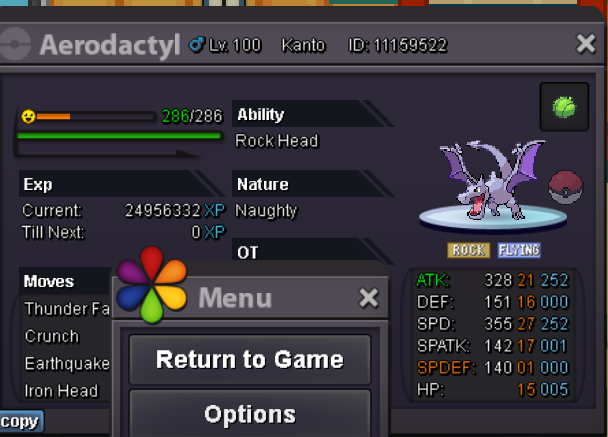
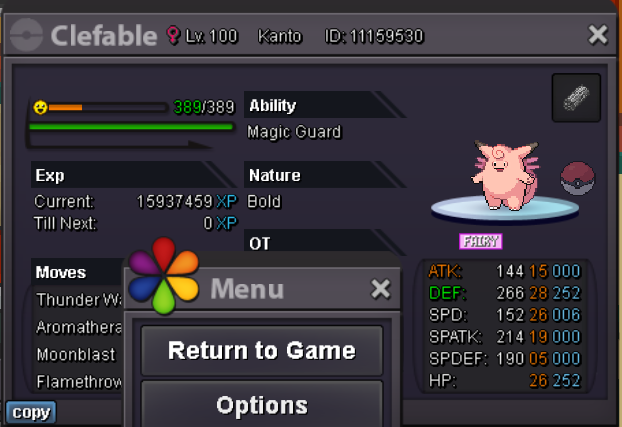
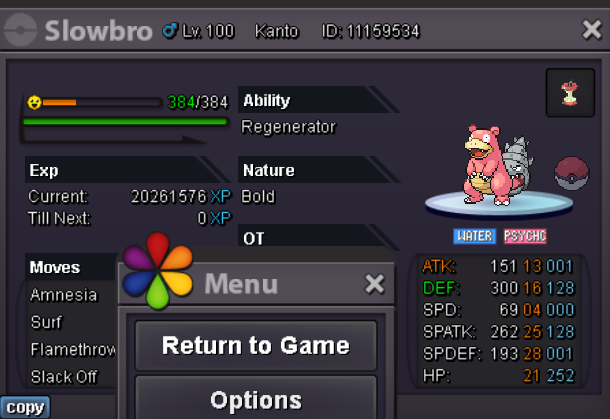
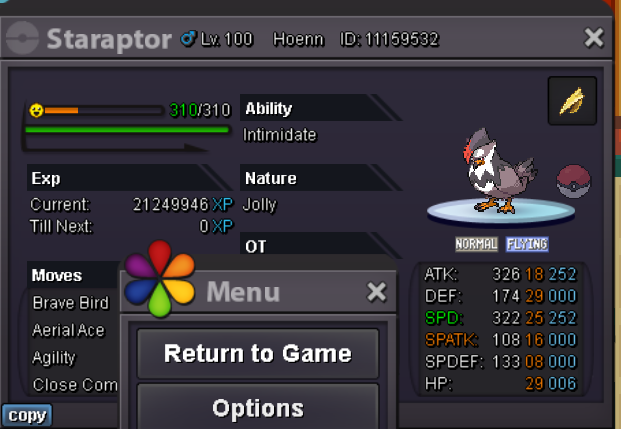
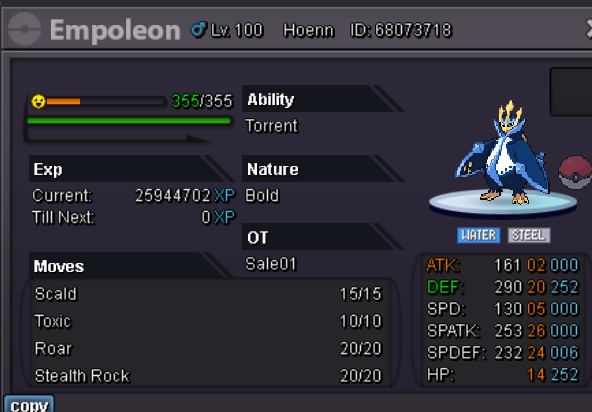

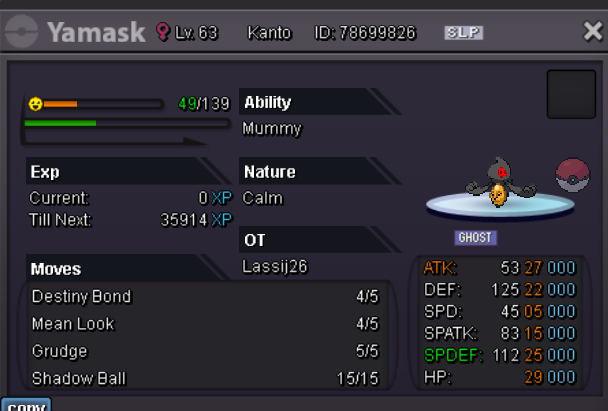
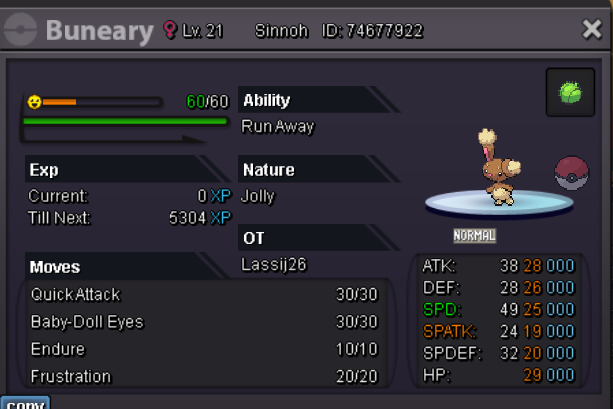

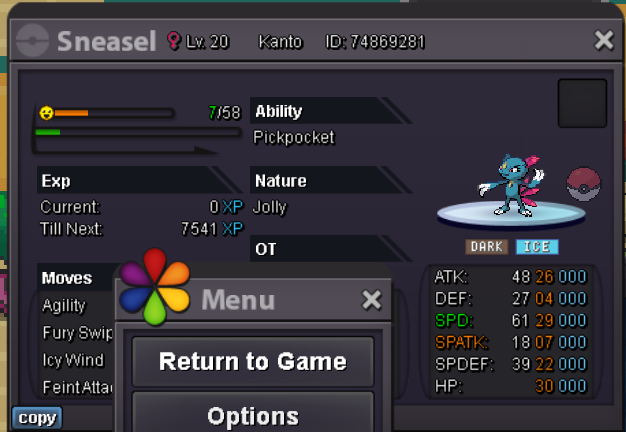

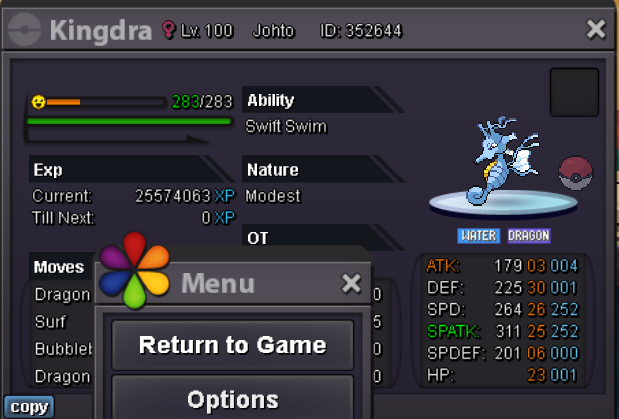
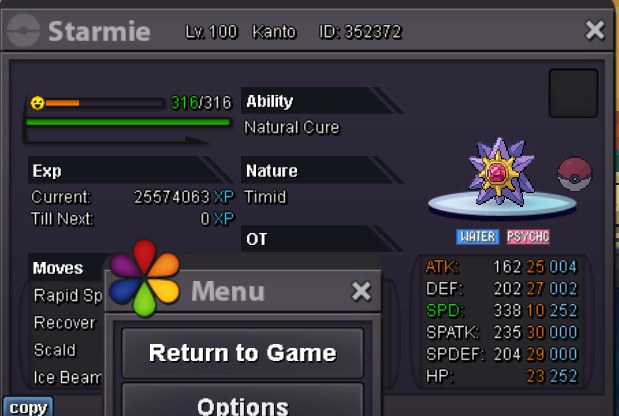
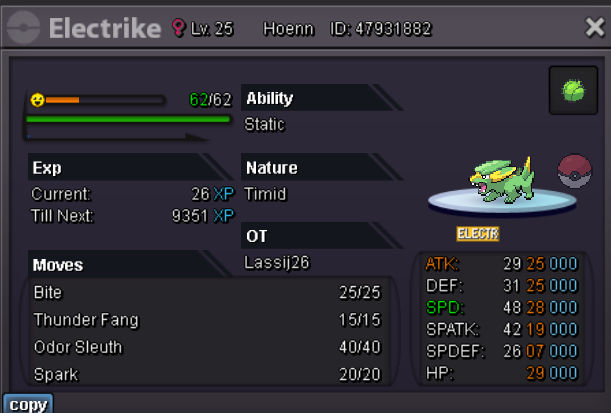
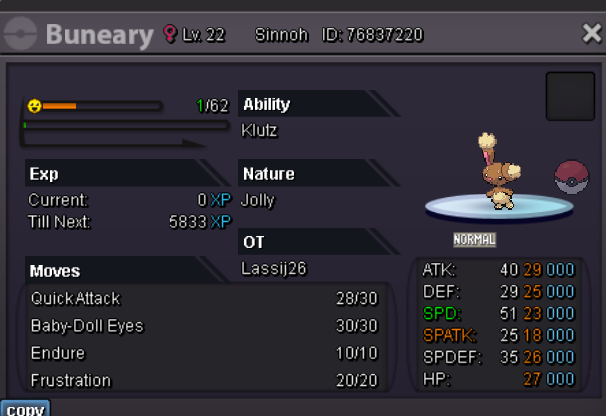
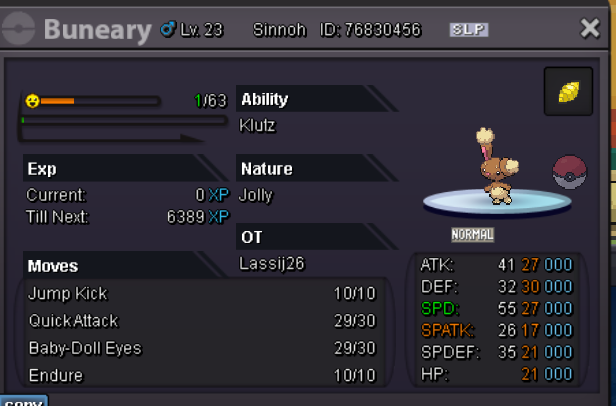

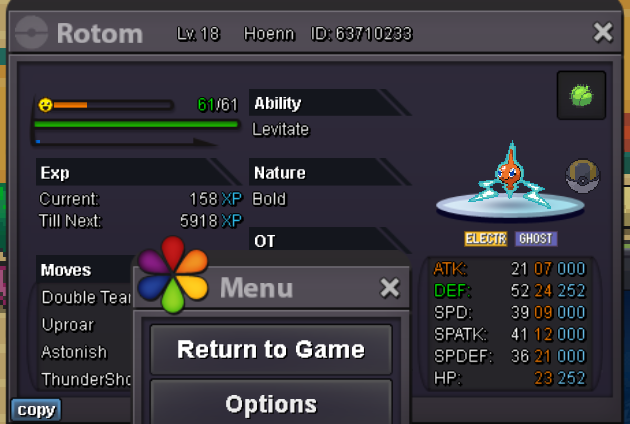
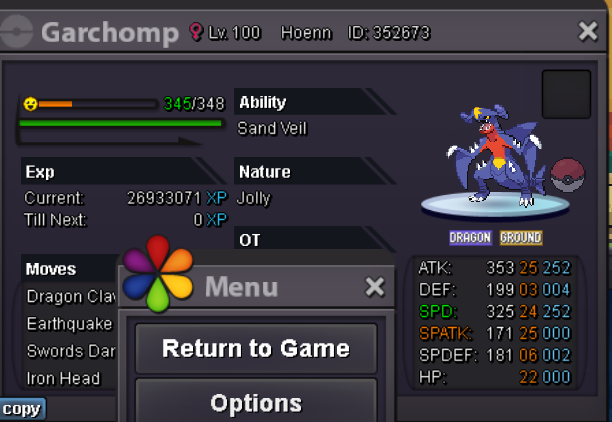

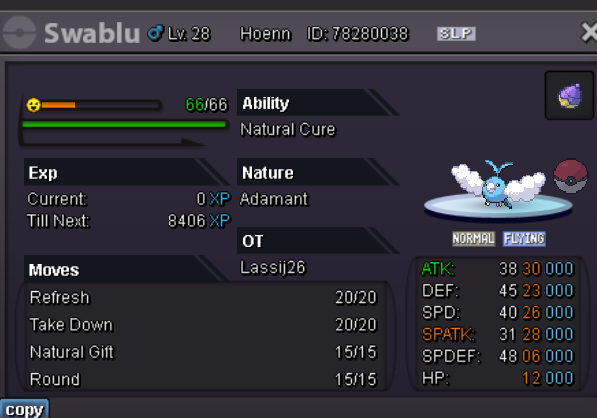

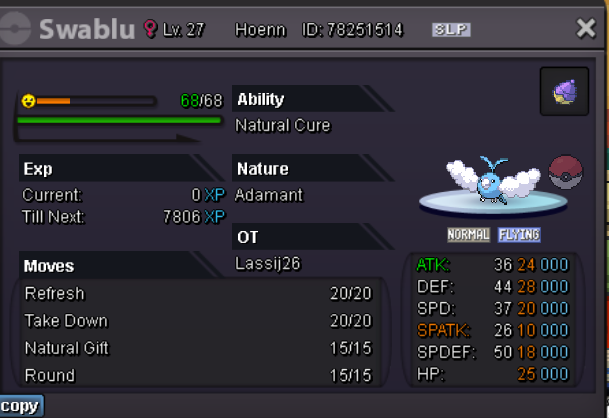

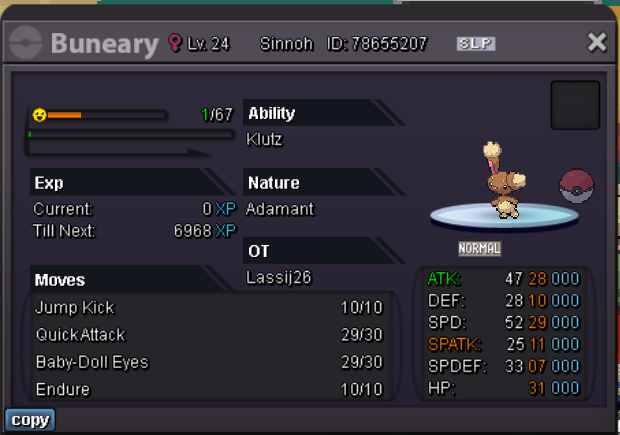
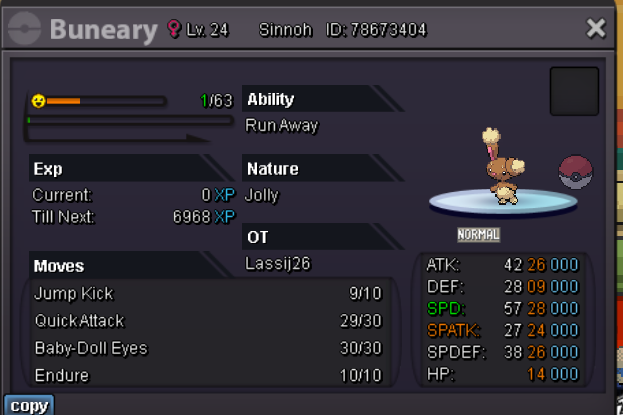
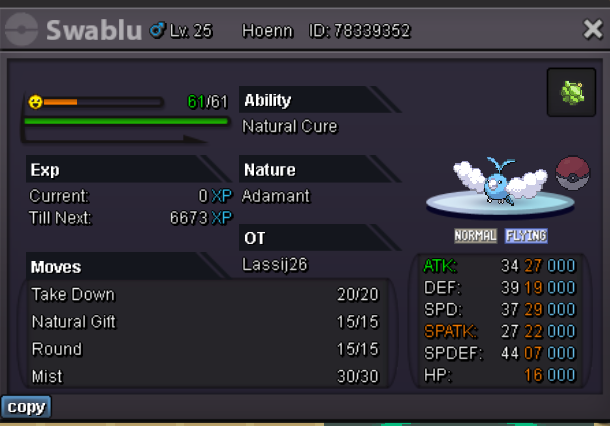
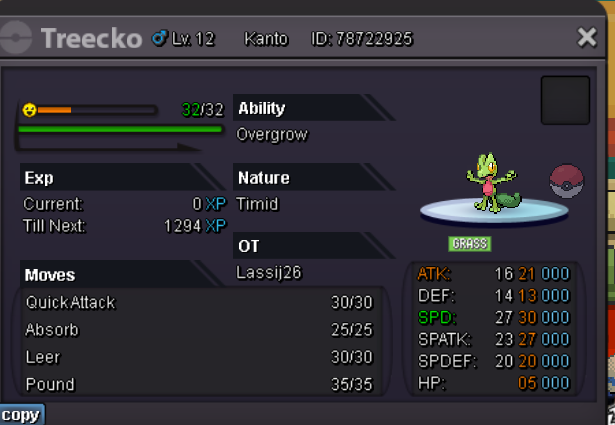
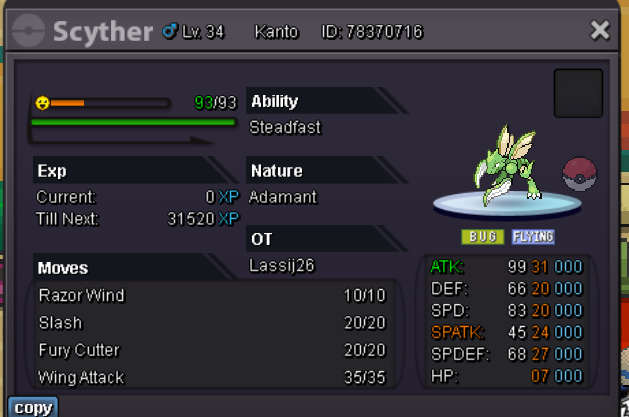
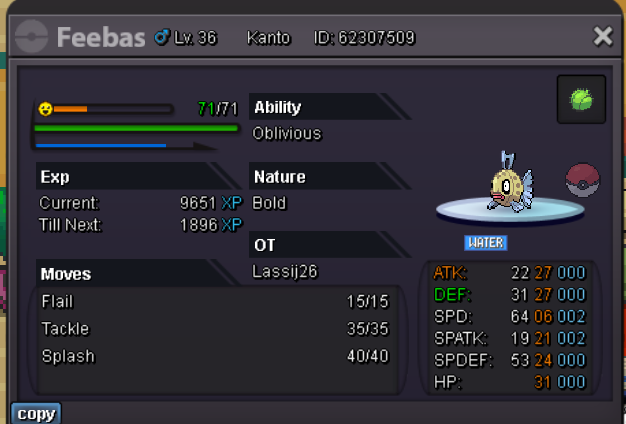
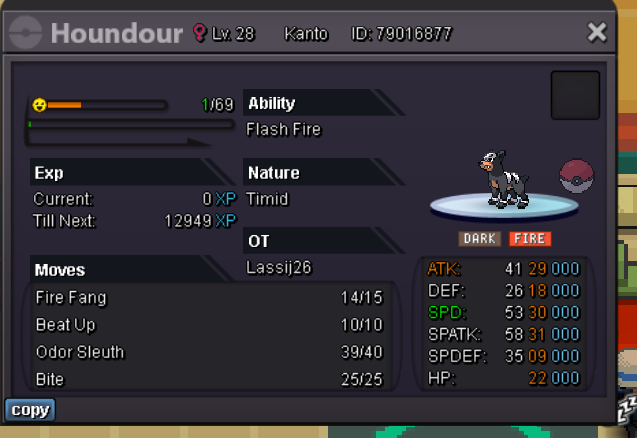
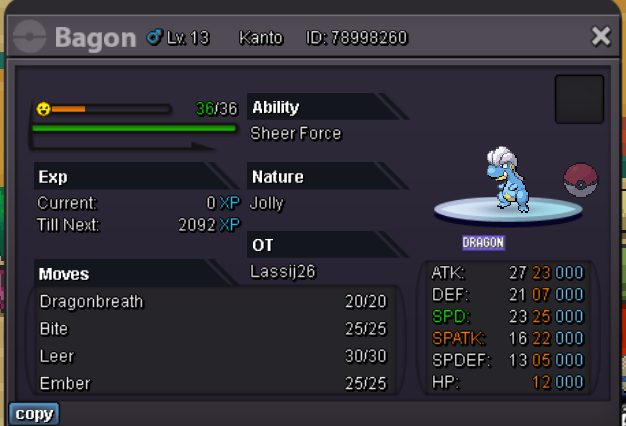
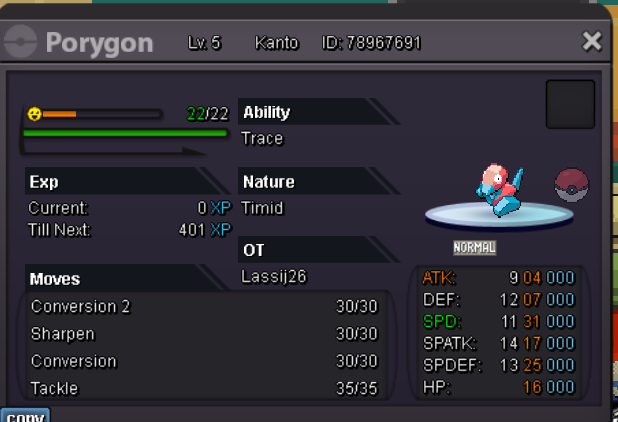
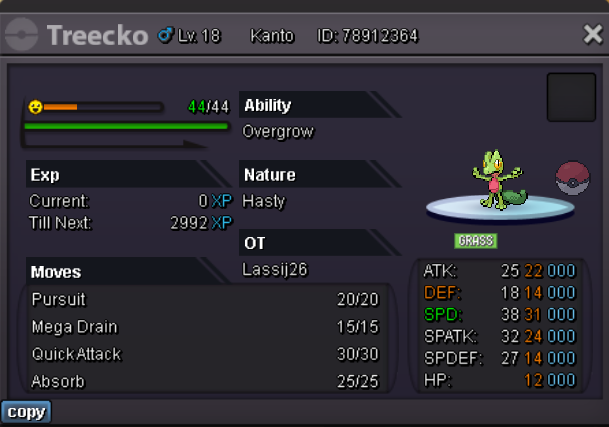
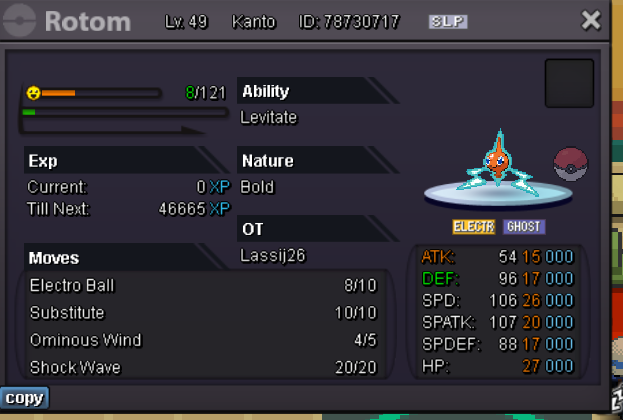
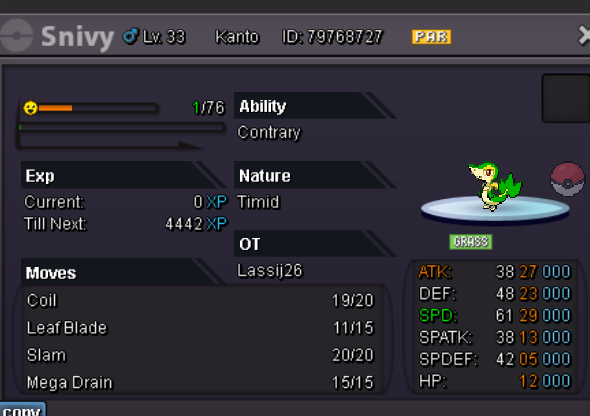
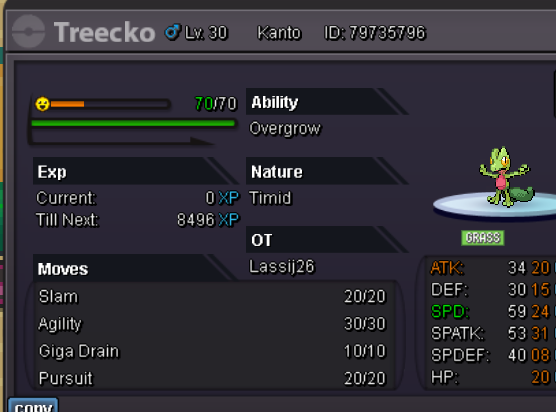
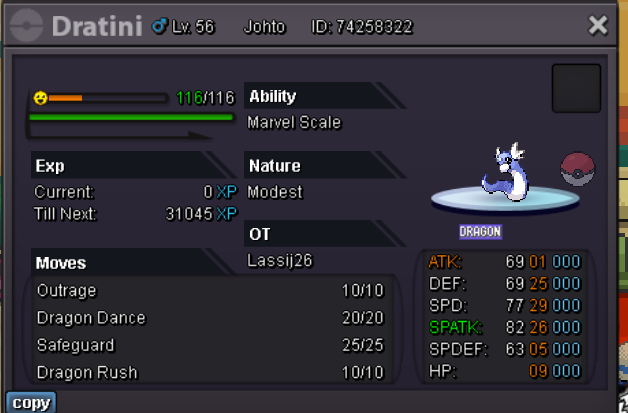
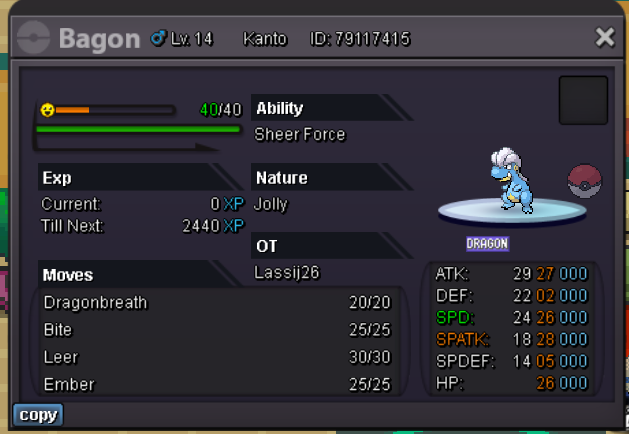

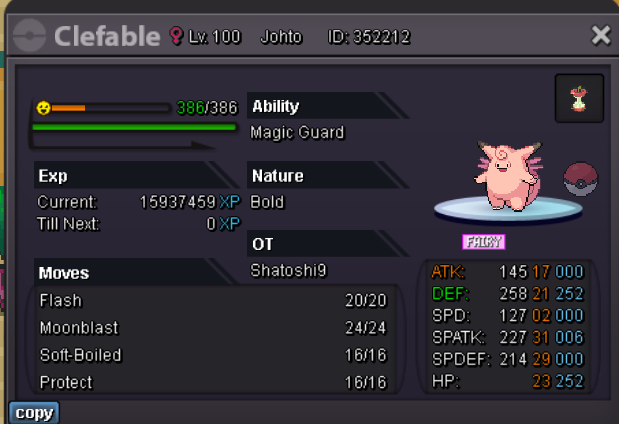
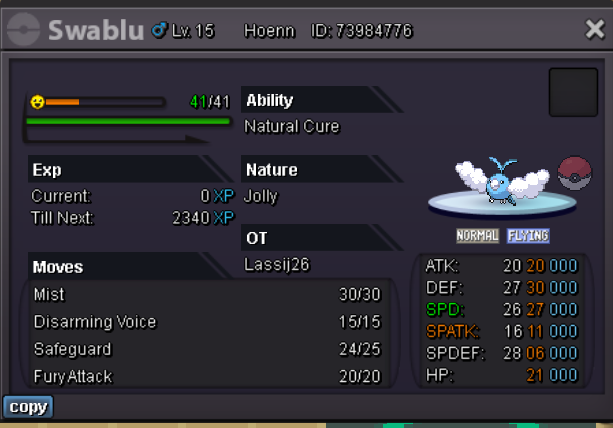
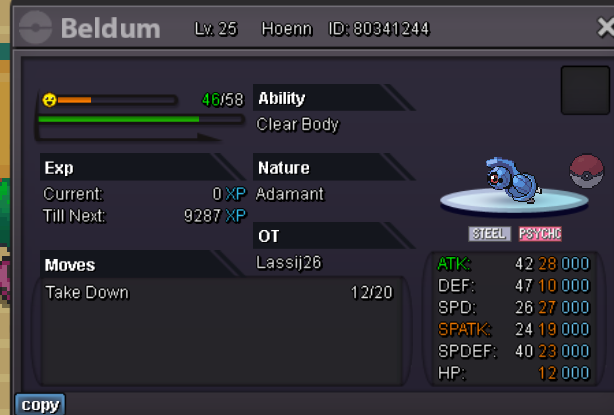
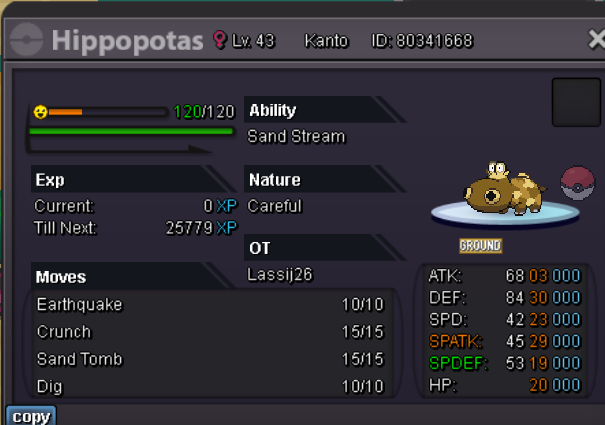
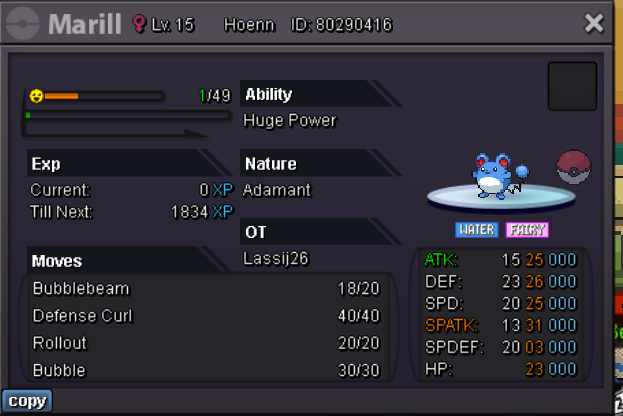

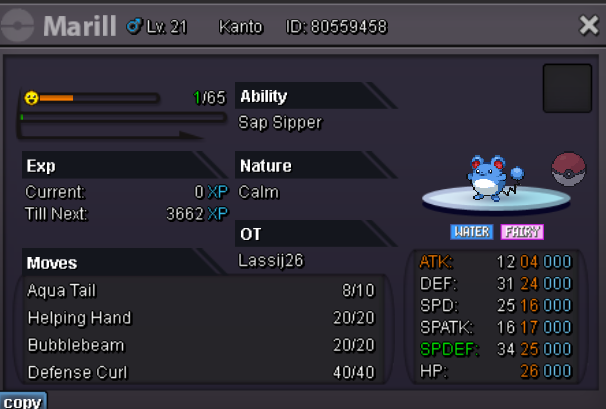

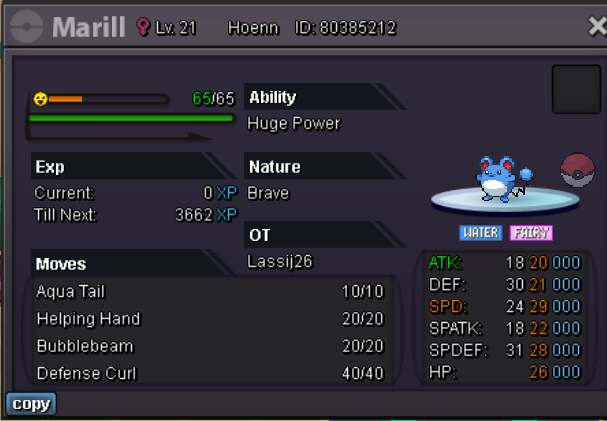
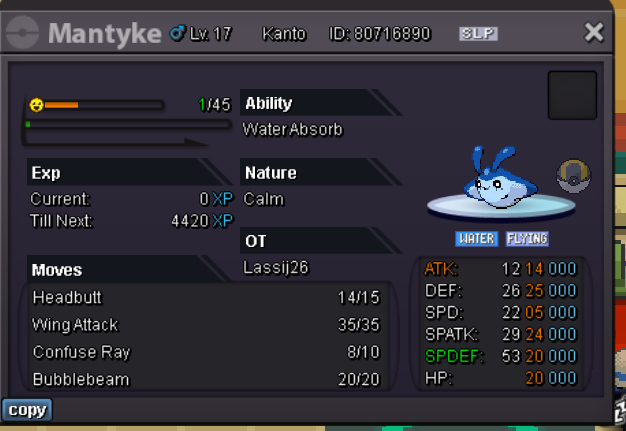
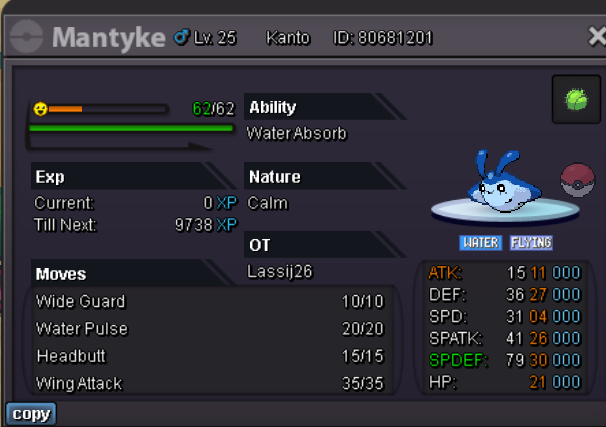
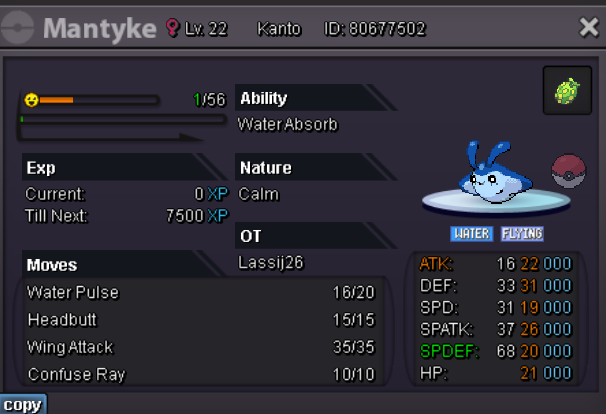
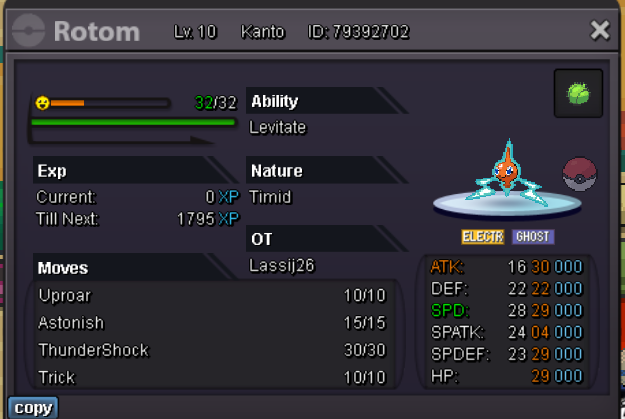

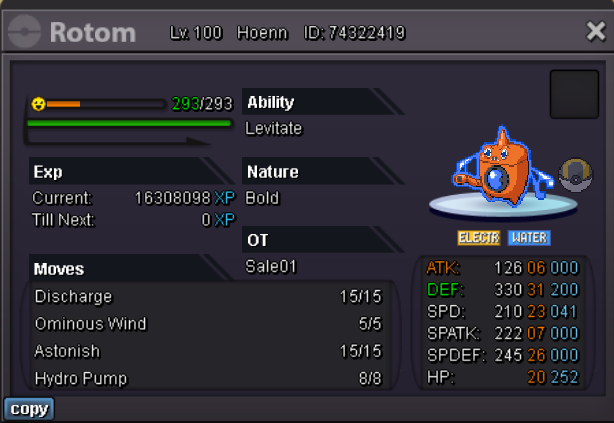
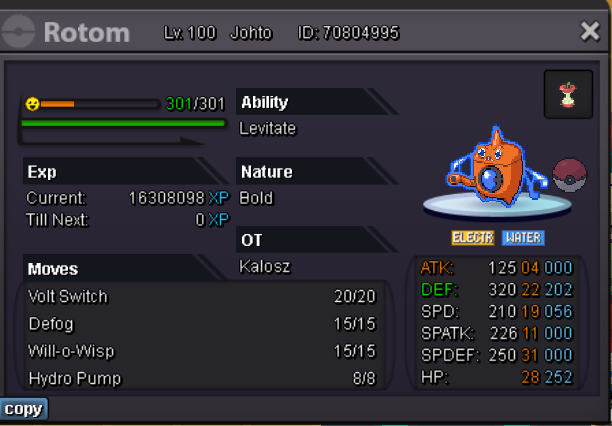
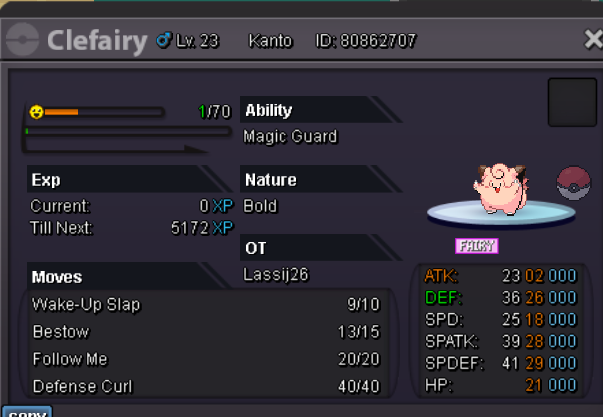
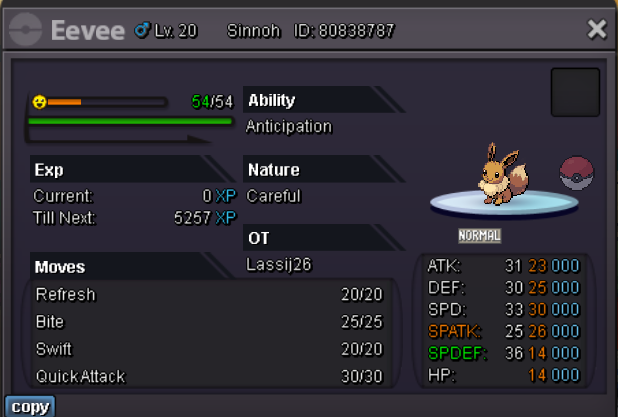
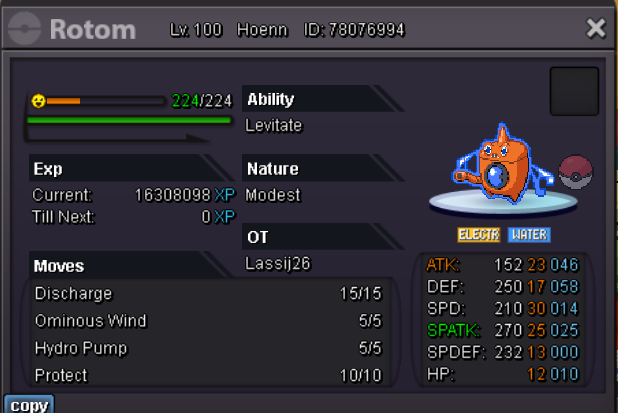
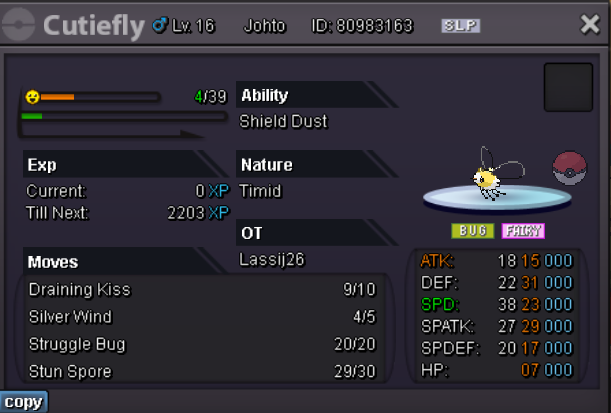

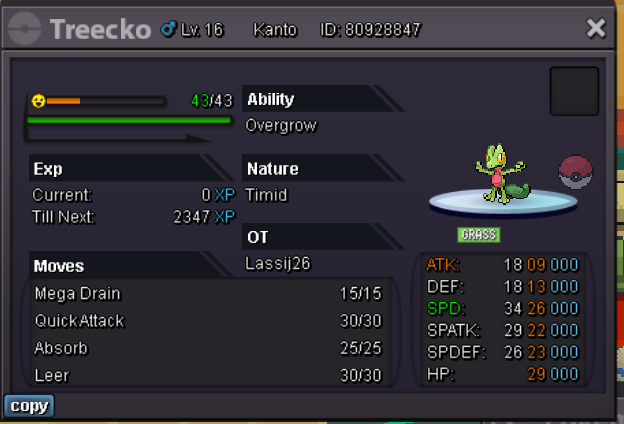
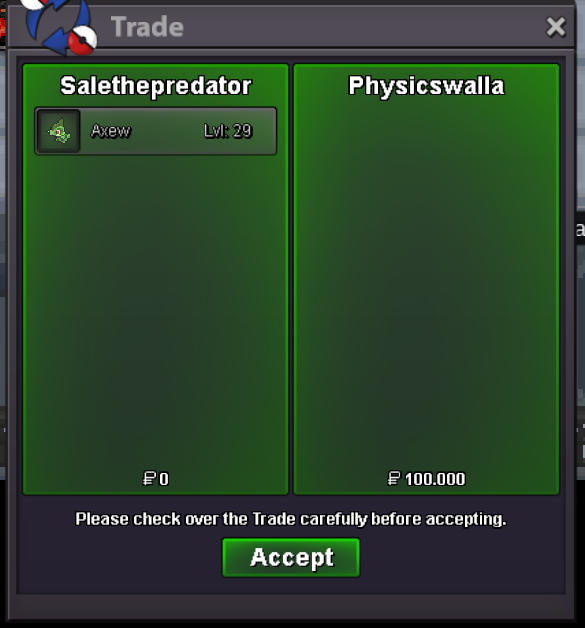
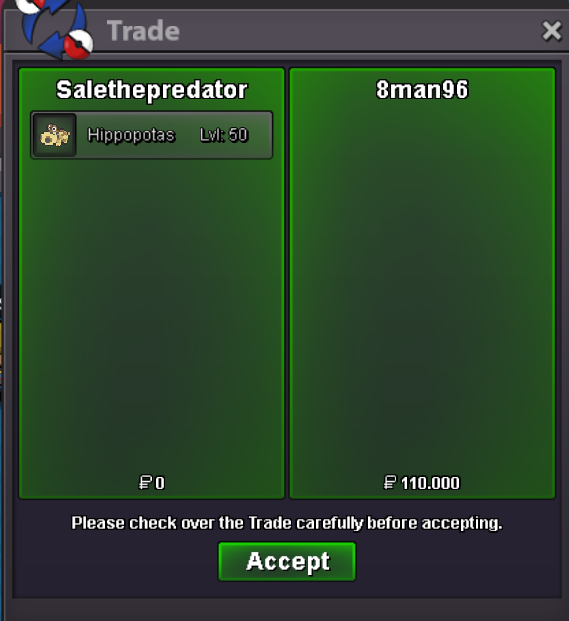
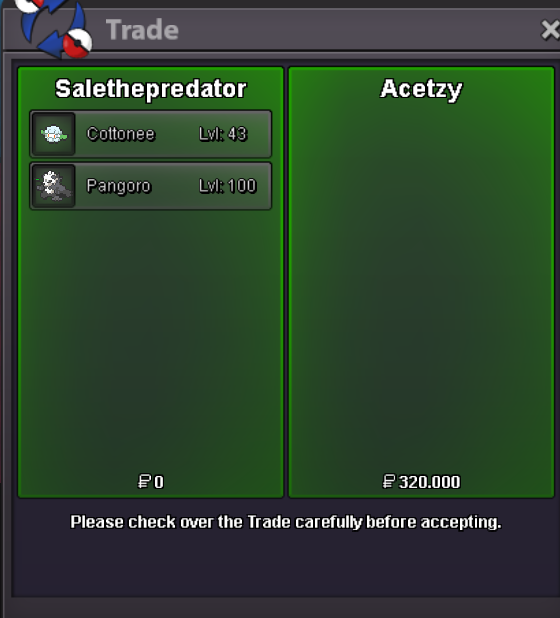
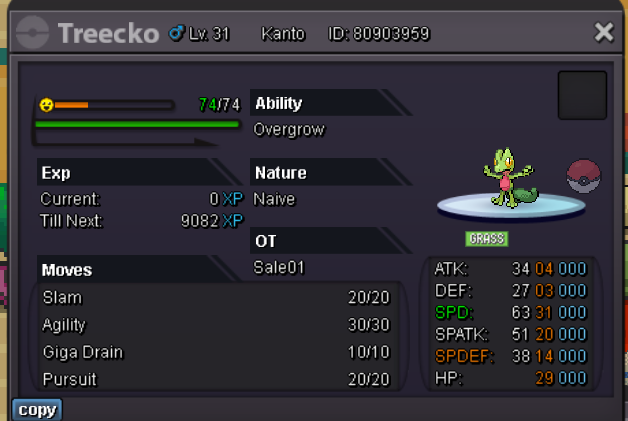 2.3m2.1mstartstartstart






Account
Navigation
Search
Configure browser push notifications
Chrome (Android)
- Tap the lock icon next to the address bar.
- Tap Permissions → Notifications.
- Adjust your preference.
Chrome (Desktop)
- Click the padlock icon in the address bar.
- Select Site settings.
- Find Notifications and adjust your preference.
Safari (iOS 16.4+)
- Ensure the site is installed via Add to Home Screen.
- Open Settings App → Notifications.
- Find your app name and adjust your preference.
Safari (macOS)
- Go to Safari → Preferences.
- Click the Websites tab.
- Select Notifications in the sidebar.
- Find this website and adjust your preference.
Edge (Android)
- Tap the lock icon next to the address bar.
- Tap Permissions.
- Find Notifications and adjust your preference.
Edge (Desktop)
- Click the padlock icon in the address bar.
- Click Permissions for this site.
- Find Notifications and adjust your preference.
Firefox (Android)
- Go to Settings → Site permissions.
- Tap Notifications.
- Find this site in the list and adjust your preference.
Firefox (Desktop)
- Open Firefox Settings.
- Search for Notifications.
- Find this site in the list and adjust your preference.