




New Trade Zone
Trade Zone is now live
Use the new Trade Zone for auctions and instant-price trades so Pokemon and item offers are easy to find.

Sakayanagi
Registered User
-
Joined
-
Last visited
Everything posted by Sakayanagi
-
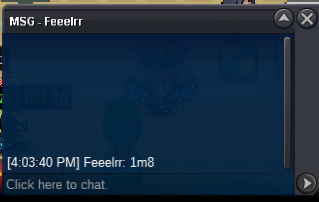
bumps.o 1m min bid: 100k auction 3 days after first bid accept coin capsule 350k sold 4m4 to Feeelrr end at 16:55pm GMT+7 19/09/2021
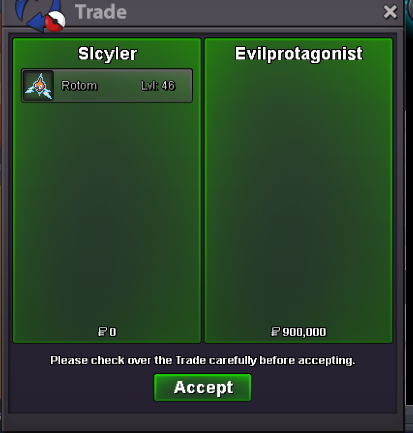
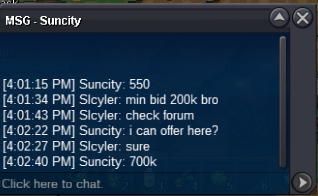
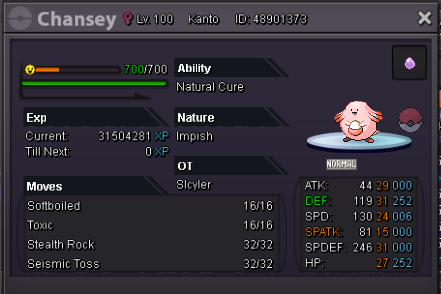 Player name: Slcyler Showdown name: YoungTalentSkyler Server: Gold Timezone: GMT+7 Rank on ladder: 1Player name: Slcyler Showdown name: YoungTalentSkyler Server: Gold Timezone: GMT+7 Rank on ladder: 1the auction ended. congratulation @EvilProtagonist. Pm me ingame server gold1 hour left9 hrs left@Dotsu dragon..48 hours leftS.o: 500k Min bid: 200k Instant: 3m Auction: 48 hours after first bid Accept: Poke$, cc=380k, rr=750k Contact: YTSkyler#2520 C.o: 900k by Evilprotagonist
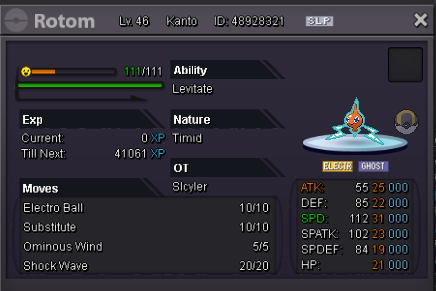 Username: Slcyler Server : Gold Country/Timezone : Vietnam / GMT +7Player name: Slcyler Showdown name: Skyler-SGM Server: Gold Timezone: GMT+7 Rank on ladder: 2Is the auction over?8m7m5mPlayer name: Slcyler Showdown name: Skyler-SGM Server: Gold Timezone: GMT +7 Rank on ladder: 1Player name: Slcyler Server you are on (won't be changed on our side after you registered): Gold Timezone (in GMT): GMT +7Player name: Slcyler Showdown name: Skyler-SGM Server: Gold Timezone: GMT+7 Rank on ladder: 1Player name: Slcyler Showdown name: Skyler-SGM Server: Gold Timezone: gmt +7 Rank on ladder: 1

Account
Navigation
Search
Configure browser push notifications
Chrome (Android)
- Tap the lock icon next to the address bar.
- Tap Permissions → Notifications.
- Adjust your preference.
Chrome (Desktop)
- Click the padlock icon in the address bar.
- Select Site settings.
- Find Notifications and adjust your preference.
Safari (iOS 16.4+)
- Ensure the site is installed via Add to Home Screen.
- Open Settings App → Notifications.
- Find your app name and adjust your preference.
Safari (macOS)
- Go to Safari → Preferences.
- Click the Websites tab.
- Select Notifications in the sidebar.
- Find this website and adjust your preference.
Edge (Android)
- Tap the lock icon next to the address bar.
- Tap Permissions.
- Find Notifications and adjust your preference.
Edge (Desktop)
- Click the padlock icon in the address bar.
- Click Permissions for this site.
- Find Notifications and adjust your preference.
Firefox (Android)
- Go to Settings → Site permissions.
- Tap Notifications.
- Find this site in the list and adjust your preference.
Firefox (Desktop)
- Open Firefox Settings.
- Search for Notifications.
- Find this site in the list and adjust your preference.