




New Trade Zone
Trade Zone is now live
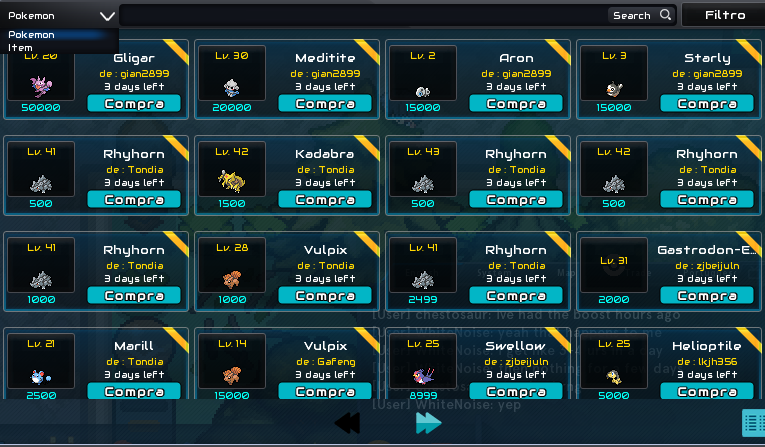
Use the new Trade Zone for auctions and instant-price trades so Pokemon and item offers are easy to find.
.jpg.c6d07396e8ffa14e4d5f8016780659c7.jpg)

Picachuforever
Registered User
-
Joined
-
Last visited
-
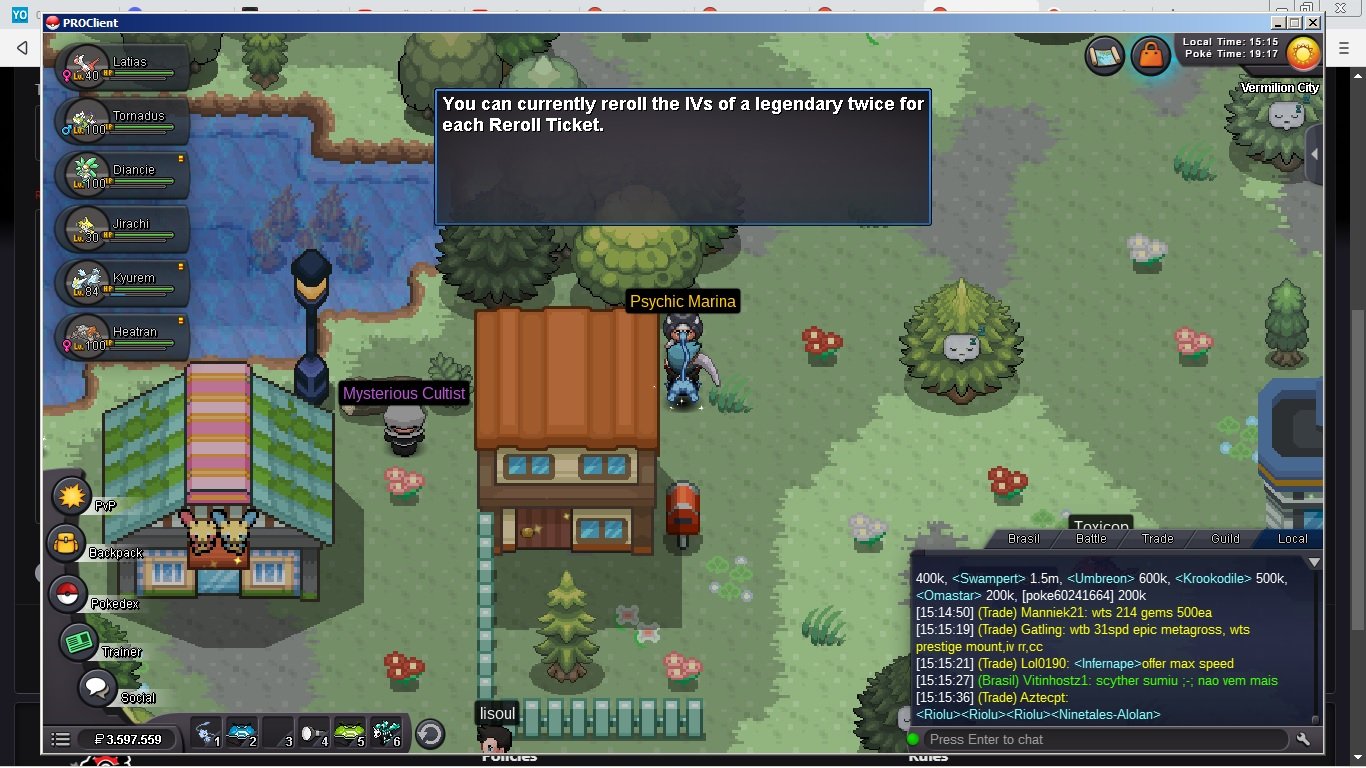
I tried to do double rerrol but there was no option to double rerrol, and my mystery ticket still disappeared https://www.youtube.com/watch?v=ZPCC4BkN_9k

-
Player name: picachuFOREVER Showdown name: picachuFOREVER Server: Silver Timezone: GMT -3 Rank on ladder: 4
-
Player name: picachuFOREVER Showdown name: picachuFOREVER Server: Silver Timezone: -3 Rank on ladder: 4
-
calhanoglu I was never able to use this option on the dashboard I click and it doesn't open a new page
-
the difference that within the game you can buy at any time without having to fight a pokemon with someone
-
I tried to buy an alomomola and I couldn't because the person didn't know how to sell pokemon on the forum, I was the last to offer and he sold it to someone else, and a trading house in the game would be a dream
-
ty im in vermilion bro
-
time? finish?
-
12.5m
-
11.5m
-
10,5m
-
9.5m
-
-
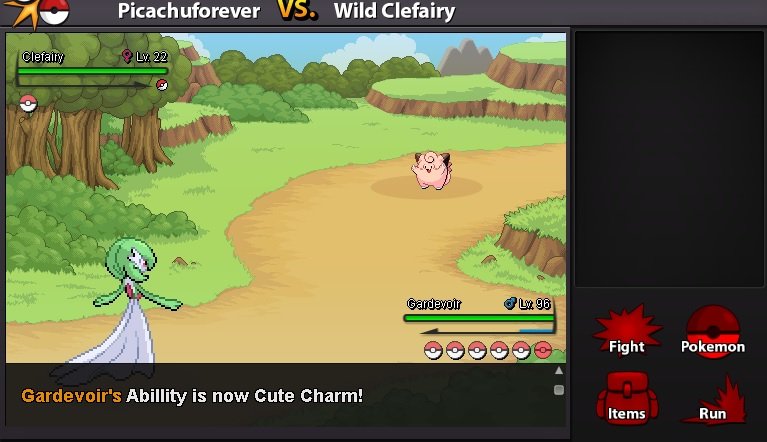
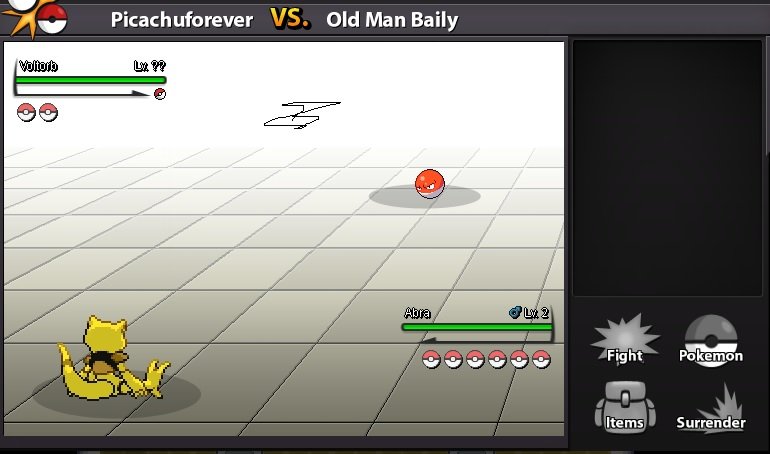
see the background of the battle colored and the other all white, in suspicious there is the background of the battle all white, and this color is bad for the vision
-
there are so many suspicious battles that the white background hurts my vision, they could make a background with forests or mountains etc.
