New Trade Zone
Trade Zone is now live
Use the new Trade Zone for auctions and instant-price trades so Pokemon and item offers are easy to find.

Kr4ms
Suspended
-
Joined
-
Last visited
-
But the thing is, if u didnt buy it at the old guy the guards will not let you in. Its like i pick the wrong payment(mobile user) thats why it says 20minutes and it will also force you to come out after the 20mins so its not just a visual bug bud 😕 i did it 3times so i know
-
Its done, please check my other complain about the safari payment issue pls
-
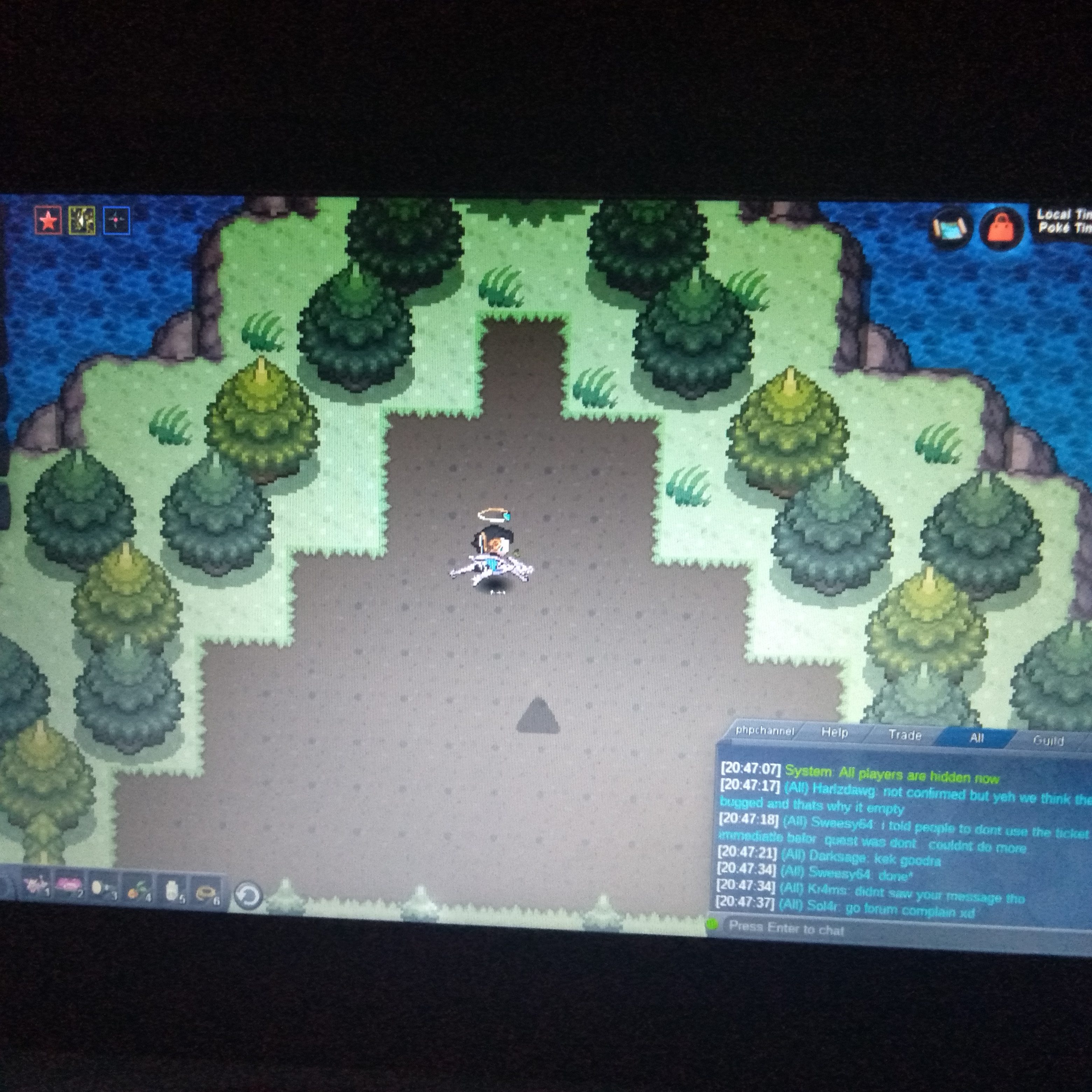
I got no spawn in birth island, all i got is this triangle in the middle that is not intteractable lol
-
The first post i did is gone idk where did it go but this is the third time im going to safari just to prove the 50k loss from safari watch the vid and give back my safari pass 3x or 2x cause i used the 2nd one lol VID20210223204338.mp4 VID20210223204407.mp4
-
When you enter the safari and paying the guard 50k it will only give you 20mins pass, but it will take the 50k and if you buy the pass from the old guy after buying from the guard it will not charge you for 50k but if you did not buy it its a 50k for 20mins.
-
C3 700k
-
c3 550k
-
C3 400k
-
Start
-
U can buy spore for 10k, in the daycare
-
2.5m
-
.
-
Sold, Ty.
-
no sorry :'(
-
my fault, i mistaken the forum for discord my bad