New Trade Zone
Trade Zone is now live
Use the new Trade Zone for auctions and instant-price trades so Pokemon and item offers are easy to find.

Panghi
Registered User
-
Joined
-
Last visited
-
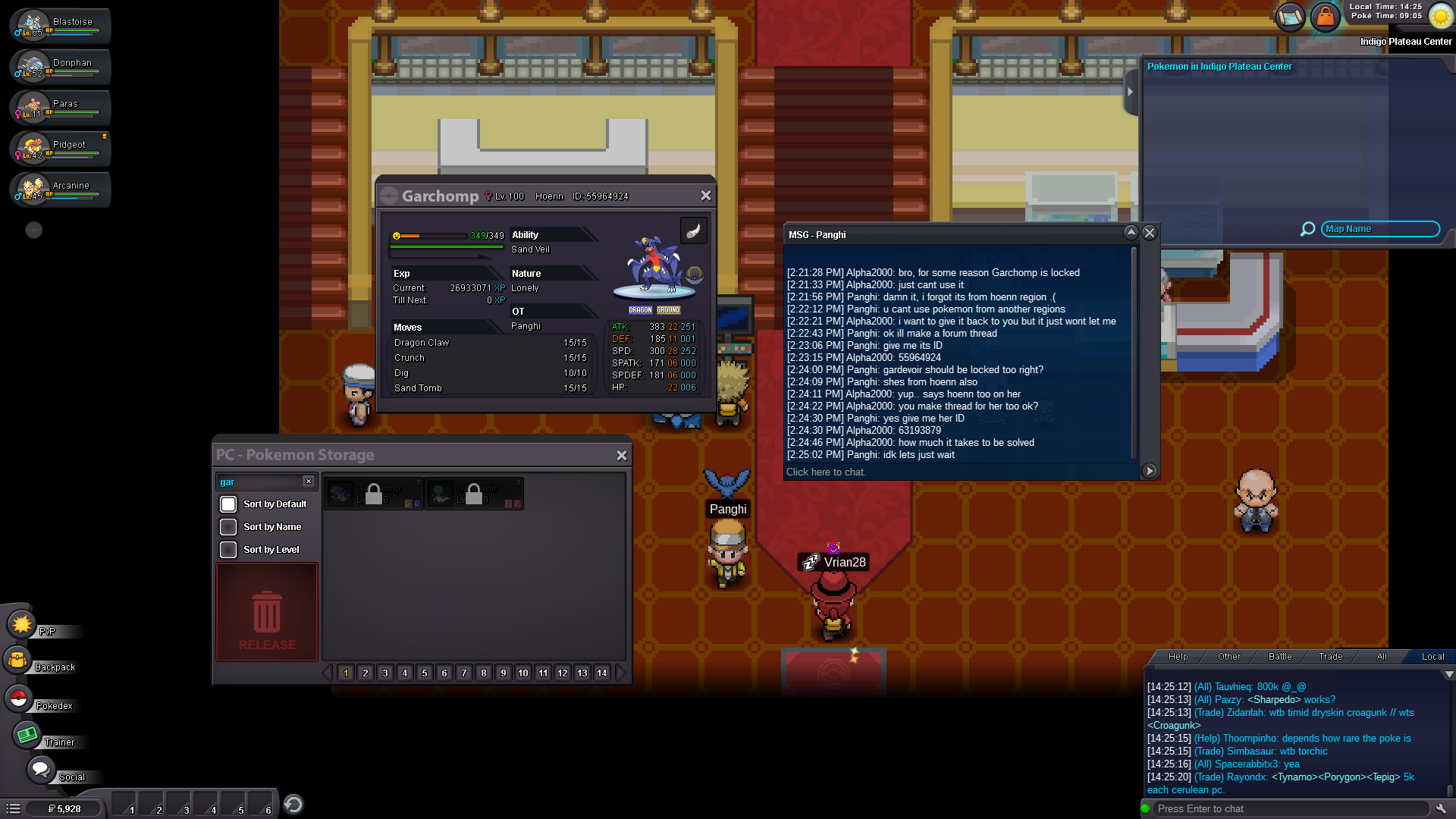
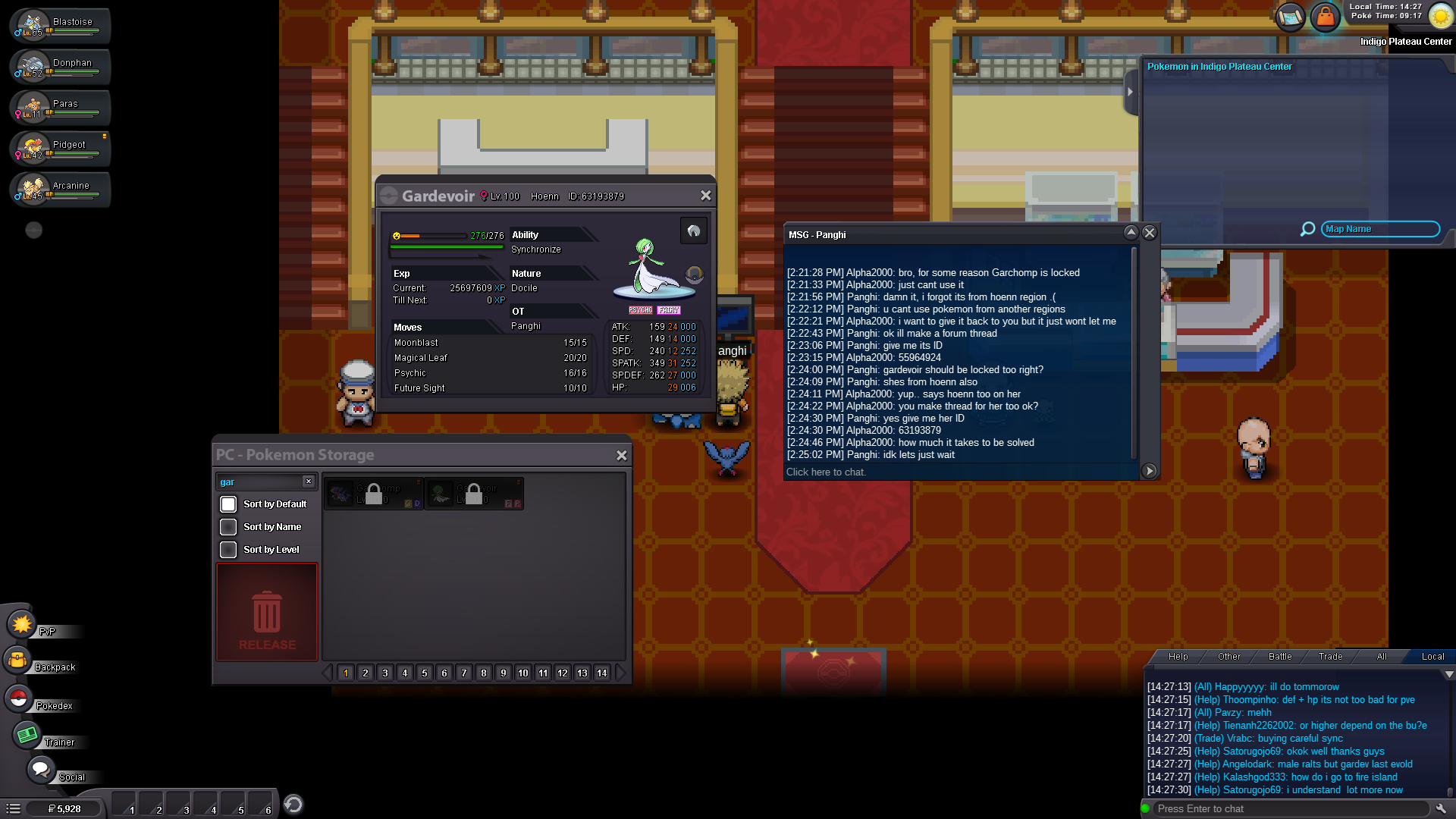
Good day! I, Panghi, have traded (borrowed) my Level 100 Garchomp and my Level 100 Gardevoir (both fromHoenn region) to my friend named "Alpha2000" so i could help him finish off the Elite Four in Kanto. Sadly, neither I nor him didn't pay attention to the region of my garchomp and gardevoir is not Kanto, and accepted the trade. Now, he has the Garchomp + Gardevoir region locked and he can't use them to beat the Kanto Elite Four, and he also can't trade them back to me so now I must wait until he finishes Hoenn region to trade them back. I would like to ask assistance that my pokemons are returned back to me and the problem is solved. Thank you! Garchomp pokemon ID: 55964924 + SS Gardevoir pokemon ID: 63193879 + SS