New Trade Zone
Trade Zone is now live
Use the new Trade Zone for auctions and instant-price trades so Pokemon and item offers are easy to find.

Bin0d
Registered User
-
Joined
-
Last visited
-
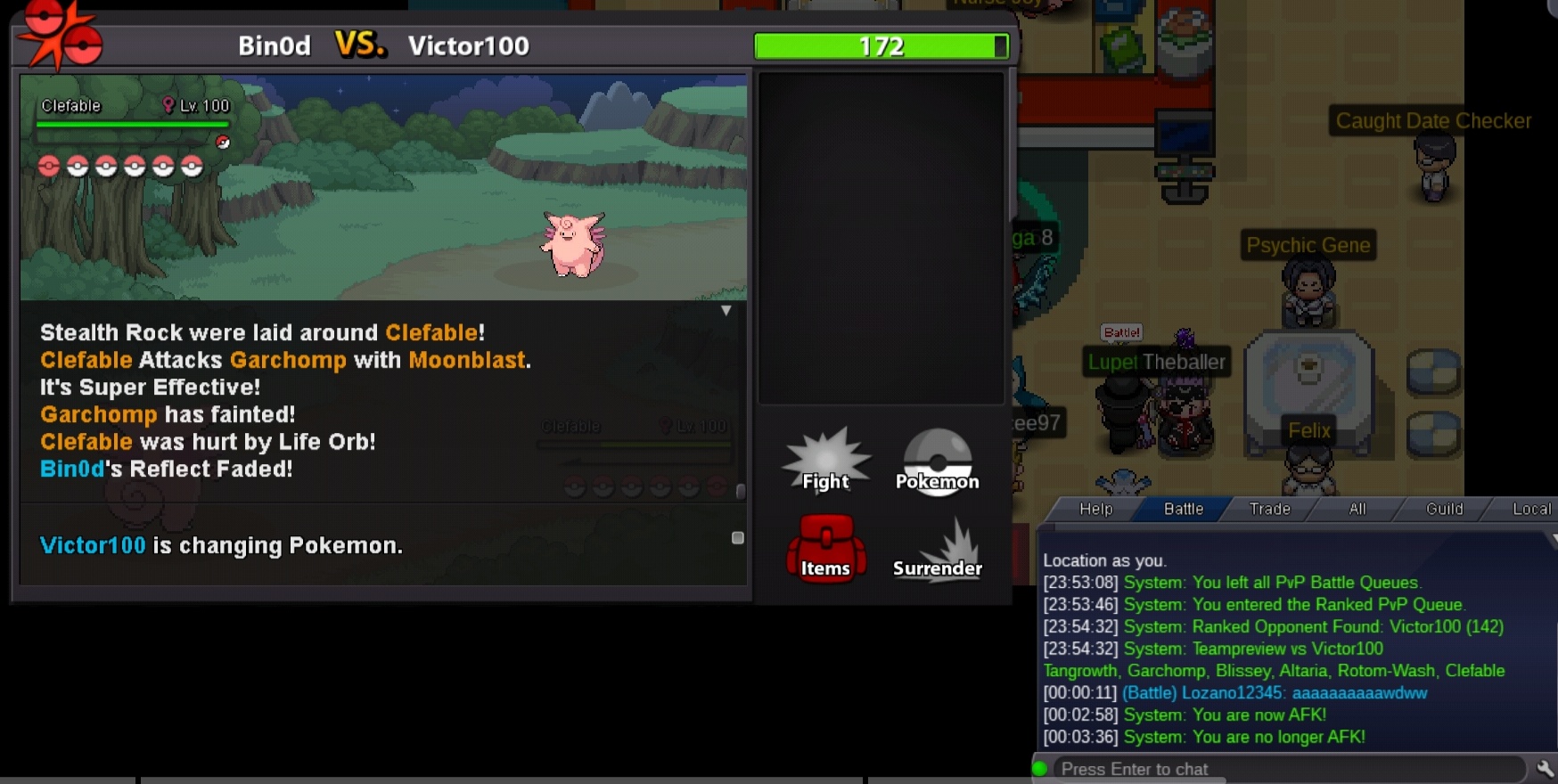
Can we join as guild friend ?1. What is your nickname in PRO? -bin0d 2. Which one is your favorite Pokemon and why? - ursaring (because its based on bear and I love bear bear) 3. What is your final objective in PRO?- to end In ladder on day (and get shiny ot ursaring) 4. How many hours did you play on Silver? Arround 400+ played on gold but transferred in silver few days ago 5. Age? 19 6. Do you have a PVP Team? (its ok if you don't have one) I do have some pvp pokemonOk thanks, please solve it as soon as possible.In PVP battle my magic guard clefable was taking damage by lifeorb, which she shouldn't take. I have attached screenshot of pvp and my clefable. Her ability was not broken. Is it a bug? Also i tried battle in wild.. there too she took damage by lifeorb, but magic guard was preventing poision damage.
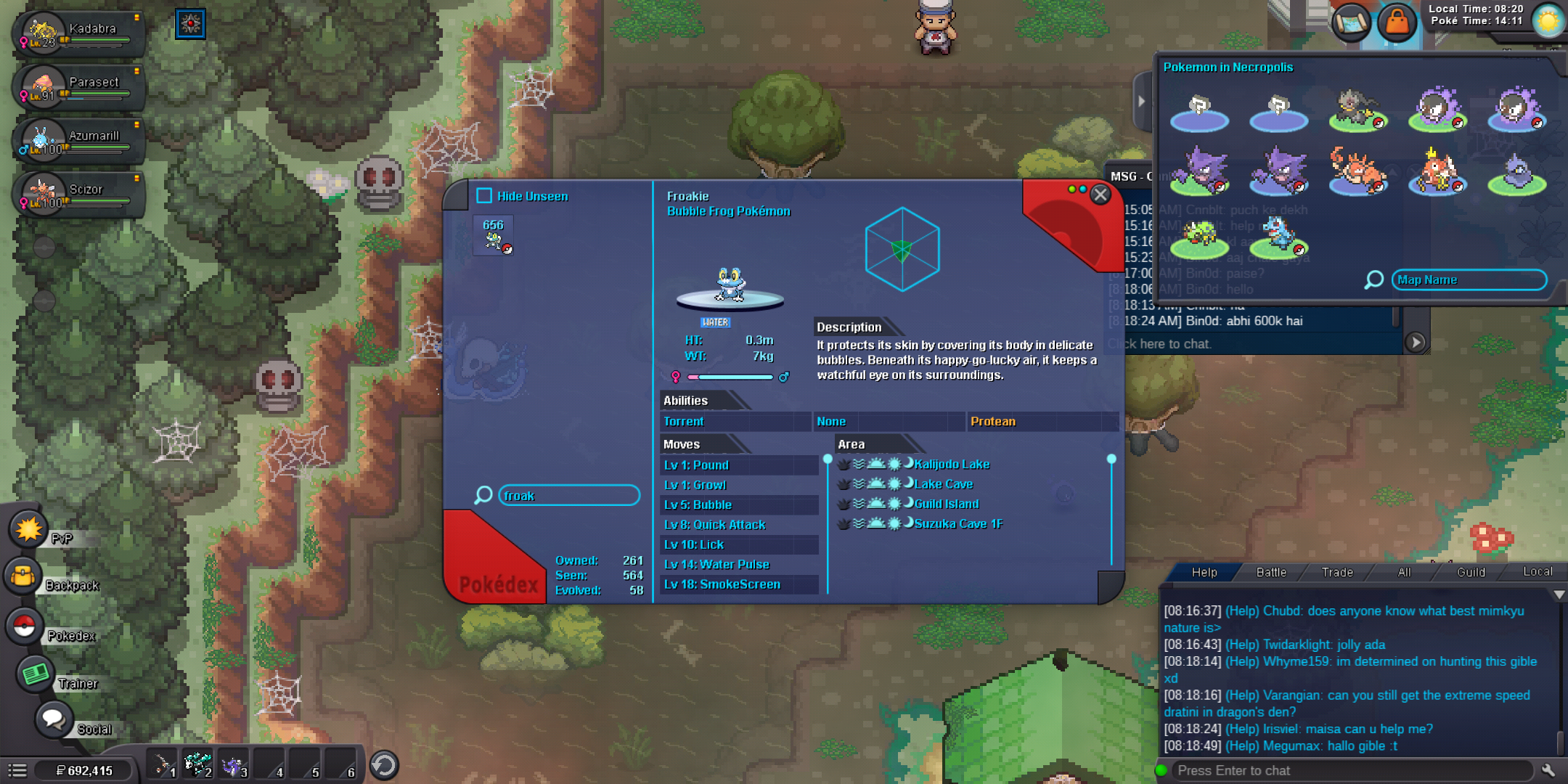
 I wanted to hunt frokie in necropolis, i activated bms for that and reached necropolis. I checked pokemons in necropolis from right top corner, it didn't showed frokie there. I have dex data of frokie still i thought i will get one ... I am trying to hunt frokie from hours but i have seen a single frokie. I think this is a bug, please check as soon as possible.. atleast before my bms is over. Thankyou