New Trade Zone
Trade Zone is now live
Use the new Trade Zone for auctions and instant-price trades so Pokemon and item offers are easy to find.

Jesus03
Registered User
-
Joined
-
Last visited
-
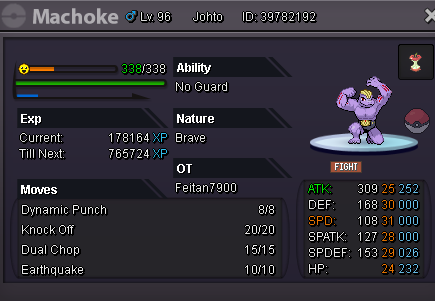
The problem was this, there was someone in the chat who was asking for help to evolve a machoke, I told him I would help him and we made the exchange, the problem was that I did not notice that the pokemon is from johto and I have not arrived to that region and I told the other player, I would like to know if there is any way to return it to him, I have not yet arrived at Johto. I play in gold server. If someone who reads this post knows Spanish, which is my language, it is much better. This is the machoke and there you can read the name of the coach with whom I made the exchange, I maintain contact with him.
-
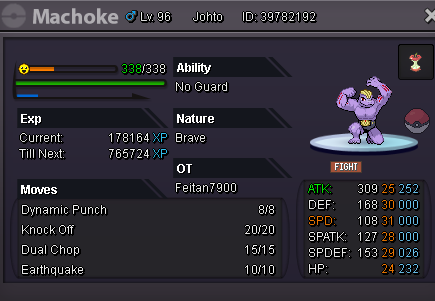
The problem was this, there was someone in the chat who was asking for help to evolve a machoke, I told him I would help him and we made the exchange, the problem was that I did not notice that the pokemon is from johto and I have not arrived to that region and I told the other player, I would like to know if there is any way to return it to him, I have not yet arrived at Johto. I play in Gold. If someone who reads this post knows Spanish, which is my language, it is much better. This is the machoke and there you can read the name of the coach with whom I made the exchange, I maintain contact with him.