




New Trade Zone
Trade Zone is now live
Use the new Trade Zone for auctions and instant-price trades so Pokemon and item offers are easy to find.

Wurststulle
Registered User
-
Joined
-
Last visited
Everything posted by Wurststulle
-
200k gligar
-
up
-
hey guys today imma clear out my box a bit. i also accept iv rr 700k cc 400k rc 7k 1m 900k 800k 500k 700k 600k 350k 250k 300k
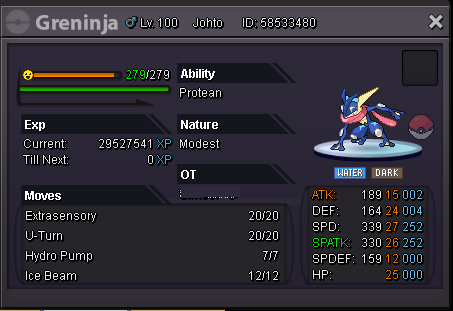
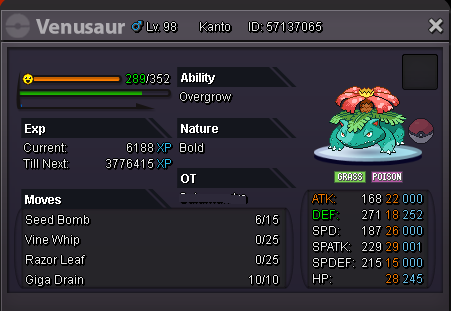
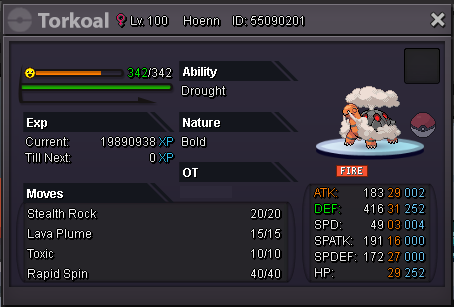
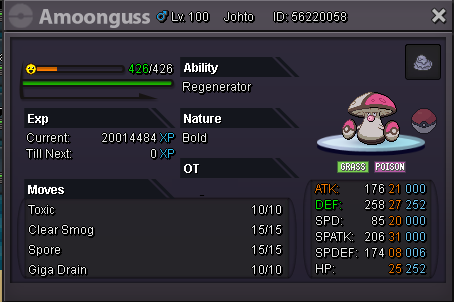

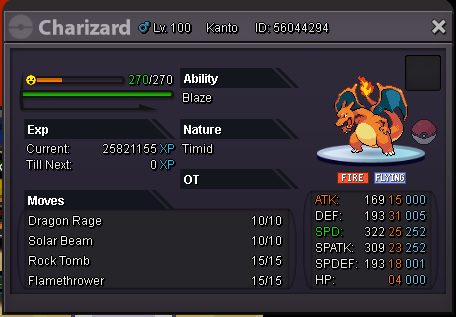
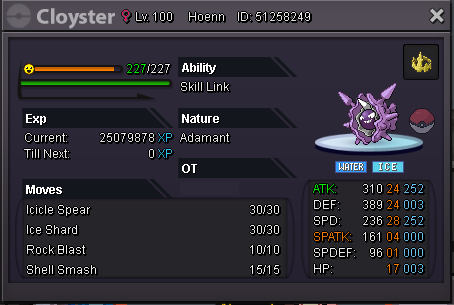
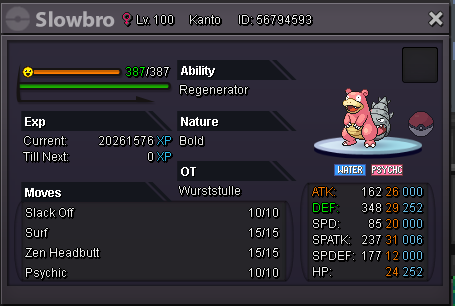
-
so i have to wait til auction starts ? otherwise i would start gliscor and blissy
-
up
-
up
-
accept cc 400 iv rr ticket 720 900k 8m 600k 300k 1m


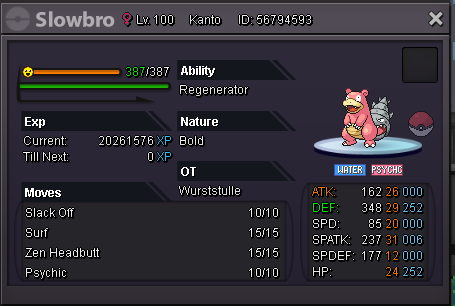
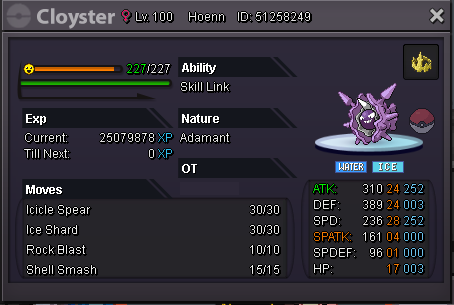

-
200k
-
im online mostly everyday from now for at least a couple hour
-
so timer for rotom is over, i won ?
-
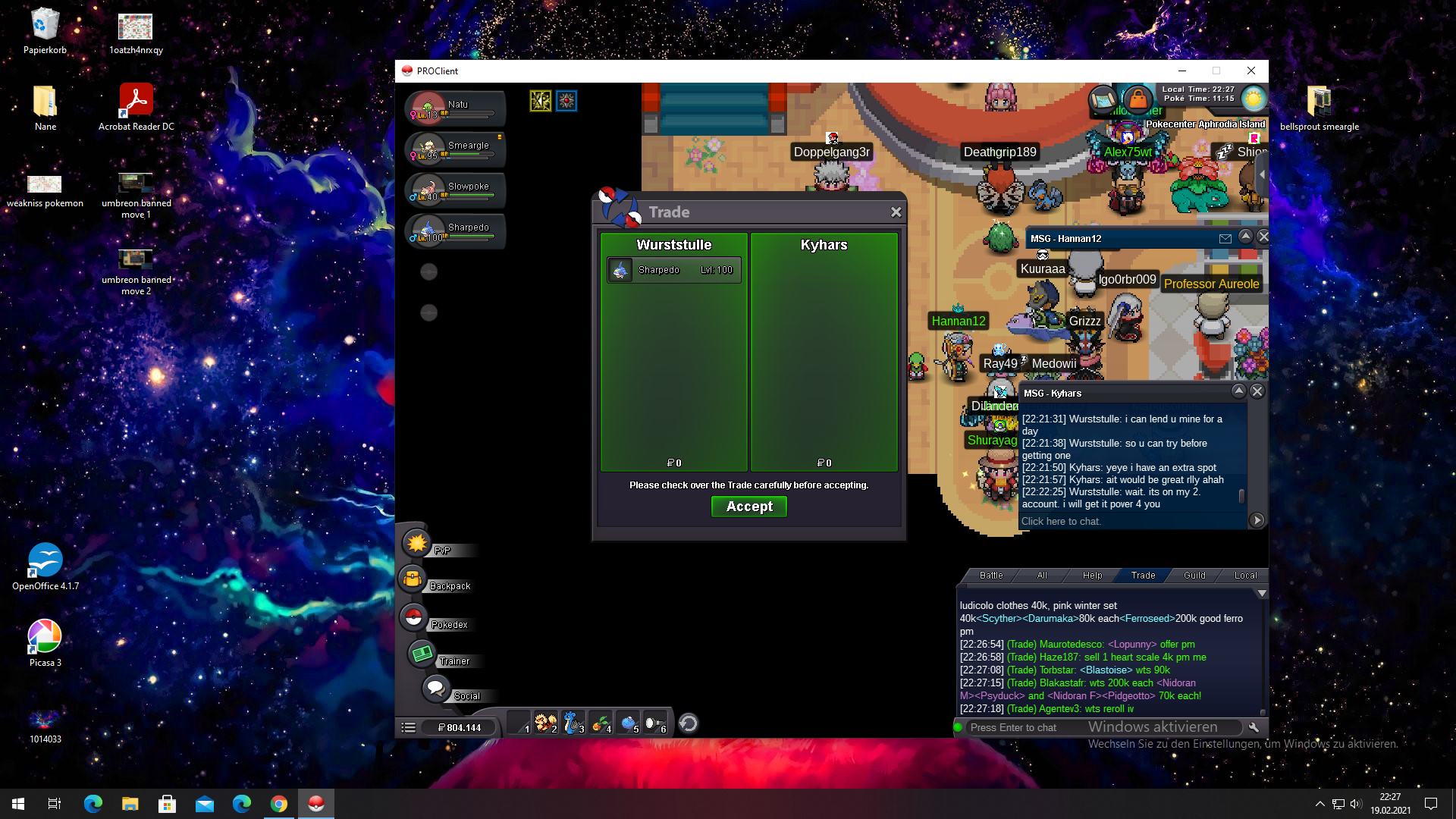
so basicly i borrowed this guy my sharpedo for bosses for a day or 2. but he has not been onlie since a week or 2 . so i wanted to ask if someone could help me to restore it pls.

-
start 8m insta 12m min raise 500k accept cc as 400 rr as 720 end 3 days after start
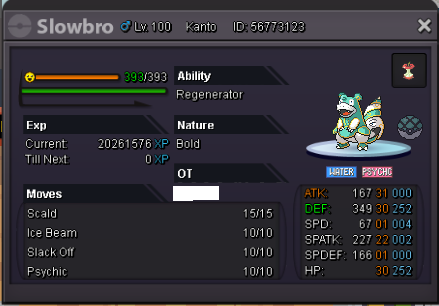
-
start rotom
-
looking for 20+ rotom . pm me if u got something
-
just a jolly one 😕
-
up
-
start bid: 800k insta: 2m min raise 100k end: 3 day after first bid accept cc 400 iv rr 700
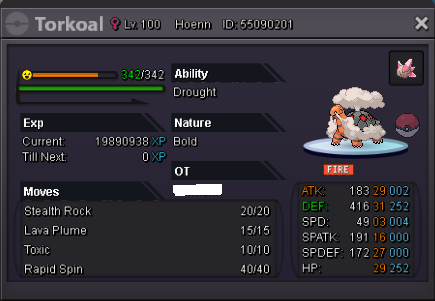
-
bump
-
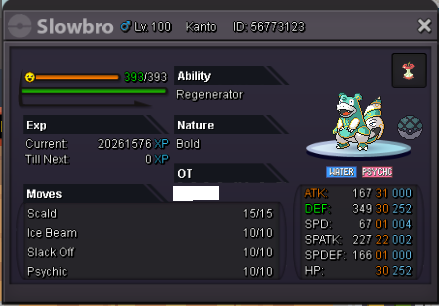
today im selling this lil beauty s. o: 10m insta: 15m min. raise: 200k end: 7 days after start I accept cc 400K rr 720k scarf 100k
-
ok got u. sold then
-
got it
-
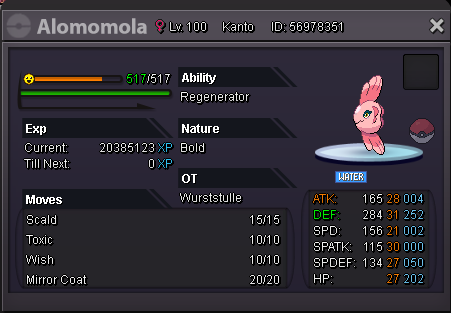
Start price 3m Min bid 100k Insta 6m Cc=400k Rr=720k 72hours end since start
-
send u a friend request on discord
-
I played 30 min ago. So I guess the server are just down temporary. This happens some times. Just wait like 20 min .
-
Happens all the time. Just a bit patience try again in 20 min
