




New Trade Zone
Trade Zone is now live
Use the new Trade Zone for auctions and instant-price trades so Pokemon and item offers are easy to find.

Lor3hcc
Registered User
-
Joined
-
Last visited
Everything posted by Lor3hcc
-
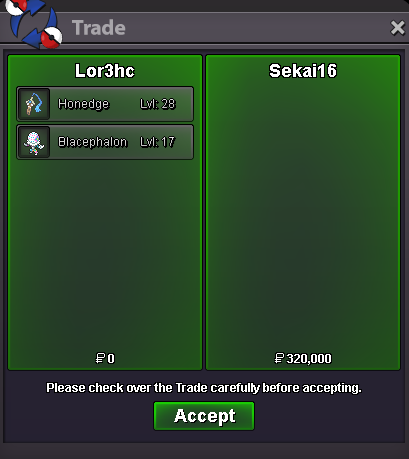
Selled Honedge + Blacephalon at Sekai16
-
250k teddi
-
100k teddistartLor3hcc . SilverSelled Red Samurai Clothes + Helmet at Peppo011
 1.4m1.2mCan be closed
 Daily new mons (19/12) On list • Hatenna all h.a Bold/Quiet/Modest
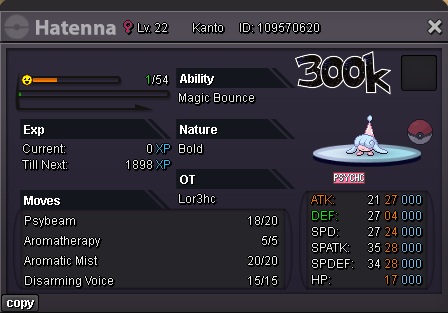
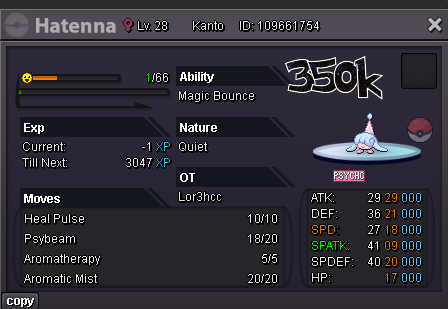
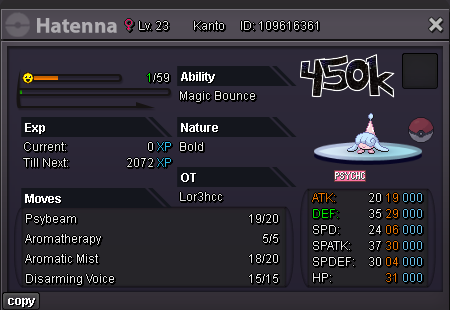
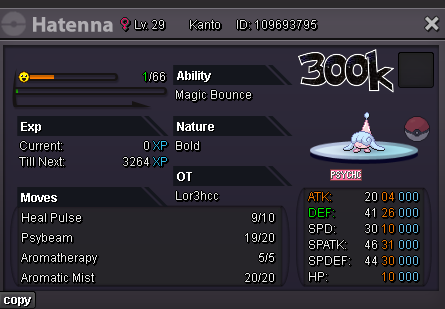
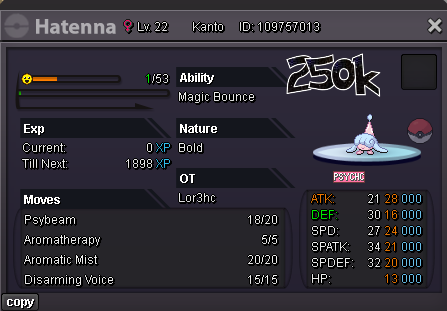
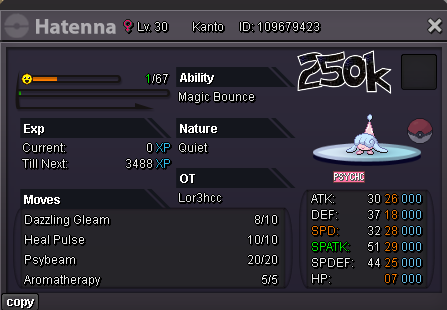
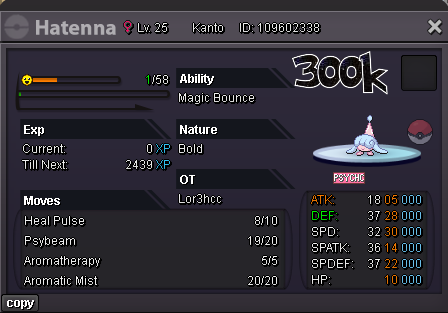
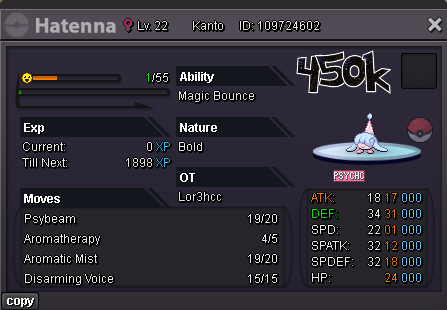
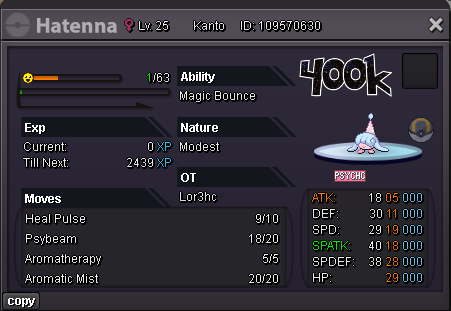 On nowSelled Honedge at Sugurugeto666
 Selled Rookidee at Trasend0712
 Selled Ferrothorn at Valnok
 @Clohver Congratz u won the auction, contact me in game or on discord: Lor3hcSelled Peat Block at Holycosmicowl
 Selled Alomomola at Simee
 bumpIGN: Lor3hc Server: SilverDaily new mons (16/12) On list • Cacnea (Naughty/Sand Veil) • Drilbur (Jolly/Mold Breaker) • Ferrothorn (Impish/Iron Barbs) • Floatzel (Adamant/Swift Swim) • Larvitar (Sassy/Guts) • Rookidee (Impish/Keen Eye)


 Auction Details Start Price : 500k Insta Price : N/A Current Price : 500k Min Raise : 100k End Point : 48h after first bid IGN : Lor3hc Accepted Payments Pokedollars Coin Capsule (500k ea) Reroll Ticket (750k ea)
 Selled 10 Rare Candy at Hefvermogen




Account
Navigation
Search
Configure browser push notifications
Chrome (Android)
- Tap the lock icon next to the address bar.
- Tap Permissions → Notifications.
- Adjust your preference.
Chrome (Desktop)
- Click the padlock icon in the address bar.
- Select Site settings.
- Find Notifications and adjust your preference.
Safari (iOS 16.4+)
- Ensure the site is installed via Add to Home Screen.
- Open Settings App → Notifications.
- Find your app name and adjust your preference.
Safari (macOS)
- Go to Safari → Preferences.
- Click the Websites tab.
- Select Notifications in the sidebar.
- Find this website and adjust your preference.
Edge (Android)
- Tap the lock icon next to the address bar.
- Tap Permissions.
- Find Notifications and adjust your preference.
Edge (Desktop)
- Click the padlock icon in the address bar.
- Click Permissions for this site.
- Find Notifications and adjust your preference.
Firefox (Android)
- Go to Settings → Site permissions.
- Tap Notifications.
- Find this site in the list and adjust your preference.
Firefox (Desktop)
- Open Firefox Settings.
- Search for Notifications.
- Find this site in the list and adjust your preference.