




New Trade Zone
Trade Zone is now live
Use the new Trade Zone for auctions and instant-price trades so Pokemon and item offers are easy to find.


Aergia
Registered User
-
Joined
-
Last visited
Everything posted by Aergia
-
noted
-
Last hour Bump
-
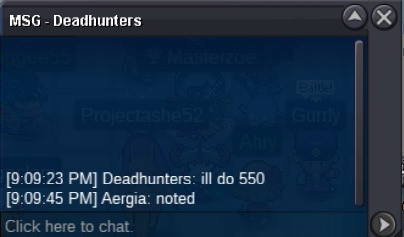
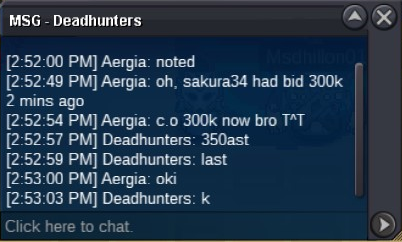
C,o 500k now
 OT epic 31 hp h.a Ditto S.o 100k Bid: 50k Insta 1m5 Accept: 360k Time end: [1:01:16:22] Auction Ditto (tickcounter.com) Thank you and Good luck ❤️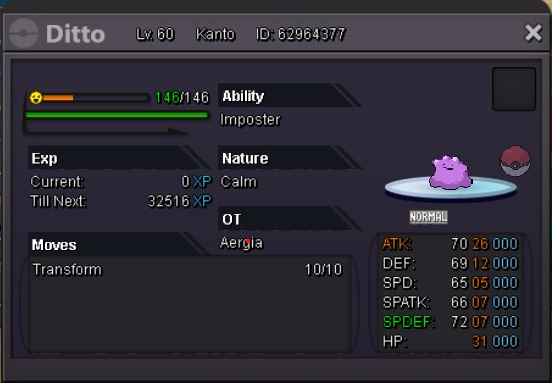
 u can bid, sirsorry but the auction have been started :((C.o: 400k Bid: 50k Insta: 1m2 Time end: 0h AM 1/8/2021 GMT+7 [0:03:43:40] Auction Beldum (tickcounter.com) TY and GL ❤️
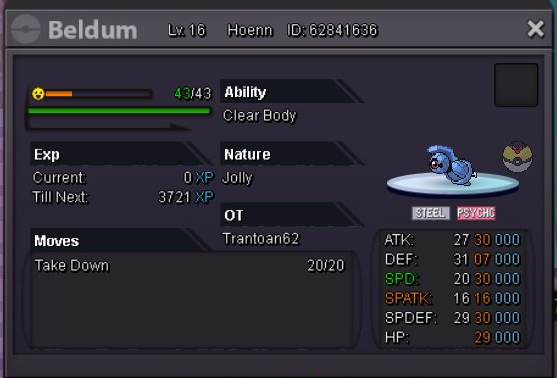 Username: Aergia Server: Silver Country/Timezone: Vietnam / GMT+7Nature: Brave Ability: Rock heah Budget: Milions Ingame: Aergia Discord: Sai#76222cc+100k, and pls tell me know how much time leftS.o by Dnler (4:15pm GMT+7) End time: 4:15am GMT +7
 Nice IV 26x4 S.o 400k Min raise bid 100k Insta 1m5 Accepted: CC: 380k Time: 12h from start Ingame: Aergia sever gold Discord: Sai#7622
 BumpOT CHARMANDER S.o 1m5 Min raise 100k Insta 3m5 ING: Aergia accept: -Cc: 400k -IV rr: 700k -Nature rr: 350k TIME: 48H from start Thank you! 🥰

Account
Navigation
Search
Configure browser push notifications
Chrome (Android)
- Tap the lock icon next to the address bar.
- Tap Permissions → Notifications.
- Adjust your preference.
Chrome (Desktop)
- Click the padlock icon in the address bar.
- Select Site settings.
- Find Notifications and adjust your preference.
Safari (iOS 16.4+)
- Ensure the site is installed via Add to Home Screen.
- Open Settings App → Notifications.
- Find your app name and adjust your preference.
Safari (macOS)
- Go to Safari → Preferences.
- Click the Websites tab.
- Select Notifications in the sidebar.
- Find this website and adjust your preference.
Edge (Android)
- Tap the lock icon next to the address bar.
- Tap Permissions.
- Find Notifications and adjust your preference.
Edge (Desktop)
- Click the padlock icon in the address bar.
- Click Permissions for this site.
- Find Notifications and adjust your preference.
Firefox (Android)
- Go to Settings → Site permissions.
- Tap Notifications.
- Find this site in the list and adjust your preference.
Firefox (Desktop)
- Open Firefox Settings.
- Search for Notifications.
- Find this site in the list and adjust your preference.