




New Trade Zone
Trade Zone is now live
Use the new Trade Zone for auctions and instant-price trades so Pokemon and item offers are easy to find.

Illbelucifer
Registered User
-
Joined
-
Last visited
Everything posted by Illbelucifer
-
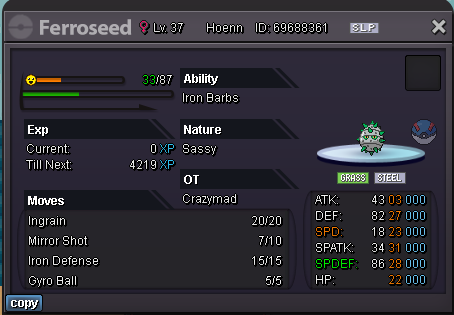
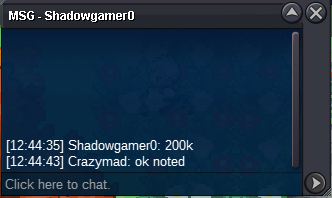
Approx 12 hrs left !!hello and welcome back to mad's auction today's auction poke is "Ferroseed" sassy almost epic s.o - -- c.o -- - Ferroseed 1 gugglyfred won 450k min bid 10k insta 3m 24hrs after start Ferroseed 1 -------------------------------------------------------------------------------------------------------------------------------------------------------------------------------------------------- s.o 100k c.o-- - Ferroseed 2 420k by Utkarsh861 won min bid 10k insta 2m 24hrs from start Ferroseed 2 all the best guys. ❤️ thx all for bidding , will be back soon with another intresting poke till then cya 🙂


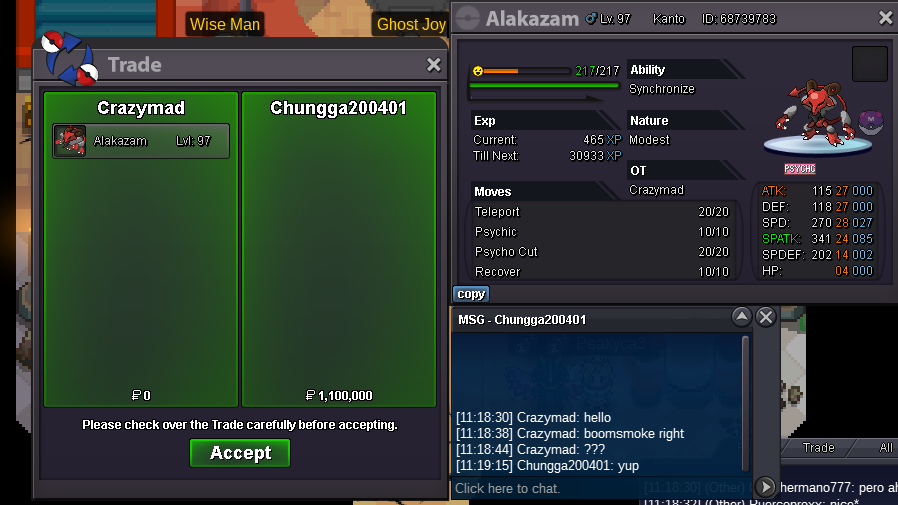
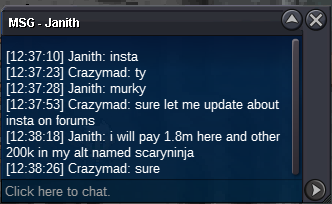
 1m54m53m@Kinglioneil bro that 31ada scizor already reserved by @Br3akdown if hi didn't buy it u can have it.@Br3akdown come online in game and pm me . My ign crazymad@boomsmoke you won! congrats4hrs 57mins left !!!26hrs+ left !!Hello and welcome back to mad's auction. today's auction poke is hlw form alakzam modes 28/24 pvpable. s.o 1m c.o -- min bid 100k no insta 72hrs from start. good luck ❤️ boomsomke won 1m1 https://pokemonrevolution.net/forum/messenger/85344/ time to say good bye , soon will be back with another intresting auction pokes till then take care ❤️
 600k500k



Account
Navigation
Search
Configure browser push notifications
Chrome (Android)
- Tap the lock icon next to the address bar.
- Tap Permissions → Notifications.
- Adjust your preference.
Chrome (Desktop)
- Click the padlock icon in the address bar.
- Select Site settings.
- Find Notifications and adjust your preference.
Safari (iOS 16.4+)
- Ensure the site is installed via Add to Home Screen.
- Open Settings App → Notifications.
- Find your app name and adjust your preference.
Safari (macOS)
- Go to Safari → Preferences.
- Click the Websites tab.
- Select Notifications in the sidebar.
- Find this website and adjust your preference.
Edge (Android)
- Tap the lock icon next to the address bar.
- Tap Permissions.
- Find Notifications and adjust your preference.
Edge (Desktop)
- Click the padlock icon in the address bar.
- Click Permissions for this site.
- Find Notifications and adjust your preference.
Firefox (Android)
- Go to Settings → Site permissions.
- Tap Notifications.
- Find this site in the list and adjust your preference.
Firefox (Desktop)
- Open Firefox Settings.
- Search for Notifications.
- Find this site in the list and adjust your preference.