New Trade Zone
Trade Zone is now live
Use the new Trade Zone for auctions and instant-price trades so Pokemon and item offers are easy to find.

Fplayer27
Registered User
-
Joined
-
Last visited
-
Hey guys, The friend ball (detailed) text falsly states that the caught pokemons friendship is set to 150, but its actually 200 instead. Also consider refering to happiness instead of friendship for consistency. Im not sure whether you want stuff like this reported as bug, if not feel free to let me know :) have a good night and thanks for the great game once again!
-
-
just msg me here or ingame if youre online to trade. @8294ayush
-
Ive never had any issues with staff, at least the few ones i dealt with were friendly and quick to reply. Ive never been banned unjustified and the one appeal i send was answered (or should i say denied xd) in hours. Thanks for putting your free time in PRO 🙂
-
start rotom-w 200k
-
start
-
900
-
700k Scizor start.
-
Scyther 650k
-
Thats actually not true since there have been some occasions where "normal" players could obtain one as well. Personally i could see a "shiny" ticket as PVP reward for tournaments. Your idea suggest to give everbody one which i strongly disagree with.
-
I messed up the screenshot, but the trade has taken place. Im sry, this can be closed.
-
You've won the auction, ill be online for a few hours now, just msg me ingame.
-
I cant think of any MMO where travelling is not annoying to some extend. I think they found a decent balance for PRO. If anything, Id suggest to replace the hoenn transmat to be close to the entrance similar to how it is for all other regions. If your suggestion was added, I think it would have to be at least twice as expensive compared to normal travel.
-
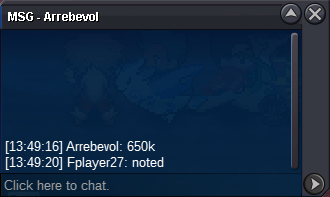
650k by Arrebevol
-
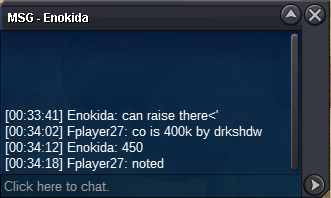
450k by Enokida