New Trade Zone
Trade Zone is now live
Use the new Trade Zone for auctions and instant-price trades so Pokemon and item offers are easy to find.

Q25
Registered User
-
Joined
-
Last visited
-
how long is the auction in total ? is it a 48hour auction ?
-
27.5m cotton
-
3.3m char
-
misleading is against the rules, yea ironically 😅
-
lol mate, your title is probably the most misleading title iv seen in Pokemon pro ever so far. too bad there is no more the laughing emoji to react on so new players could be aware of the misslead. ultra epic legendary limited pawniard with only 13 HP, all i can say is OMEGALUL.
-
your claim is again very subjective. you cannot think from your own perspective towards the new players. there are some people who didn't touch Pokémon for maybe 10-15+ years and finds pro suddenly. ( like me ) yes that could be maybe an option to add a zone where you can fight wild Pokémon's for money. subway quest is far away from even being potentially comparable to the bike.
-
no it doesn't apparently otherwise there wouldn't be so many new players asking for money. it should be easy Objectively not Subjectively. for people with knowledge how to make money its EASY, but without knowledge how to make money its not.
-
We discuss these issues already above, the main point is to make it minimal effort for people with less knowledge how to make money, solely to eliminate the begging.
-
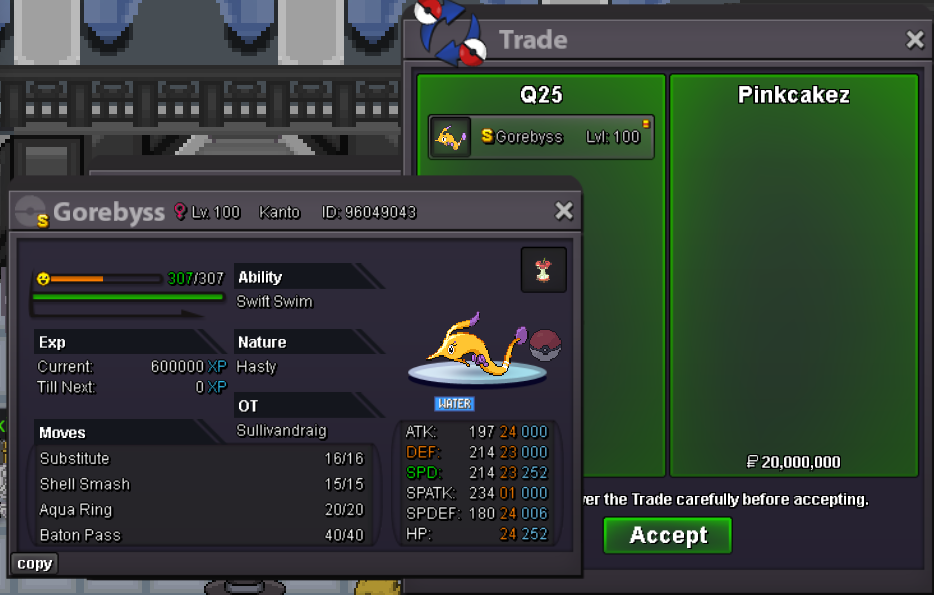
you need to provide screenshot of the trade
-
transaction finished, can be closed.
-
gz the winner is @Pinkcakez on the insta 20m thank you all for participating
-
Around 47 minutes left, last bump
-
-
BUMPPPP
-