




New Trade Zone
Trade Zone is now live
Use the new Trade Zone for auctions and instant-price trades so Pokemon and item offers are easy to find.


Phenomena
Registered User
-
Joined
-
Last visited
Everything posted by Phenomena
-
Quick little signature for Chemong

-
Merry Christmas!
 Say hello to the new forum bump I made!
dm me mateBump 💕Low price signature for Subhammaster
Say hello to the new forum bump I made!
dm me mateBump 💕Low price signature for Subhammaster Send it to me and I’ll resize it for you. you can use online resizers but they lower the qualityNEW SALE, Check page 1 for details!
 Starting from 150k bro, price changes depending on how much work I need to put in. Dm me what your idea is and I can give you a priceSend me a dm of what you’d like mate and we can come up with a priceCan do mate, what do you need?Signature for @ALEXANDRIAN the leader of SHIELD ❤️
 Commission for @noturbusiness
 After weeks of hunting xD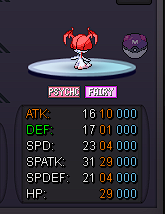
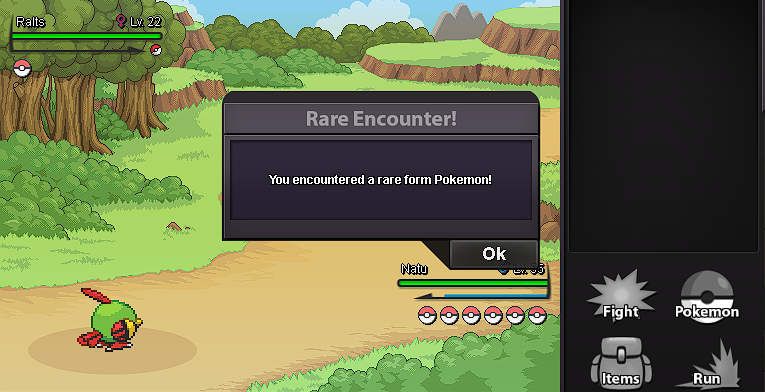 .Commission fo Hundjager
 I have been summoned!
 I think you posted the wrong link haha, here's a link to my video. Also thanks a lot for sharing it https://m.youtube.com/watch?v=lEDsXm5eHrY&feature=youtu.beJust an idea I whipped up. I think that the sparkle effect when shinies appear are sweet, so it made me think what could you do when a specific form appears? Here's my effect concept for a Halloween effect when a form appears. https://youtu.be/lEDsXm5eHrYJust an idea I whipped up. I think that the sparkle effect when shinies appear are sweet, so it made me think what could you do when a specific form appears? Here's my effect concept for a Halloween effect when a form appears. https://www.youtube.com/watch?v=lEDsXm5eHrY&ab_channel=SheloSialPfp for Kinanda




Account
Navigation
Search
Configure browser push notifications
Chrome (Android)
- Tap the lock icon next to the address bar.
- Tap Permissions → Notifications.
- Adjust your preference.
Chrome (Desktop)
- Click the padlock icon in the address bar.
- Select Site settings.
- Find Notifications and adjust your preference.
Safari (iOS 16.4+)
- Ensure the site is installed via Add to Home Screen.
- Open Settings App → Notifications.
- Find your app name and adjust your preference.
Safari (macOS)
- Go to Safari → Preferences.
- Click the Websites tab.
- Select Notifications in the sidebar.
- Find this website and adjust your preference.
Edge (Android)
- Tap the lock icon next to the address bar.
- Tap Permissions.
- Find Notifications and adjust your preference.
Edge (Desktop)
- Click the padlock icon in the address bar.
- Click Permissions for this site.
- Find Notifications and adjust your preference.
Firefox (Android)
- Go to Settings → Site permissions.
- Tap Notifications.
- Find this site in the list and adjust your preference.
Firefox (Desktop)
- Open Firefox Settings.
- Search for Notifications.
- Find this site in the list and adjust your preference.