New Trade Zone
Trade Zone is now live
Use the new Trade Zone for auctions and instant-price trades so Pokemon and item offers are easy to find.

Pokerem
Registered User
-
Joined
-
Last visited
Everything posted by Pokerem
-
1. Age :- 17 2. Playtime hours :- 120+ hrs 3. Able to use Discord , Most Important :- Yes, here's my tag: Scizor #0822 4. Your previous Guild, why did you leave them (in case you were Kicked, then why?) :- Never have been in a guild, this would be my very first 5. Other than having fun playing the game, what are your goals in PRO? :- I wish to get involved in PvP and PvE as it interests me and I enjoy training pokemon, I wish to fully complete this game as I have a passion for pokemon related games and etc.
.png.66d89fb3b3c560386dc86cfdccded24d.png)
-
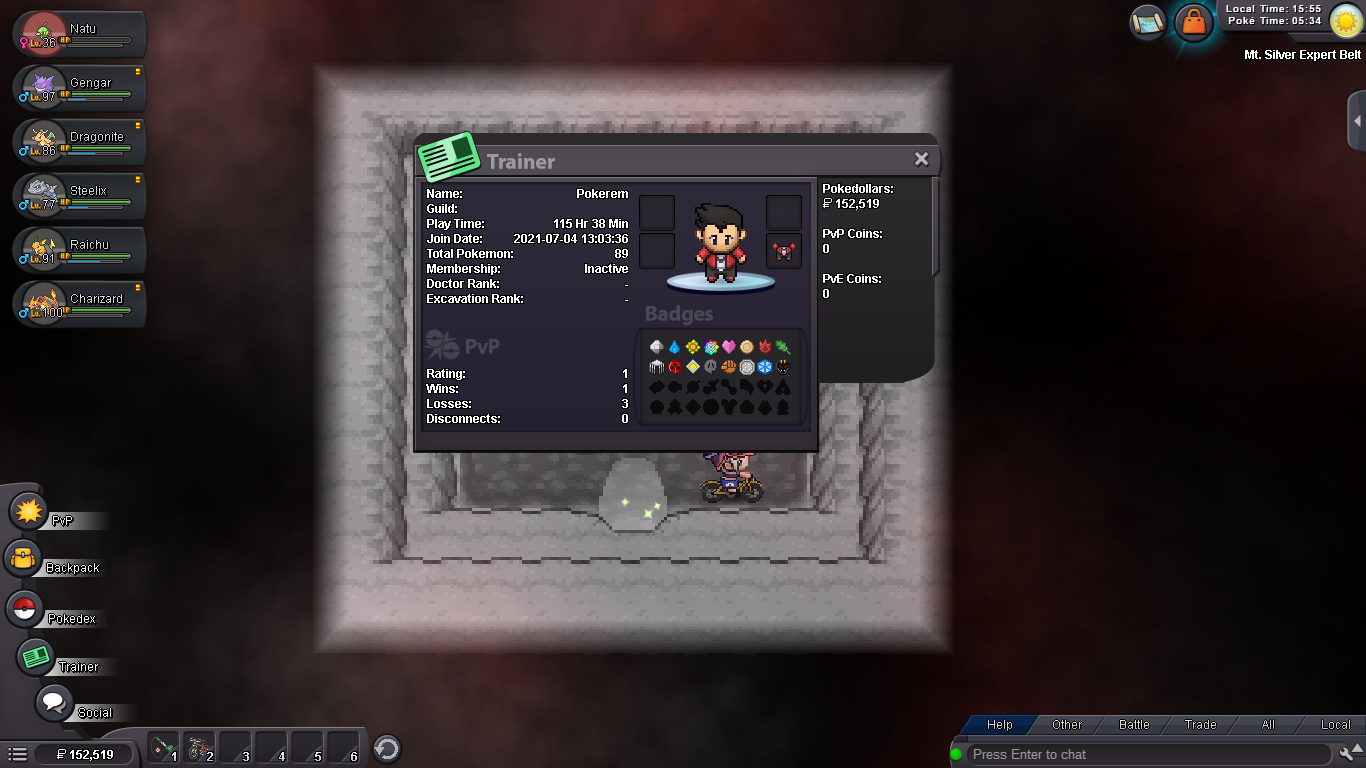
What's your IGN? - Pokerem Please post a picture of your trainer card! - What is your discord ID? - Scizor#0822 How far are you in story? - Finished johto e4, currently at mt silver How active are you in PRO? (How often do you play?) - Everyday since downloaded. Are you a PvP or PvE player? Or do you enjoy both? - I prefer variety, I love both PvP and PvE. Have you ever been banned in game and why? - Nope Why do you want to join Calamity guild? - I wish to be a part of something special and the Calamity guild fits my requirements. I love being apart of groups.