




Skip to content
View in the app

A better way to browse. Learn more.

Pokemon Revolution Online

A full-screen app on your home screen with push notifications, badges and more.

To install this app on iOS and iPadOS
  1. Tap the Share icon in Safari
  2. Scroll the menu and tap Add to Home Screen.
  3. Tap Add in the top-right corner.
To install this app on Android
  1. Tap the 3-dot menu (⋮) in the top-right corner of the browser.
  2. Tap Add to Home screen or Install app.
  3. Confirm by tapping Install.
New Trade Zone
Trade Zone is now live
Use the new Trade Zone for auctions and instant-price trades so Pokemon and item offers are easy to find.
Open Trade Zone

Tomy314

Suspended
  • Joined

  • Last visited

Everything posted by Tomy314

  1. Thx to everyone finally evolved but the happiness trick was not working for me
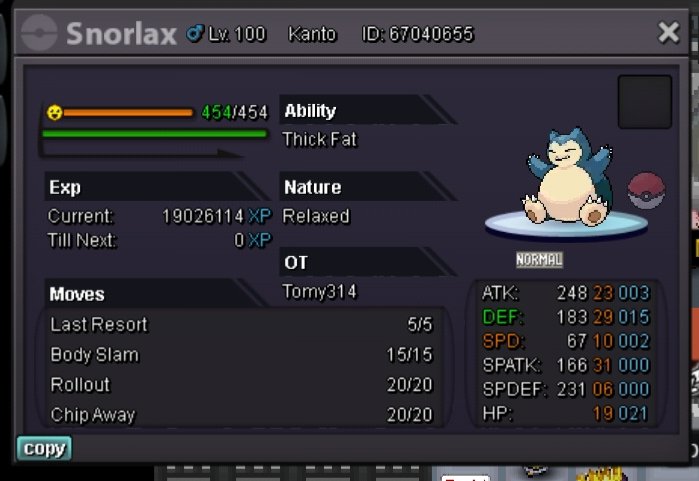
  2. Bro happiness checking code is broken
  3. Used but it not evoing
  4. This is my munchlax how to evo it pls say i beg u
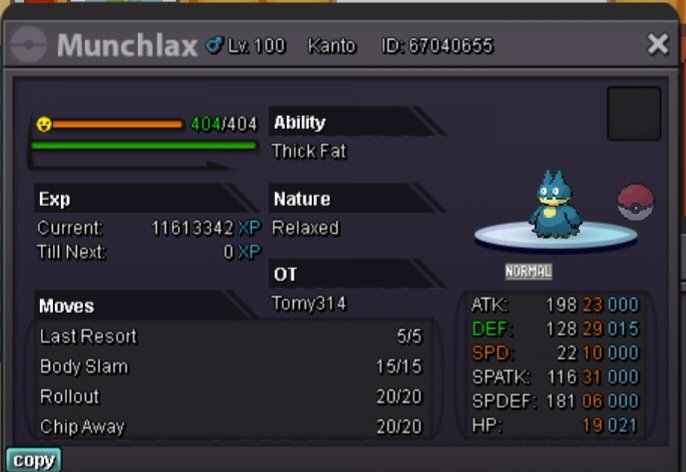
  5. Bro can u just explain in English i don't know that language pls
  6. Bro i just lving up my munchlax for boss team that i raised it to lv 100 but forgot to evole so how can i evo him again
  7. Pls reply
  8. Bro were do we get a free assulat vest like rock helmet quest pls say i need that item no one is willing to trade assulat vest pls
  9. Reply pls i need to get the abra
  10. What means hearth peach and were is it obtainable i need it for doctor quest pls
  11. Bro i trained my gligar till lv 95 in cerulean cave and then used 5 rc to lv him up to lv 100 but i forgot to give him razor fang to him for evoing him into gliscor can u jelp me pls
  12. Tomy314 replied to Tomy314's topic in Suggestions
    Ok thanks
  13. Tomy314 posted a topic in Suggestions
    Could we get any good surf mount other than wailmer mount in event or boss battle
  14. Can u say me the requirement for going to guild island pls

Account

Navigation

Search

Search

Configure browser push notifications

Chrome (Android)
  1. Tap the lock icon next to the address bar.
  2. Tap Permissions → Notifications.
  3. Adjust your preference.
Chrome (Desktop)
  1. Click the padlock icon in the address bar.
  2. Select Site settings.
  3. Find Notifications and adjust your preference.