




New Trade Zone
Trade Zone is now live
Use the new Trade Zone for auctions and instant-price trades so Pokemon and item offers are easy to find.

Darkduhtank
Suspended
-
Joined
-
Last visited
-
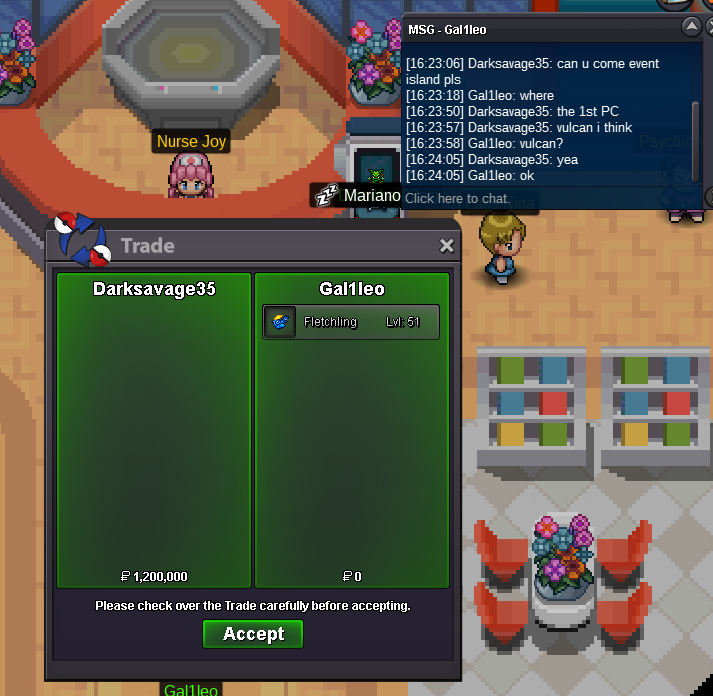
trade done, thank you. I ended up coming on alt because im afk at work lol
-
You can also message my Alt Darksavage35
-
@Gal1leo hi when are you available can you pm me on discord to organize?
-
So i win?
-
1.2m
-
Hey I'm looking for a good friend to buy a Godly 31 speed Jolly hyper cutter Pinsir. If its a little less then godly but still 31 speed PM me either forum / discord / in game. All same name Shiny is open for conversation too, willing to transfer if it is worth the money ❤️
-
@Epithet Thanks finally ❤️
-
-
-
Bump #5
-
@Epithet hey can you take a look at this, you're the only moderator I see currently active this week and it's been 2 months. Seems like there's too many posts per day and my thread keeps getting lost in the sauce
-
Bumping Again
-
Hey can I just say @Fafouney, if these are LEGIT all your OT's... I think you might hands down have one of the most insane accounts ever... i've never seen someone with this many GOOD OT shinies/forms. You should go play the lottery haha. If you're editing the name that's insane editing skills 😛 I'll save your store and look to buy when I can. I have ~7k hours and not even a fraction of your store
-
200k
-
BUMP, I want to use the event coins for something else and don't get to really play enough for event coin grinding.
