




New Trade Zone
Trade Zone is now live
Use the new Trade Zone for auctions and instant-price trades so Pokemon and item offers are easy to find.


Tgbnamish
Registered User
-
Joined
-
Last visited
Everything posted by Tgbnamish
-
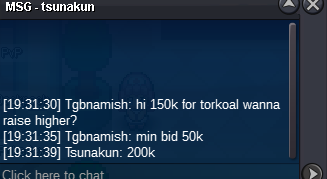
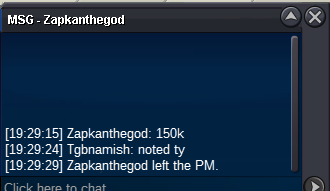
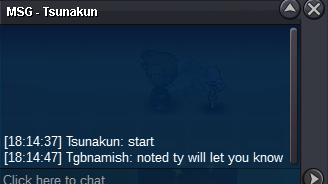
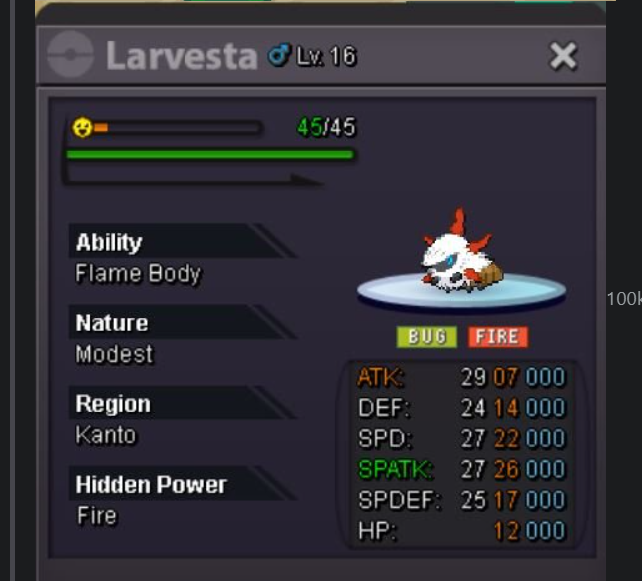
starting price : 100k min raise : 50k ends in 24 hrs after start Insta: 1.5m
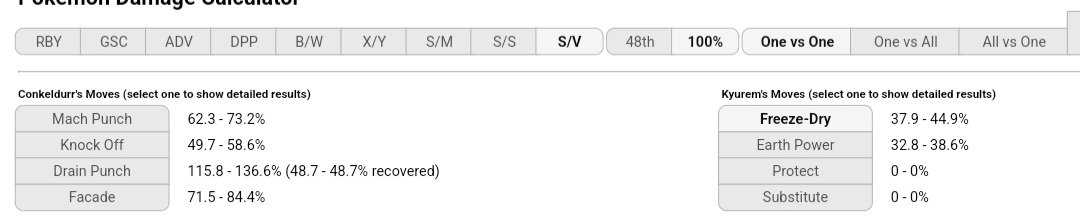
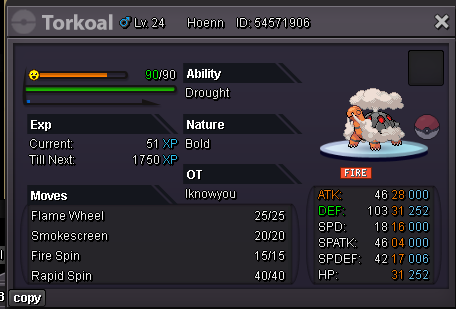 Sheer force conkelldur can hit 2 mach punch which do massive damage on kyurem while you can casually do calm mind with clef then sweep slowly it may take upto 10 moonblast .I am not a kyurem fan but banning kyurem will be unwanted.Its not like shell smash mega Blastoise who literally had only 1 or 2 counters in game.Kyurem can be easily countered by clefable,conkelldur,scizor and many other fast pokemons.I know some may say it is stall breaker but who tf uses stall after nerf.I will try it,tyBuy 150k timid protean frogHi.my network is good and its 5g and still i keep getting disconnected in pvp games. A lot of peoples are already facing this issues. Is there any way to stop it?+1 I miss old ceru cave.Startnow?500kI think he closed the auction because no bid is received


Account
Navigation
Search
Configure browser push notifications
Chrome (Android)
- Tap the lock icon next to the address bar.
- Tap Permissions → Notifications.
- Adjust your preference.
Chrome (Desktop)
- Click the padlock icon in the address bar.
- Select Site settings.
- Find Notifications and adjust your preference.
Safari (iOS 16.4+)
- Ensure the site is installed via Add to Home Screen.
- Open Settings App → Notifications.
- Find your app name and adjust your preference.
Safari (macOS)
- Go to Safari → Preferences.
- Click the Websites tab.
- Select Notifications in the sidebar.
- Find this website and adjust your preference.
Edge (Android)
- Tap the lock icon next to the address bar.
- Tap Permissions.
- Find Notifications and adjust your preference.
Edge (Desktop)
- Click the padlock icon in the address bar.
- Click Permissions for this site.
- Find Notifications and adjust your preference.
Firefox (Android)
- Go to Settings → Site permissions.
- Tap Notifications.
- Find this site in the list and adjust your preference.
Firefox (Desktop)
- Open Firefox Settings.
- Search for Notifications.
- Find this site in the list and adjust your preference.