




New Trade Zone
Trade Zone is now live
Use the new Trade Zone for auctions and instant-price trades so Pokemon and item offers are easy to find.


Tgbnamish
Registered User
-
Joined
-
Last visited
Everything posted by Tgbnamish
-
you have to provide proof for ingame bid.
-
-
-
-
Discord is Tgbnamish#4748
-
-1.

-
Let me know where can we meet.
-
Auction won by @Babykee
-
Ends in 30 mins 9:18 (IST)
-
Only 4 hrs left.Bump !
 Ends in 29 hrs on Thursday . 09:08 pm (IST).49 hrs left. Ends at 21:15 (9:15 p.m) Thursday on IST.+1Great Idea +1.Starting price : 100k Min raise : 15k No insta. Ends in 72 hrs after first bid Acceptable payments: Rare candy : 6.5k each. Coin capsule : 420k.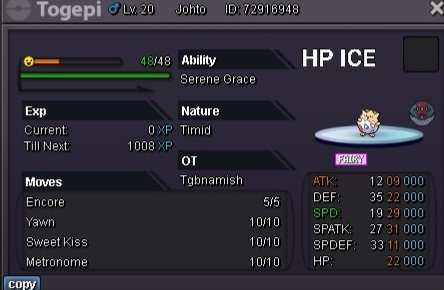
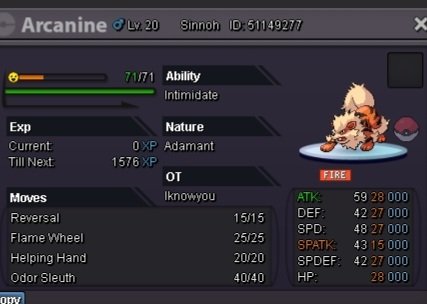
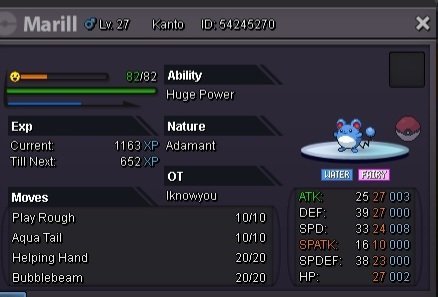
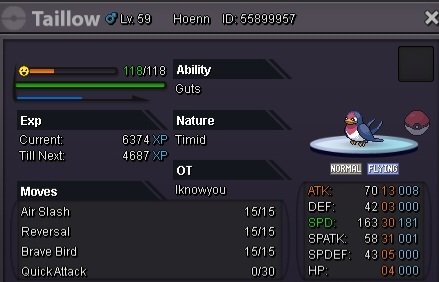
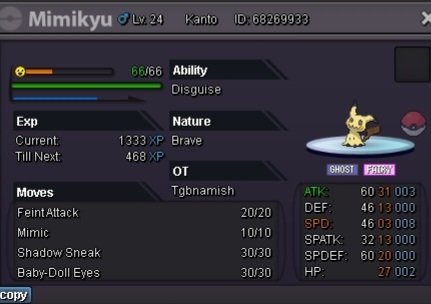 Username : Tgbnamish Server : Gold GMT : +5:30.
 Hey @Coffeeeecan we met in about 7 hrs. Currently out so I'm not available


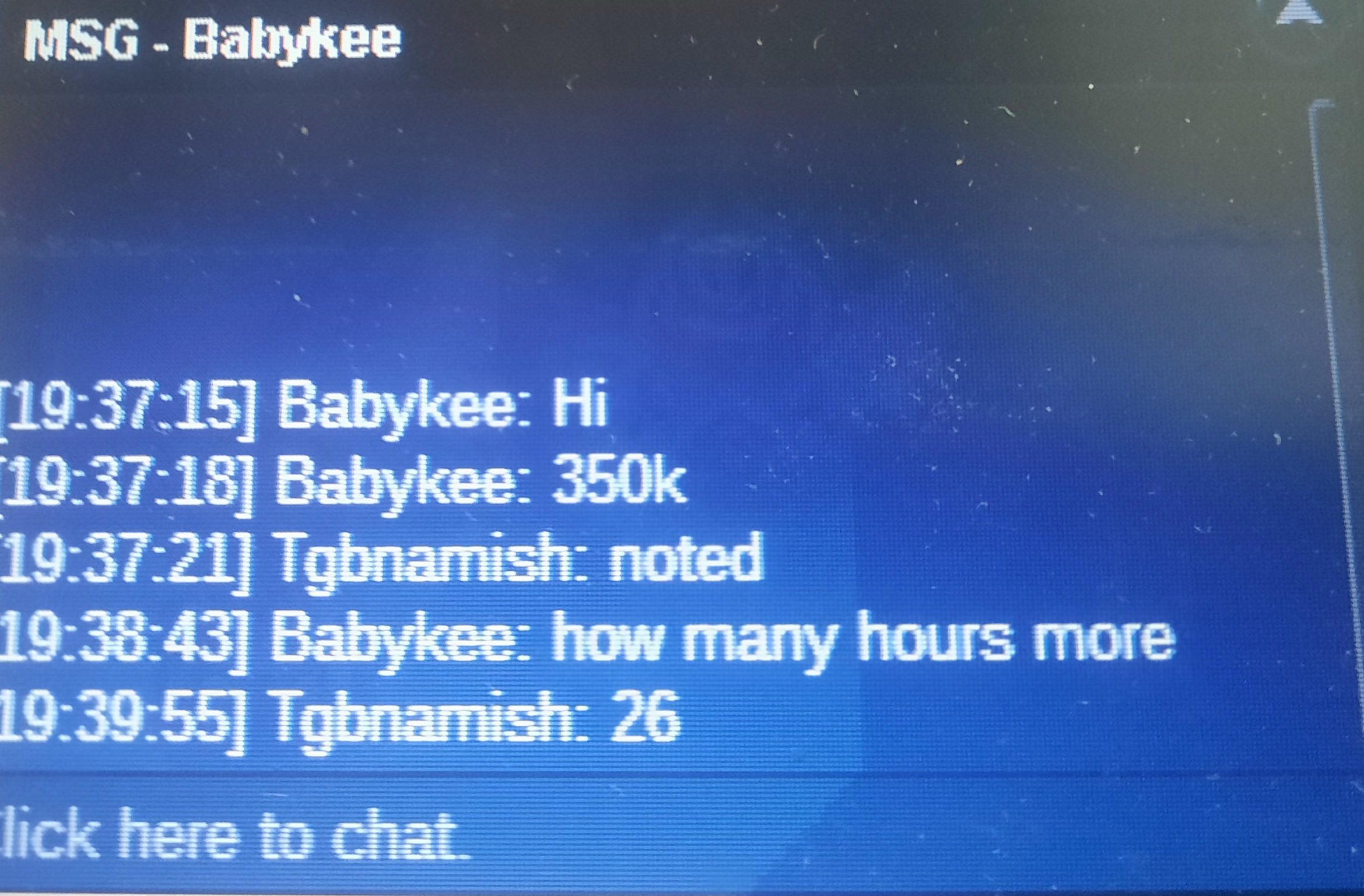
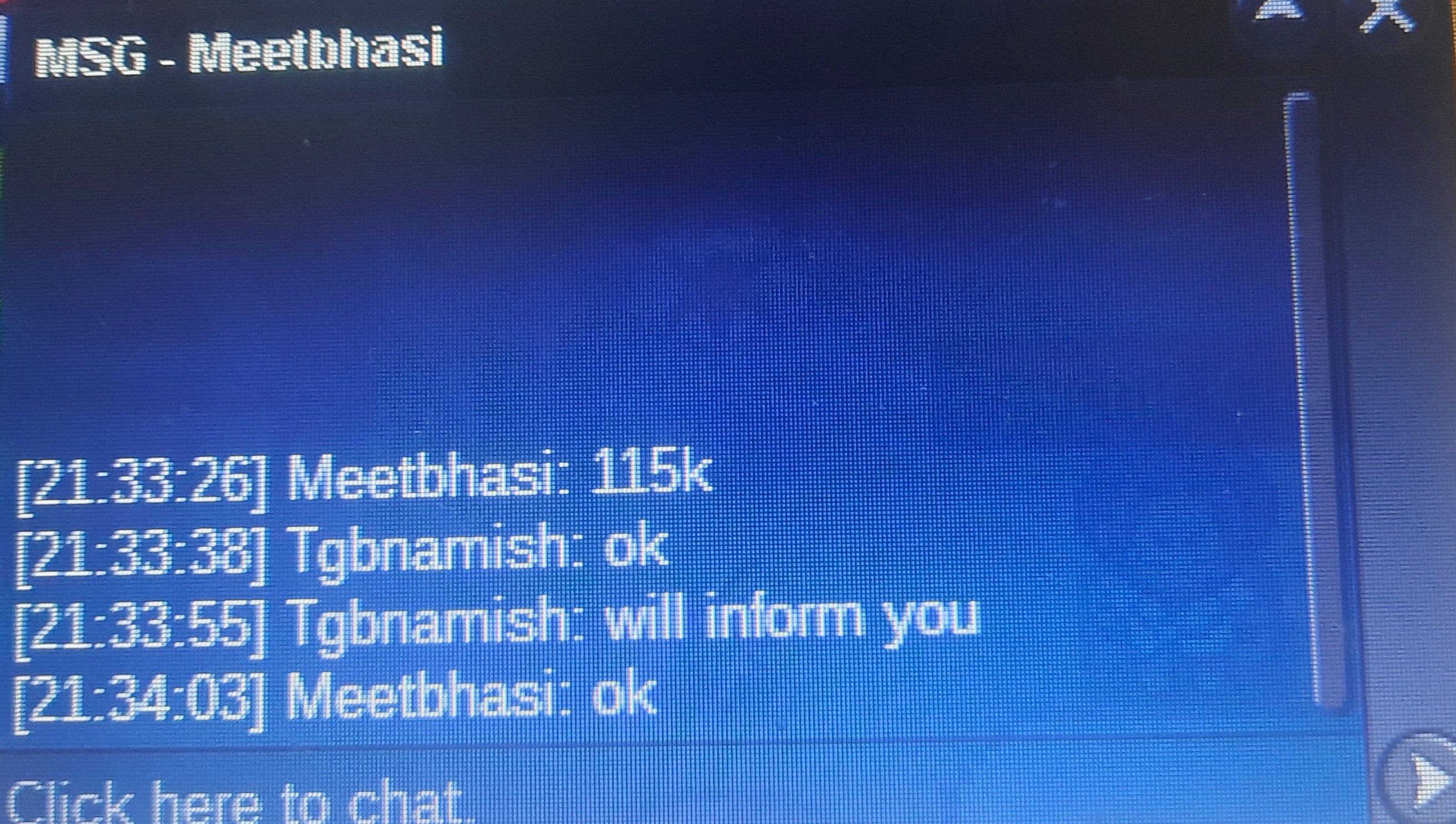
Account
Navigation
Search
Configure browser push notifications
Chrome (Android)
- Tap the lock icon next to the address bar.
- Tap Permissions → Notifications.
- Adjust your preference.
Chrome (Desktop)
- Click the padlock icon in the address bar.
- Select Site settings.
- Find Notifications and adjust your preference.
Safari (iOS 16.4+)
- Ensure the site is installed via Add to Home Screen.
- Open Settings App → Notifications.
- Find your app name and adjust your preference.
Safari (macOS)
- Go to Safari → Preferences.
- Click the Websites tab.
- Select Notifications in the sidebar.
- Find this website and adjust your preference.
Edge (Android)
- Tap the lock icon next to the address bar.
- Tap Permissions.
- Find Notifications and adjust your preference.
Edge (Desktop)
- Click the padlock icon in the address bar.
- Click Permissions for this site.
- Find Notifications and adjust your preference.
Firefox (Android)
- Go to Settings → Site permissions.
- Tap Notifications.
- Find this site in the list and adjust your preference.
Firefox (Desktop)
- Open Firefox Settings.
- Search for Notifications.
- Find this site in the list and adjust your preference.