




New Trade Zone
Trade Zone is now live
Use the new Trade Zone for auctions and instant-price trades so Pokemon and item offers are easy to find.

Jarlaxlebaenre
Registered User
-
Joined
-
Last visited
Everything posted by Jarlaxlebaenre
-
i wish i would be on silver .... nvm
-
@Manav861 won
-
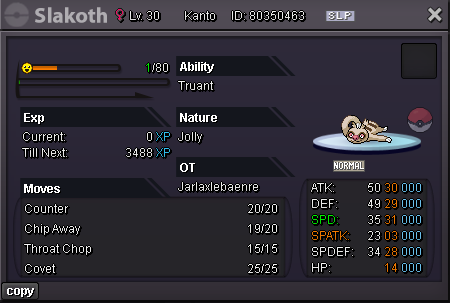
Starting offer: 300k Minimum raise: 100k Insta price : 2m Time: 48 hours after start Accepted payments: Pokedollars, CC (500k)
-
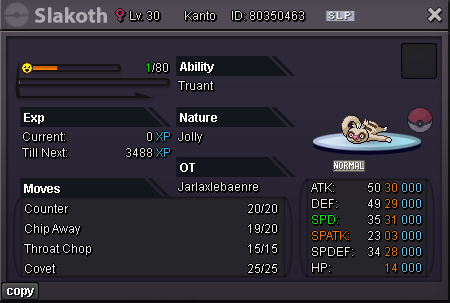
Price check please thank you
-
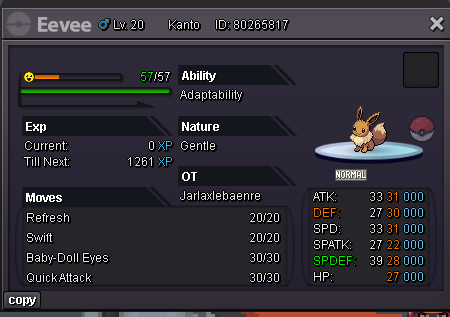
Please help for price check eevee. I think nature fail right ?
-
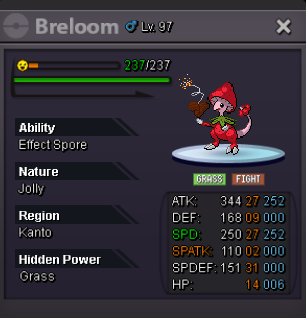
Start Offer : 1m Insta : 10m Min Raise : 100k Time: 72 hours (After start offer) Accepted Payments Pokedollar CC : 400k IV Reroll : 500k
-
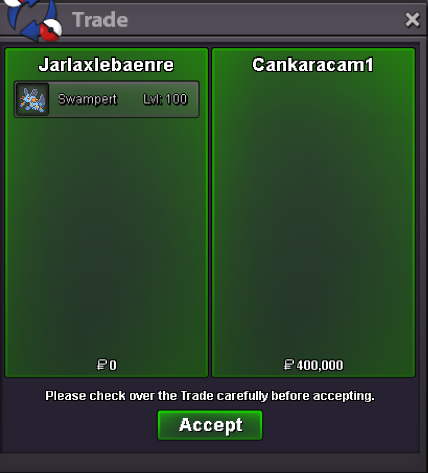
İts done
-
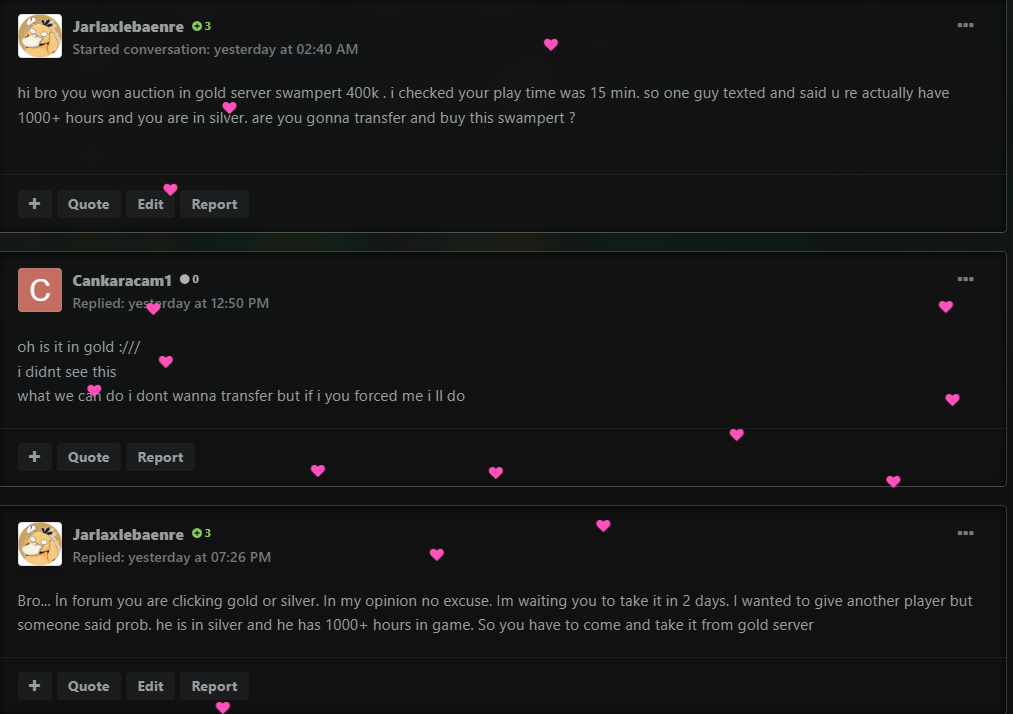
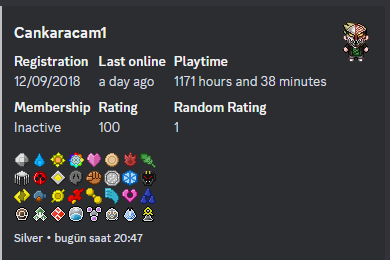
He is not coming game and he is not answering. İt fnished in cuma and he didnt enter game. I lost time as well. What should i do ?
-
oh okay i will
-
Cankaracam1 i inspected his playtime on dc it was 15 min. he cant give that money. Imimikyu won the auction
-
Auction fnished cankaracam1 won
-
Hi, i deleted my breloom accidentally. Please restore.. Thank you
 Start Offer 300k Min Raise = 50k Insta Buy = 1m After start 48 hours later ending Payment = Pokedollars
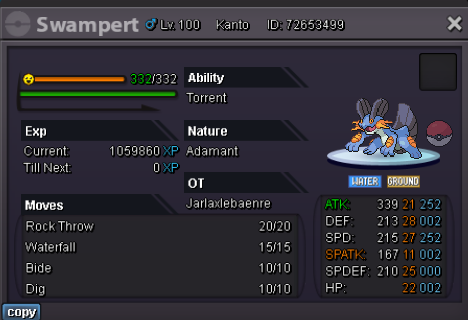 Fnished after 24 hours wagnerlc won24 hours fnished auction doneStart Price: 200k End Point: 24 hours (after start price is met) Insta Price: 2 m (Buy it Now option) Minimum Raise: 50k Accepted Payments: Pokedollars
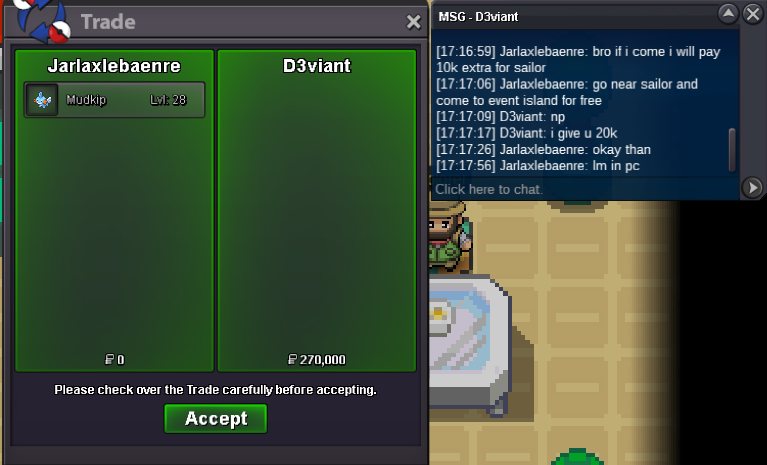
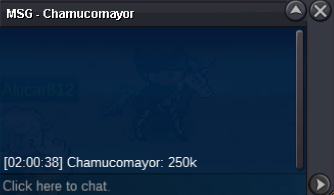
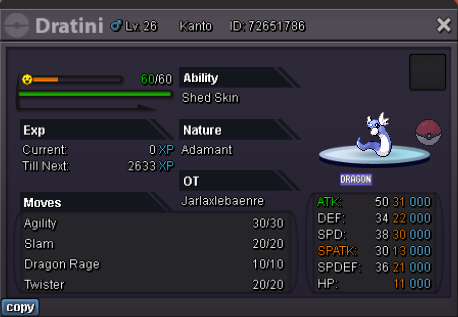 Start Price: 100k End Point: 24hours (after start price is met) Insta Price: 1m(Buy it Now option) Minimum Raise: 20k Accepted Payments: Pokedollars, Rare Candy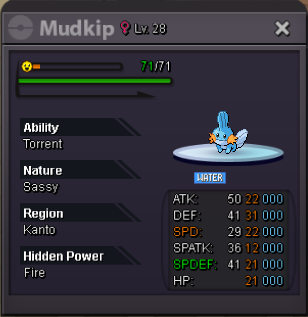







Account
Navigation
Search
Configure browser push notifications
Chrome (Android)
- Tap the lock icon next to the address bar.
- Tap Permissions → Notifications.
- Adjust your preference.
Chrome (Desktop)
- Click the padlock icon in the address bar.
- Select Site settings.
- Find Notifications and adjust your preference.
Safari (iOS 16.4+)
- Ensure the site is installed via Add to Home Screen.
- Open Settings App → Notifications.
- Find your app name and adjust your preference.
Safari (macOS)
- Go to Safari → Preferences.
- Click the Websites tab.
- Select Notifications in the sidebar.
- Find this website and adjust your preference.
Edge (Android)
- Tap the lock icon next to the address bar.
- Tap Permissions.
- Find Notifications and adjust your preference.
Edge (Desktop)
- Click the padlock icon in the address bar.
- Click Permissions for this site.
- Find Notifications and adjust your preference.
Firefox (Android)
- Go to Settings → Site permissions.
- Tap Notifications.
- Find this site in the list and adjust your preference.
Firefox (Desktop)
- Open Firefox Settings.
- Search for Notifications.
- Find this site in the list and adjust your preference.