




New Trade Zone
Trade Zone is now live
Use the new Trade Zone for auctions and instant-price trades so Pokemon and item offers are easy to find.


Loe
Suspended
-
Joined
-
Last visited
Everything posted by Loe
-
-
150k kadabra and larvesta
-
-
-
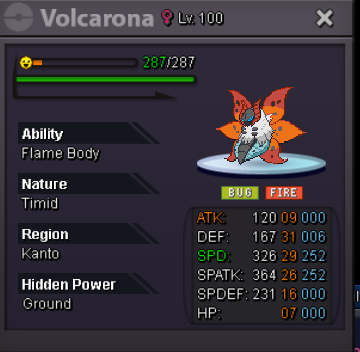
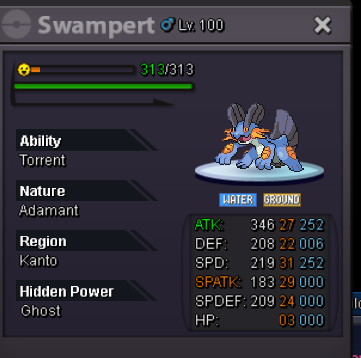
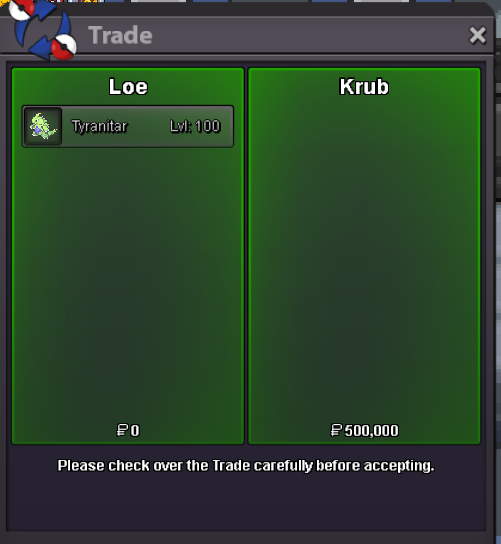
every pokemon is separate. c.o 500k by krub min bid 50k INSTA 3M ( sold - krub winner ) s.o 450k by @Royalboss min 50k INSTA 2M c.o 300k Nightfurry min 50k INSTA 1.5M c.o 250k Nightfurry min 50k INSTA 1M Auction Details: End Point: 24 hr (after start price is met each pokemon has a different timer ) Accepted Payments: Pokedollars, Coin Capsules (x1 Coin Capsule = 400k), IV Reroll Tickets (x1 IV Reroll Ticket = 500k) Important Reminders: This is a gold Server auction. If bidding from an alternative server, state that you will transfer upon winning. If you intend to purchase with an alt account, specify the account alongside your bid. If a bid is received in the final 15 minutes of the auction, the end point will be delayed by 15 minutes from that bid, and will be delayed by 15 minutes for each new bid thereafter, until the current offer has been held for a full 15 minutes.

-
.
-
-
-
i dont think you understand the fact that he bidded 700k and not 800k.
-
he bid 700k , which was my bid. he did not overbid.
-
@Doccocuukiemwhen can we do the trades
-
-
-
-
-
-
650
-
-
400k
-
250k
-
222k
-
-
201k
-
Start
-
1.2m
-
1m

