




New Trade Zone
Trade Zone is now live
Use the new Trade Zone for auctions and instant-price trades so Pokemon and item offers are easy to find.

Lacomus
Registered User
-
Joined
-
Last visited
-
Currently
Viewing Topic: [Tool] Pro Tracker & Database — Version 1.0.6
Everything posted by Lacomus
-
2.2m
-
Bump
-
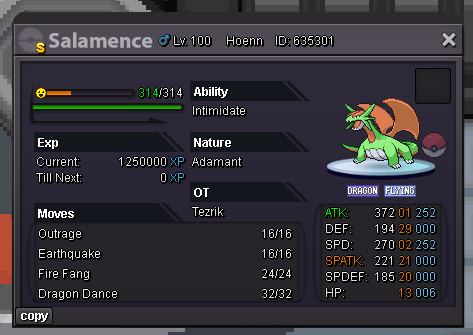
Alt account: Sumocal (Silver Server) Auction Details: Start Price: 10m End Point: 72 hours (after start price is met) Insta Price: N/A Minimum Raise: 200k Accepted Payments: Pokedollars, Coin Capsules (x1 Coin Capsule = 500k), IV Reroll Tickets (x1 IV Reroll Ticket = 750k) Important Reminders: This is a Cross Server auction. You may bid from any server, and I will transfer to your preferred server upon winning. If you intend to purchase with an alt account, specify the account alongside your bid. If a bid is received in the final 15 minutes of the auction, the end point will be delayed by 15 minutes from that bid, and will be delayed by 15 minutes for each new bid thereafter, until the current offer has been held for a full 15 minutes. Happy Bidding!
-
Bump
-
Bump
-
Alt account: Sumocal (Silver Server) PvP Chests: Battle, Win, and Earn Exclusive Rewards! - Announcements - Pokemon Revolution Online Auction Details: Start Price: 20m End Point: 72 hours (after start price is met) Insta Price: 28m Minimum Raise: 500k Accepted Payments: Pokedollars, Coin Capsules (x1 Coin Capsule = 500k), IV Reroll Tickets (x1 IV Reroll Ticket = 750k) Important Reminders: This is a Silver Server auction. If bidding from an alternative server, state that you will transfer upon winning. If you intend to purchase with an alt account, specify the account alongside your bid. If a bid is received in the final 15 minutes of the auction, the end point will be delayed by 15 minutes from that bid, and will be delayed by 15 minutes for each new bid thereafter, until the current offer has been held for a full 15 minutes. Happy Bidding!


-
Bump
-
Bump (giveaway ends tomorrow).
-
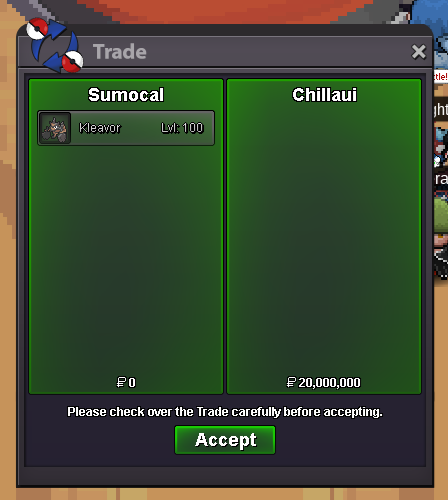
The auction is now closed. @Chillaui has won.BumpBicycle Giveaway - 40 Hours Only I just noticed my profile has reached 40,000 views, which reminded me of the 40k PokéDollars needed for the bicycle (if you happen to catch a Ditto during the bike quest). To celebrate, I thought I’d help some players out. If you’re currently at the stage where you need to buy the bicycle but don’t have the 40k, I’ll cover the cost for you. Details: This applies to all players on PRO - both Silver and Gold servers. The offer is available for 40 hours from the time of this post. You must provide screenshot proof showing that you’re genuinely at the stage where you need the bicycle. Tag me in the #general channel on Discord, and we'll arrange the payment at the Vermillion Pokémon Center.
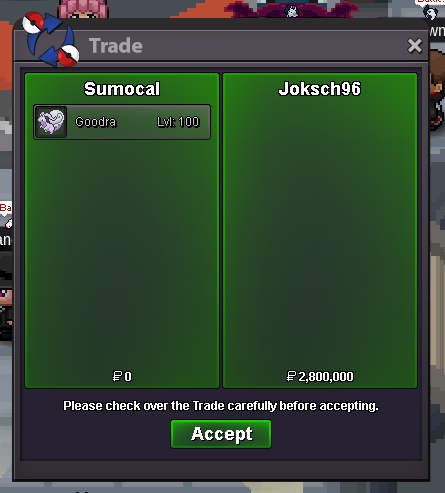
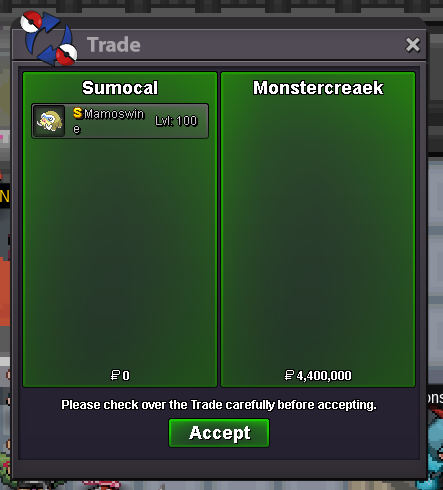
 BumpThe auction is now closed. @Monstercreaek has won.The auction is now closed. @Joksch96 has won.BumpBump@Pilaxboy It wasn’t intentional, and I apologise for not including your name in the draw. To make up for it, I’d like to give you 100k so you can buy some items as an apology. I hope that’s okay with you.BumpThe giveaway is now closed. The results can be viewed in the video linked below. I uploaded a single video to YouTube because the combined file size of all 10 draws was close to 100MB. The alternative would have been uploading 10 separate videos, which felt a bit excessive. After each draw, the winning name was removed from the wheel so that each participant could only win once. If your name appears in the winners list, congratulations. You can claim your reward in Vermillion City (Gold Server). Please send me a DM on the forum or on Discord to arrange collection. https://youtu.be/Au7W8HZv1kgBump

Account
Navigation
Search
Configure browser push notifications
Chrome (Android)
- Tap the lock icon next to the address bar.
- Tap Permissions → Notifications.
- Adjust your preference.
Chrome (Desktop)
- Click the padlock icon in the address bar.
- Select Site settings.
- Find Notifications and adjust your preference.
Safari (iOS 16.4+)
- Ensure the site is installed via Add to Home Screen.
- Open Settings App → Notifications.
- Find your app name and adjust your preference.
Safari (macOS)
- Go to Safari → Preferences.
- Click the Websites tab.
- Select Notifications in the sidebar.
- Find this website and adjust your preference.
Edge (Android)
- Tap the lock icon next to the address bar.
- Tap Permissions.
- Find Notifications and adjust your preference.
Edge (Desktop)
- Click the padlock icon in the address bar.
- Click Permissions for this site.
- Find Notifications and adjust your preference.
Firefox (Android)
- Go to Settings → Site permissions.
- Tap Notifications.
- Find this site in the list and adjust your preference.
Firefox (Desktop)
- Open Firefox Settings.
- Search for Notifications.
- Find this site in the list and adjust your preference.