




New Trade Zone
Trade Zone is now live
Use the new Trade Zone for auctions and instant-price trades so Pokemon and item offers are easy to find.


Lacomus
Registered User
Everything posted by Lacomus
-
Auction Details: Start Price: 1m End Point: 24 hours (after start price is met) Insta Price: 3.5m (Buy it Now option) Minimum Raise: 100k Accepted Payments: Pokedollars, Coin Capsules (400k), IV Rerolls (500k) Important Reminders: The auction will conclude in 24 hours (after start price is met), and bids must adhere to the minimum raise. The "Buy it Now" option allows you to secure the Pokémon, immediately at the Insta Price. If a bid is received in the final 15 minutes of the auction, the end point will be delayed by 15 minutes from that bid, and will be delayed by 15 minutes for each new bid thereafter, until the current offer has been held for a full 15 minutes. Happy Bidding!
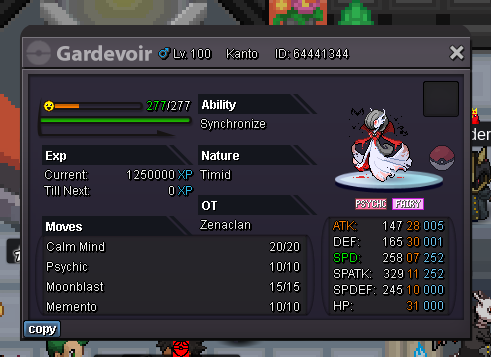
-
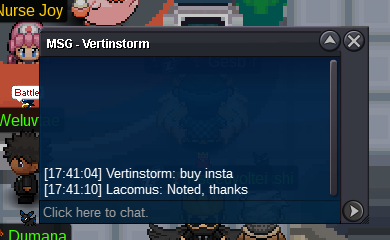
Enjoy @Vertinstorm
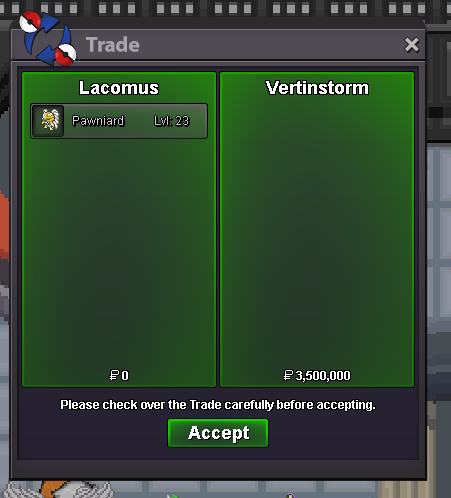
-
Auction Details: Start Price: 1m End Point: 24 hours (after start price is met) Insta Price: 3.5m (Buy it Now option) Minimum Raise: 100k Accepted Payments: Pokedollars, Coin Capsules (400k), IV Rerolls (500k) Important Reminders: The auction will conclude in 24 hours (after start price is met), and bids must adhere to the minimum raise. The "Buy it Now" option allows you to secure the Pokémon, immediately at the Insta Price. If a bid is received in the final 15 minutes of the auction, the end point will be delayed by 15 minutes from that bid, and will be delayed by 15 minutes for each new bid thereafter, until the current offer has been held for a full 15 minutes. Happy Bidding!
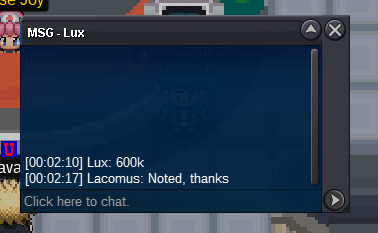
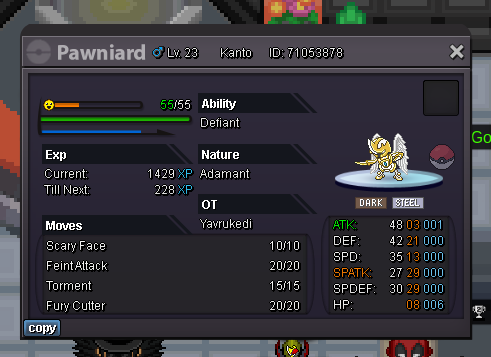 @Pokemonking44 Sorry, it’s a 200k min bidCongrats @Lux let me know when you're available to trade. My Discord is in my signature, or send me a DM. ThanksBump (auction ends in approx 20 minutes)Enjoy @Toxicsoggy
 @Drarfire743 This is an auction, and the current offer is 200k (for 100 rare candies). The minimum bid is 1k, auction ends in approx 50 minutes. Good luckAuction Details: Start Price: 1k End Point: 1 hour (after start price is met) Insta Price: N/A Minimum Raise: 1k Accepted Payments: Pokedollars Important Reminders: The auction will conclude in 1 hour (after start price is met), and bids must adhere to the minimum raise. If a bid is received in the final 15 minutes of the auction, the end point will be delayed by 15 minutes from that bid, and will be delayed by 15 minutes for each new bid thereafter, until the current offer has been held for a full 15 minutes. Happy Bidding!
 Enjoy @Axew1
 Congrats @Axew1 I can close this in Vermillion with you now? If it’s a convenient time. Let me know@Axew1 Leads at 7.2m @Dragonite999 Out of courtesy, just tagging you that he's edited his bidBump (auction ends in approx 15 minutes)Auction Details: Start Price: 2m End Point: 24 hours (after start price is met) Insta Price: 10m (Buy it Now option) Minimum Raise: 200k Accepted Payments: Pokedollars, Coin Capsules (400k), IV Rerolls (500k) Important Reminders: The auction will conclude in 24 hours (after start price is met), and bids must adhere to the minimum raise. The "Buy it Now" option allows you to secure the Pokémon, immediately at the Insta Price. If a bid is received in the final 15 minutes of the auction, the end point will be delayed by 15 minutes from that bid, and will be delayed by 15 minutes for each new bid thereafter, until the current offer has been held for a full 15 minutes. Happy Bidding!
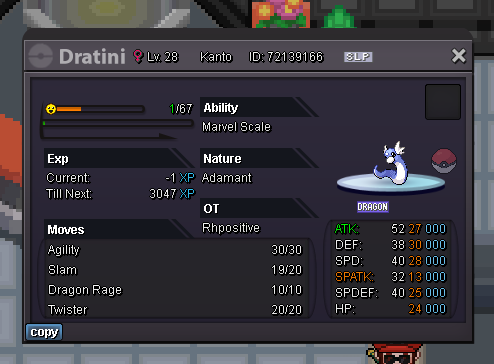 1. What's your Player name (IGN)? Lacomus 2. Number of hours played? 2k+ 3. What's your favorite Pokemon? Numerous, but today Misdreavus 4. What do you enjoy doing the most in PRO? (Hunting, PvP, trading, etc) Collecting, trading 5. How long have you been playing Pokemon? (Optional) Since the 90s 6. Favorite ice cream flavor. (Optional) Raspberry RippleBumpAuction Details: Start Price: 500k End Point: 24 hours (after start price is met) Insta Price: N/A Minimum Raise: 100k Accepted Payments: Pokedollars, Coin Capsules (400k), IV Rerolls (500k) Important Reminders: The auction will conclude in 24 hours (after start price is met), and bids must adhere to the minimum raise. If a bid is received in the final 15 minutes of the auction, the end point will be delayed by 15 minutes from that bid, and will be delayed by 15 minutes for each new bid thereafter, until the current offer has been held for a full 15 minutes. Happy Bidding!
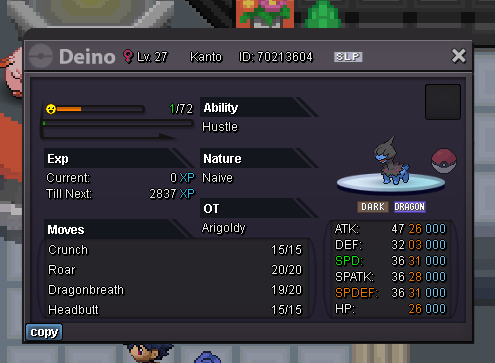 Auction Details: Start Price: 1m End Point: 24 hours (after start price is met) Insta Price: N/A Minimum Raise: 150k Accepted Payments: Pokedollars, Coin Capsules (400k), IV Rerolls (500k) Important Reminders: The auction will conclude in 24 hours (after start price is met), and bids must adhere to the minimum raise. If a bid is received in the final 15 minutes of the auction, the end point will be delayed by 15 minutes from that bid, and will be delayed by 15 minutes for each new bid thereafter, until the current offer has been held for a full 15 minutes. Happy Bidding!
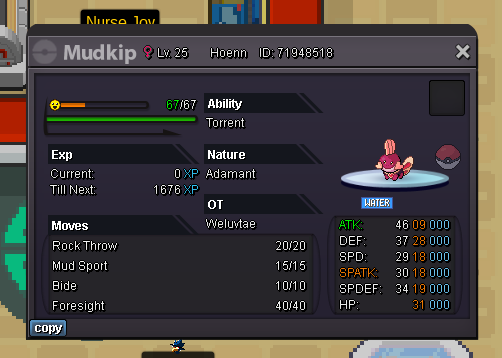 Enjoy @Gremlinrizz


Account
Navigation
Search
Configure browser push notifications
Chrome (Android)
- Tap the lock icon next to the address bar.
- Tap Permissions → Notifications.
- Adjust your preference.
Chrome (Desktop)
- Click the padlock icon in the address bar.
- Select Site settings.
- Find Notifications and adjust your preference.
Safari (iOS 16.4+)
- Ensure the site is installed via Add to Home Screen.
- Open Settings App → Notifications.
- Find your app name and adjust your preference.
Safari (macOS)
- Go to Safari → Preferences.
- Click the Websites tab.
- Select Notifications in the sidebar.
- Find this website and adjust your preference.
Edge (Android)
- Tap the lock icon next to the address bar.
- Tap Permissions.
- Find Notifications and adjust your preference.
Edge (Desktop)
- Click the padlock icon in the address bar.
- Click Permissions for this site.
- Find Notifications and adjust your preference.
Firefox (Android)
- Go to Settings → Site permissions.
- Tap Notifications.
- Find this site in the list and adjust your preference.
Firefox (Desktop)
- Open Firefox Settings.
- Search for Notifications.
- Find this site in the list and adjust your preference.