New Trade Zone
Trade Zone is now live
Use the new Trade Zone for auctions and instant-price trades so Pokemon and item offers are easy to find.

Lacomus
Registered User
-
Joined
-
Last visited
Everything posted by Lacomus
-
And now Raichu is off the table, claimed by @Luckytea at 8k I'm in Breezy, whenever you guys are free. Thanks
-
The bid for Manectric has now been held for a full 15 minutes at 7,130 by @Raikaisa665 this poke is now claimed and off the table Raichu remains
-
Appreciate you @Grabx

-
Right, think we're done. Congrats @Grabx I'm in Breezy
-
-
Since we've entered the final 15 minutes, 15 minute rule applies. Rule below for clarity. Good luck! - Forum: If a bid is received in the final 15 minutes of the auction, the end point will be delayed by 15 minutes from that bid, and will be delayed by 15 minutes for each new bid thereafter, until the current offer has been held for a full 15 minutes. Must be accurate to the minute that the auction is set to end. › e.g. If the auction ends at 15:00, it will end at 15:00:00. If a late bid is received in the final 15 minutes, at 14:46, the auction will end at 15:01. If another user bids at 15:00, the auction will be extended again, and will end at 15:15, this will be repeated until the current offer has been held for a full 15 minutes.
-
Under 15 minutes remaining Countdown: https://vclock.com/timer/#countdown=03:00:00&date=2023-04-29T16:12:19&title=Natu+%2F+Doduo
-
Since we've entered the final 15 minutes, 15 minute rule applies. Rule below for clarity. Good luck! - Forum: If a bid is received in the final 15 minutes of the auction, the end point will be delayed by 15 minutes from that bid, and will be delayed by 15 minutes for each new bid thereafter, until the current offer has been held for a full 15 minutes. Must be accurate to the minute that the auction is set to end. › e.g. If the auction ends at 15:00, it will end at 15:00:00. If a late bid is received in the final 15 minutes, at 14:46, the auction will end at 15:01. If another user bids at 15:00, the auction will be extended again, and will end at 15:15, this will be repeated until the current offer has been held for a full 15 minutes.
-
Under 1 hour remaining Countdown: https://vclock.com/timer/#countdown=03:00:00&date=2023-04-29T16:12:19&title=Natu+%2F+Doduo
-
- CO Raichu @Acetzy 6,003 - CO Manectric @Janith 6,500

-
- CO Raichu @Acetzy 6,003 - CO Manectric @Taelfan 6,012
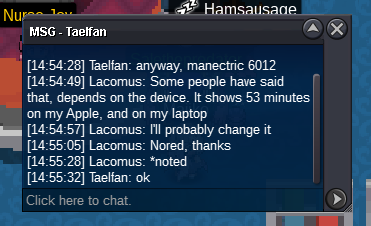
-
Under 1 hour remaining Countdown: https://vclock.com/timer/#countdown=03:00:00&date=2023-04-29T15:47:25&title=Raichu+%2F+Manectric
-
- CO Natu @Karthick1111 85k - CO Doduo @Janith 3k

-
- CO Natu @Karthick1111 85k - CO Doduo @Taelfan 18

-
- CO Raichu @Janith 6k - CO Manectric @Taelfan 6,003
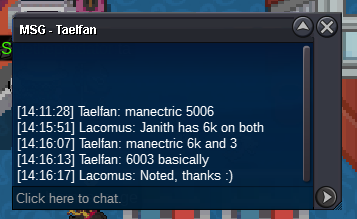
-
- CO Raichu @Janith 6k - CO Manectric @Janith 6k Note: @Janith wanted to re-raise his previous bid
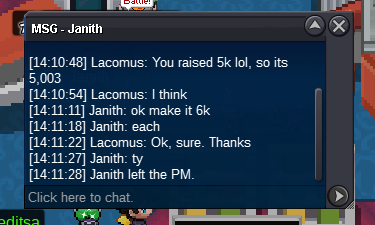
-
-
-
Start (10k)
-
Start all (10k)
-
- CO Natu @Karthick1111 85k - CO Doduo @Immortalx 3

-
- CO Raichu @Janith 5,003 - CO Manectric @Janith 5,003

-
- CO Natu @Megadialga 50k - CO Doduo @Immortalx 3

-
Started: https://vclock.com/timer/#countdown=03:00:00&date=2023-04-29T16:12:19&title=Natu+%2F+Doduo

-
Welcome to the auction Start: 3 Min bid: 3 Duration: 3 hours (after the first bid) Payment: Pokedollars Note: Not a bundle. Make bids clear. Example: "Natu 2" or "Natu 2 Pokedollars". If "each", then say each / ea. No cancellations, no insta Countdown: https://vclock.com/timer/#countdown=03:00:00&date=2023-04-29T16:12:19&title=Natu+%2F+Doduo Closed: Natu @Grabx 89,003 / Doduo @Grabx 3,503