




New Trade Zone
Trade Zone is now live
Use the new Trade Zone for auctions and instant-price trades so Pokemon and item offers are easy to find.


Lacomus
Registered User
-
Joined
-
Last visited
Everything posted by Lacomus
-
@Mrclaireaa I'm around vermi just now to close transaction on Natu. Just woke up (UK time). Let me know whenever you're free. My Discord ID is in my signature too
-
@Darksoul56 I just uploaded them again, hopefully that's worked. Here they are below anyway


-
Start all (20k)
-
Natu 161k
-
Natu 123,456
-
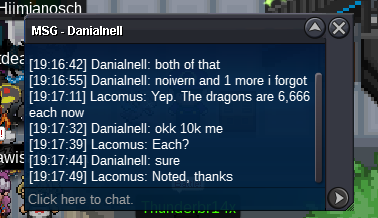
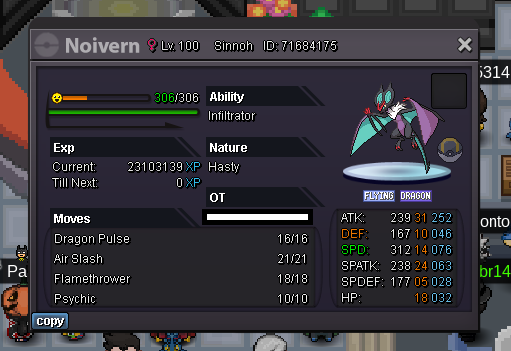
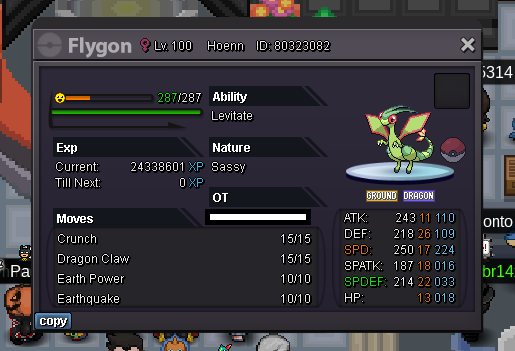
- CO Noivern @Danialnell 10k - CO Flygon @Danialnell 10k
-
- CO Noivern @Mido93 6,666 - CO Flygon @Mido93 6,666
-
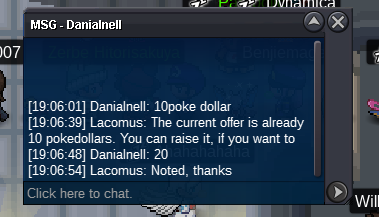
- CO Noivern @Danialnell 20 - CO Flygon @Danialnell 20
-
Natu 50k
-
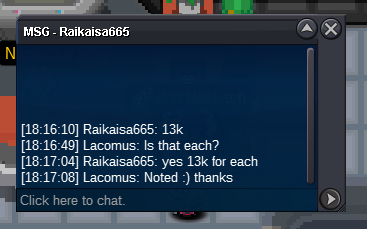
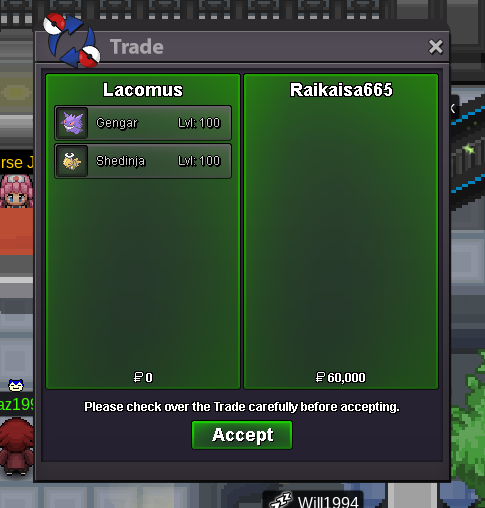
- CO Makuhita @Raikaisa665 13k - CO Machamp @Raikaisa665 13k
-
Thanks again! @Raikaisa665
-
Hey. I'm in vermi right now 🙂
-
Started: https://vclock.com/timer/#countdown=24:00:00&date=2023-04-27T17:56:45&title=Noivern+%2F+Flygon
-
@Souoca123 Sorry, invalid @Mrclaireaa has started out at 10k
-
Started: https://vclock.com/timer/#countdown=24:00:00&date=2023-04-27T17:12:09&title=Makuhita+%2F+Machamp
-
Welcome to the auction Start: 1 Min bid: 1 Duration: 24 hours (after the first bid) Payment: Pokedollars Note: Not a bundle. Make bids clear. Example: "Makuhita 2" or "Makuhita 2 Pokedollars". If "each", then say each / ea. No cancellations, no insta Countdown: https://vclock.com/timer/#countdown=24:00:00&date=2023-04-27T17:12:09&title=Makuhita+%2F+Machamp Closed: Makuhita @Hannibalplh 170k / Machamp @Arpitttt 70k


-
Welcome to the auction Start: 1 Min bid: 1 Duration: 24 hours (after the first bid) Payment: Pokedollars Note: Not a bundle. Make bids clear. Example: "Noivern 2" or "Noivern 2 Pokedollars". If "each", then say each / ea. No cancellations, no insta Countdown: https://vclock.com/timer/#countdown=24:00:00&date=2023-04-27T17:56:45&title=Noivern+%2F+Flygon Closed: Noivern @Vansh01 50k / Flygon @Vansh01 63,001
-
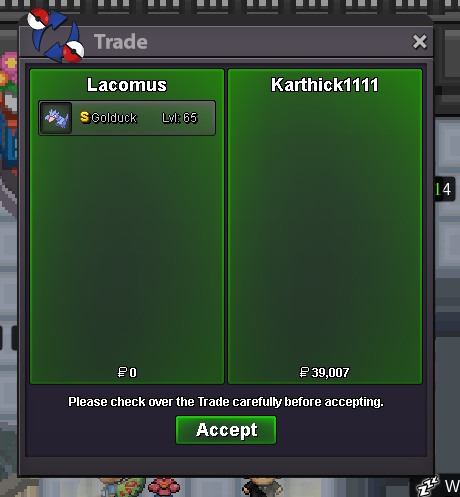
Much appreciated @Karthick1111 enjoy your duck!
-
Appreciate the business @Ozzymate enjoy your bear!

-
Your bid has now gone uninterrupted for a little over 15 minutes now @Ozzymate, you've won the bear. Again I'm in vermi, if you're nearby. Let me know what you want to do. Thanks!
-
I'm sorry @Vansh01 you haven't bid within time. I can't accept this bid
-
Auction is over on Golduck, you win @Karthick1111 I'm in vermi, if you're around. Let me know! Thanks
-
@Doodskus Nice work!
-
@Frosty2011 Since you've bid within the final 15 minutes of the auction, it'll go on as stated below. Your bid must hold for a full 15 minutes, without an interrupted bid. Cycle goes on until bidders give up. Have posted the rule below for clarity. Good luck! @Frosty2011 @Ozzymate - Forum: If a bid is received in the final 15 minutes of the auction, the end point will be delayed by 15 minutes from that bid, and will be delayed by 15 minutes for each new bid thereafter, until the current offer has been held for a full 15 minutes. Must be accurate to the minute that the auction is set to end. › e.g. If the auction ends at 15:00, it will end at 15:00:00. If a late bid is received in the final 15 minutes, at 14:46, the auction will end at 15:01. If another user bids at 15:00, the auction will be extended again, and will end at 15:15, this will be repeated until the current offer has been held for a full 15 minutes.
-
Countdown: https://vclock.com/timer/#countdown=24:00:00&date=2023-04-26T16:18:41&title=Ursaring+%2F+Golduck Under 1 hour to go

