New Trade Zone
Trade Zone is now live
Use the new Trade Zone for auctions and instant-price trades so Pokemon and item offers are easy to find.


Glitcch1
Registered User
-
Joined
-
Last visited
Everything posted by Glitcch1
-
8.7m
-
8.5m
-
can you add the dragon knight set in the showcase as well its not there
-
Hello i apologize i wasn't home to announce who the winner is on time , congratz the winner is @Uxxelmon7mhello , when u login they show you a message that saying a message was sent to your device click "here" click on "here" it will take u to a website where u approve for capatcha if u already did that and u can't find the mail try to check for spam folder it might be sent there if not try to go to the dashboard and double check if the email your using for the account is the same one ur checking in for the approvement mail .startStart price : 500k Min raise : 100k Duration : 48h 15Min rule : On Countdown start after first bid Gmt +1
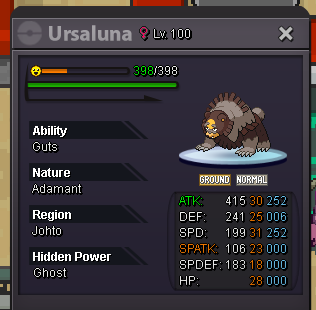
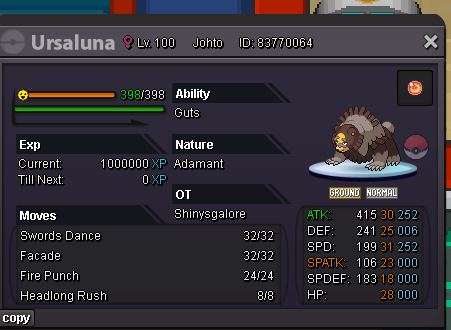 8m-10m20.25m6m15mAuction ended winner is @Madara8x , send me a pm on my discord : _diamanti so we can set up a meeting10 min left6mbumpBumpbumpBump