




New Trade Zone
Trade Zone is now live
Use the new Trade Zone for auctions and instant-price trades so Pokemon and item offers are easy to find.

Laertes
Registered User
-
Joined
-
Last visited
Everything posted by Laertes
-
I thought the stupidest decision could be kicking off Belzebel from staff for stuff she was doing outside of the game. Then that vday Smeargle accident came. Takes the #1 spot, and nothing is even close to that.
-
-
Deal done, can be closed ❤️
-
@Pregster and you won. You can contact me in game (Laertes) or via Discord (laertes9788)
-
-
24h Left
-
71h left
-
Noted Sir!
-
Fixed starting price 😊
-
-
Bump
-
Start: 1m No Insta Min Bid: 100k ends 96hrs after first bid poke$ / CC 500K // Nature Reroll 275k // IV Reroll 550k // Master Ball 60k

-
-
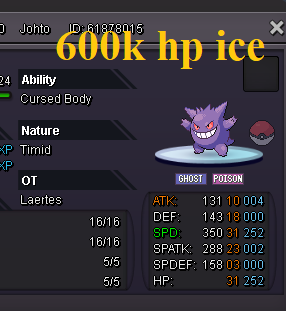
Henlo There! Rules: 1.Fake offers will be reported 2.Prices are negotiable 3. Once you offer or accept my offer it can't be changed 4. PM me here or in game (Laertes) or on discord (Laertes#9788) Payments: CC = 500k Nature reroll = 275k Iv reroll = 550k Master ball = 60k





-
-
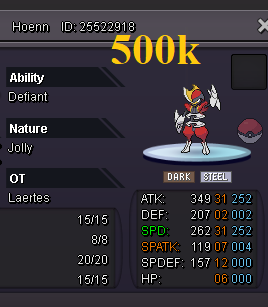
500k Bisharp reserved
-
-
We can always negotiate ;3 Bumpinho
-
-
Can be closed.

-
So it's finished since few hours. Natsulp1 won. Just need to contact to finish it ;3
-
900k already

-
-
bump.
-
Username: Laertes Server: Silver Country/Timezone: Poland / GMT+2

