




New Trade Zone
Trade Zone is now live
Use the new Trade Zone for auctions and instant-price trades so Pokemon and item offers are easy to find.

Mohankumar29
Registered User
-
Joined
-
Last visited
Everything posted by Mohankumar29
-
25k
-
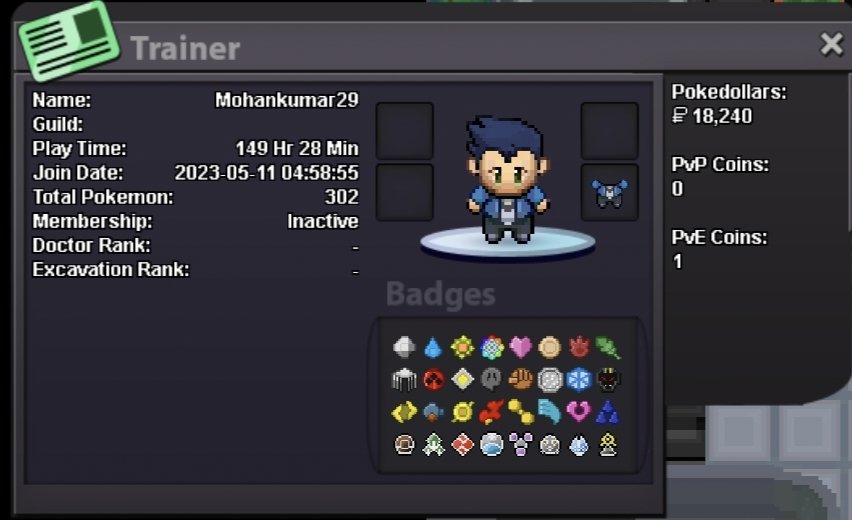
INFORMATION: WHATS YOUR IGN (GAME NAME): Mohankumar29 DISCORD ID: mohanmk FAVOURITE POKEMON : Gengar WHAT KIND OF PLAYER YOU ARE (PVP/PVE): PvE mostly for now but i also like PvP HIGHEST PVP RATING (IF U ARE A PVP PLAYER): none
-
1. What's your Player name (IGN)? Mohankumar29 2. Number of hours played? 149 hours 3. What's your favorite Pokemon? Gengar 4. What do you enjoy doing the most in PRO? (Hunting, PvP, trading, etc) I love hunting Pokemon and hunting legendary pokemons 5. How long have you been playing Pokemon? (Optional) I have been playing for more than 10 years started with fire red 6. Favorite ice cream flavor. (Optional) Cotton candy

