




New Trade Zone
Trade Zone is now live
Use the new Trade Zone for auctions and instant-price trades so Pokemon and item offers are easy to find.

Gkatakos1989
Suspended
-
Joined
-
Last visited
Everything posted by Gkatakos1989
-
Welcome to my Shop ! Shop rules: All trade rules must be followed, fake offering will be reported. All prices are negotiable, message me on the thread, via my discord or ingame. Payment methods: Pokedollars. Coin Capsule. (380k) Rocky Helmet. (120k) Assault Vest. (140k) Rare candy. (7k) Any questions, and or for sales you can post or message me in game. PVP POKE UNTRAINED POKEMON Absol Mimikyu ELECTRIKE Bulbasaur Wingull-Pelipper Manectric Charmander-Charmeleon-Charizard Maril - Azumaril Mudkip STORY POKEMON 100LVL EV TRAINED MOVESET READY Rare Forms Poke Ev trained Pokemons Untrained Good pokemons
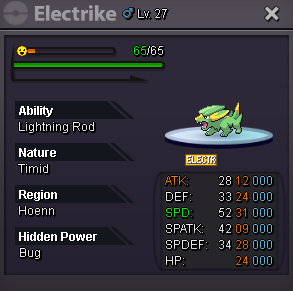
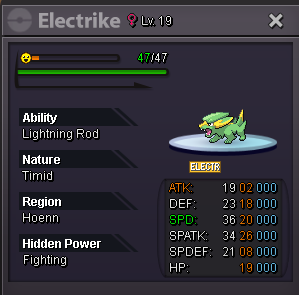
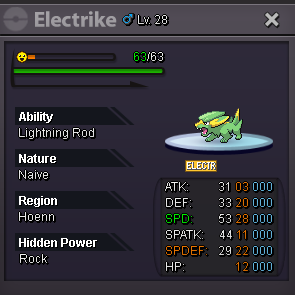
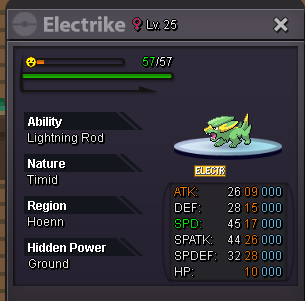
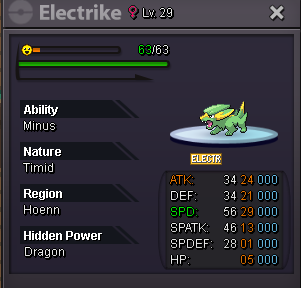
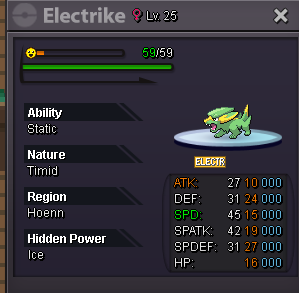
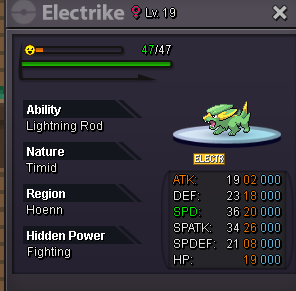
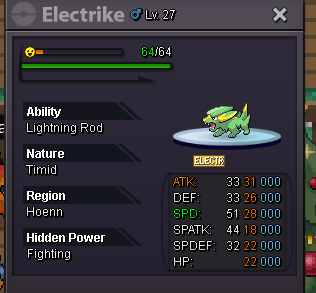
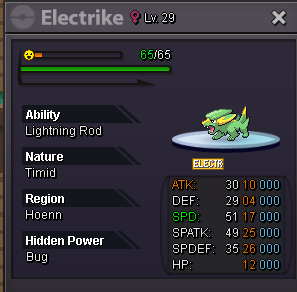
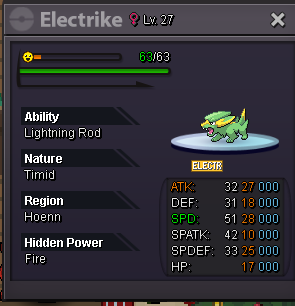
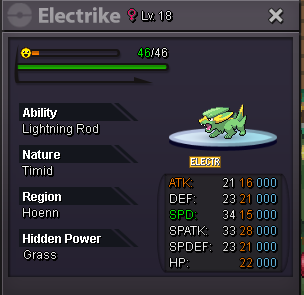

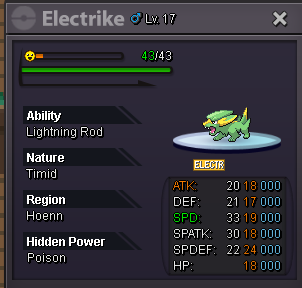
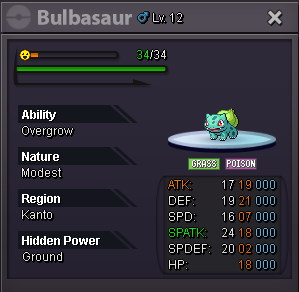
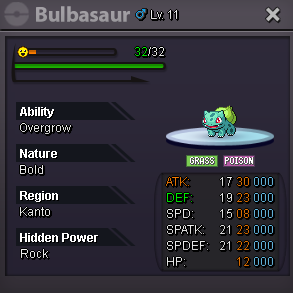
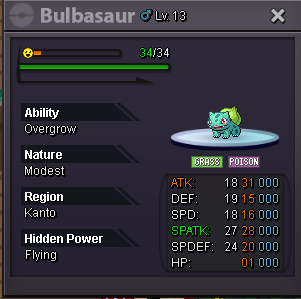
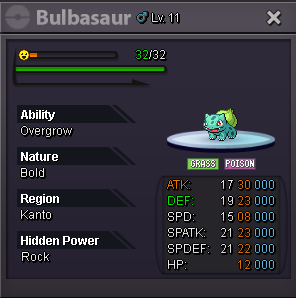
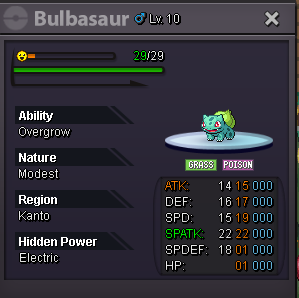
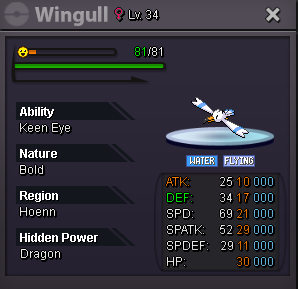
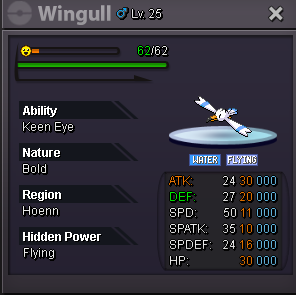
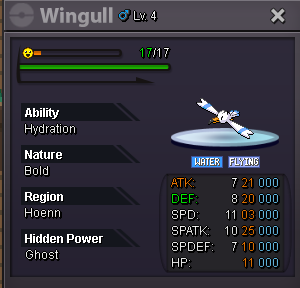


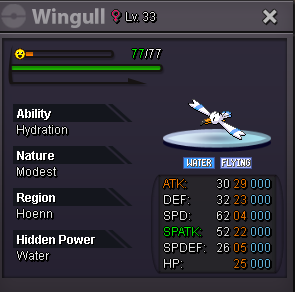

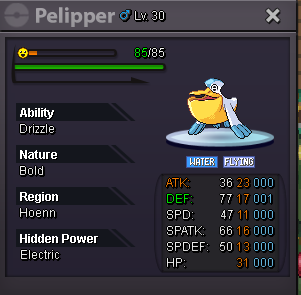
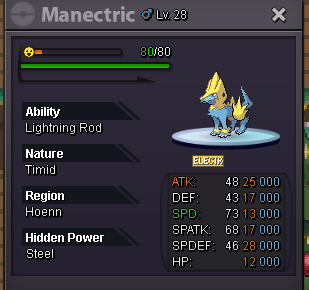

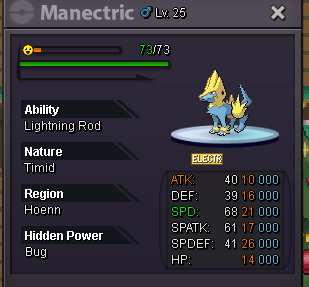
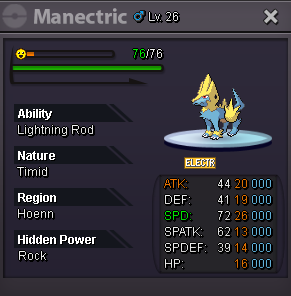
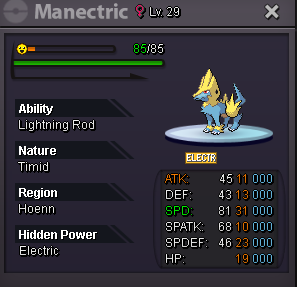

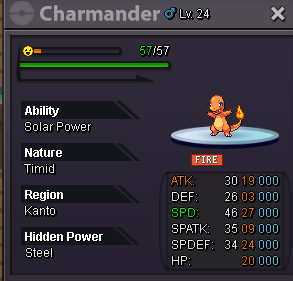
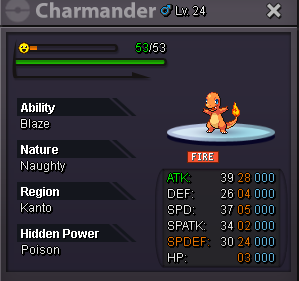
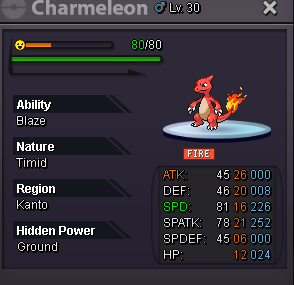
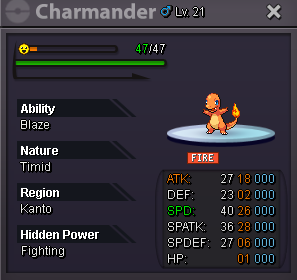
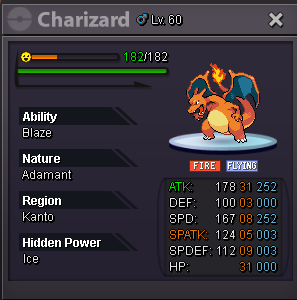
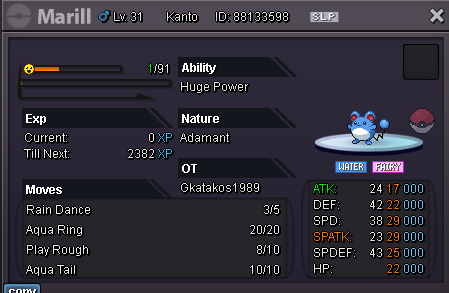
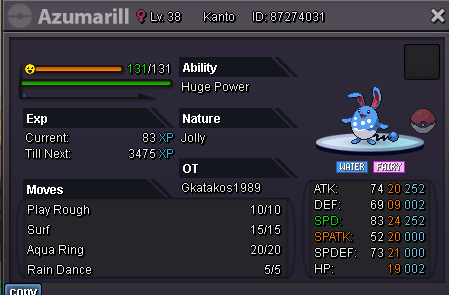
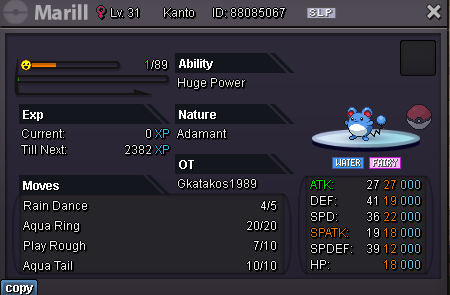
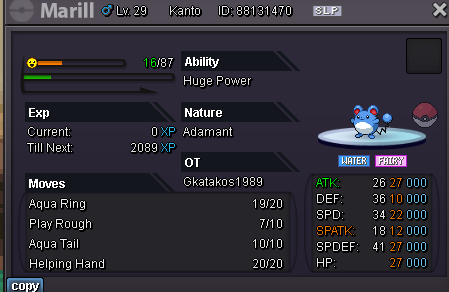
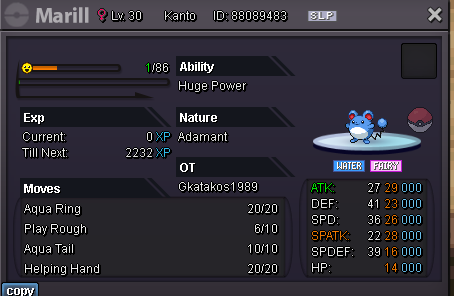
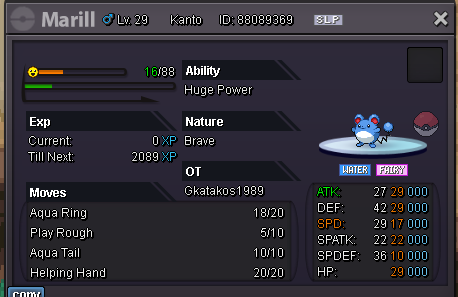
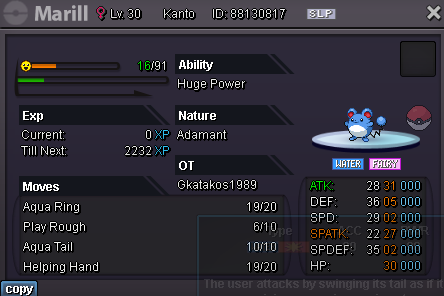

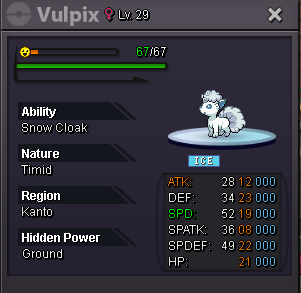
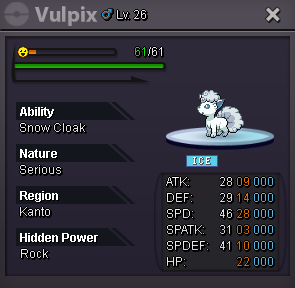

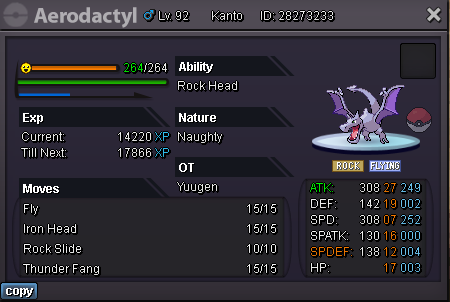
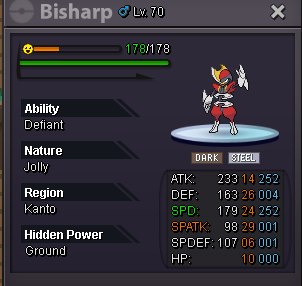

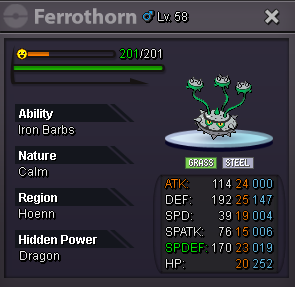
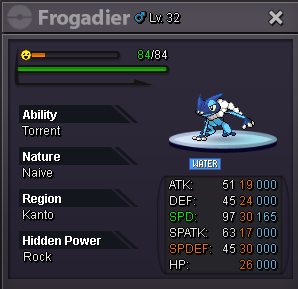
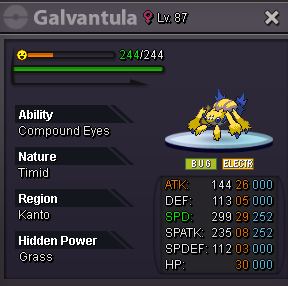

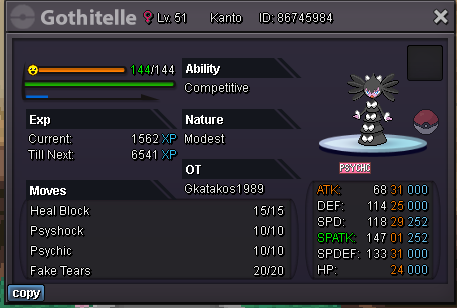

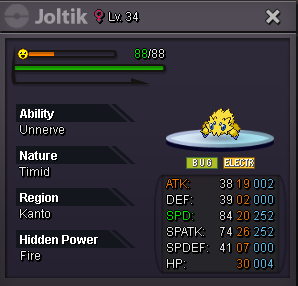
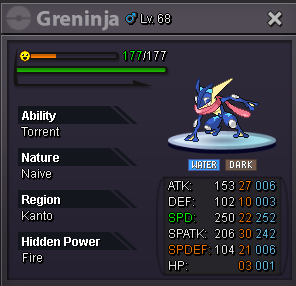
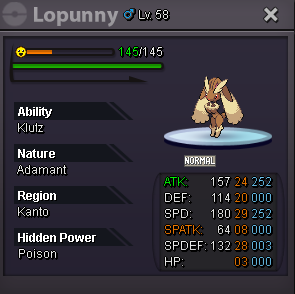
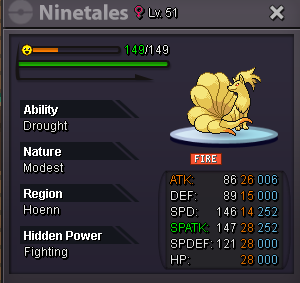
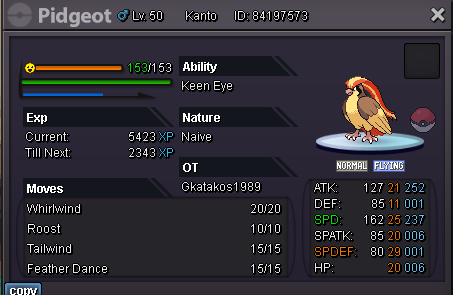
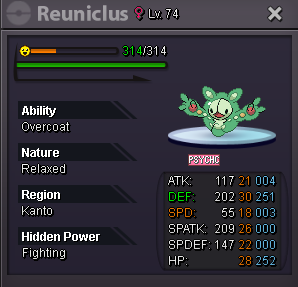
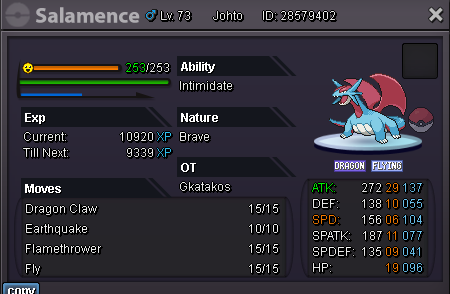
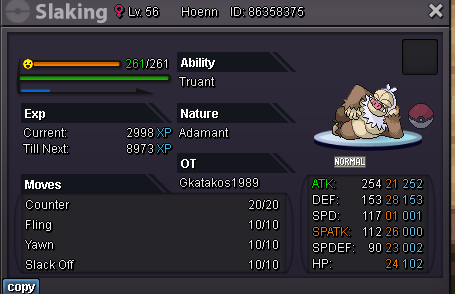
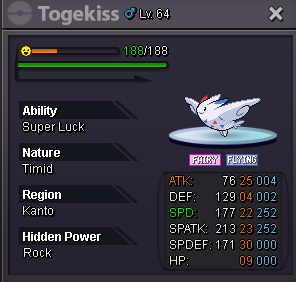
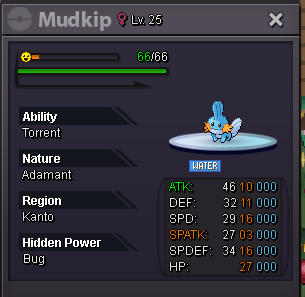
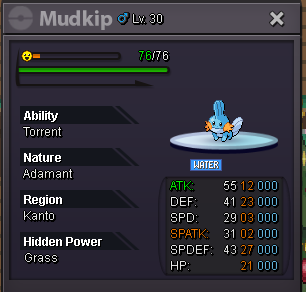

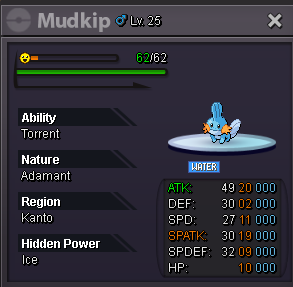
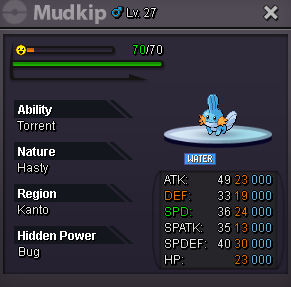
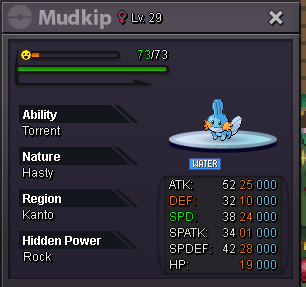
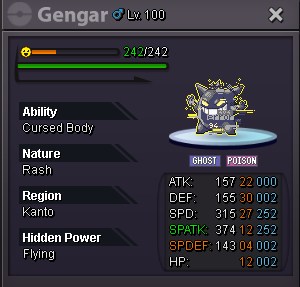
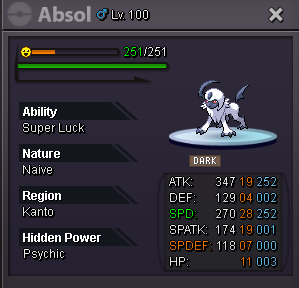
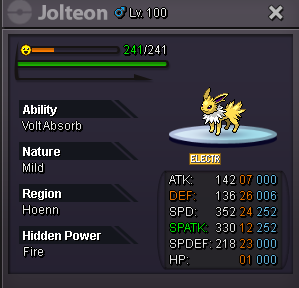
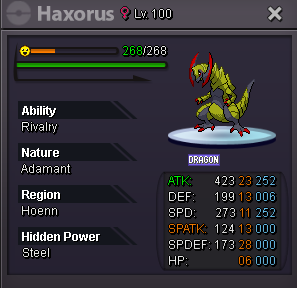
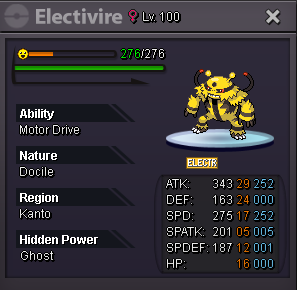
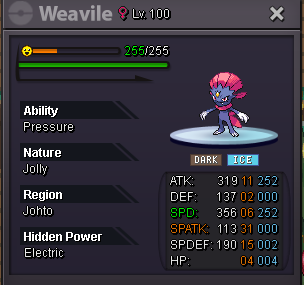
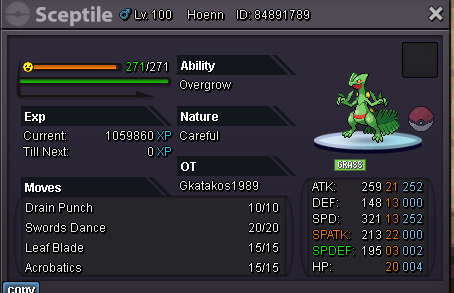
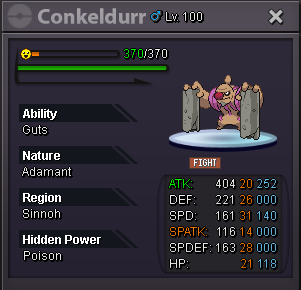
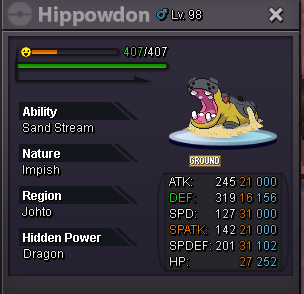
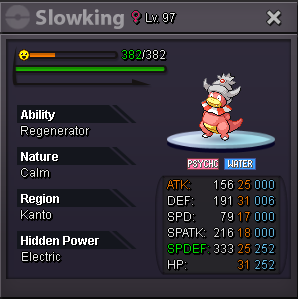
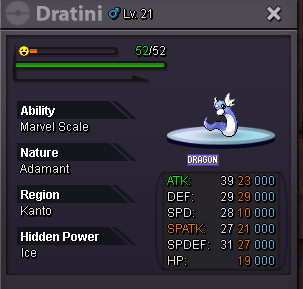
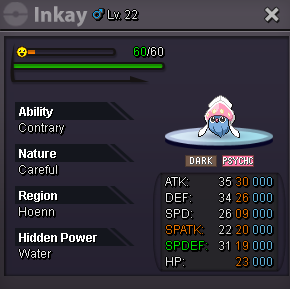
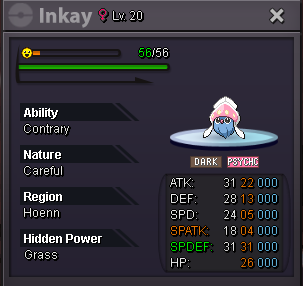
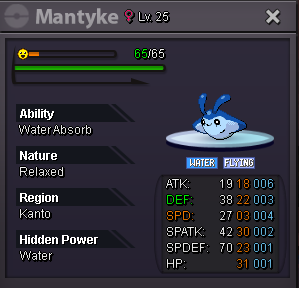
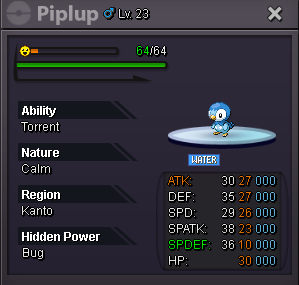
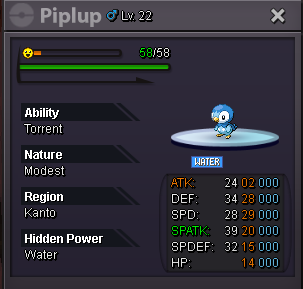
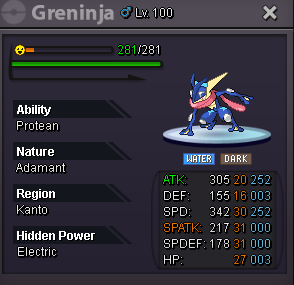
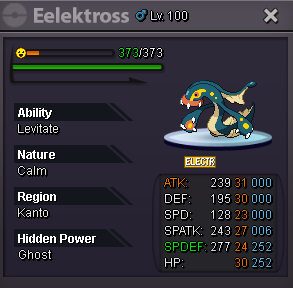
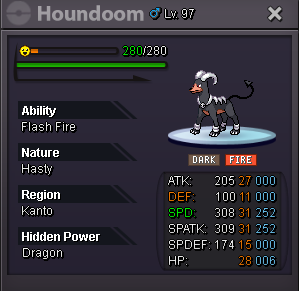
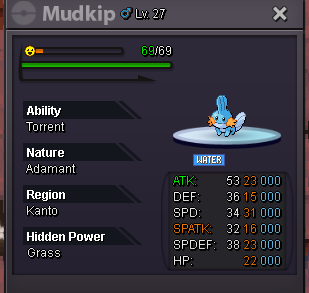
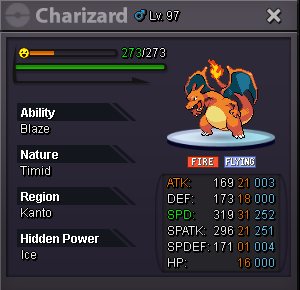
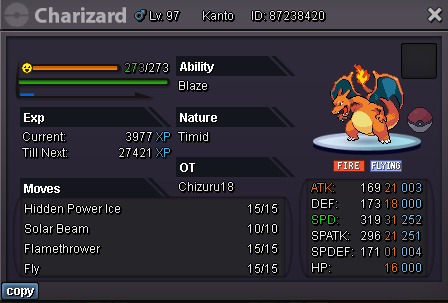

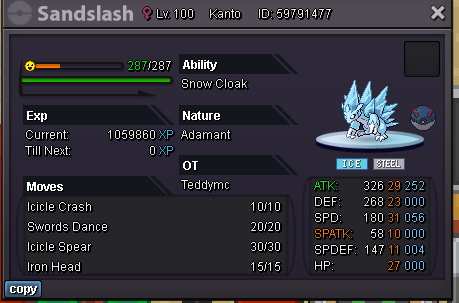
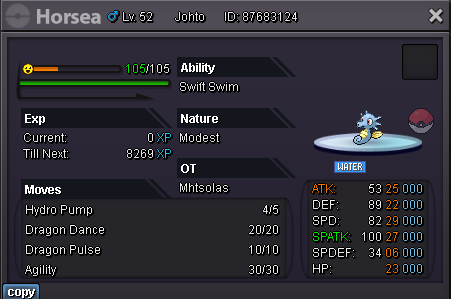

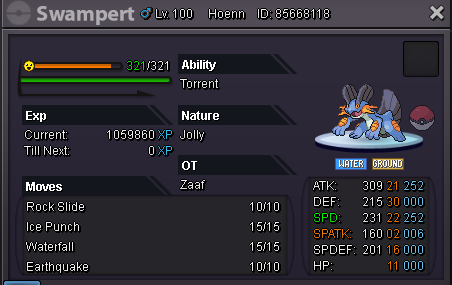
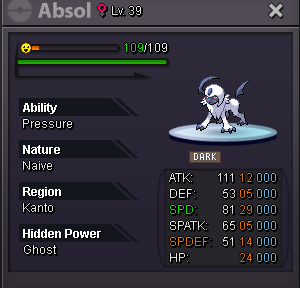
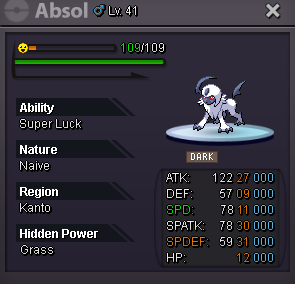


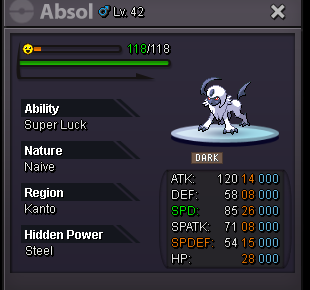
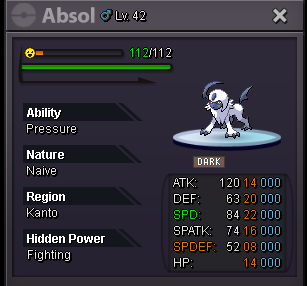
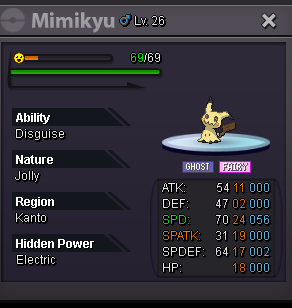

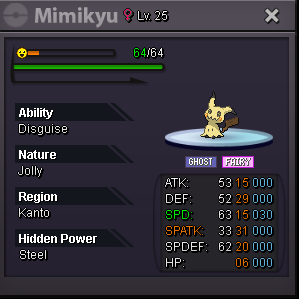
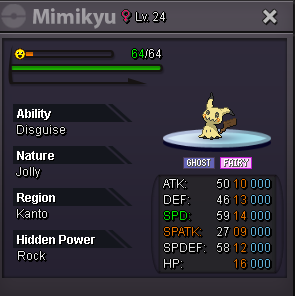
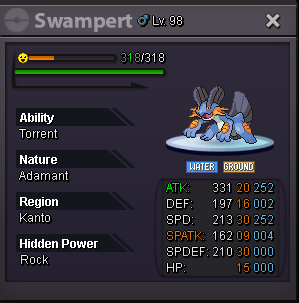
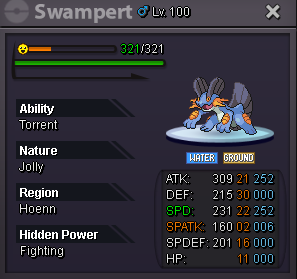
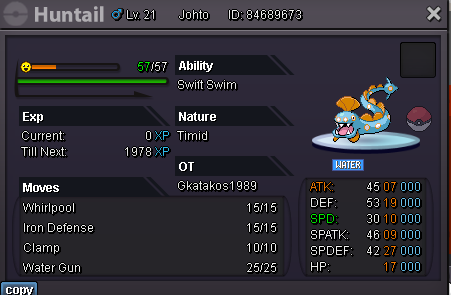
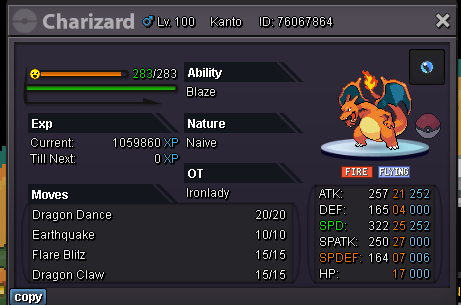
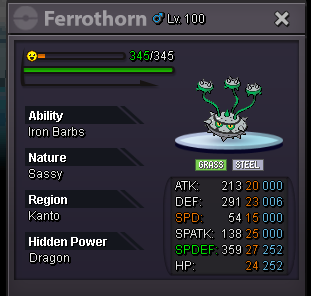
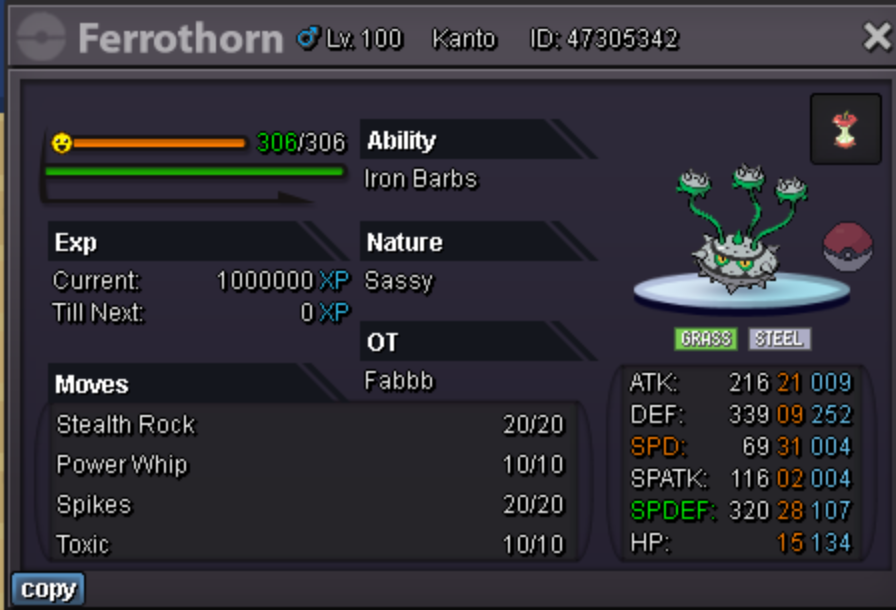
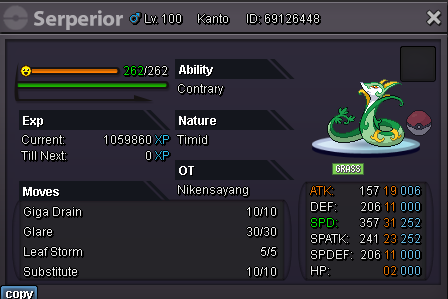
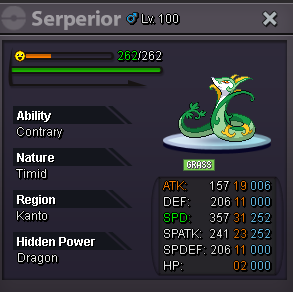
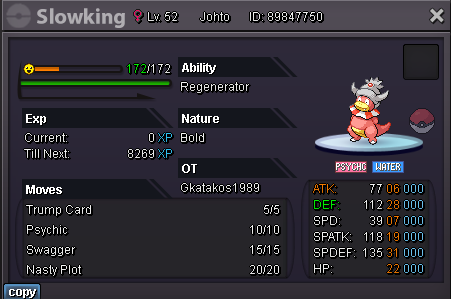
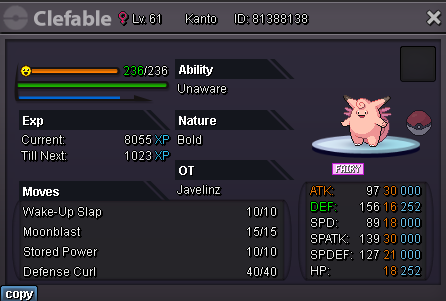
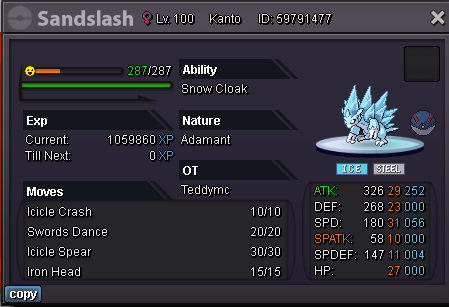
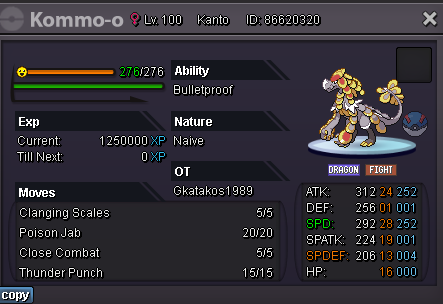
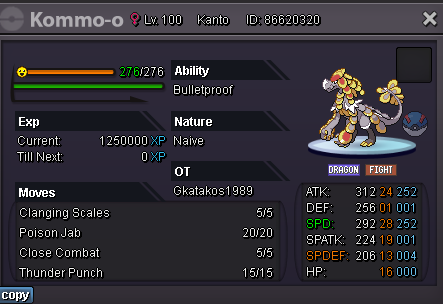
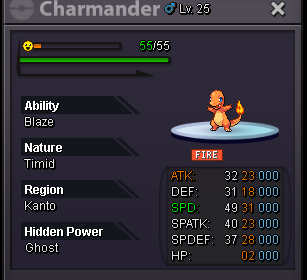
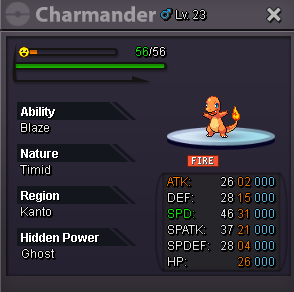
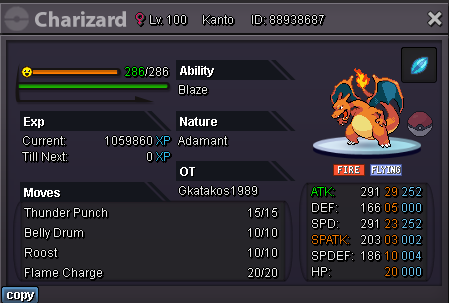
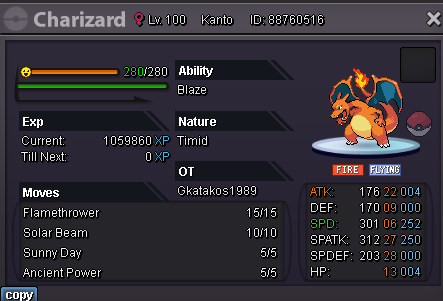
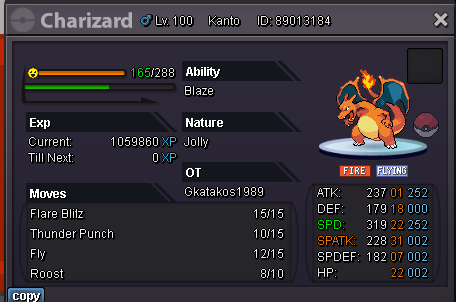 Starting offer :50k Min Raise : 10k Duration of the auction : Ends 24h after 1st bid . Accepted payments : Pokedollars or Coin Capsule (400k).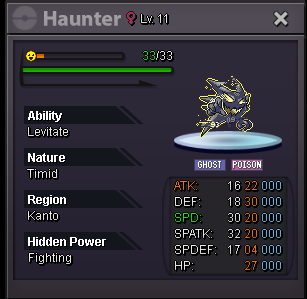
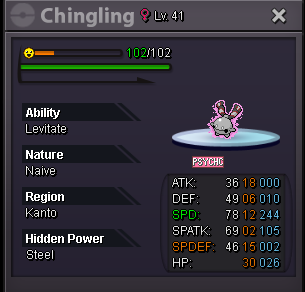
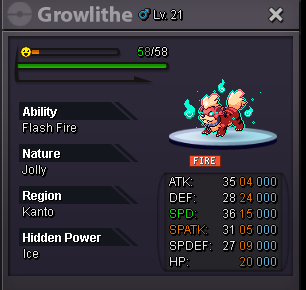
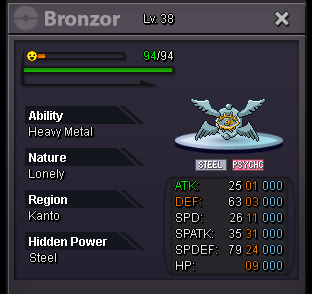
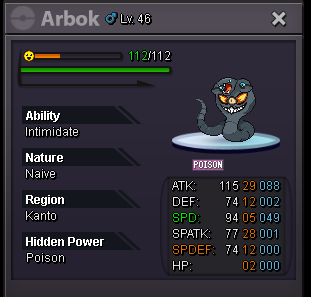 I am interested to buy or trade pm me gkatakos1989.
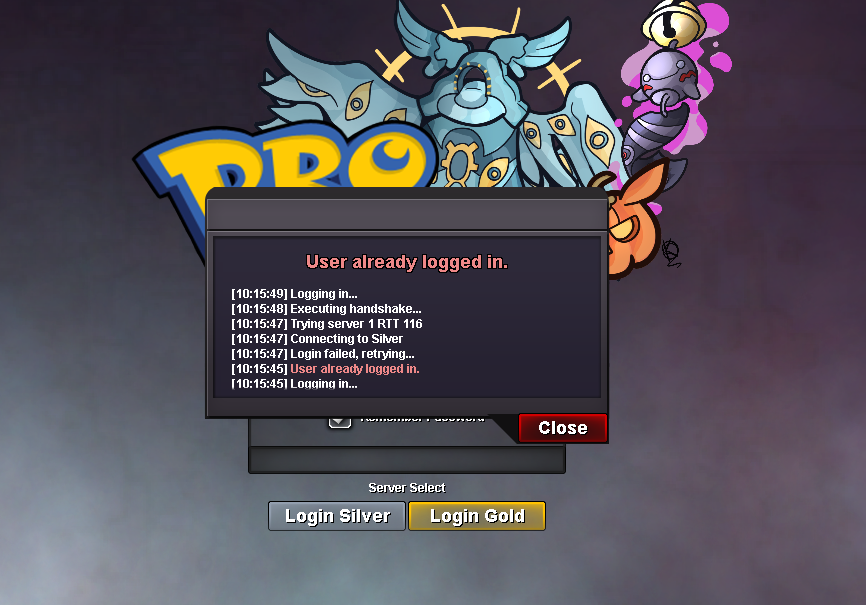
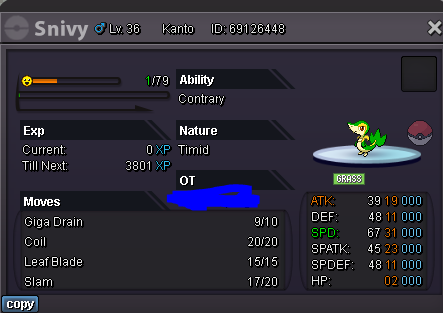 hi i want to buy that one can you send me inbox i got some shinys and hlw forms if you want trade.Hi , my username is gkatakos1989(silver server) and from last night the game crushed into a battle and from now when i am trying to log in i get the error : user already logged in . What can i do ?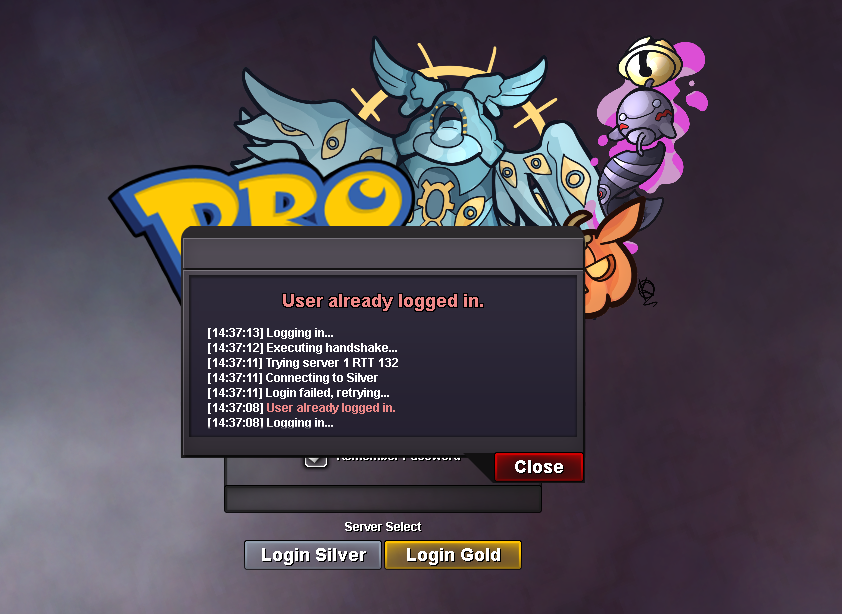
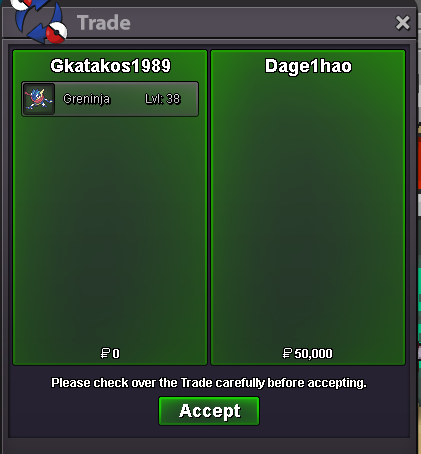
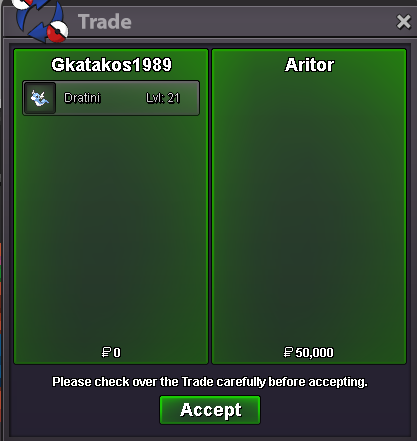

Account
Navigation
Search
Configure browser push notifications
Chrome (Android)
- Tap the lock icon next to the address bar.
- Tap Permissions → Notifications.
- Adjust your preference.
Chrome (Desktop)
- Click the padlock icon in the address bar.
- Select Site settings.
- Find Notifications and adjust your preference.
Safari (iOS 16.4+)
- Ensure the site is installed via Add to Home Screen.
- Open Settings App → Notifications.
- Find your app name and adjust your preference.
Safari (macOS)
- Go to Safari → Preferences.
- Click the Websites tab.
- Select Notifications in the sidebar.
- Find this website and adjust your preference.
Edge (Android)
- Tap the lock icon next to the address bar.
- Tap Permissions.
- Find Notifications and adjust your preference.
Edge (Desktop)
- Click the padlock icon in the address bar.
- Click Permissions for this site.
- Find Notifications and adjust your preference.
Firefox (Android)
- Go to Settings → Site permissions.
- Tap Notifications.
- Find this site in the list and adjust your preference.
Firefox (Desktop)
- Open Firefox Settings.
- Search for Notifications.
- Find this site in the list and adjust your preference.