




New Trade Zone
Trade Zone is now live
Use the new Trade Zone for auctions and instant-price trades so Pokemon and item offers are easy to find.

Kaempferherz
Registered User
-
Joined
-
Last visited
-
Each Pokemon s.o. 1m Min bid for each poke is 100k Each auction ends 24h after the first bid of the respective Pokemon Accepted payments Pokedollar CC = 500k RR = 500k
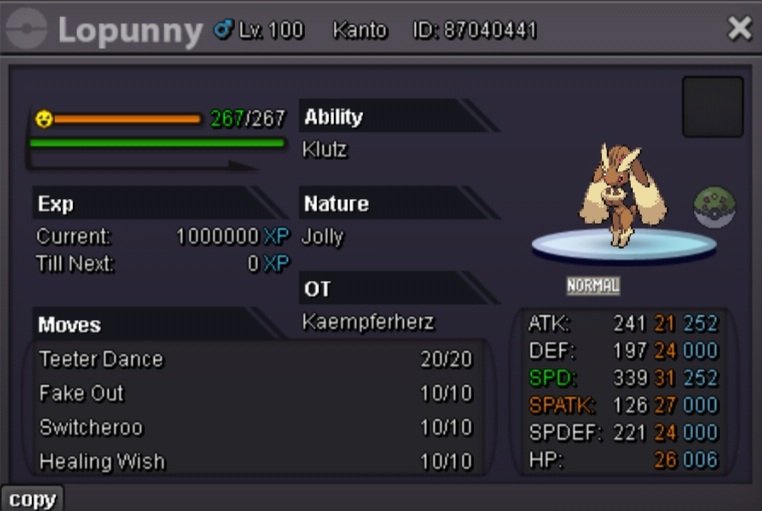
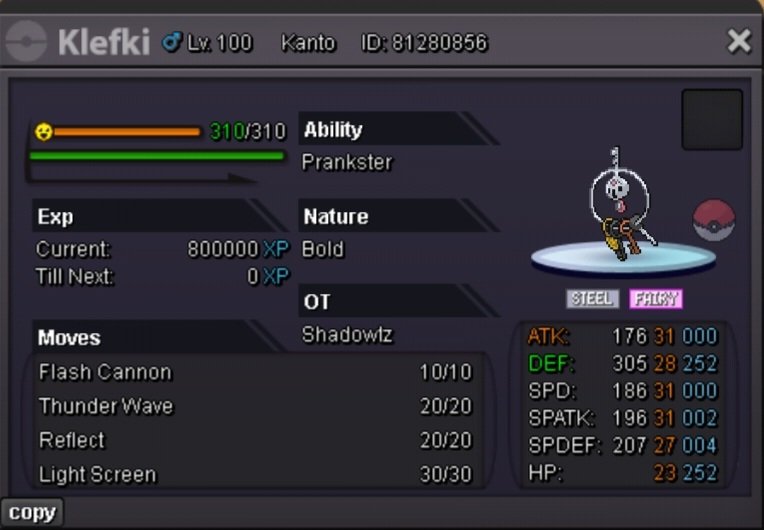
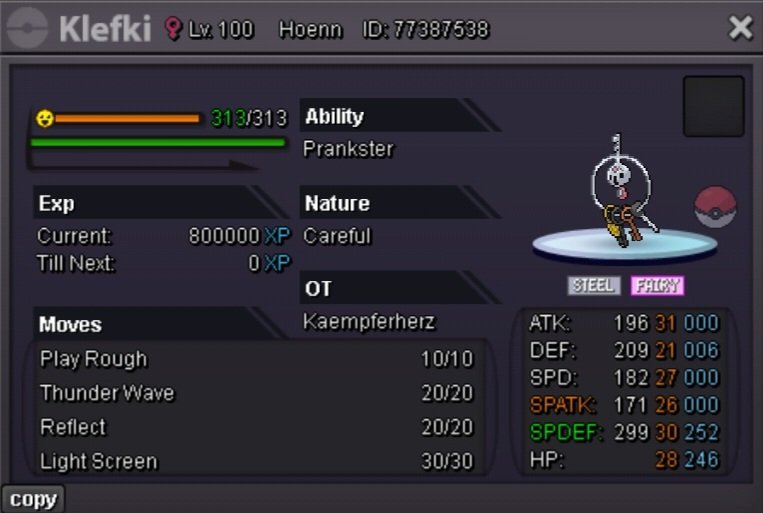
-
2.5m
-
400k on A
-
Händlerherz Inc. Welcome to my humble shop. Here at Händlerherz Inc. we care about giving every Pokemon a home. Dont ask to many questions and just take a look around. Everything is low price so dont expect me to do every trade immediately. Im not that often online in Forum so its better to contact me ingame or on discord where i share the same name. Accepted payments: CC = 450K Nature Reroll = 250K IV Reroll Ticket = 500K Abra Gible Joltik Magikarp Lapras Litwick Marill Nidoran (m) Sandile Swablu Trapinch Zorua Miscellaneous Poke
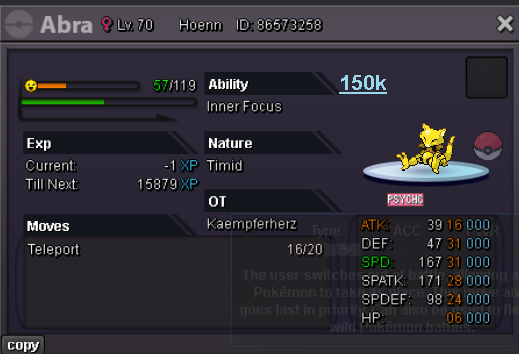
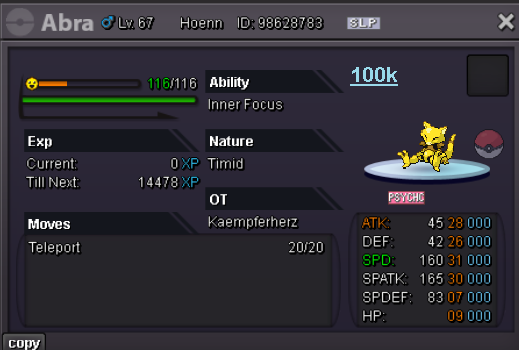
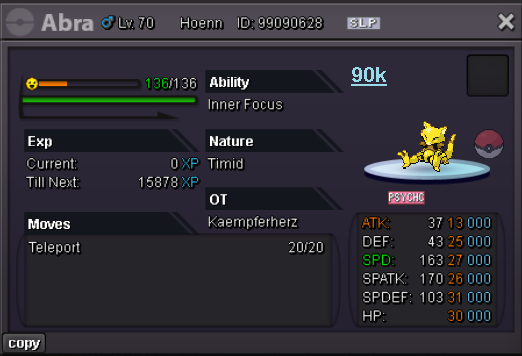
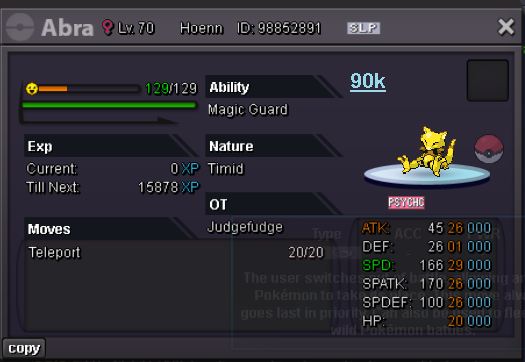
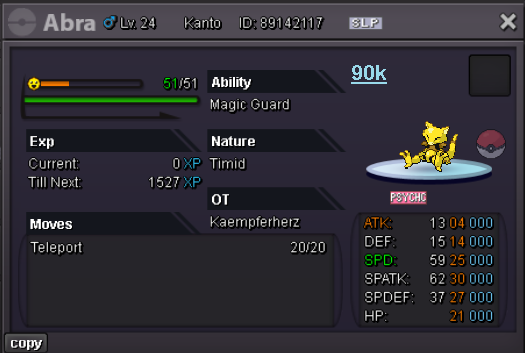
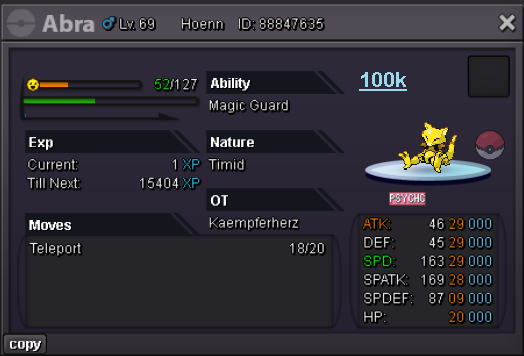
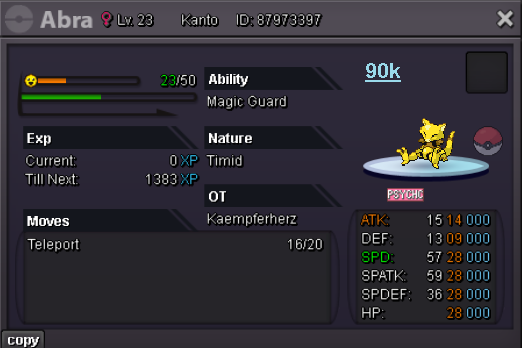
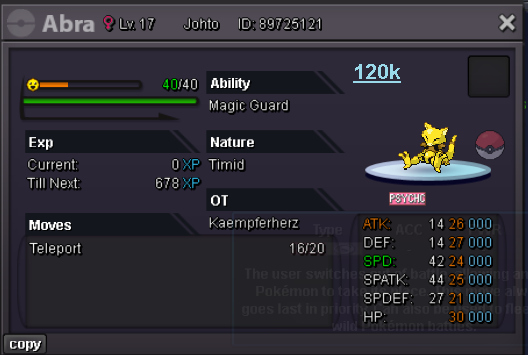
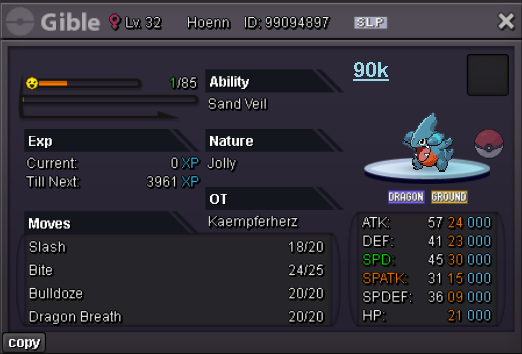
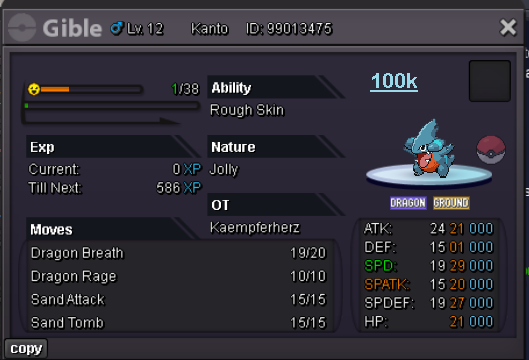
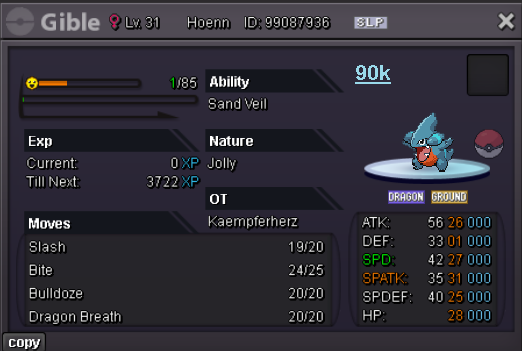
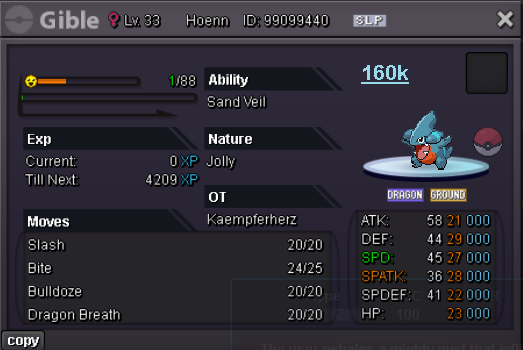

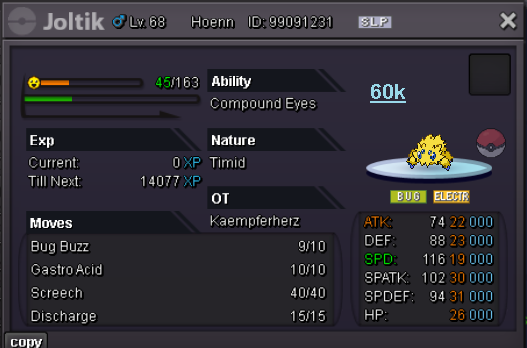
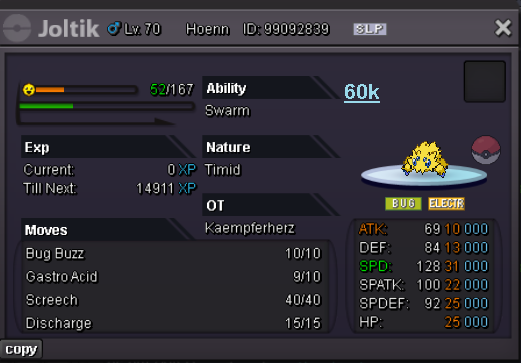
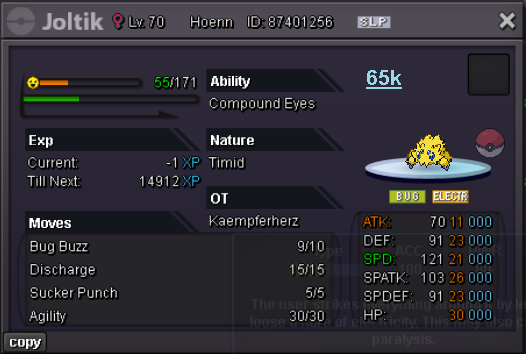
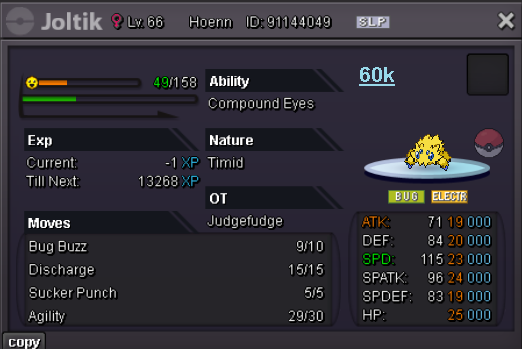
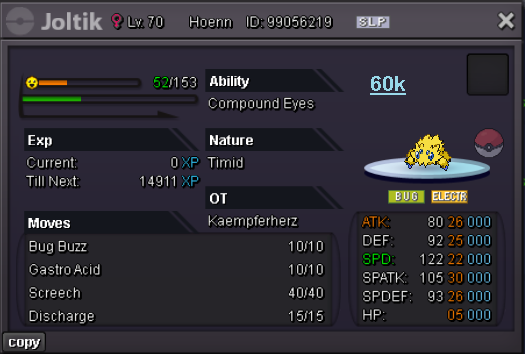
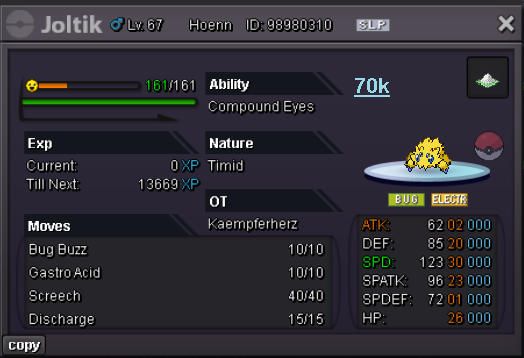
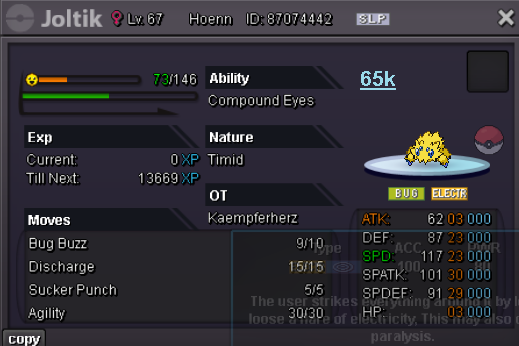
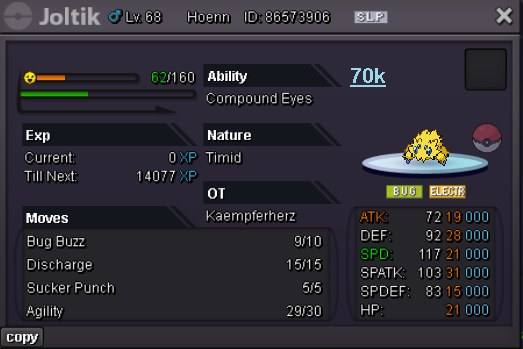
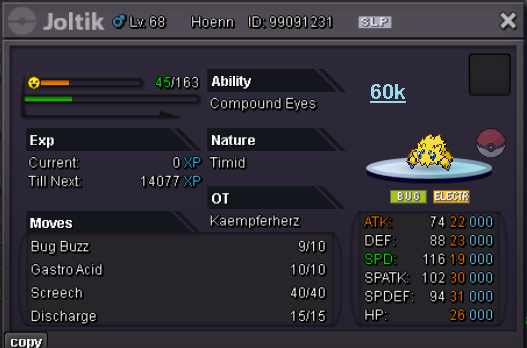
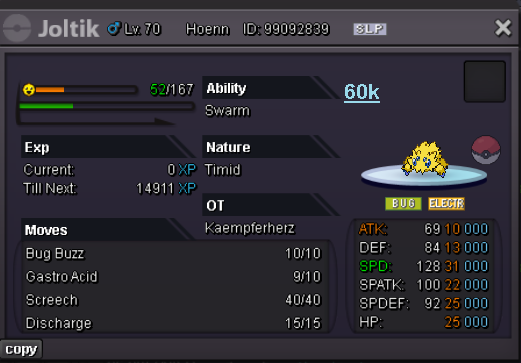
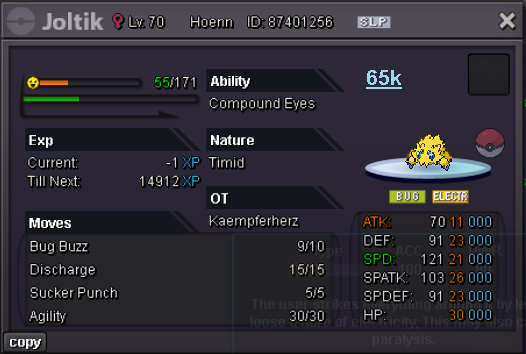
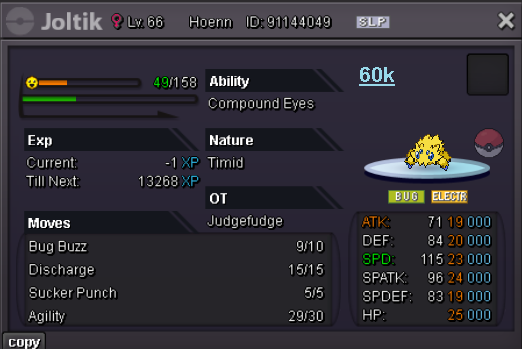
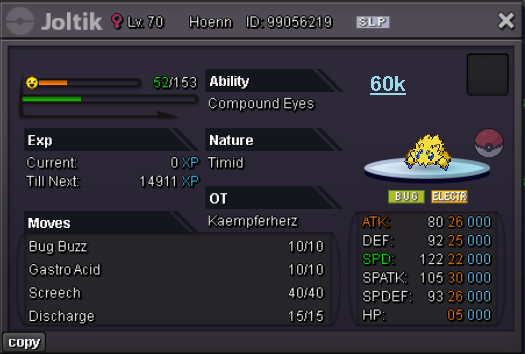
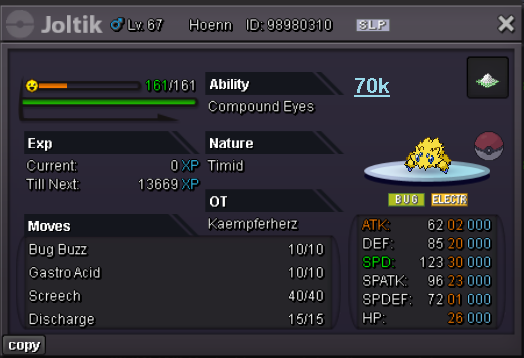
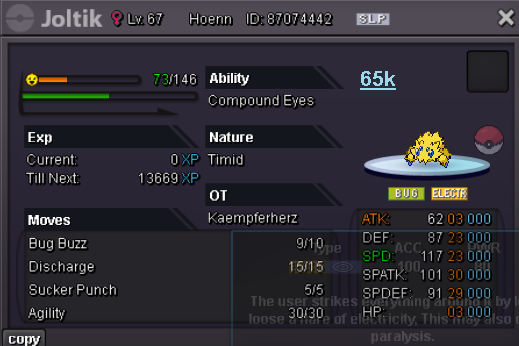
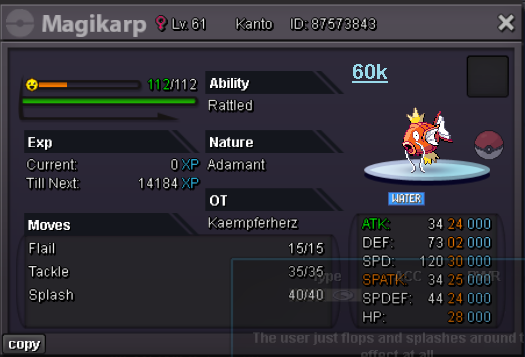
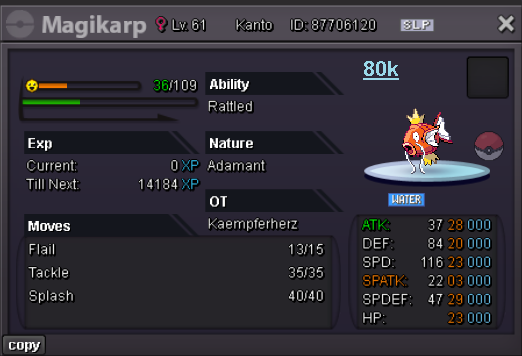
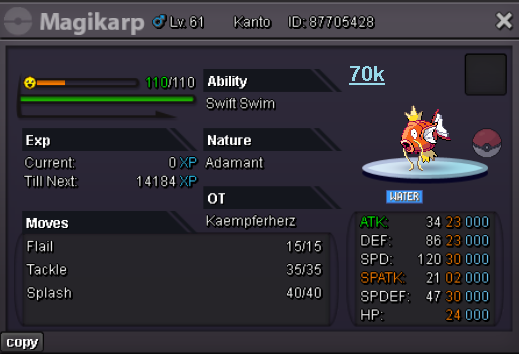

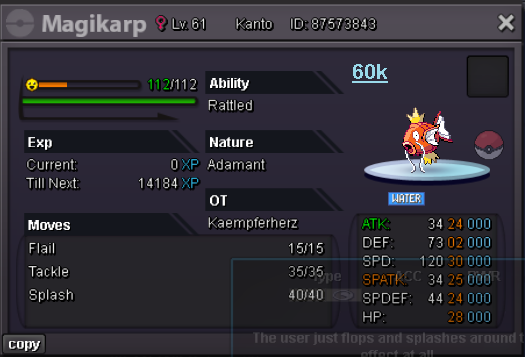
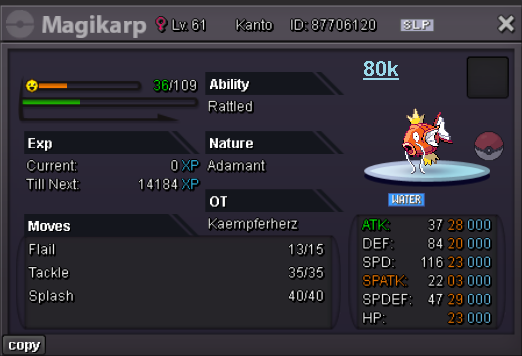
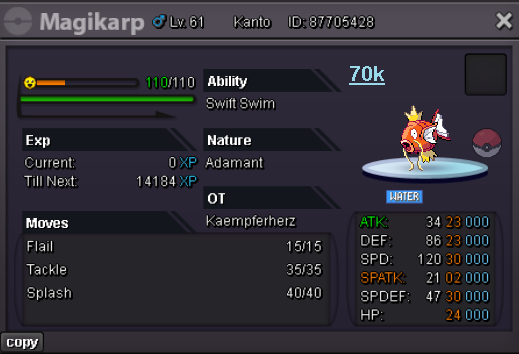
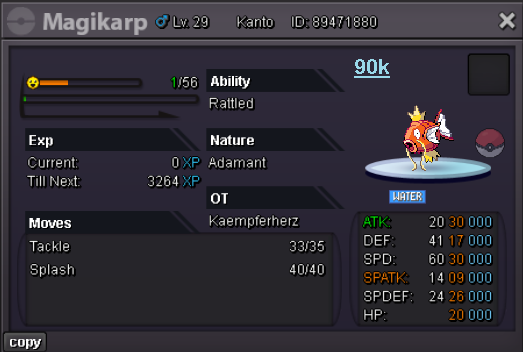
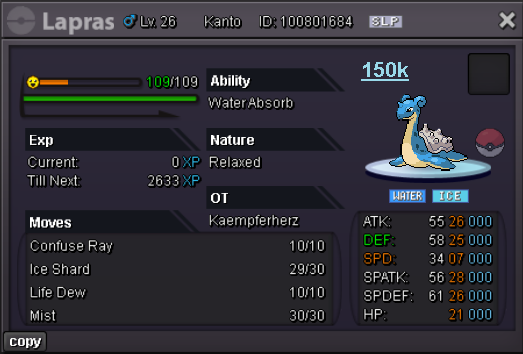
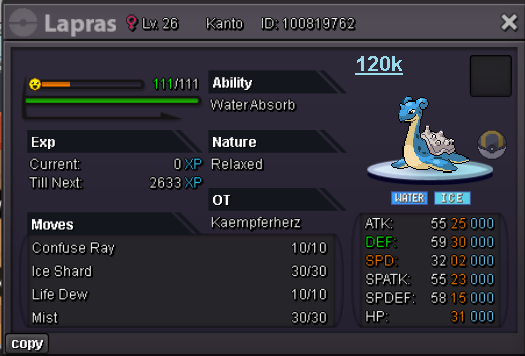
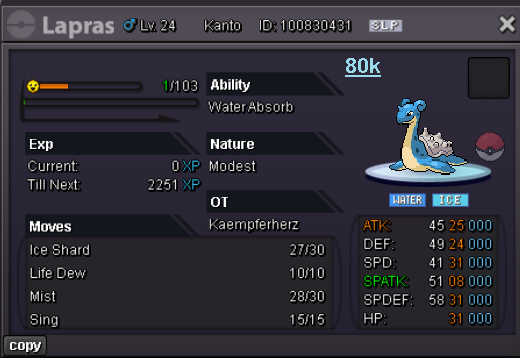
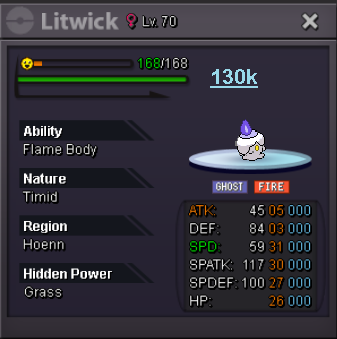
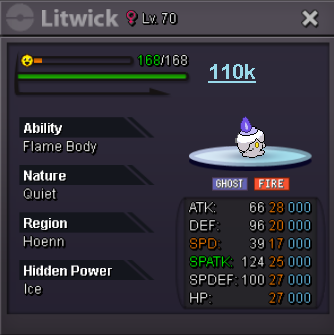
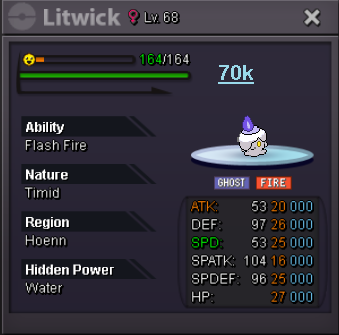
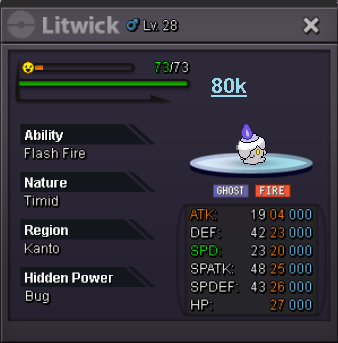
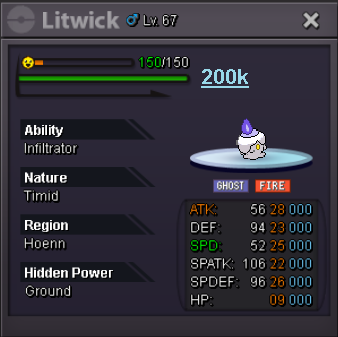
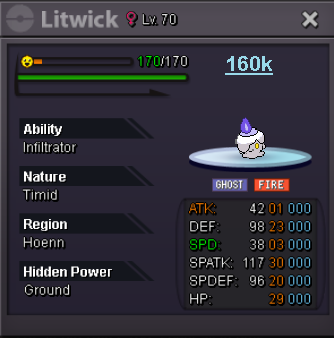
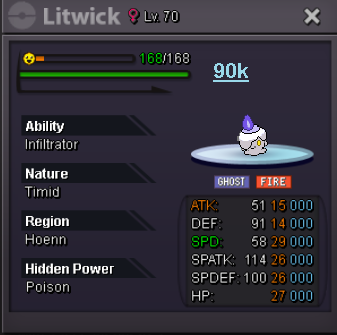
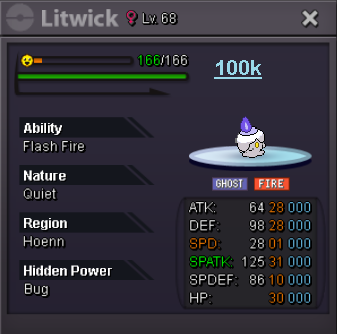
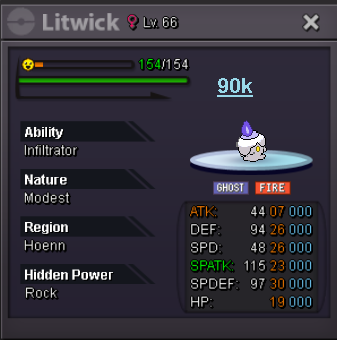
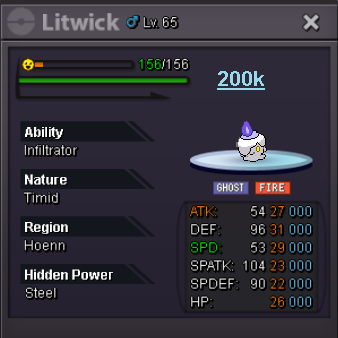
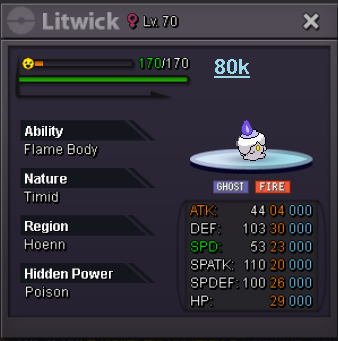
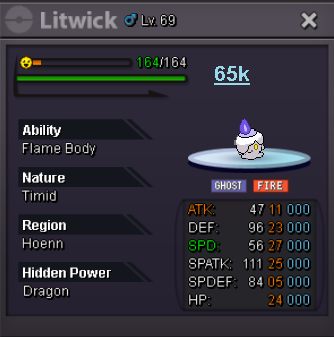
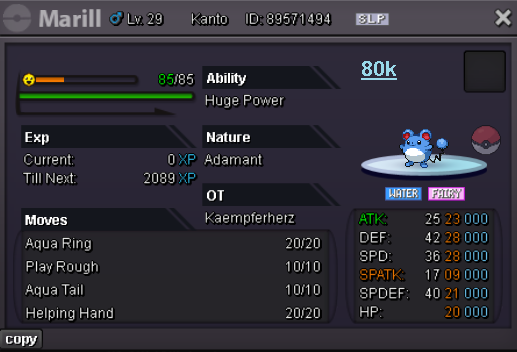
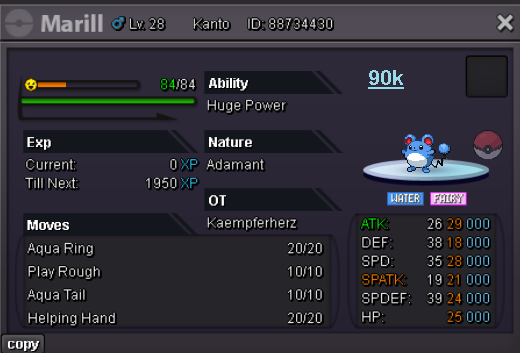
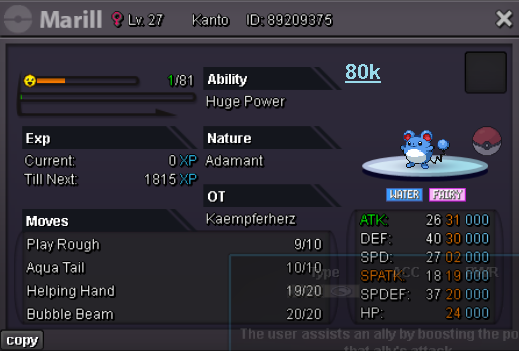

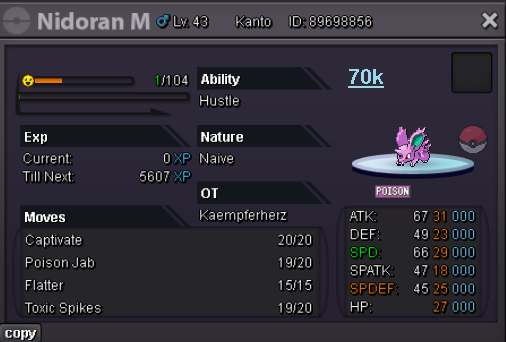
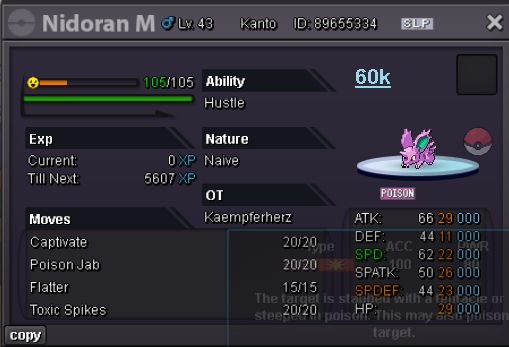
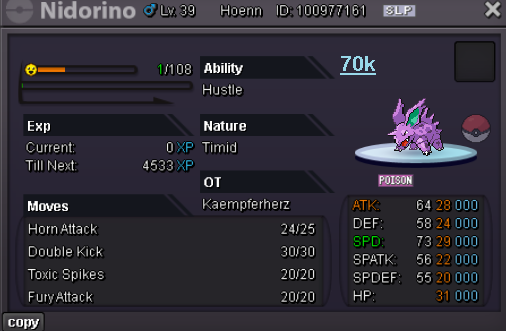
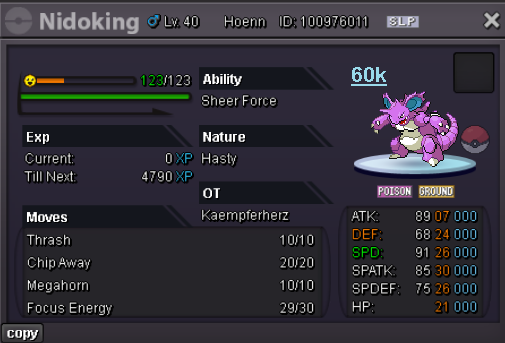
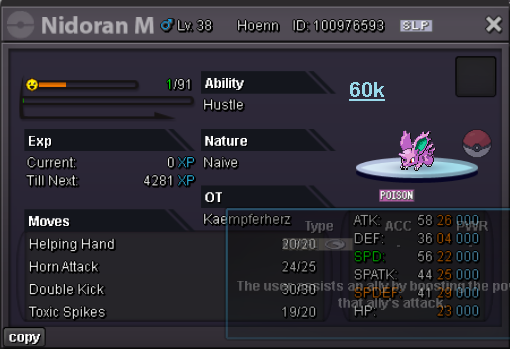

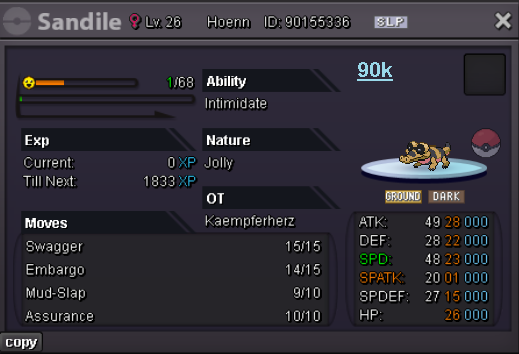
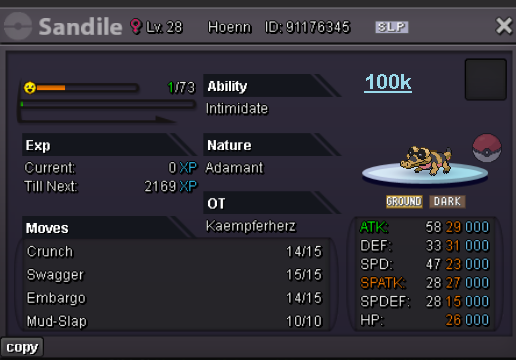
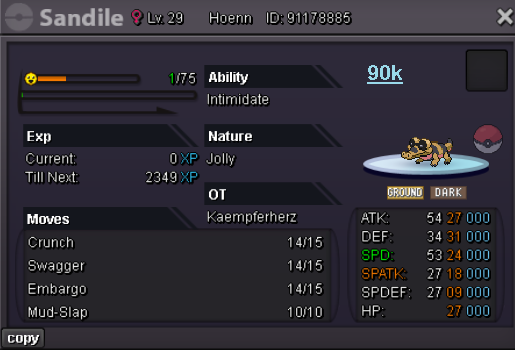

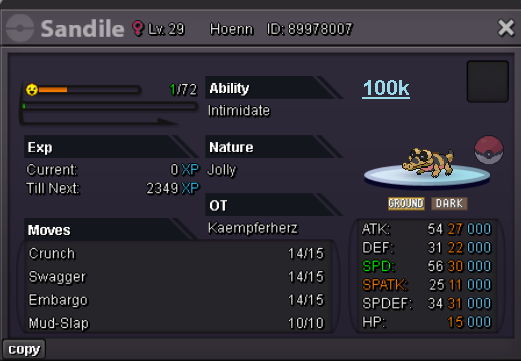
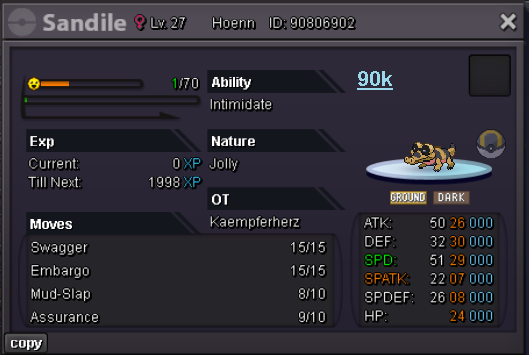
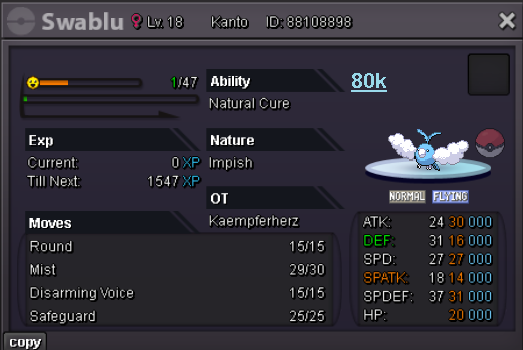
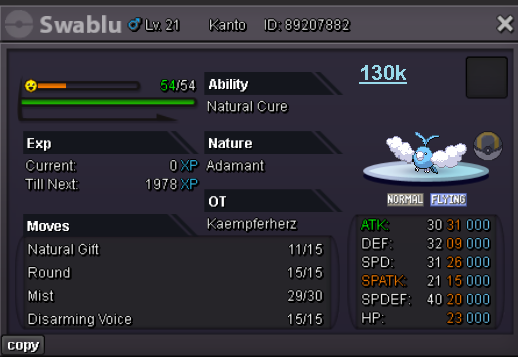
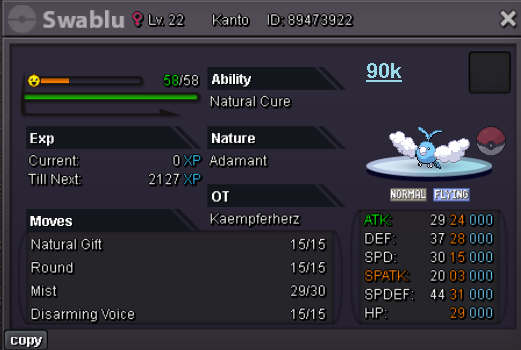
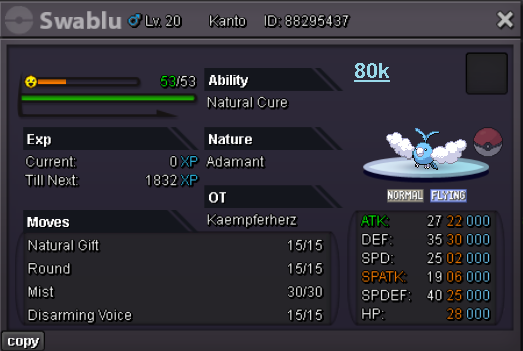
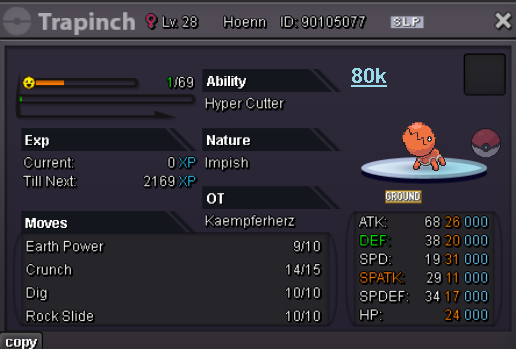
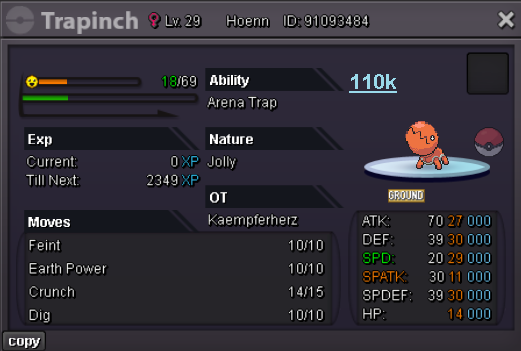
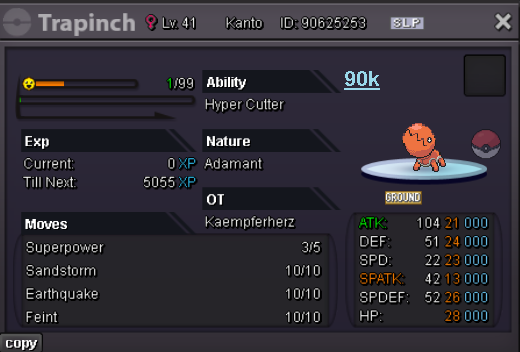
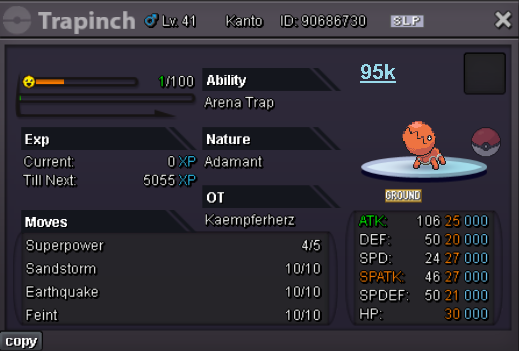
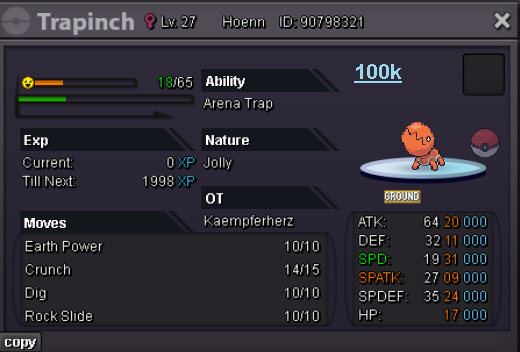
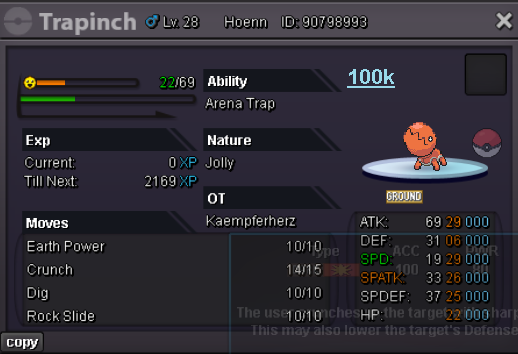
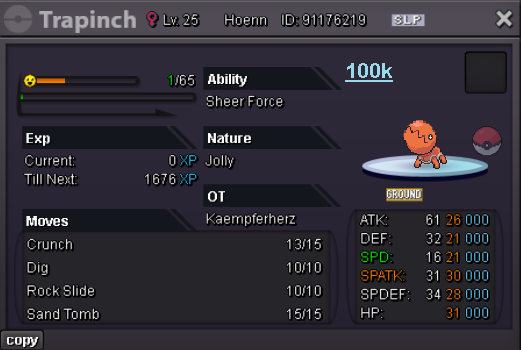
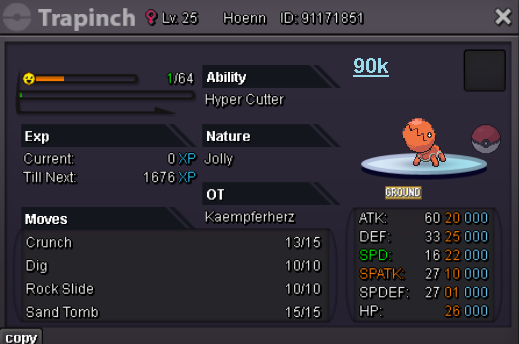
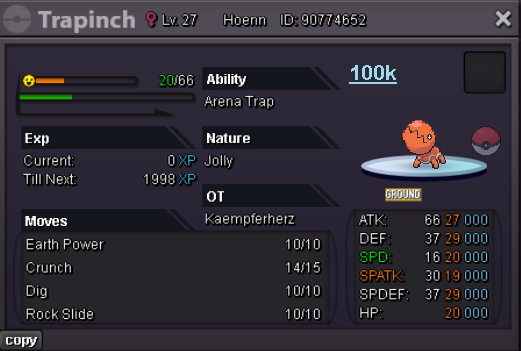
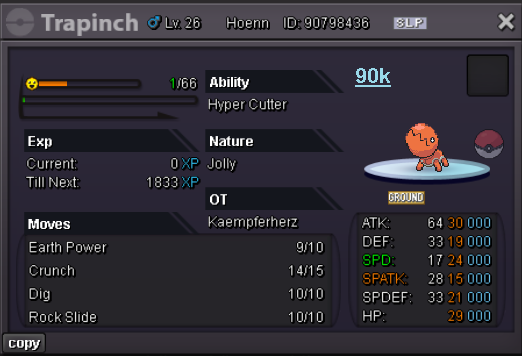
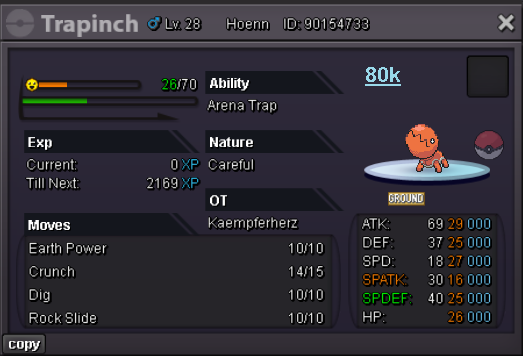
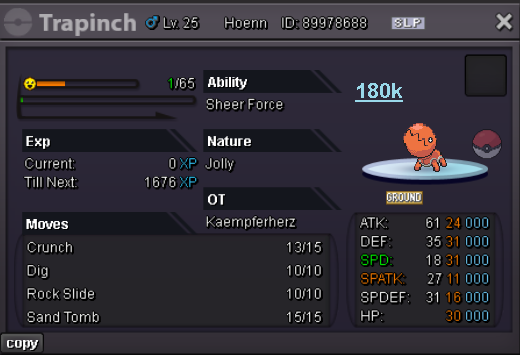
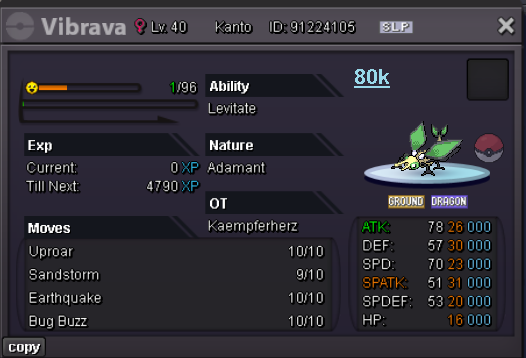
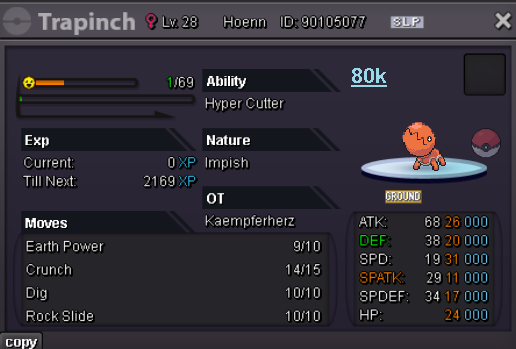
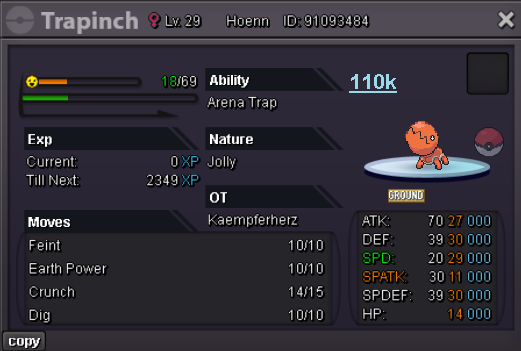
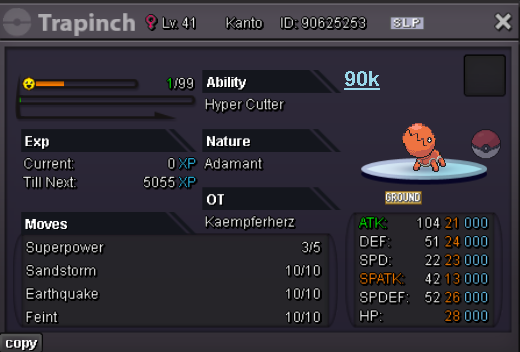
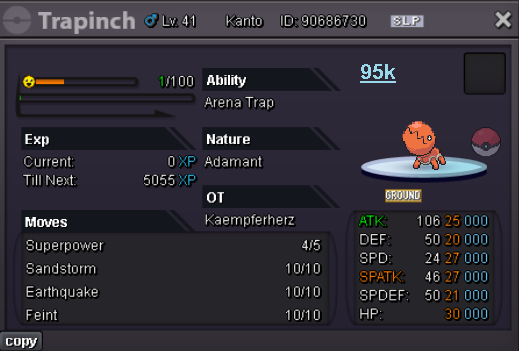
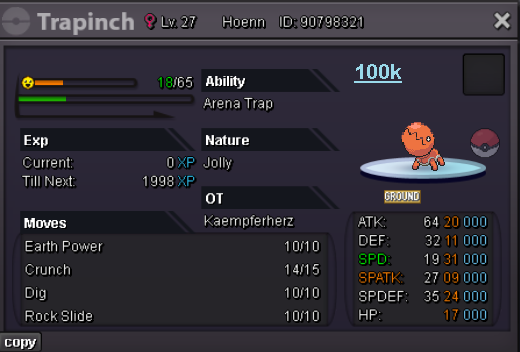
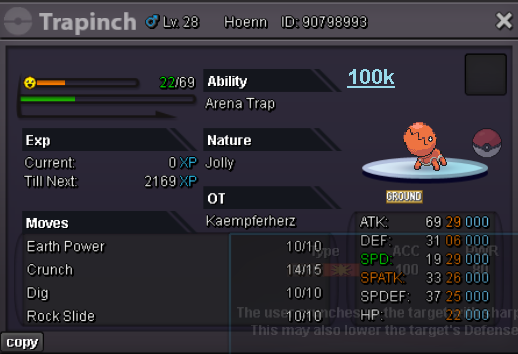
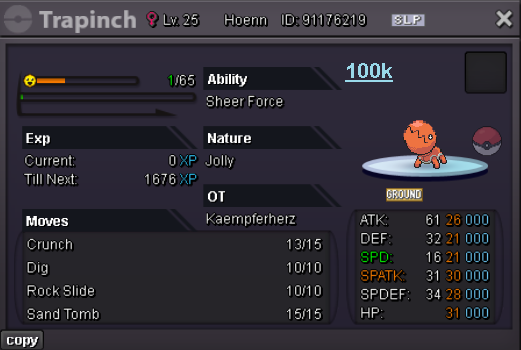
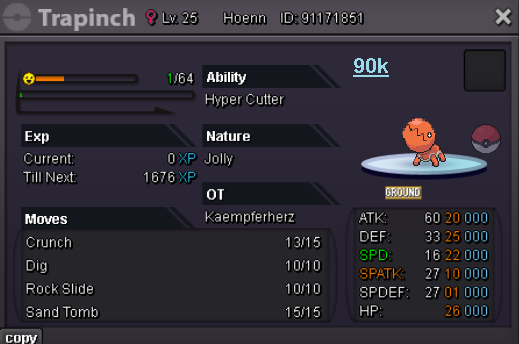
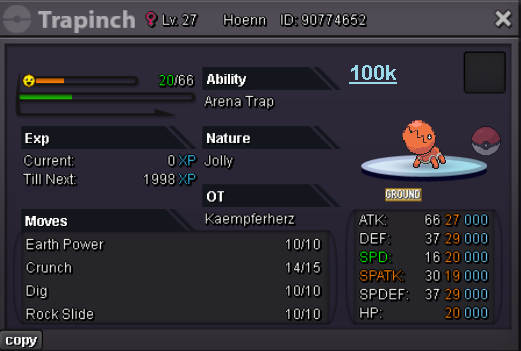
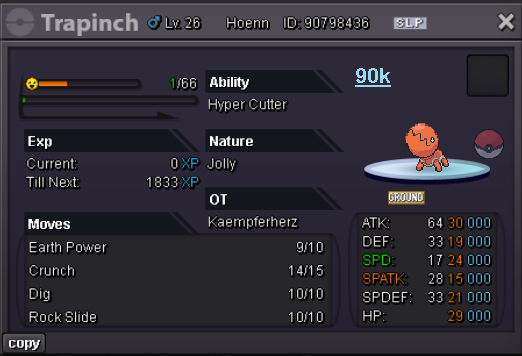
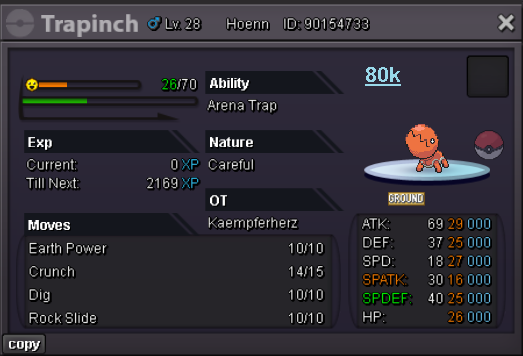
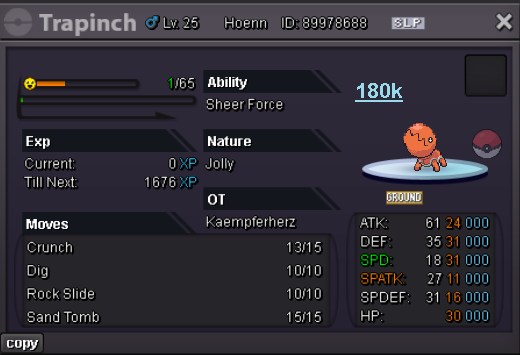
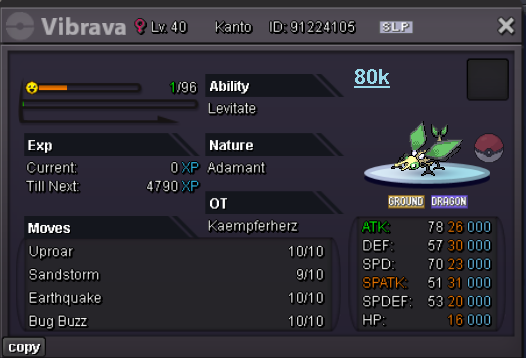
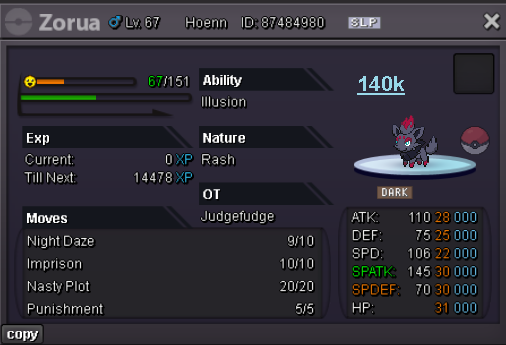
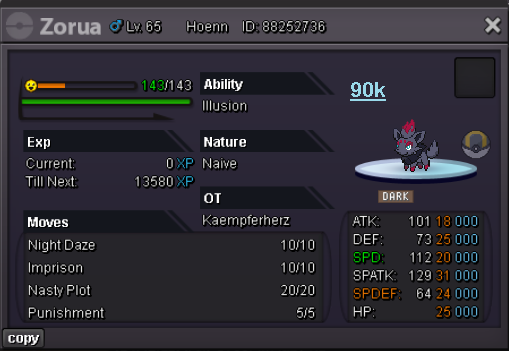
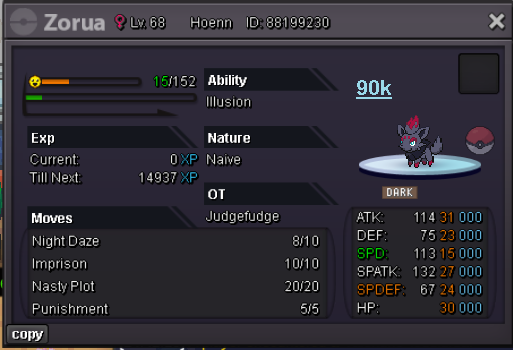
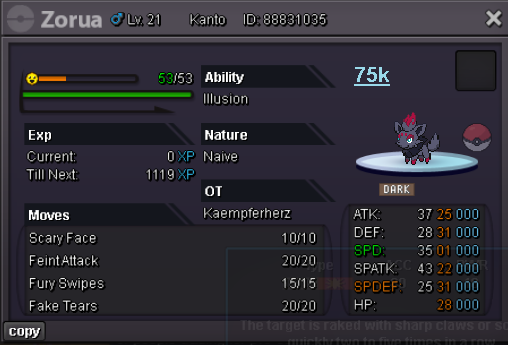
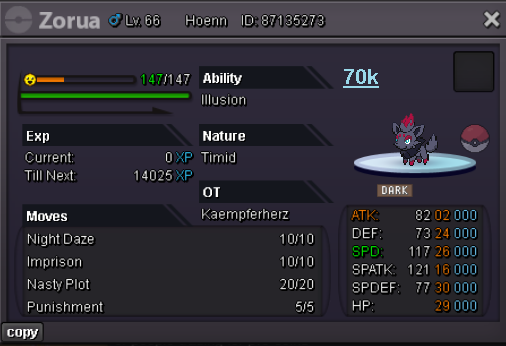
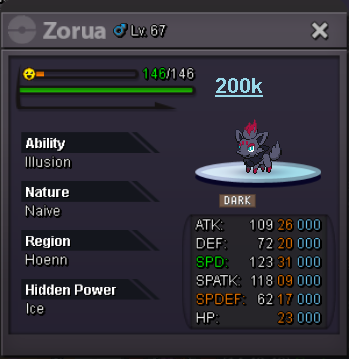
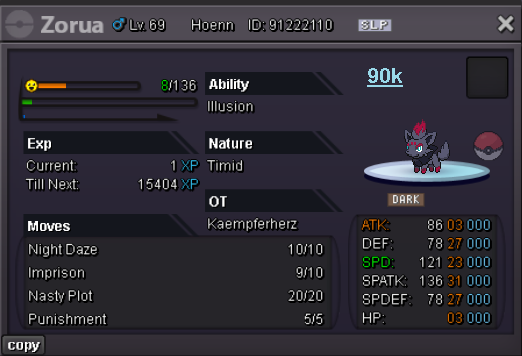
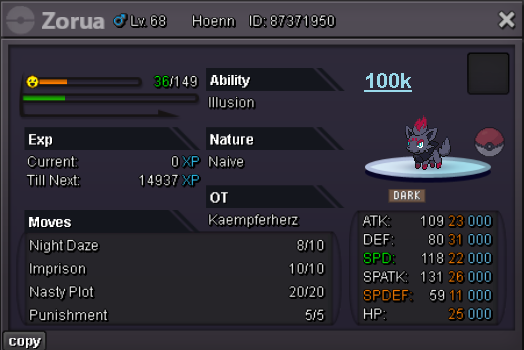
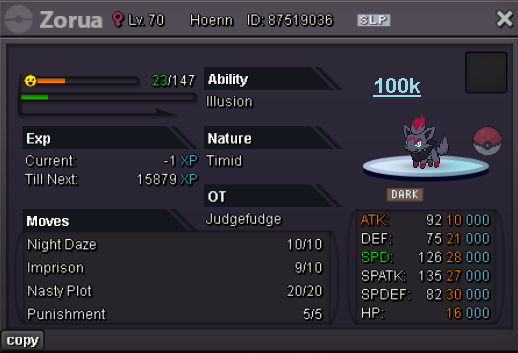
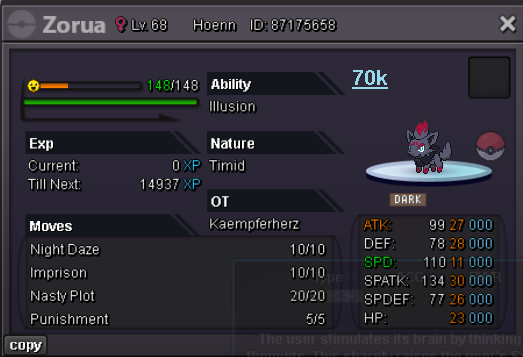
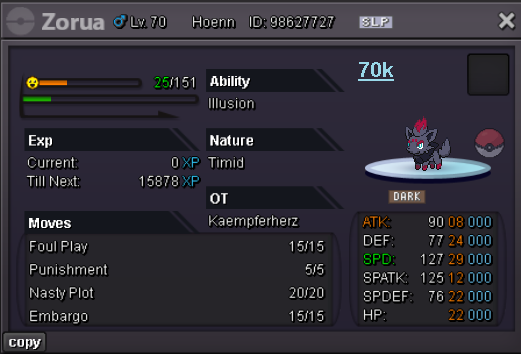
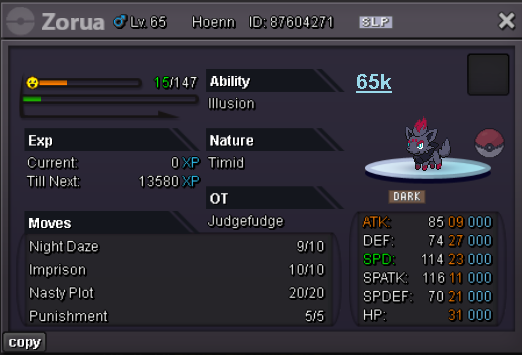
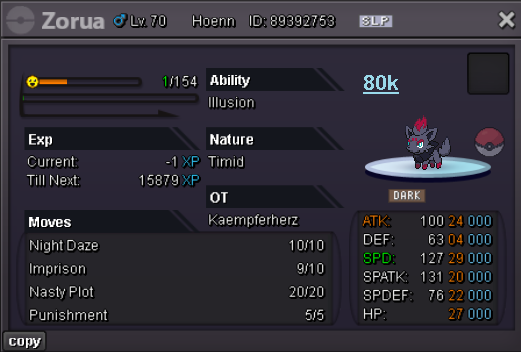
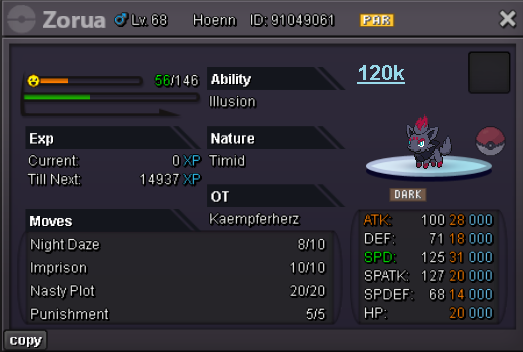
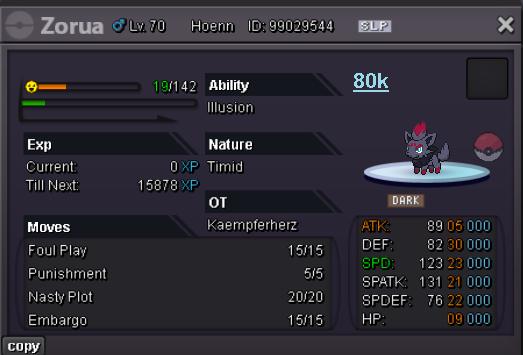
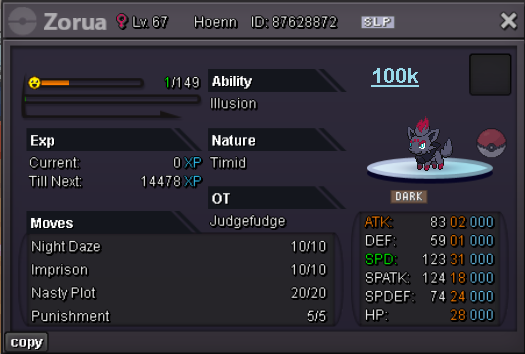
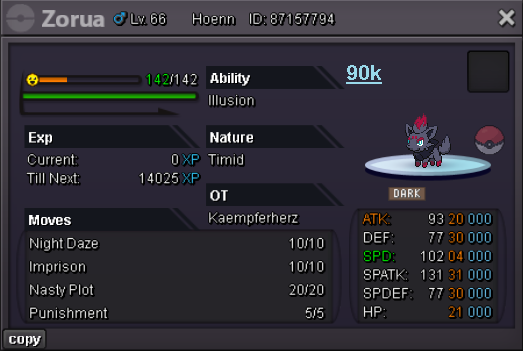
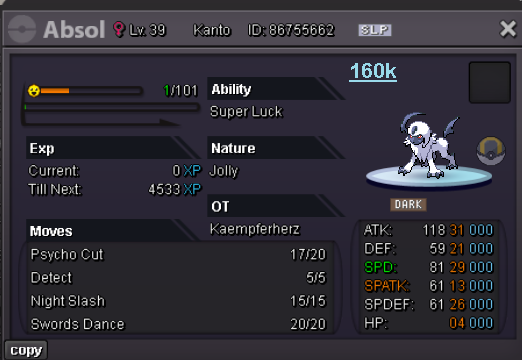
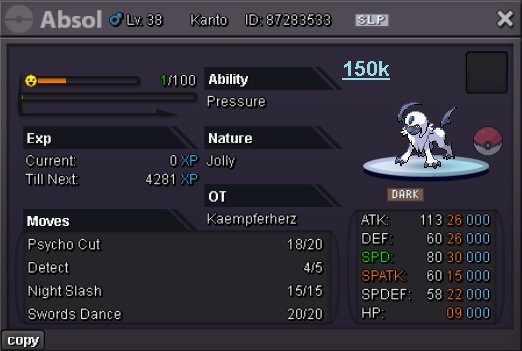
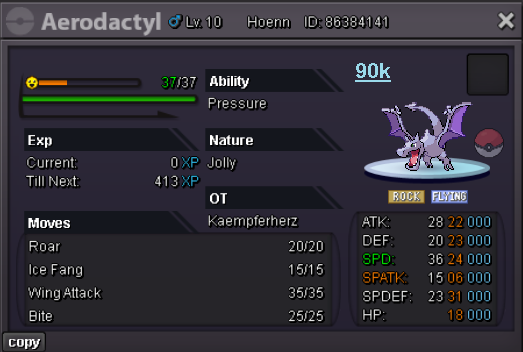
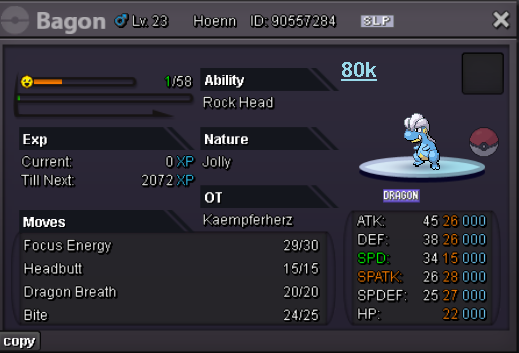
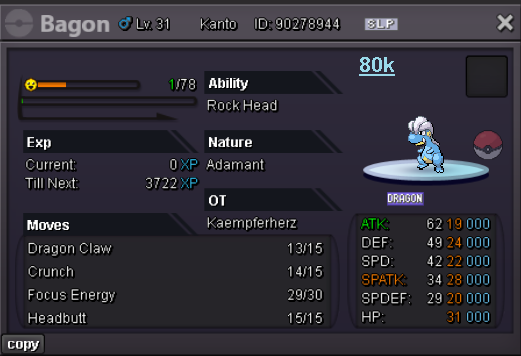
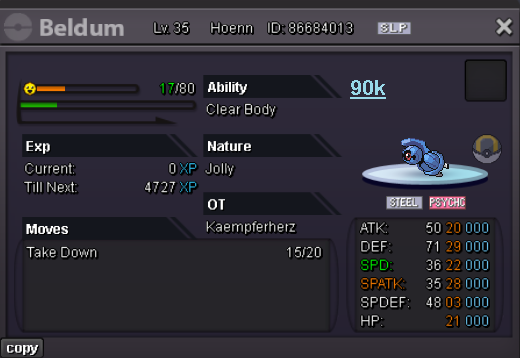
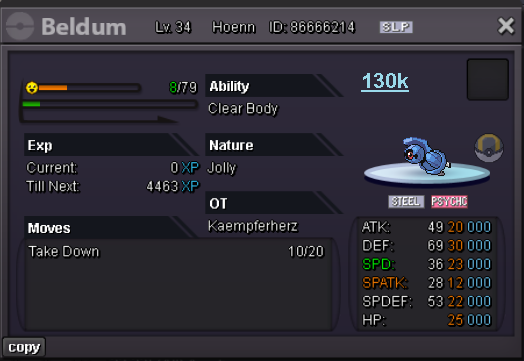
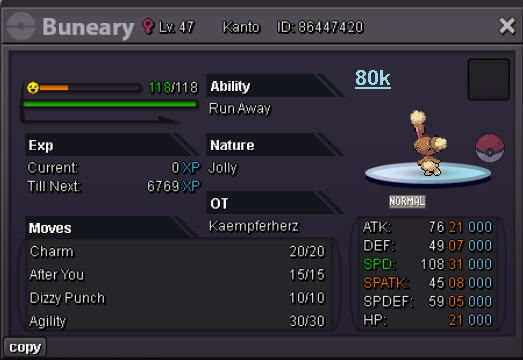
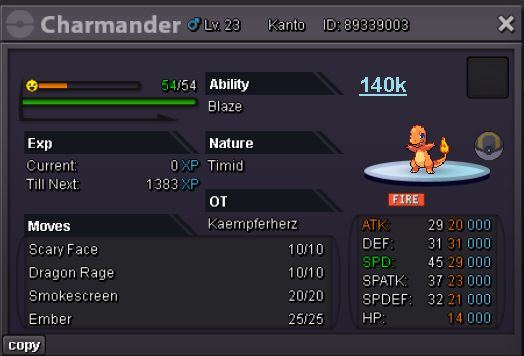

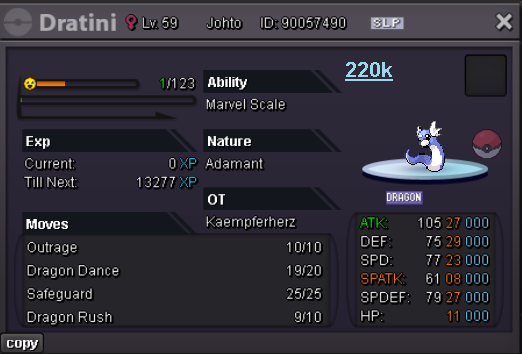
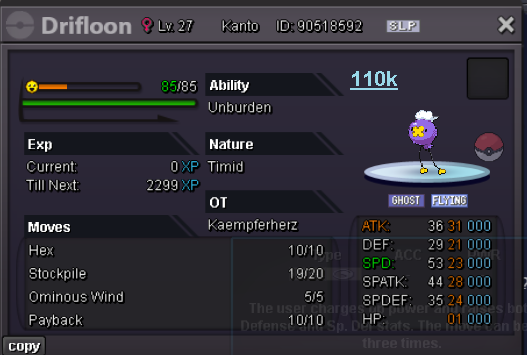
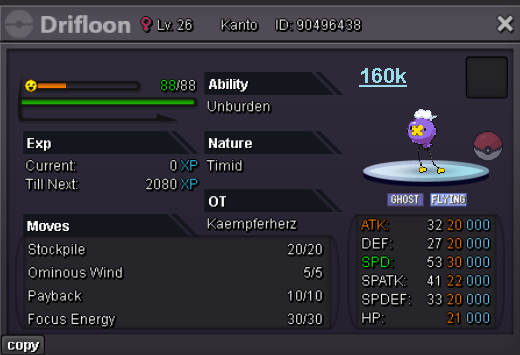
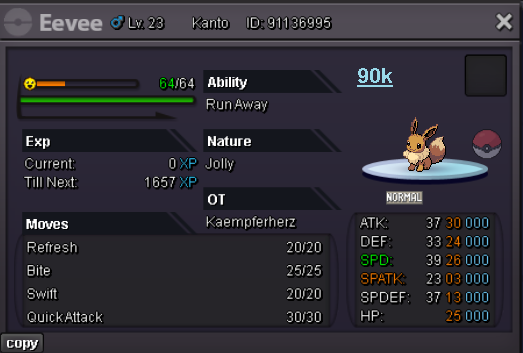
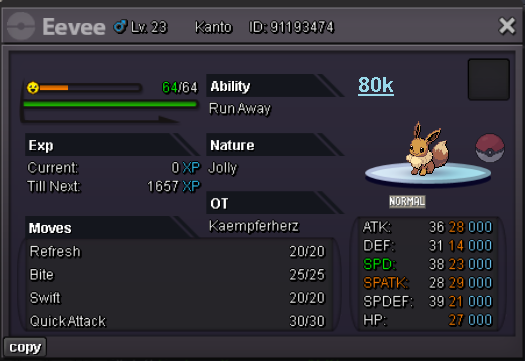

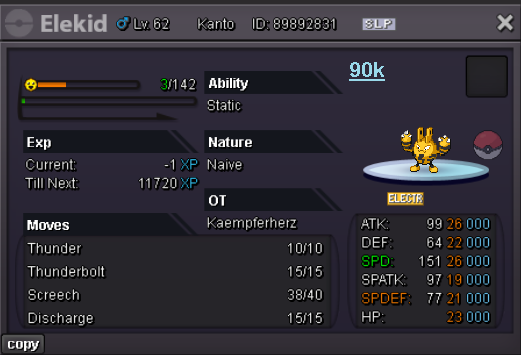
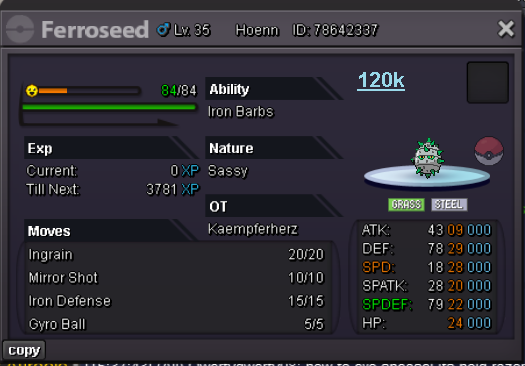
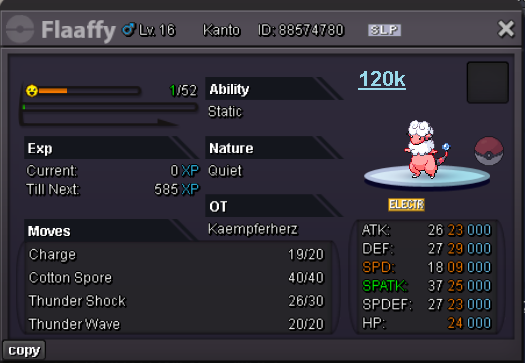
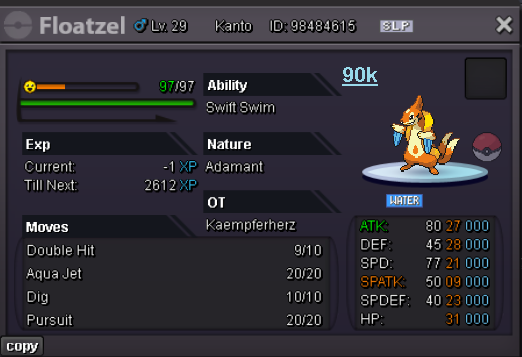
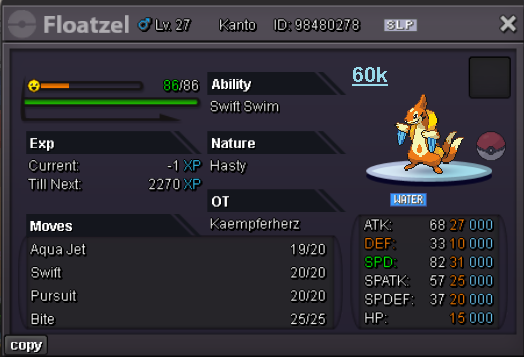
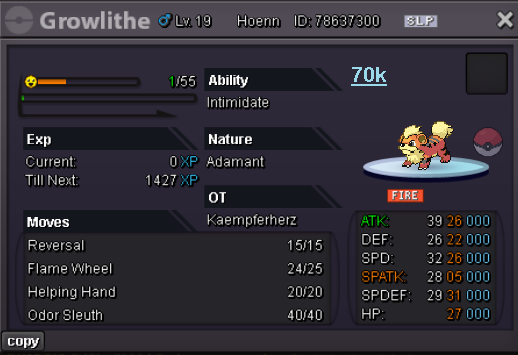
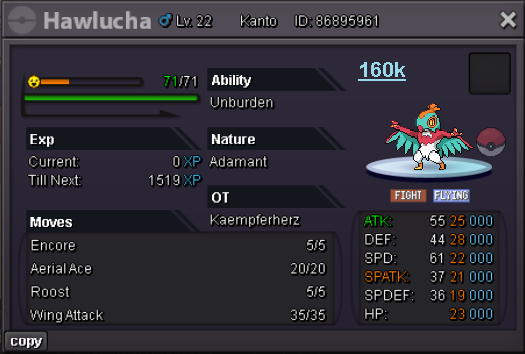
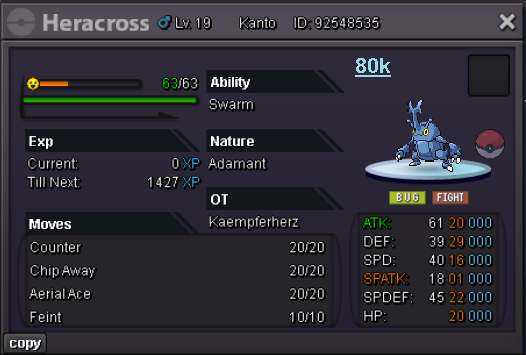
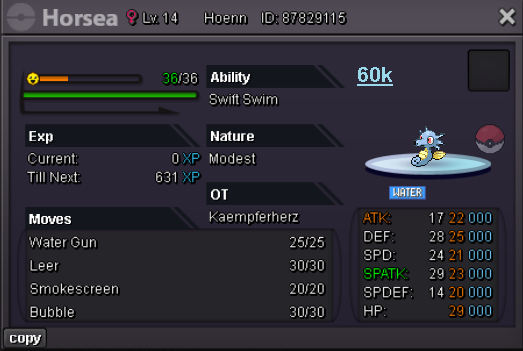
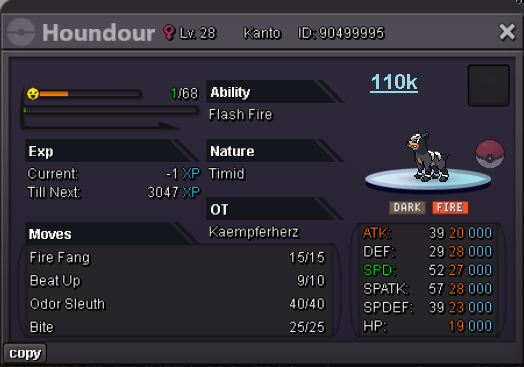
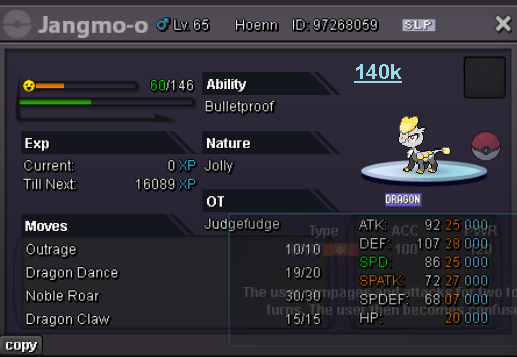
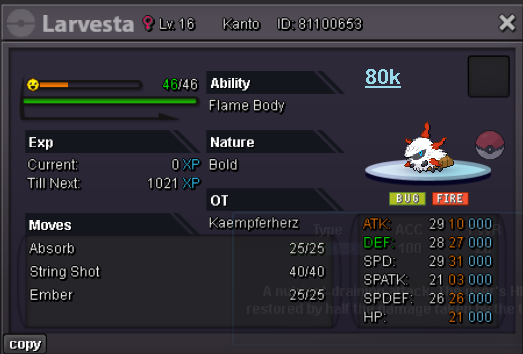
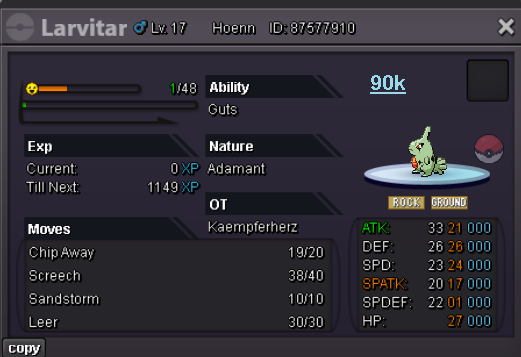
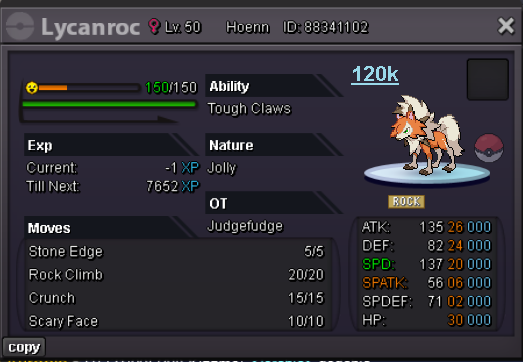
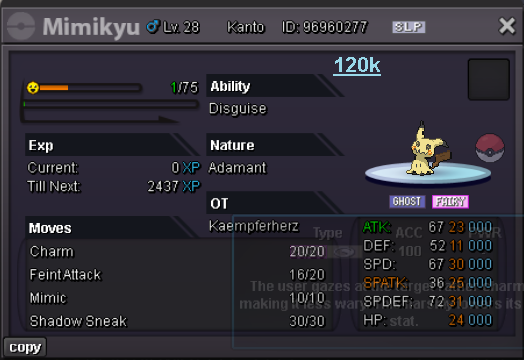
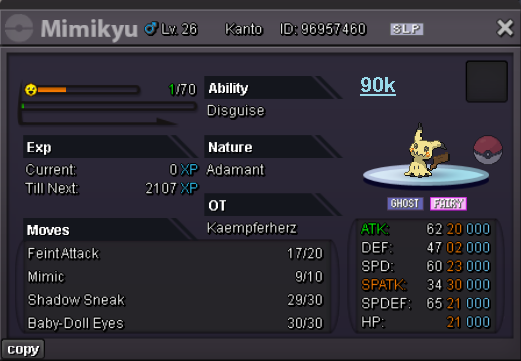
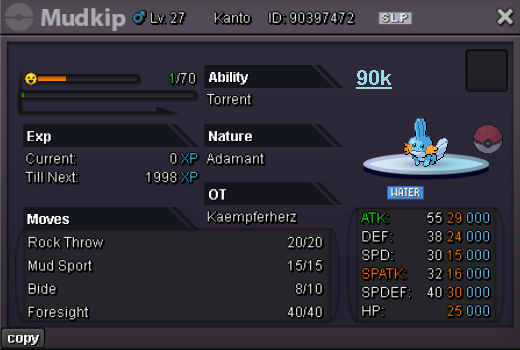
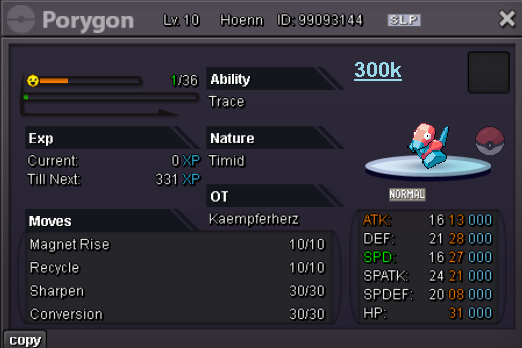
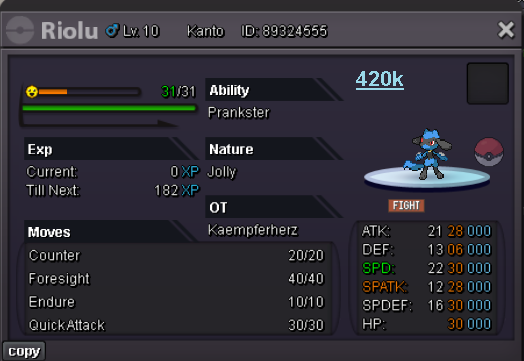
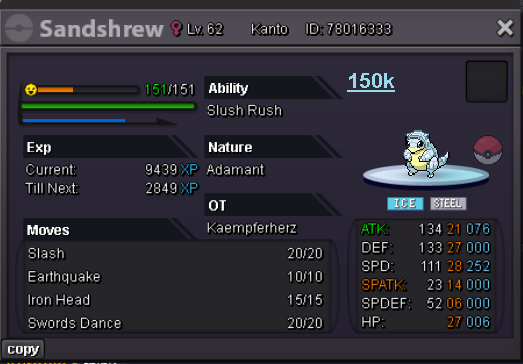
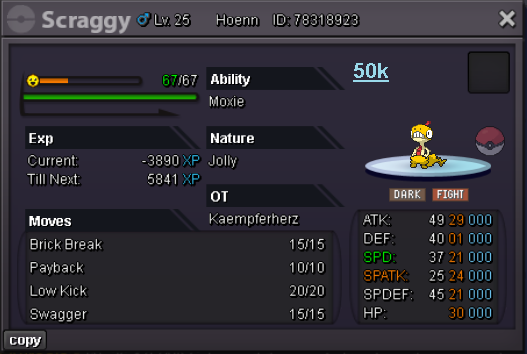
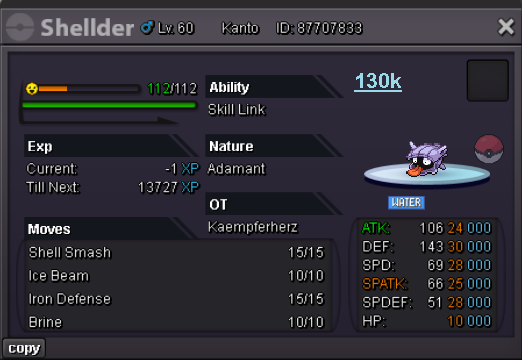
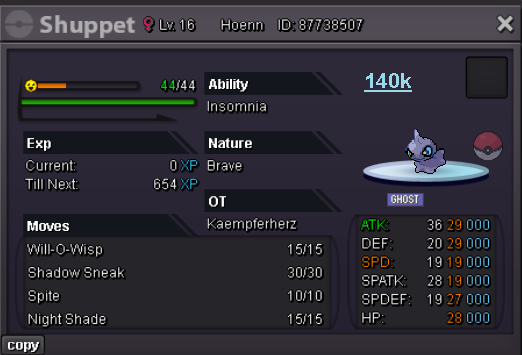
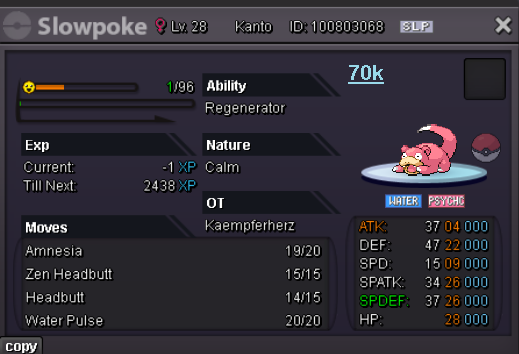
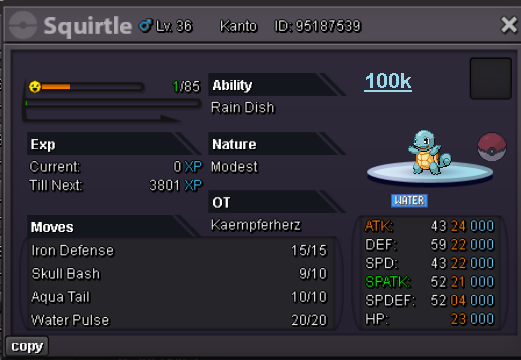
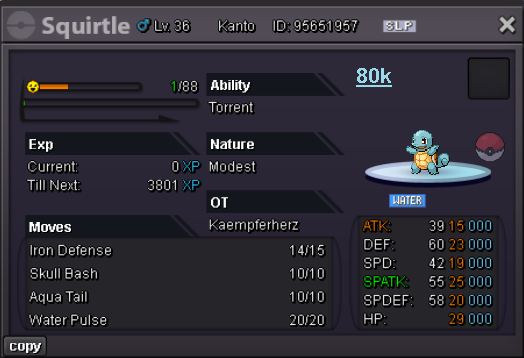
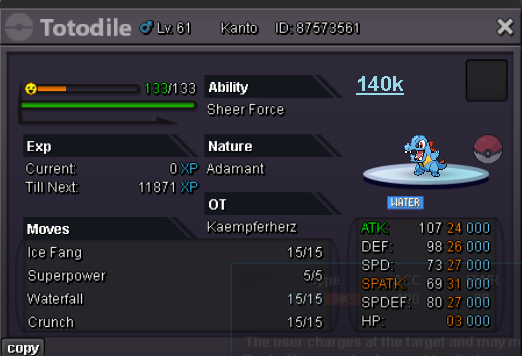
-
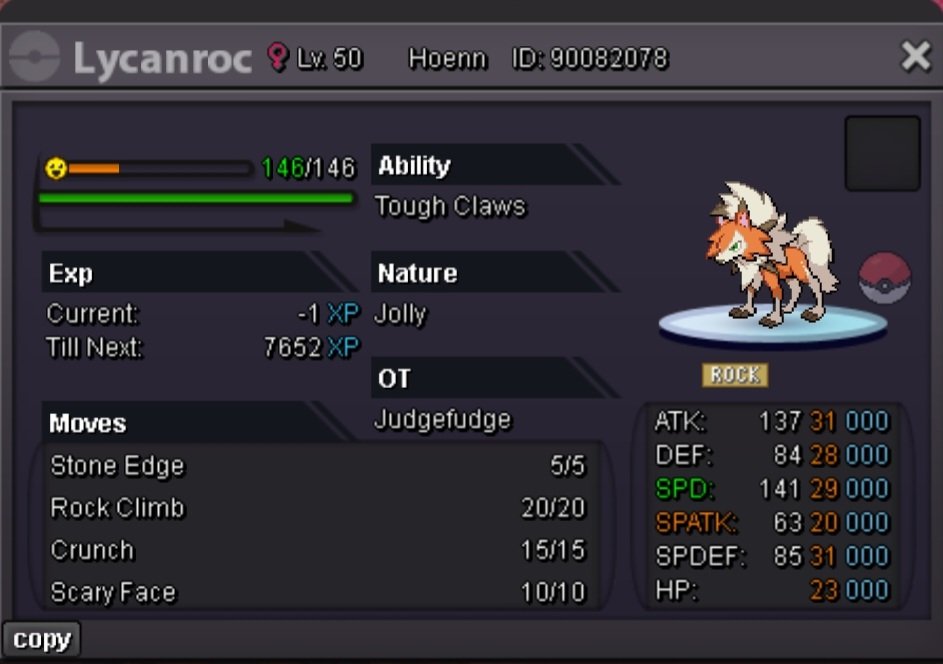
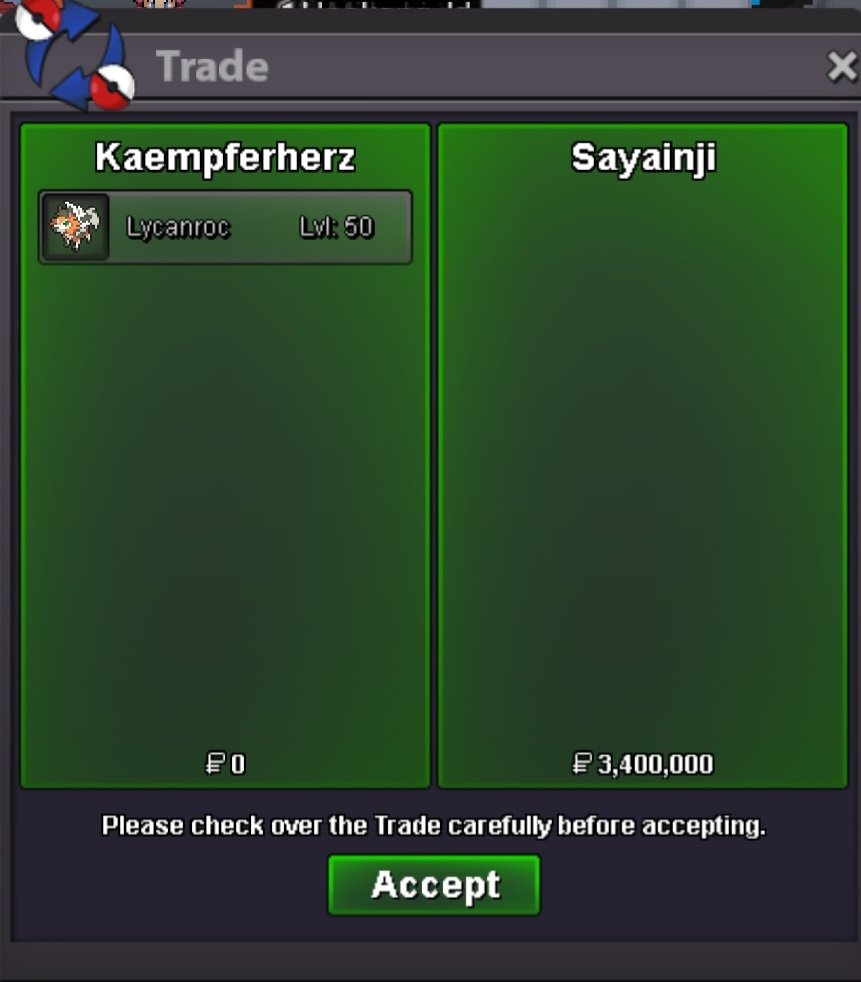
Auction end! Winner is Sayainji with 3.4m Proof of transaction followsStart offer :1m Min bid : 200k No insta Auction ends 72h after first bid
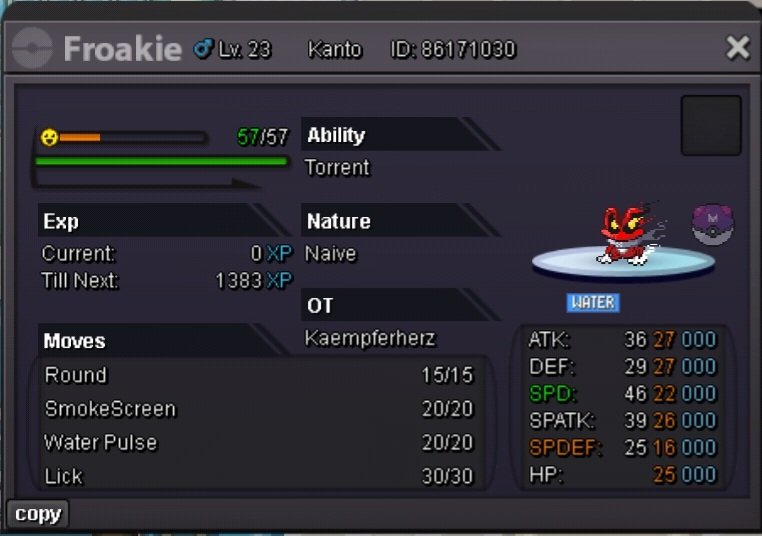
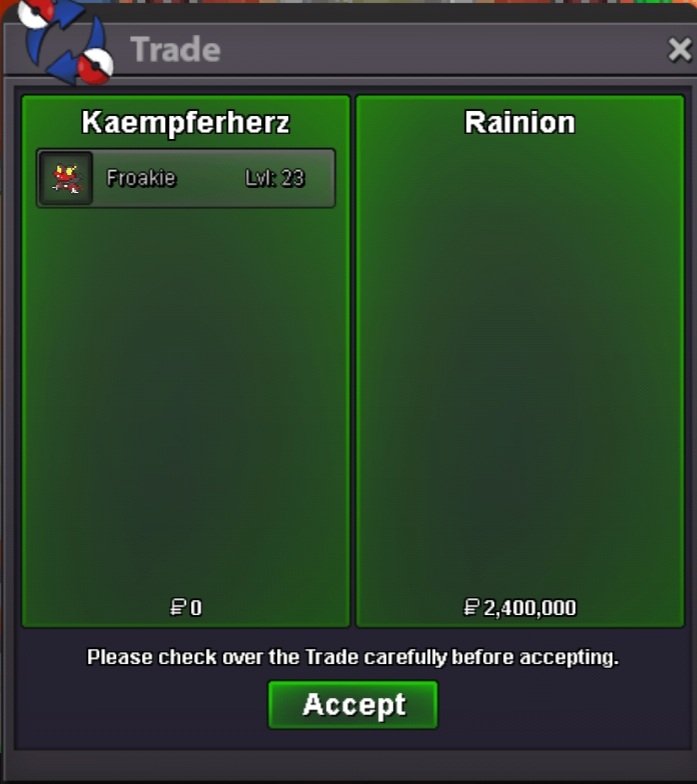
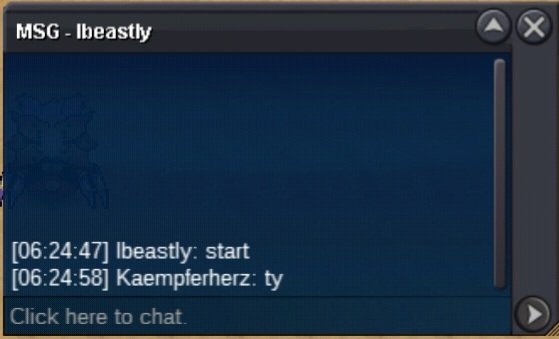
 Auction end Rainion won and got messaged privately. Pic coming soon@Rainion200k is min bid. So your bid is invalidFlyingStarting bid: 2m Min bid: 200k Insta 5m Ends 24h after first offer Accepted payments: CC 400k
 Username: Kaempferherz Server: Silver Country/Timezone: Germany (GMT +2)


Account
Navigation
Search
Configure browser push notifications
Chrome (Android)
- Tap the lock icon next to the address bar.
- Tap Permissions → Notifications.
- Adjust your preference.
Chrome (Desktop)
- Click the padlock icon in the address bar.
- Select Site settings.
- Find Notifications and adjust your preference.
Safari (iOS 16.4+)
- Ensure the site is installed via Add to Home Screen.
- Open Settings App → Notifications.
- Find your app name and adjust your preference.
Safari (macOS)
- Go to Safari → Preferences.
- Click the Websites tab.
- Select Notifications in the sidebar.
- Find this website and adjust your preference.
Edge (Android)
- Tap the lock icon next to the address bar.
- Tap Permissions.
- Find Notifications and adjust your preference.
Edge (Desktop)
- Click the padlock icon in the address bar.
- Click Permissions for this site.
- Find Notifications and adjust your preference.
Firefox (Android)
- Go to Settings → Site permissions.
- Tap Notifications.
- Find this site in the list and adjust your preference.
Firefox (Desktop)
- Open Firefox Settings.
- Search for Notifications.
- Find this site in the list and adjust your preference.