




New Trade Zone
Trade Zone is now live
Use the new Trade Zone for auctions and instant-price trades so Pokemon and item offers are easy to find.

H3h3h3
Registered User
-
Joined
-
Last visited
Everything posted by H3h3h3
-
lets trade now ?
-
3m6 gold
-
6m110k
-
5m7
-
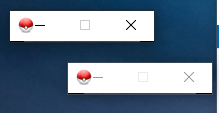
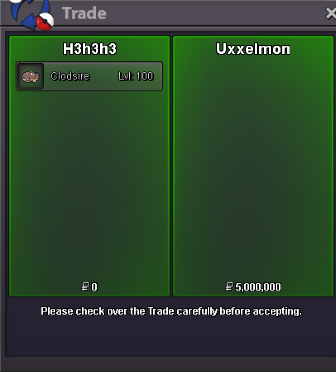
hello you won auction pm me in gameauction end in 3 hours for clodsire unnawareyou won bro pm me in dmhello i cant play now , when i click open game i get this small windows , i deleted the game and download nothing change , please help me
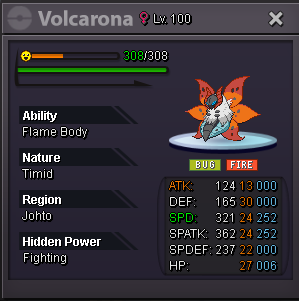
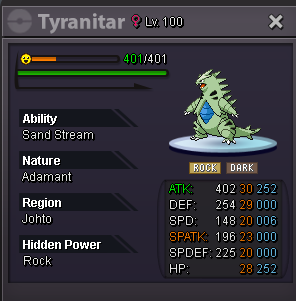
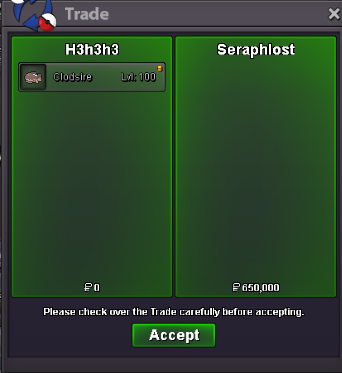
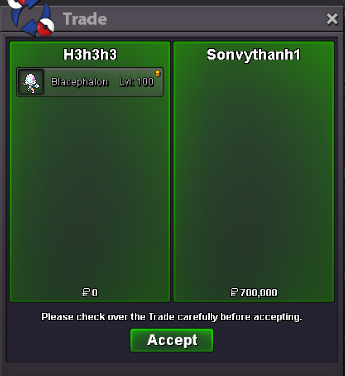
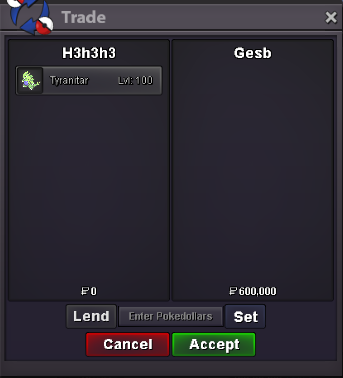
 bump clodsire auction still going C.o : 650kbump 2hours and 30 minutes left for tyranitar1) banded tyranitar or mega tyranitar : s.o: 600k - minimum bid : 50k 2)Sneasler unburden : s.o: 600k - minimum bid : 50k 3) unnaware clodsire : c.o: 650k by Seraphlost - minimum bid : 50k 4) modest blacephalon choice scarf : C.o: 650k by Magikarpsh - minimum bid : 50k 5) volcarona quiver dance : s.o: 300k - minimum bid : 50k i accepte pokedollars , or cc = 500k , or rr tickets 700k . and auction end 3 days after first bid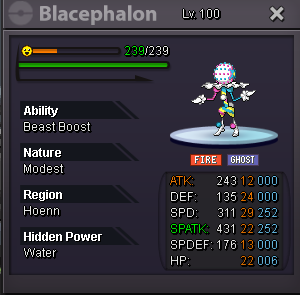
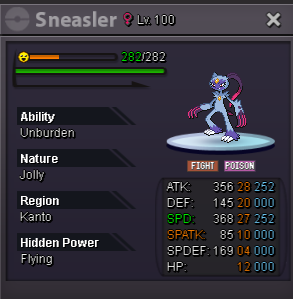
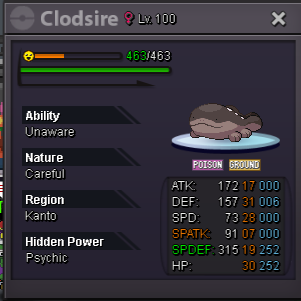 yo bro you won auction , i'm in vermillion if you can tradeC.o : 4m5
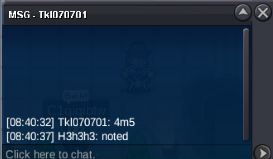 C.o : 4m3 15 minutes left in auction
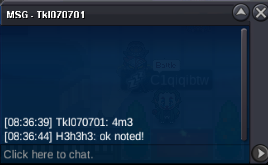 auction end in 10 hoursC.o: 4m1
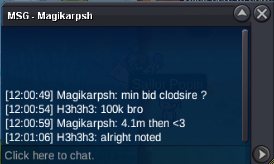 olright auction start 👍bumpauction this pvp tank : S.o : 4m minimum bid : 100k auction end 3 days after first bid payment: -pokedollars - coin capsules = 500k -reroll tickets = 700k each note : this a cross-server auction , i will transfer to your server of choice for the trade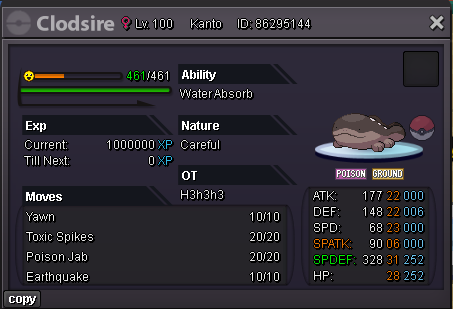


Account
Navigation
Search
Configure browser push notifications
Chrome (Android)
- Tap the lock icon next to the address bar.
- Tap Permissions → Notifications.
- Adjust your preference.
Chrome (Desktop)
- Click the padlock icon in the address bar.
- Select Site settings.
- Find Notifications and adjust your preference.
Safari (iOS 16.4+)
- Ensure the site is installed via Add to Home Screen.
- Open Settings App → Notifications.
- Find your app name and adjust your preference.
Safari (macOS)
- Go to Safari → Preferences.
- Click the Websites tab.
- Select Notifications in the sidebar.
- Find this website and adjust your preference.
Edge (Android)
- Tap the lock icon next to the address bar.
- Tap Permissions.
- Find Notifications and adjust your preference.
Edge (Desktop)
- Click the padlock icon in the address bar.
- Click Permissions for this site.
- Find Notifications and adjust your preference.
Firefox (Android)
- Go to Settings → Site permissions.
- Tap Notifications.
- Find this site in the list and adjust your preference.
Firefox (Desktop)
- Open Firefox Settings.
- Search for Notifications.
- Find this site in the list and adjust your preference.