New Trade Zone
Trade Zone is now live
Use the new Trade Zone for auctions and instant-price trades so Pokemon and item offers are easy to find.

Forcefall
Suspended
-
Joined
-
Last visited
-
+1 cool
-
+1
-
-
+1
-
Forcefall changed their profile photo
-
-
thats what i said or simply when using Exp Candy on a pokemon a message will ask us "how many choosen Exp Candy we would use on it ! " sorry 4 my bad English
-
-1
-
i suggest to add a history option in pro dashboard menu for any trade or lended item/ mones, rare/ shiny encounter & released, digspot encounters, sold / bought items mones ... money transfer ... subway pass consumed money ... etc like that player will be aware of any action held when giving access to any other player for a service
-
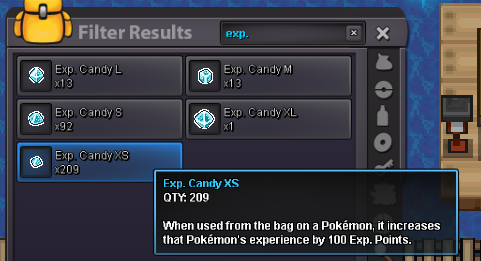
it's a pain to use many Exp Candy on a pokemon espacialy the XS Exp Candy (100 Exp points) that's why i suggest to add a NPC which can change the EXP CANDY to different size (L/M/XL ...) or simply when using Exp Candy on a pokemon a message will ask us "how many choosen Exp Candy we would use on it ! " .
-
why not change he title to excavation because in search "exca" this guide didn't show as it has even no mention in the topic
-
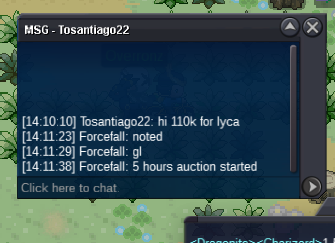
u won pm me ingameauction started 110k
 ah sry i wrote in wrong sub forum i appologize any staff to transfer it to https://pokemonrevolution.net/forum/forum/100-selling-pokémon-gold/