




New Trade Zone
Trade Zone is now live
Use the new Trade Zone for auctions and instant-price trades so Pokemon and item offers are easy to find.

Flyingdolphin
Registered User
-
Joined
-
Last visited
Everything posted by Flyingdolphin
-
When can u come online to trade?
-
700k
-
-
Thank you for your time. I think I will keep the mysterious ticket as supposed to restoring the Deino.
-
2k
-
Hi, Thanks for the response. Before I can make a decision, am I able to submit a different Deino so I can keep my Mysterious Ticket? Kind Regards
-
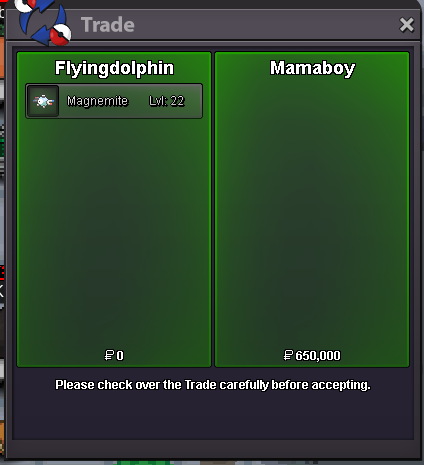
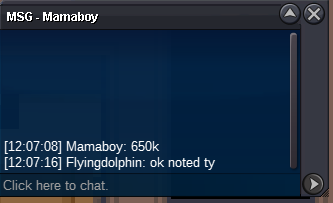
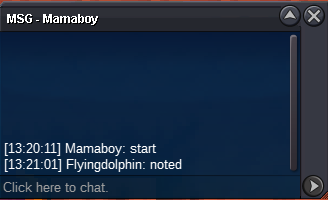
Auction is over, congratulations to Mamaboy.
-
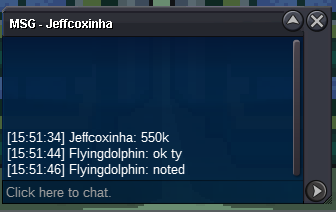
BumpStart Offer: 500k End: 13:20 GMT +0 at 22/1/2024 Current Offer: 550k Insta: N/A Min. Raise: 50k Accepted: Coin Capsule (380k) and Pokedollars
 Hi, I've accidentally fed one of my deinos into the mysterious cultist for the world quest and was wondering if there is any way to get it back. Unfortunately I don't have the ID of this, but this is a screenshot of the Deino I fed. OT: Flyingdolphin if that helps Sacrificed around 19:56 UK Time Server: Gold


Account
Navigation
Search
Configure browser push notifications
Chrome (Android)
- Tap the lock icon next to the address bar.
- Tap Permissions → Notifications.
- Adjust your preference.
Chrome (Desktop)
- Click the padlock icon in the address bar.
- Select Site settings.
- Find Notifications and adjust your preference.
Safari (iOS 16.4+)
- Ensure the site is installed via Add to Home Screen.
- Open Settings App → Notifications.
- Find your app name and adjust your preference.
Safari (macOS)
- Go to Safari → Preferences.
- Click the Websites tab.
- Select Notifications in the sidebar.
- Find this website and adjust your preference.
Edge (Android)
- Tap the lock icon next to the address bar.
- Tap Permissions.
- Find Notifications and adjust your preference.
Edge (Desktop)
- Click the padlock icon in the address bar.
- Click Permissions for this site.
- Find Notifications and adjust your preference.
Firefox (Android)
- Go to Settings → Site permissions.
- Tap Notifications.
- Find this site in the list and adjust your preference.
Firefox (Desktop)
- Open Firefox Settings.
- Search for Notifications.
- Find this site in the list and adjust your preference.