New Trade Zone
Trade Zone is now live
Use the new Trade Zone for auctions and instant-price trades so Pokemon and item offers are easy to find.

Zncholo
Registered User
-
Joined
-
Last visited
Everything posted by Zncholo
-
Sure message me in game cholozn juste type /pm cholozn ingame type bar and send me a message or leave ur ingame name and i will message u
-
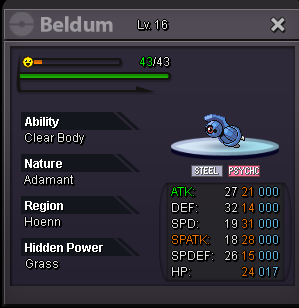
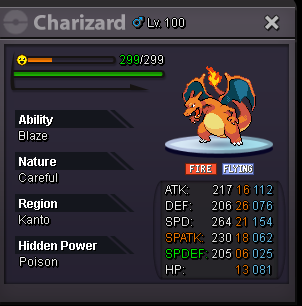
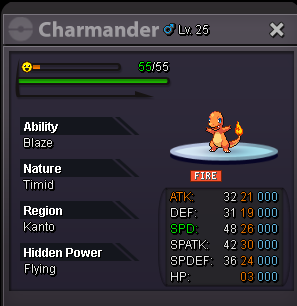
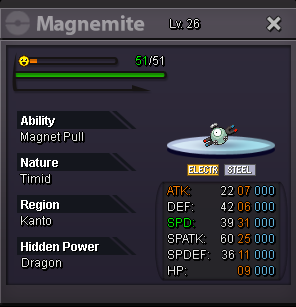
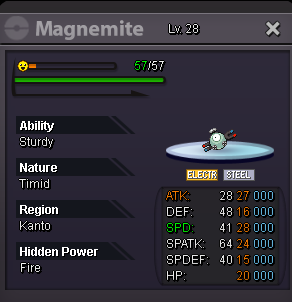
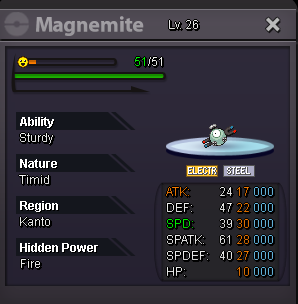
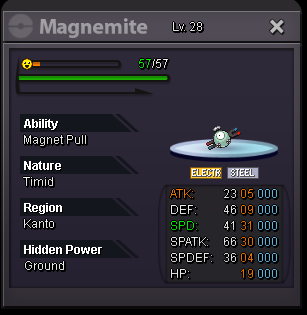
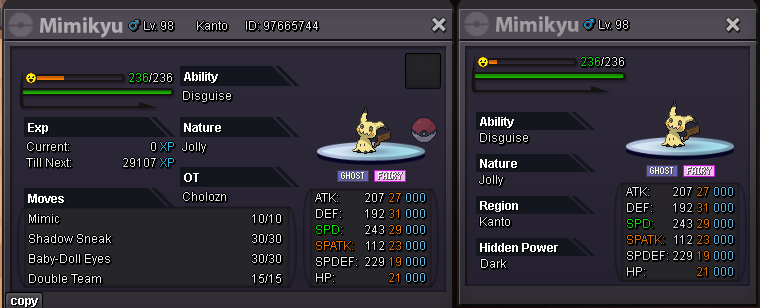
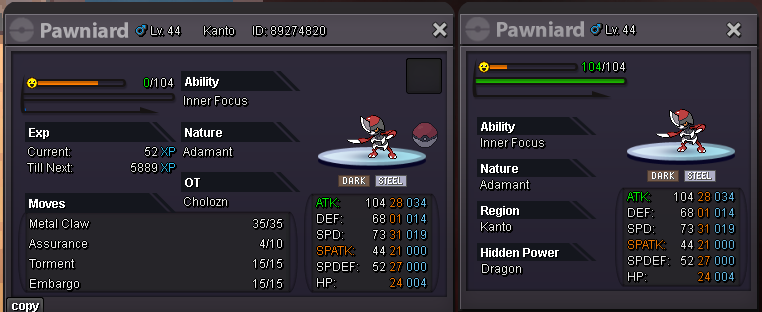
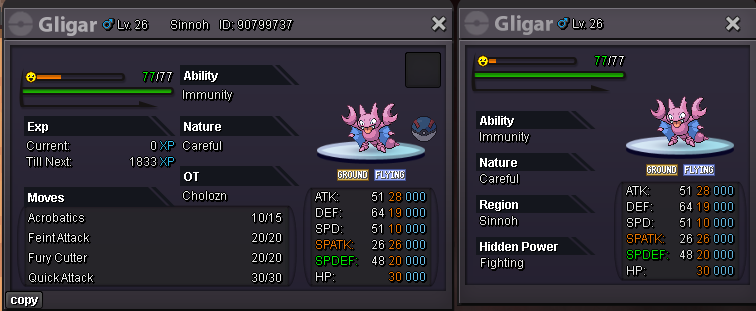
Welcome to Cholozn shop I hope you can find what you are looking for, if you cant just message me and i'll look for it for you I will always add new pokemons when i can this is a work in progress Prices are negotiable but please offer within reasonable range I accept cc 400k rr 500k nature rr 220k and rc 5k PS: i still dont know how to setup the shop so please excuse the bad design and everything but i'll do my best to improve it happy shopping You can contact me here via pm or just write below the thread or contact me in game : cholozn or via discord : kisskiss1544 All available Pokemons


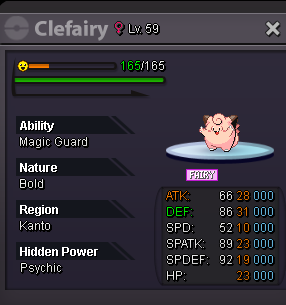

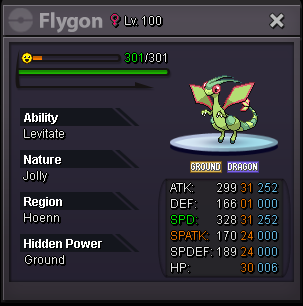
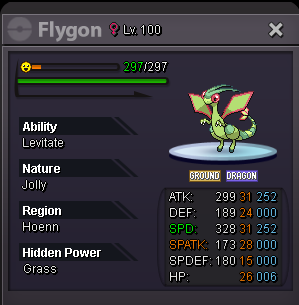
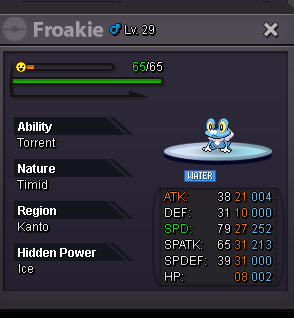

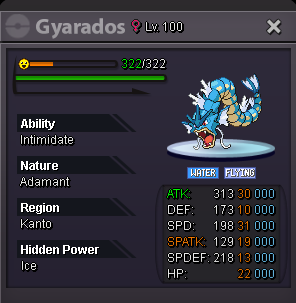
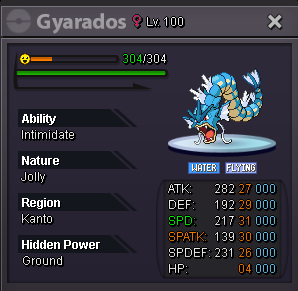
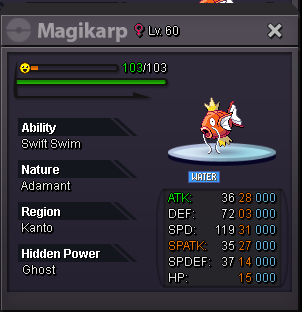
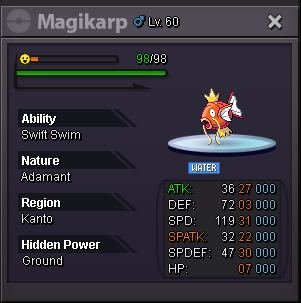
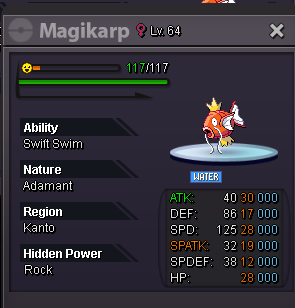
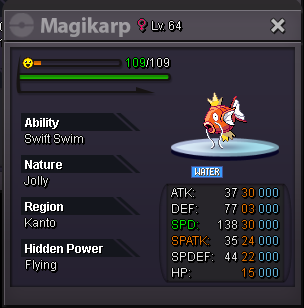
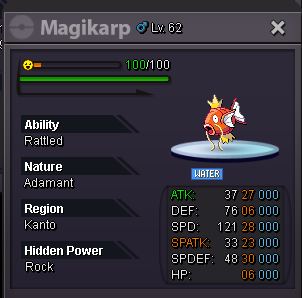
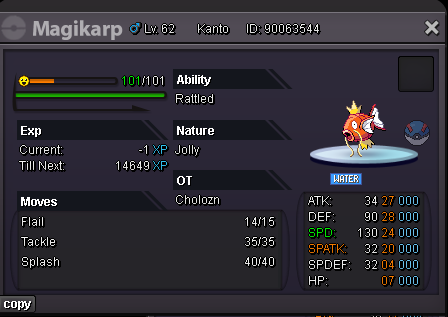
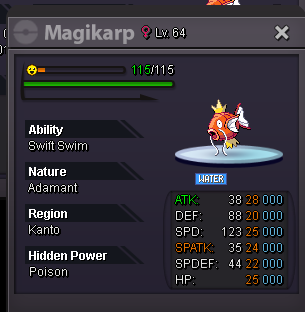
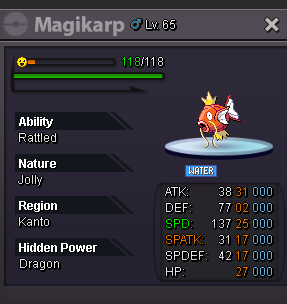
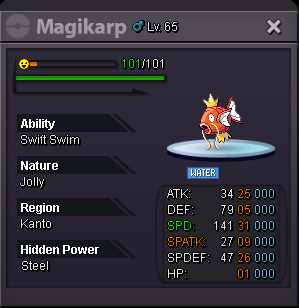
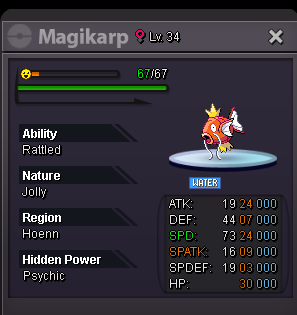
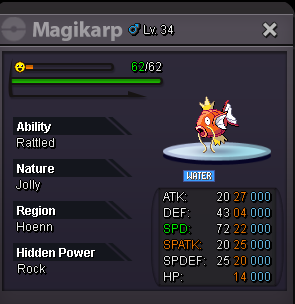
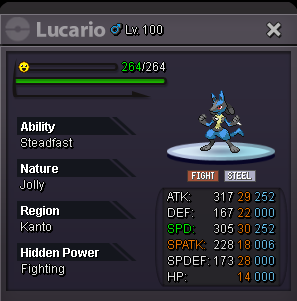
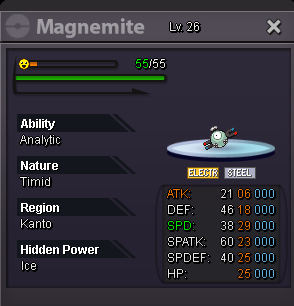
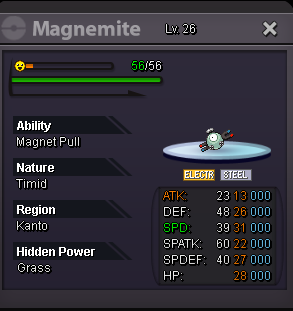
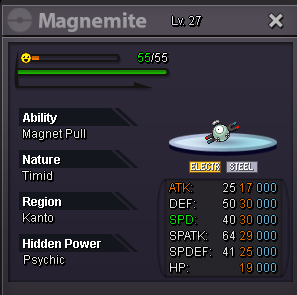
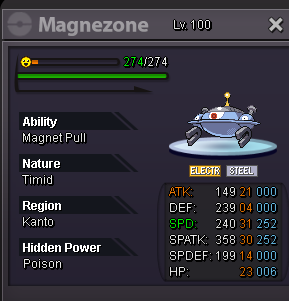
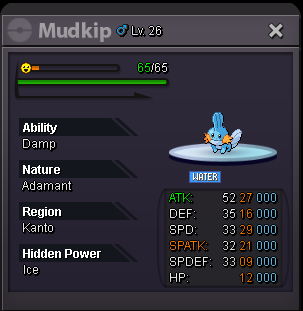
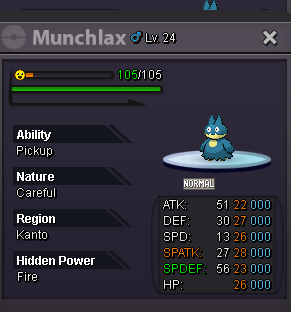
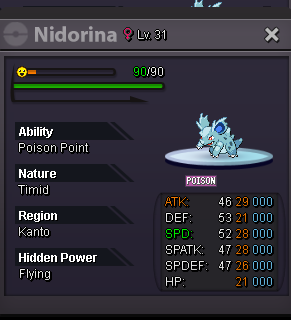


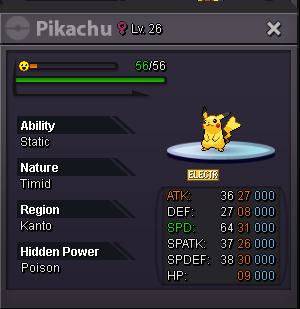
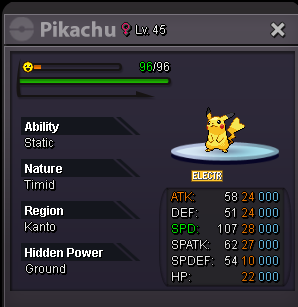
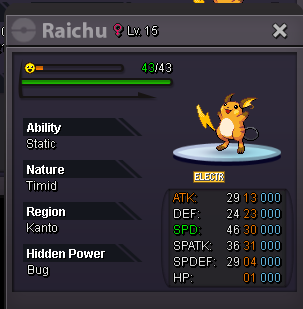
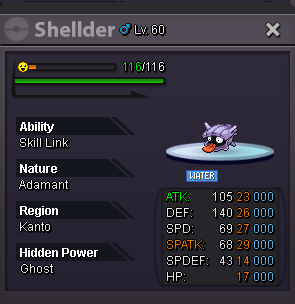
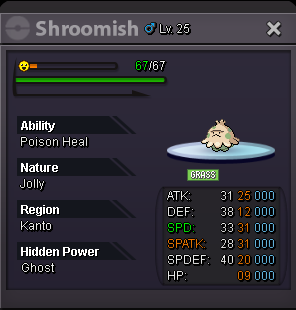
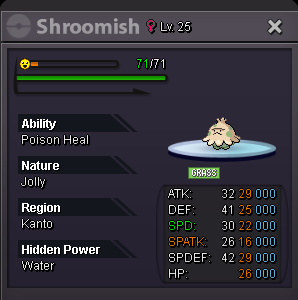
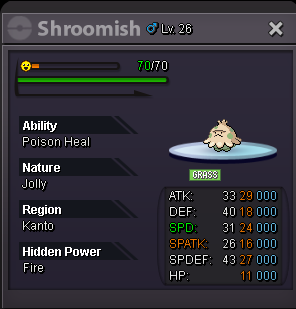
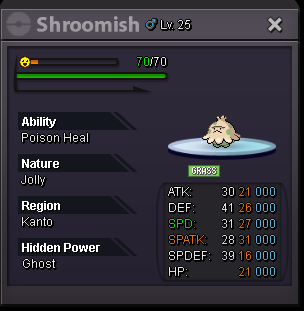
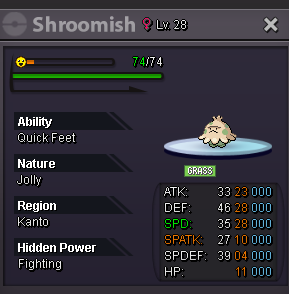
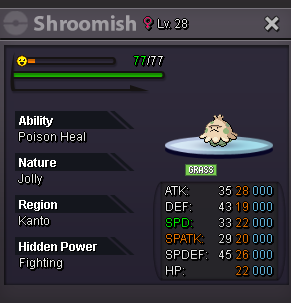
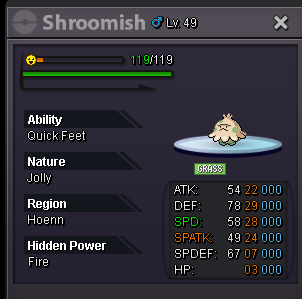
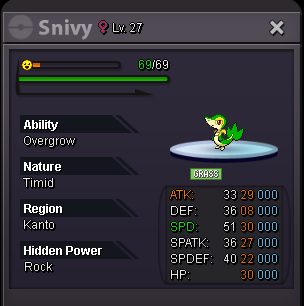
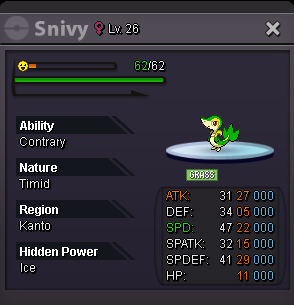
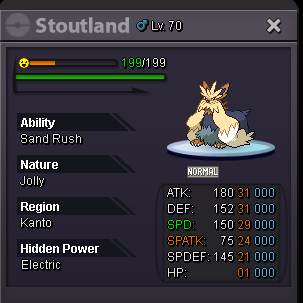
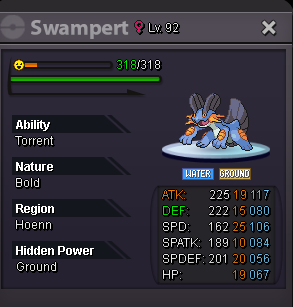
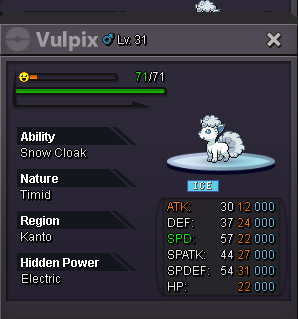
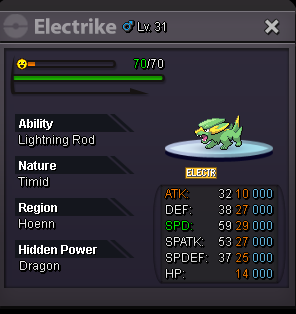
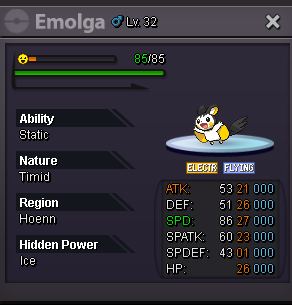
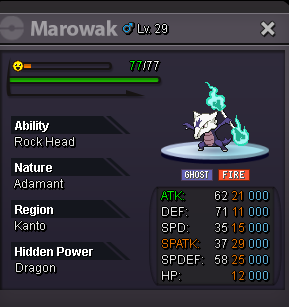
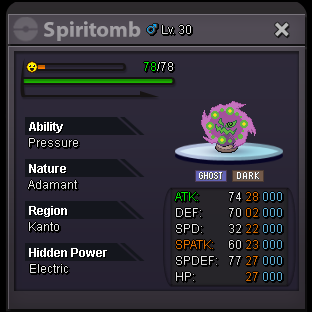

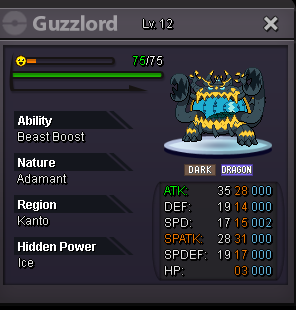
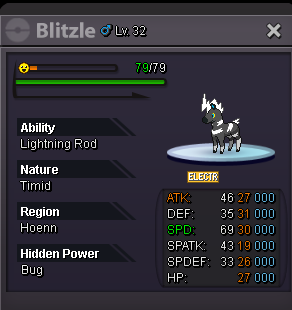
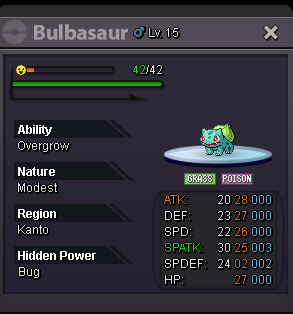
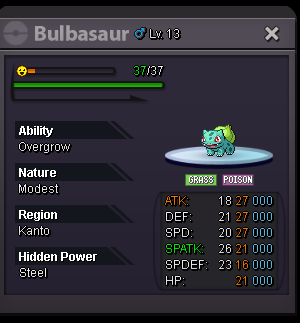

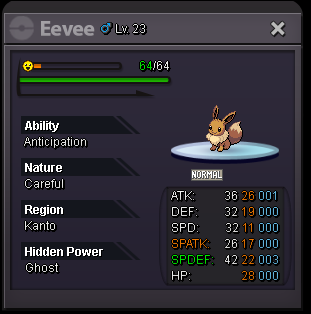
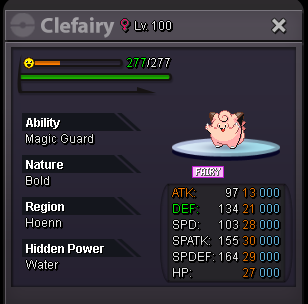
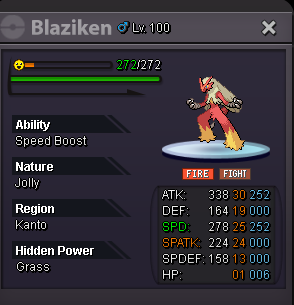
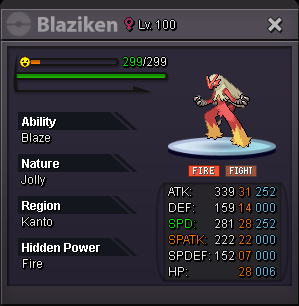
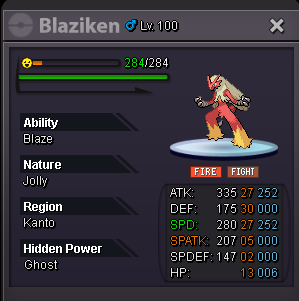
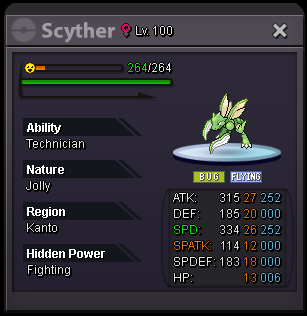
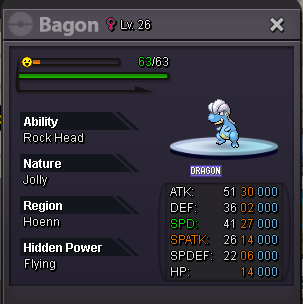
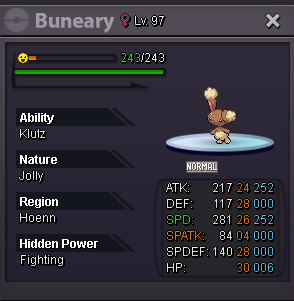
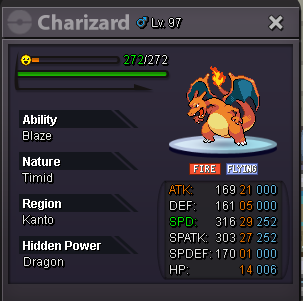
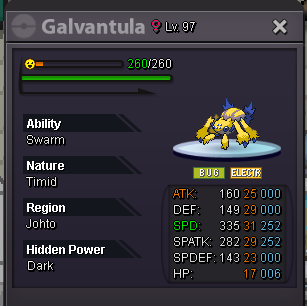
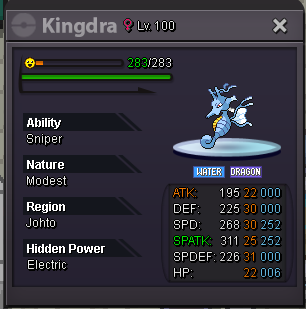
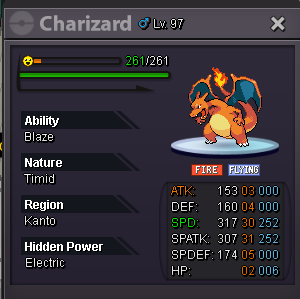
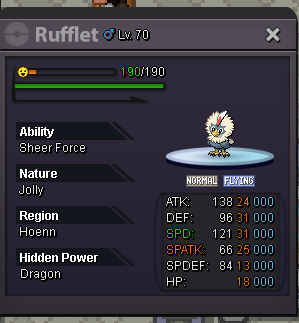
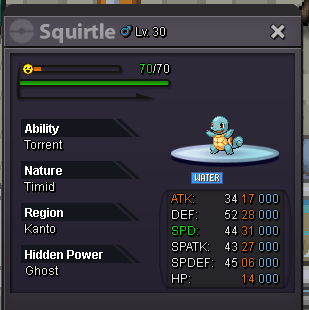

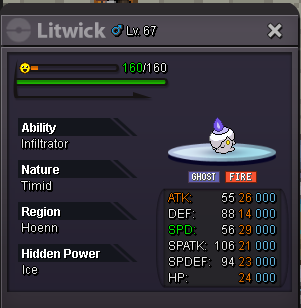
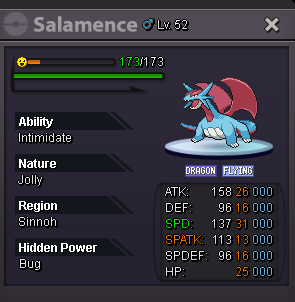
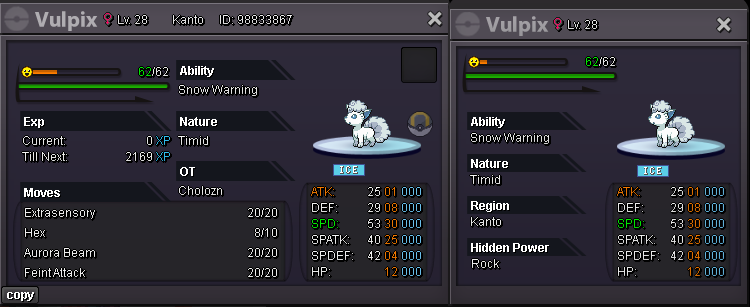
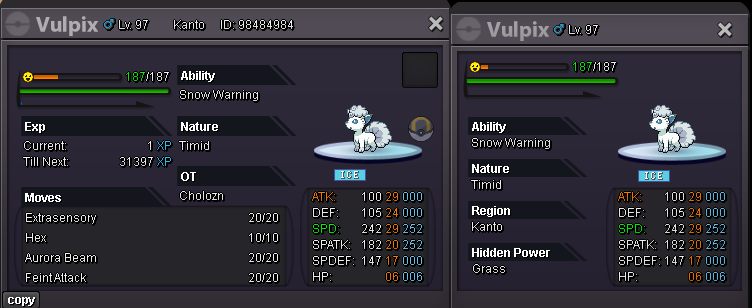
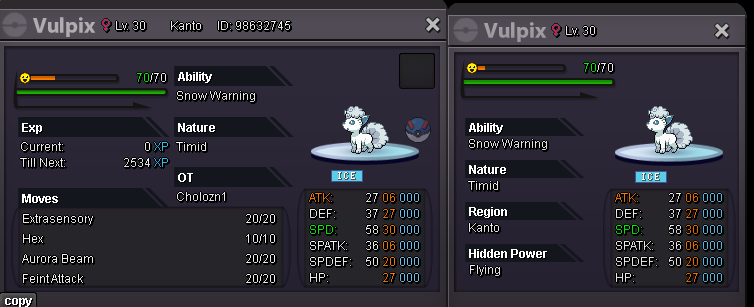
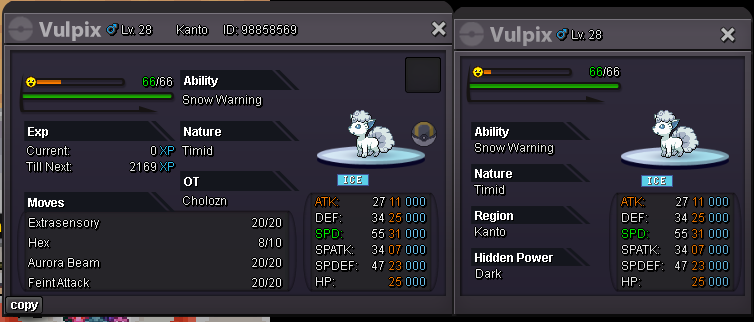
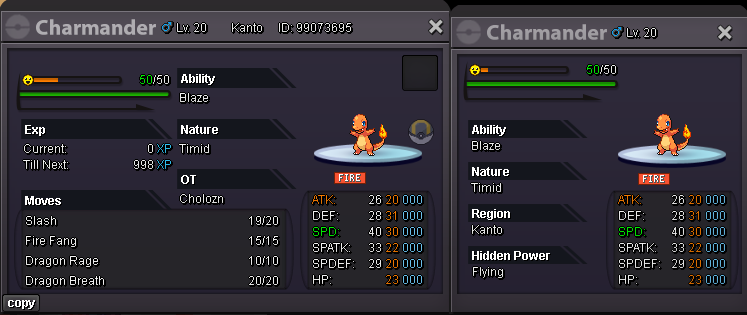
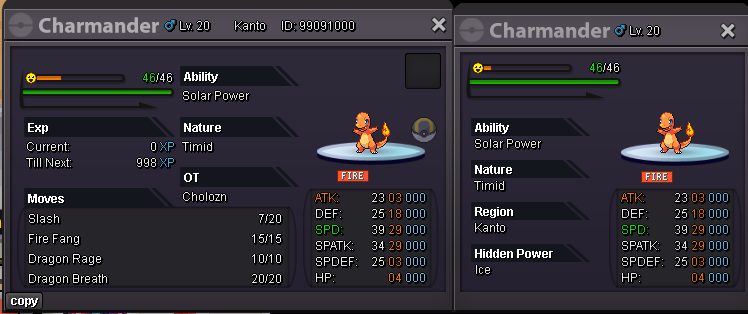
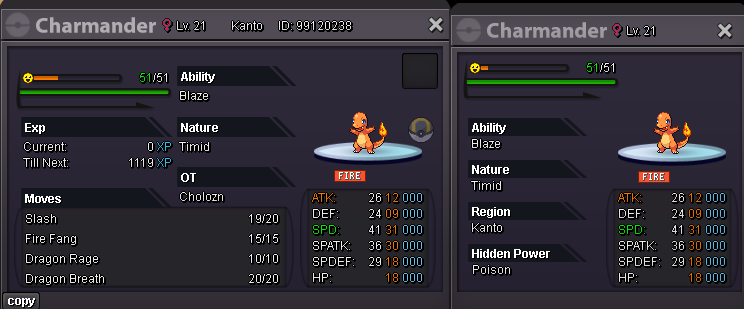
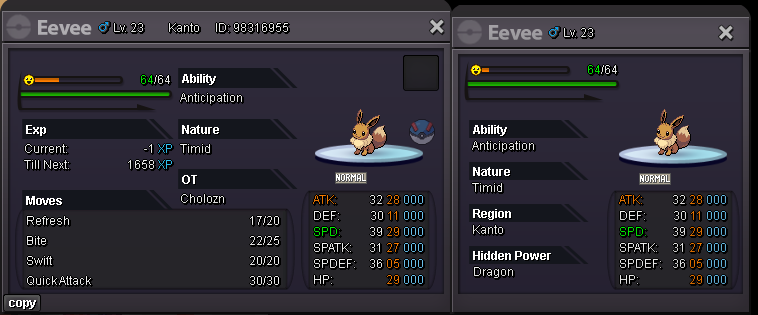
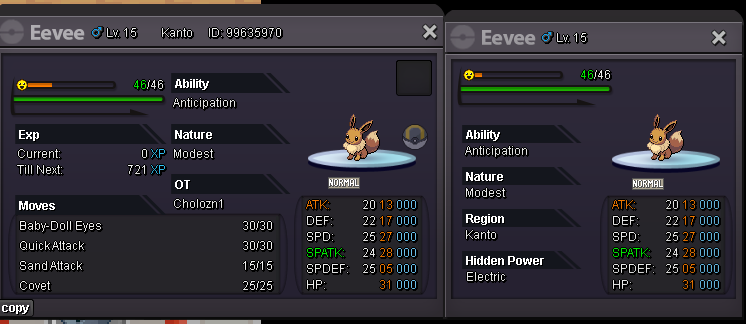
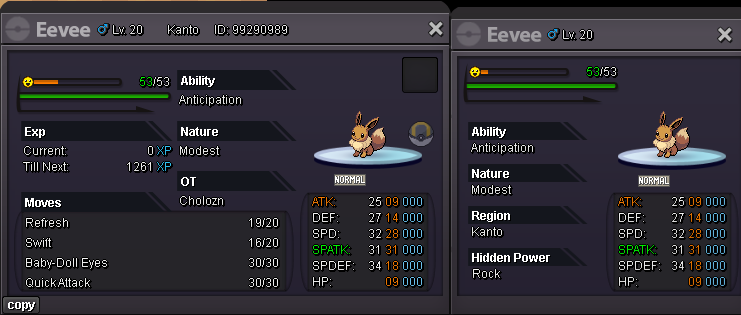
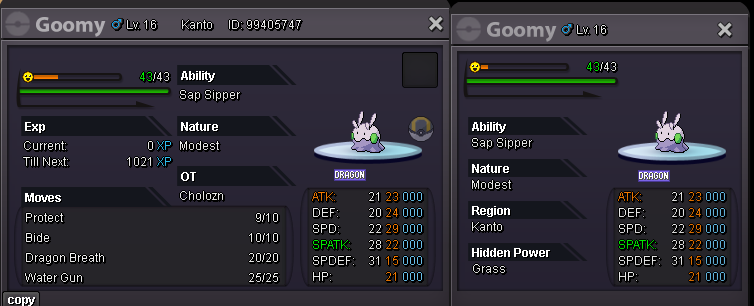
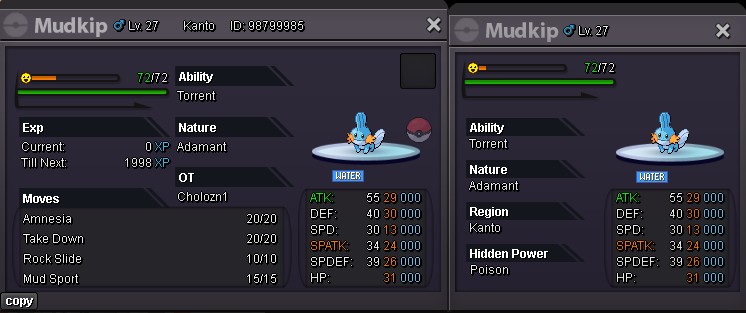
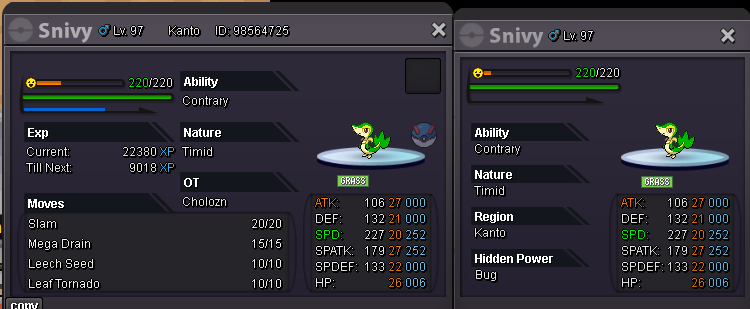
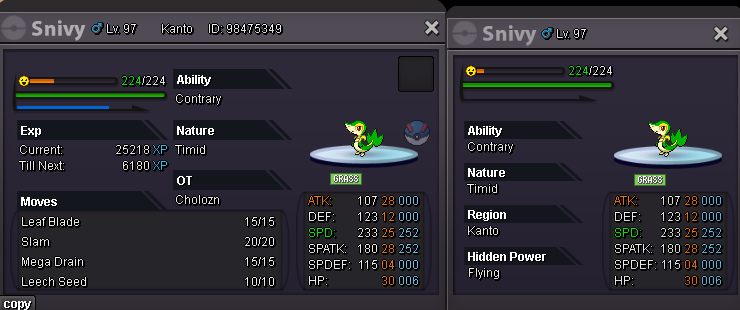
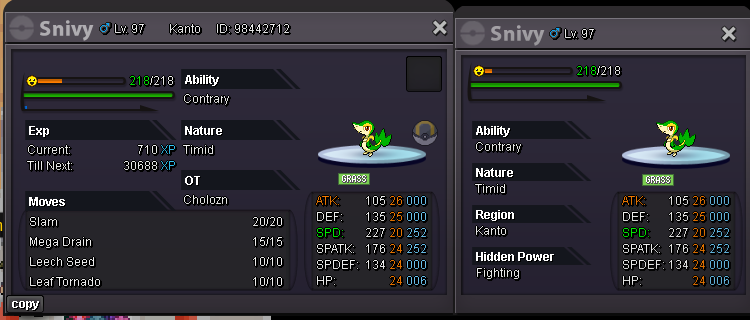
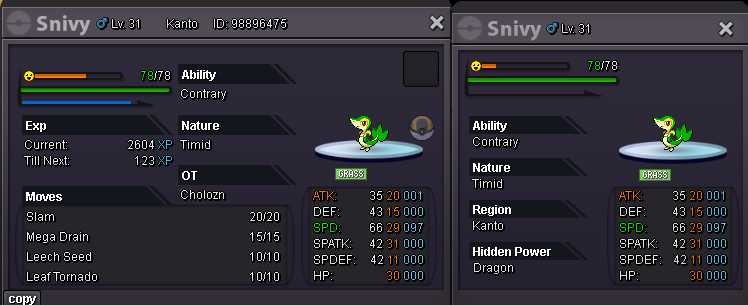
-
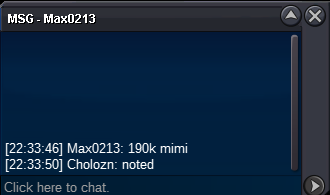
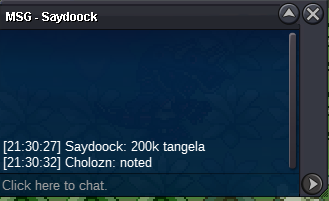
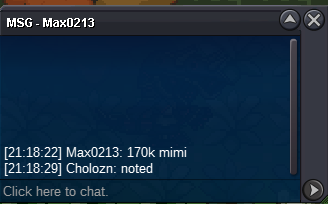
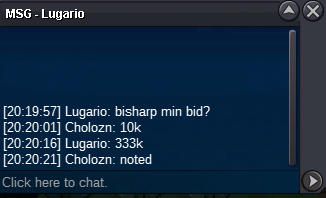
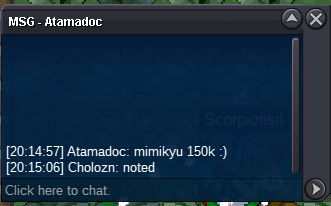
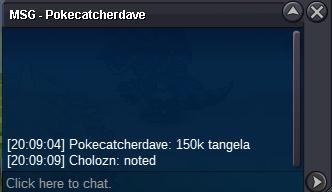
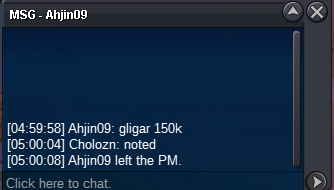
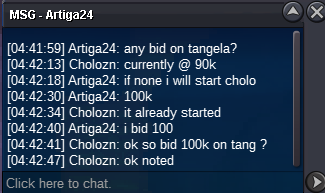
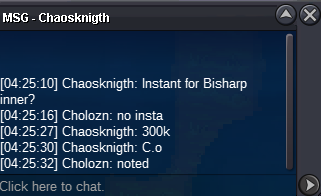
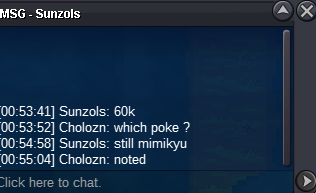
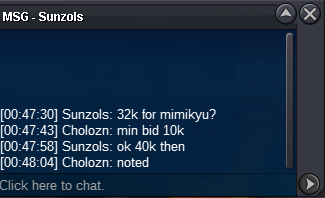
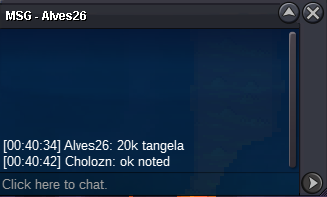
invalid bid , c.o bisharp 333k , min bid 10ki can start @ 3.5m if you accept you can count this as a start. acc : cholozn if acceptedstart from choloznStart at 15 k from choloznInvalid bid c.o for Mimi is 100 k min bid is 10 kstart from cholozn1m from choloznAlready startedTHIS IS NOT A BUNDLE !!!! S.o 10k ea poke Min bid 10k ea auction ends 48 hours after so is met accept cc 400k / rc 5k ea / rr iv 500k C.O 200 k ends 01:40 10/11/2024 C.O 544k ends 01:14 10/11/2024 C.O 400 k ends 01:15 10/11/2024 C.O 210k ends 01:10 10/11/2024 C.O 220k end 01:35 10/11/2024


Account
Navigation
Search
Configure browser push notifications
Chrome (Android)
- Tap the lock icon next to the address bar.
- Tap Permissions → Notifications.
- Adjust your preference.
Chrome (Desktop)
- Click the padlock icon in the address bar.
- Select Site settings.
- Find Notifications and adjust your preference.
Safari (iOS 16.4+)
- Ensure the site is installed via Add to Home Screen.
- Open Settings App → Notifications.
- Find your app name and adjust your preference.
Safari (macOS)
- Go to Safari → Preferences.
- Click the Websites tab.
- Select Notifications in the sidebar.
- Find this website and adjust your preference.
Edge (Android)
- Tap the lock icon next to the address bar.
- Tap Permissions.
- Find Notifications and adjust your preference.
Edge (Desktop)
- Click the padlock icon in the address bar.
- Click Permissions for this site.
- Find Notifications and adjust your preference.
Firefox (Android)
- Go to Settings → Site permissions.
- Tap Notifications.
- Find this site in the list and adjust your preference.
Firefox (Desktop)
- Open Firefox Settings.
- Search for Notifications.
- Find this site in the list and adjust your preference.