




New Trade Zone
Trade Zone is now live
Use the new Trade Zone for auctions and instant-price trades so Pokemon and item offers are easy to find.

Zncholo
Registered User
-
Joined
-
Last visited
Everything posted by Zncholo
-
You contacted me monday already and said until thursday when ur ban is lifted , u didnt contact me since then ?
-
700k from cholozn
-
2.6 osha from cholozn
-
feebas and klefki 350k , from cholozn
-
Hi i buy paras
-
900k from cholozn
-
2.2m from cholozn
-
600k from cholozn
-
6.2m from cholozn
-
Hello @Financebro i will be available in about 14 hours from this message , idk if i will be available before that , but if i do i will send you a message here in private. Thank you@Allsmell let me know when ur ready to trade vulpixTy for posting thatCharm extended by 15 mins from this point
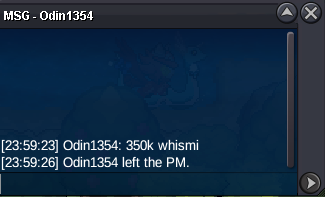
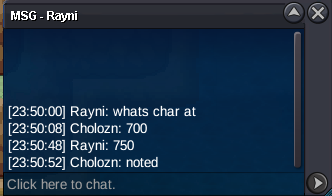 extended 15 mins from this point for whimsi
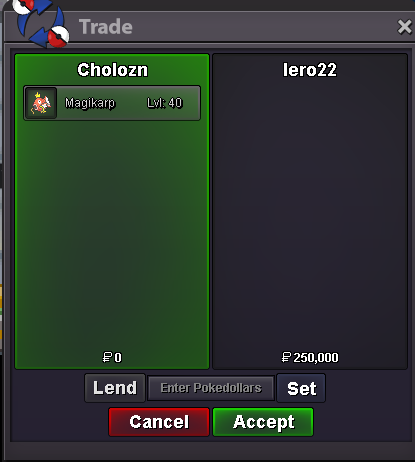
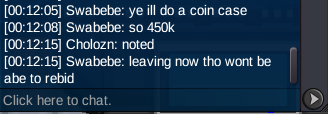
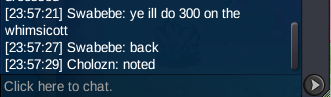
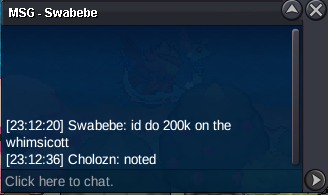
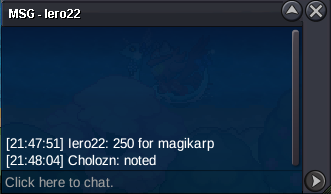
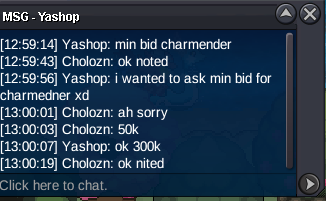
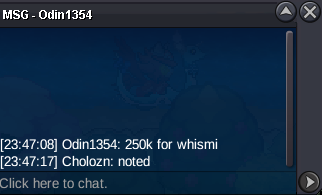 There is a timer in the first post , there is still around 51 mins left1.2mi'll offer you 300kHmmm Alr start


Account
Navigation
Search
Configure browser push notifications
Chrome (Android)
- Tap the lock icon next to the address bar.
- Tap Permissions → Notifications.
- Adjust your preference.
Chrome (Desktop)
- Click the padlock icon in the address bar.
- Select Site settings.
- Find Notifications and adjust your preference.
Safari (iOS 16.4+)
- Ensure the site is installed via Add to Home Screen.
- Open Settings App → Notifications.
- Find your app name and adjust your preference.
Safari (macOS)
- Go to Safari → Preferences.
- Click the Websites tab.
- Select Notifications in the sidebar.
- Find this website and adjust your preference.
Edge (Android)
- Tap the lock icon next to the address bar.
- Tap Permissions.
- Find Notifications and adjust your preference.
Edge (Desktop)
- Click the padlock icon in the address bar.
- Click Permissions for this site.
- Find Notifications and adjust your preference.
Firefox (Android)
- Go to Settings → Site permissions.
- Tap Notifications.
- Find this site in the list and adjust your preference.
Firefox (Desktop)
- Open Firefox Settings.
- Search for Notifications.
- Find this site in the list and adjust your preference.