New Trade Zone
Trade Zone is now live
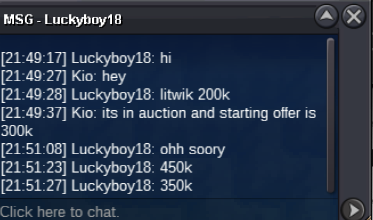
Use the new Trade Zone for auctions and instant-price trades so Pokemon and item offers are easy to find.

Kio
Registered User
-
Joined
-
Last visited
-
Hey! Kio, Silver
-
bump
-
bump
-
bump
-
Honedge 1: Start Price: 400k End Point: 24 hours after first bid No insta Price Minimum Raise: 50k 1 Honedge 2: Start Price: 250k End Point: 24 hours after first bid No insta Price Minimum Raise: 50k 2 Honedge 3: Start Price: 200k End Point: 24 hours after first bid No insta Price Minimum Raise: 50k Payment: Pokedollars CC = 500K IGN: Kio (THIS IS NOT A BUNDLE)


-
Serious categories Friendliest: Raika Wittiest: Joksch96 Funniest: Lacomus Easiest to talk to: Flexforlife Most trustworthy: Fabi72 Most helpful: Caennethi Most influential: Zeldawoot Most intriguing: Leonnn Favorite guild: New Leaf Best discussion sparker: Myself For fun categories Most likely to catch a sync fail rare or shiny form: Fabi72 Most likely to encounter a shiny or rare form and click run: Simplexdesigns Favorite staff member: Walross Player who says they're retiring but not retiring yet: Fabi72 (Bro always says he's done with this game) Favorite PRO Pokemon form: Summer Gardevoir Favorite Pokemon: Tinkaton
-
-
S.o: 300k Min Raise: 50k Insta 1.75m Ends 24h after start Accept iv re 500k Cc 400k

-
S.O: 1.1m Min Bid: 50k Insta: 3m Ends 24 hours after start Accept CC (400k), Reroll Ticket (500k) and Pokedollars
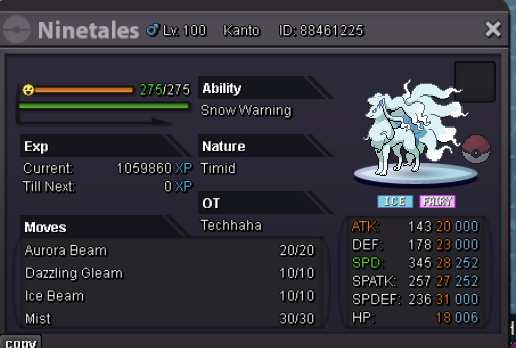 Start Price: 200k Raise By: 50k Insta 750k Ends 24 hours after start Accept CC - 400k // Accept RR - 500k