New Trade Zone
Trade Zone is now live
Use the new Trade Zone for auctions and instant-price trades so Pokemon and item offers are easy to find.

Pizzasupreme
Registered User
-
Joined
-
Last visited
Everything posted by Pizzasupreme
-
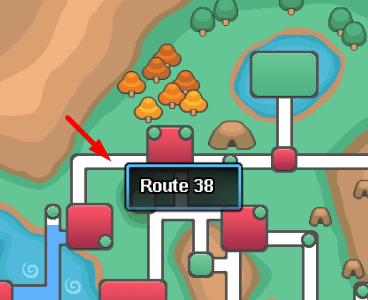
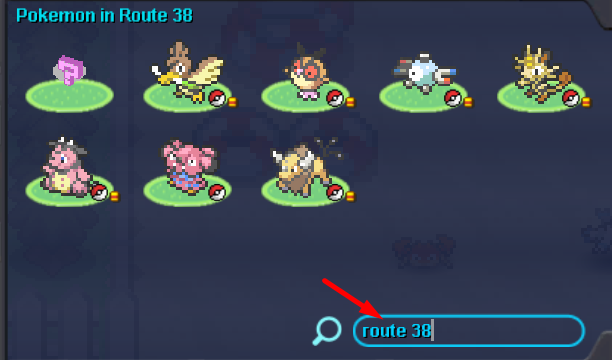
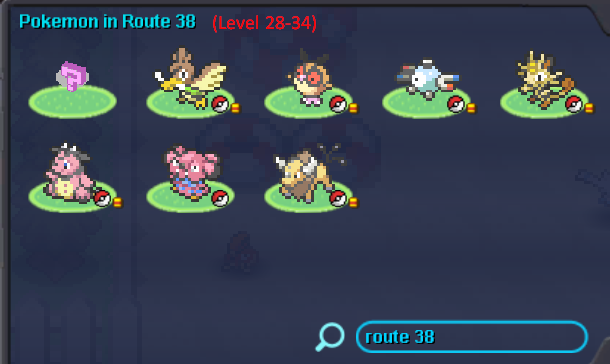
Idea: Quick access to Pokemon list in an area and better use of maps How to Use: 1. The user clicks on a route/town or a place on the map that can hover name such as "Route 38" 2. Click() operation retrieves the location name "Route 38" and pastes it to the map search menu. Then, it activates search as users to 3. This shortens times for users to access pokemon lists and surpasses typing region names one by one as well as gives a better map system a purpose 4. The map also dictates the zone leveling range so that trainers (especially people who are story running) can make better preparations (range in the screenshot is just a sample for demonstration)
-
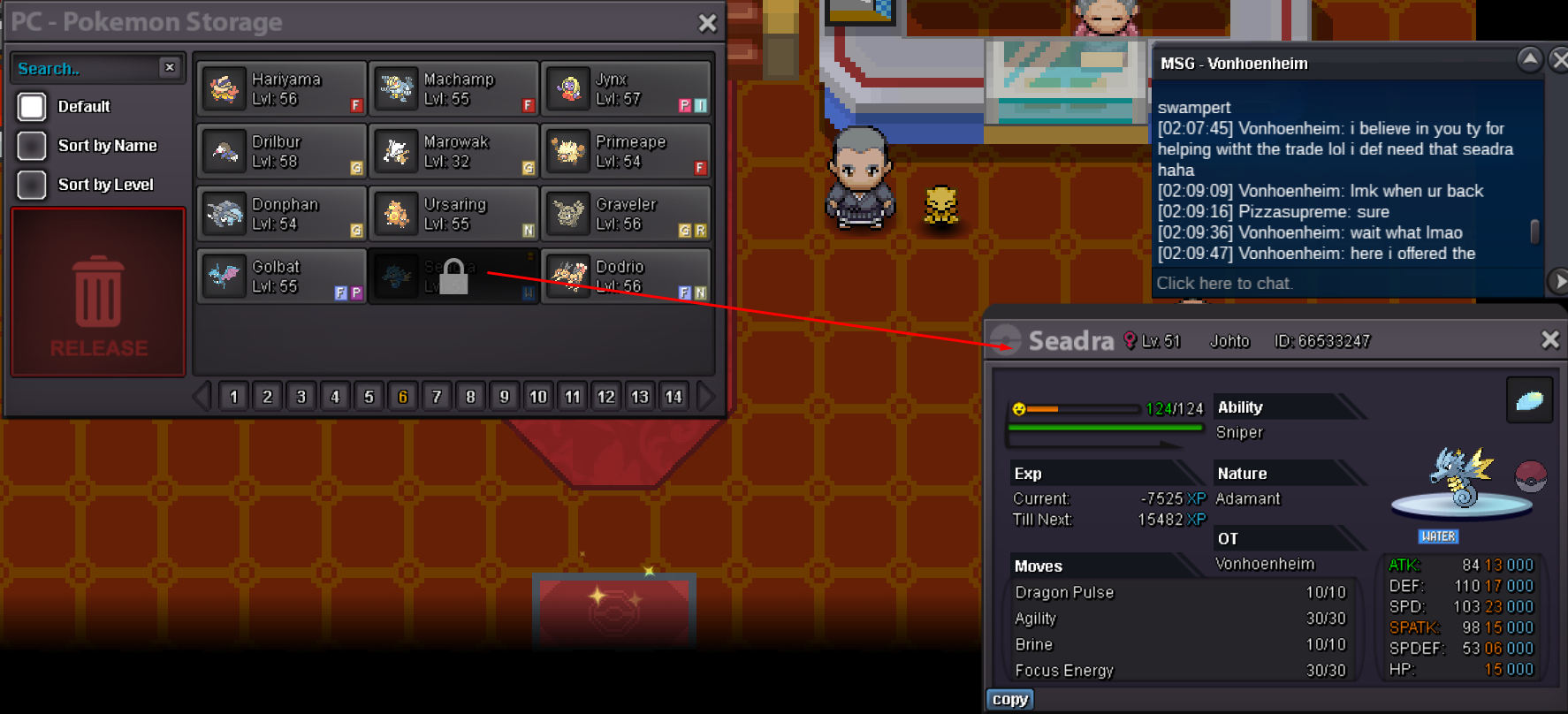
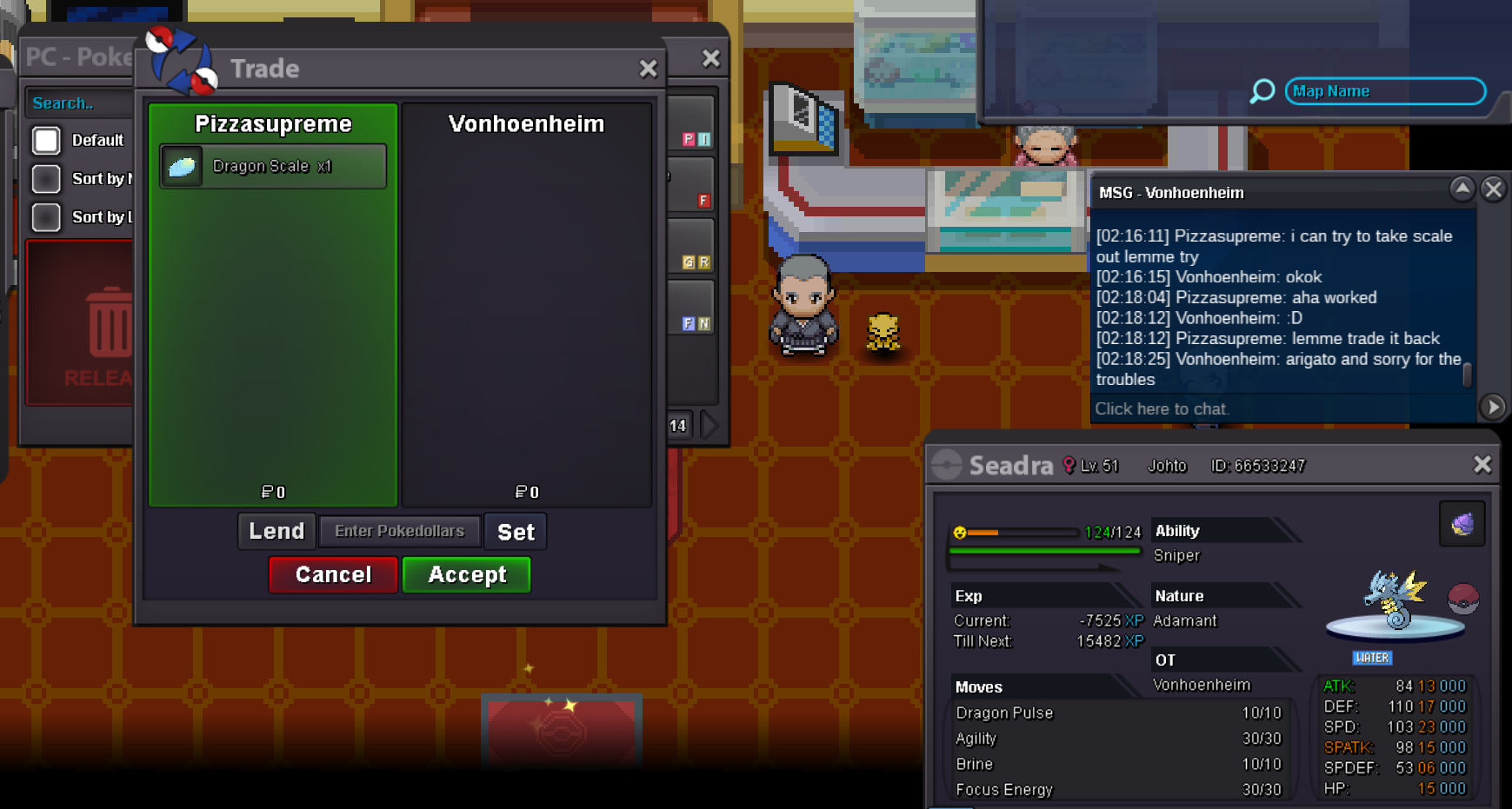
hello someone asked me to help in trade evo however it seems locked in my storage. He told me I need to beat E4 later. My player name is Pizzasupreme. Person who asked for help is Vonhoenheim as in the picture. Seadra was asked to trade-evo. Location is Indigo Plateau Center. Dragon Scale item is already traded back so only pokemon needs to be given to Vonhoenheim. Server is Silver Update: It took a while but while waiting I finished E4 and Seadra is available to trade now. Unlock operation is no longer needed.
-
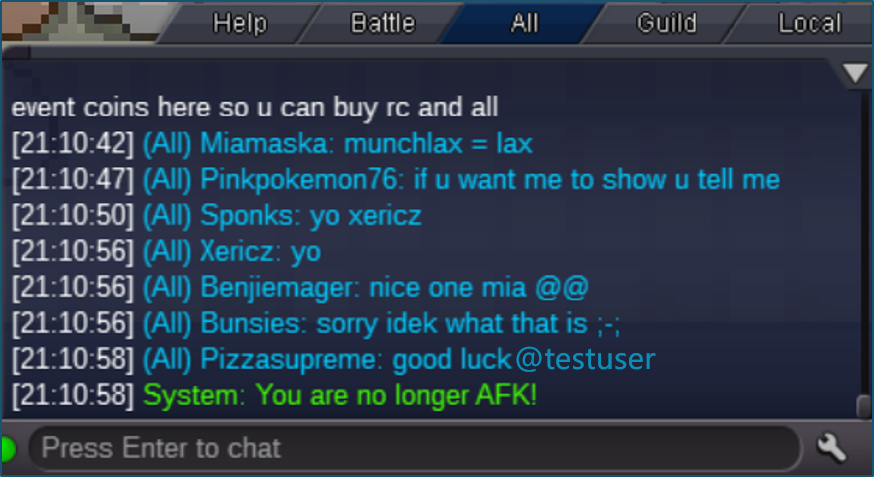
Greetings, my idea is a simple but feasible one. We know everybody often uses @username as a pseudo-mention tag without functionality. This has some pros and cons. Based on this idea: - When a text has the form of "@username", it can "colorize" in yellow so to make it visible. - This does NOT have to check the username since there will be NO necessary "notification" or "alert" feature needed. - Yellow color is a psychologically "attentive" color, especially in an opposite contrast background like "blue" currently available in servers. Users will easily notice the mention occurs. - Implementation is swift and comfortable as it requires a "Hex code" with a simple "if condition". Note: Samples of the idea can be exemplified as seen in the attachments. Thank you for your service and we look forward to the admirable effort of the staff. Best regards. Attachments: Original Sample Integrated Mention