




New Trade Zone
Trade Zone is now live
Use the new Trade Zone for auctions and instant-price trades so Pokemon and item offers are easy to find.

Philiplloyddd
Registered User
-
Joined
-
Last visited
Everything posted by Philiplloyddd
-
490k
-
465k
-
410k
-
350k
-
330k
-
310k
-
Adding the rewards back like masterball,cosmetic,pvp items, rare candy, PvE coins, etc . It Would motivate players and give them more reason to participate in bcc. It would be a great help to players to obtain valuable items. It’s a fantastic suggestion that would definitely boost the fun factor!
-
300k
-
600k
-
80k
-
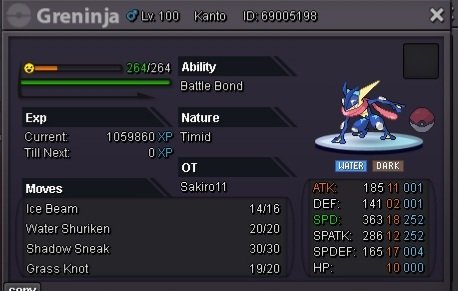
Start Offer: 500k Min Bid: 100k insta: 2m Duration: 15 hours after the first bid. Accepted payments : Reroll Ticket: 500k each. Nature Reroll: 250k each. Coin Capsule: 400k each. Pokedollars.
-
The bidding has ended Magikarpsh won the bidding
-
Start Offer: 200k Min Bid: 30k No insta Duration: 23 hours after the first bid. Accepted payments : Reroll Ticket: 500k each. Nature Reroll: 250k each. Coin Capsule: 400k each. Pokedollars.
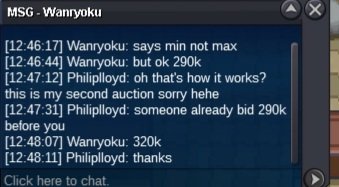
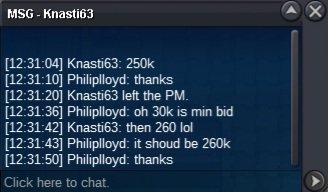
 900k@Wanryoku message me in discord xie._.eee@Wanryokuit's almost 10 hours I guest you won the auctionStartStart Offer: 50k Min Bid: 5k insta: 300k Duration: 10 hours (gmt +8)after the first bid. Accepted payments : Reroll Ticket: 500k each. Nature Reroll: 250k each. Coin Capsule: 400k each. Pokedollars.






Account
Navigation
Search
Configure browser push notifications
Chrome (Android)
- Tap the lock icon next to the address bar.
- Tap Permissions → Notifications.
- Adjust your preference.
Chrome (Desktop)
- Click the padlock icon in the address bar.
- Select Site settings.
- Find Notifications and adjust your preference.
Safari (iOS 16.4+)
- Ensure the site is installed via Add to Home Screen.
- Open Settings App → Notifications.
- Find your app name and adjust your preference.
Safari (macOS)
- Go to Safari → Preferences.
- Click the Websites tab.
- Select Notifications in the sidebar.
- Find this website and adjust your preference.
Edge (Android)
- Tap the lock icon next to the address bar.
- Tap Permissions.
- Find Notifications and adjust your preference.
Edge (Desktop)
- Click the padlock icon in the address bar.
- Click Permissions for this site.
- Find Notifications and adjust your preference.
Firefox (Android)
- Go to Settings → Site permissions.
- Tap Notifications.
- Find this site in the list and adjust your preference.
Firefox (Desktop)
- Open Firefox Settings.
- Search for Notifications.
- Find this site in the list and adjust your preference.