




New Trade Zone
Trade Zone is now live
Use the new Trade Zone for auctions and instant-price trades so Pokemon and item offers are easy to find.

Migoo
Registered User
-
Joined
-
Last visited
-
@Grahamsitox u win! msg me in game when u can 😁
-
bump 7 hours and 49 minutes left
-
bump
-
Auction Details: Start Price: 3m End Point: 48 hours after start price is met Insta Price: 6 Minimum Raise: 100k Accepted Payments: Pokedollars
-
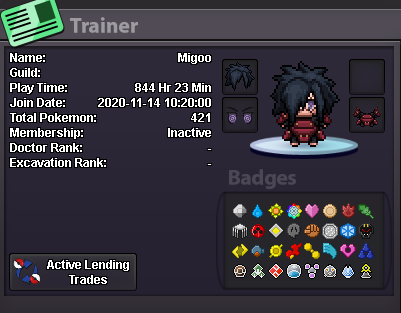
● What's your IGN? Migoo ● How old are you? 26 ● Where are you from? Philippines ● What's your total playtime? 844 Hrs 19 Mins ● What do you enjoy doing in the game? Hunting, Some PVP, trading ● Would you like to offer some kind of service to the guild? Maybe sell some cosmetics And the most important question of them all: Which Bidoof Form do you like the most? -Suidoof, Raidoof or Endoof ? Endoof!
-
-
-
-
-
-
-
-
-
-
