Skip to content
View in the app

A better way to browse. Learn more.

Pokemon Revolution Online

A full-screen app on your home screen with push notifications, badges and more.

To install this app on iOS and iPadOS
  1. Tap the Share icon in Safari
  2. Scroll the menu and tap Add to Home Screen.
  3. Tap Add in the top-right corner.
To install this app on Android
  1. Tap the 3-dot menu (⋮) in the top-right corner of the browser.
  2. Tap Add to Home screen or Install app.
  3. Confirm by tapping Install.
New Trade Zone
Trade Zone is now live
Use the new Trade Zone for auctions and instant-price trades so Pokemon and item offers are easy to find.
Open Trade Zone

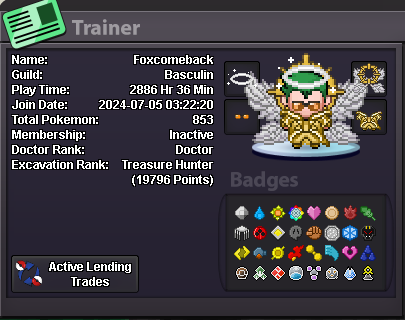
Foxcomeback

Suspended
  • Joined

  • Last visited

Everything posted by Foxcomeback

  1. I watched some tutorials on youtube but didn't see any notes about the condition of seen pokedex. Now I can start the Quest. Thank you very much for your kind help I also had a bug with pokedex data recently. The pokemon I had evolved or seen before were lost. But I found out and did it again. Thank you very much again
  2. I cant start Cresselia Quest When i talk with Rowan, he dont start Q as Guide. Pls help me
  3. In game name: foxcomeback Age: 37 Country: viet nam Screen shot of your pokemon ID What you love to do in PRO: Hunt, training, daycare, collect and go dungeon with friend With me PRO is truth pokemon world
  4. i think 3m is instant price is ok

Account

Navigation

Search

Search

Configure browser push notifications

Chrome (Android)
  1. Tap the lock icon next to the address bar.
  2. Tap Permissions → Notifications.
  3. Adjust your preference.
Chrome (Desktop)
  1. Click the padlock icon in the address bar.
  2. Select Site settings.
  3. Find Notifications and adjust your preference.