




New Trade Zone
Trade Zone is now live
Use the new Trade Zone for auctions and instant-price trades so Pokemon and item offers are easy to find.

Rhulk
Registered User
-
Joined
-
Last visited
Everything posted by Rhulk
-
700k
-
-
600k
-
400k alomo, 1.2 drill
-
300k drill and Exca
-
1m drill
-
Start
-
150k*
-
150j
-
Since the world quest has only been coming around about once a month, I would like to suggest a simple discord poll once a month to vote on what we get for the WQ following each vote. That way people can determine if the upcoming world quest is something they need/want or not before they free up their schedule for the grind. this could also help cut back on some of the community issues like when we had Feebas and a lot of people were upset over membership repel only.
-
350
-
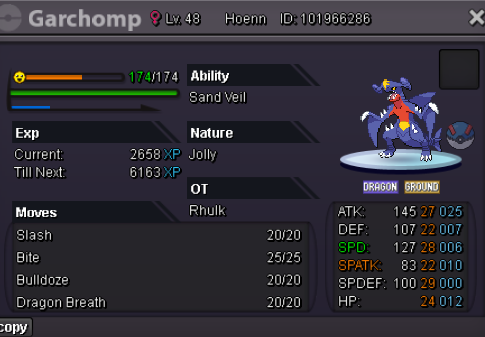
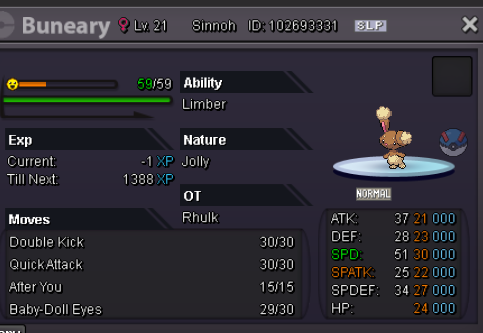
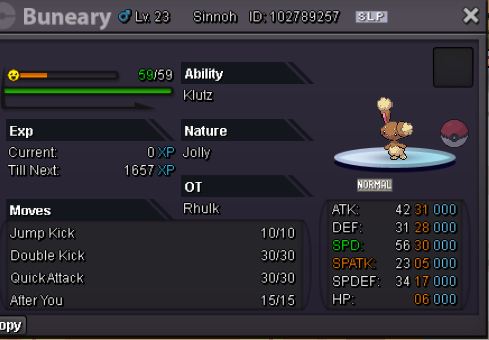
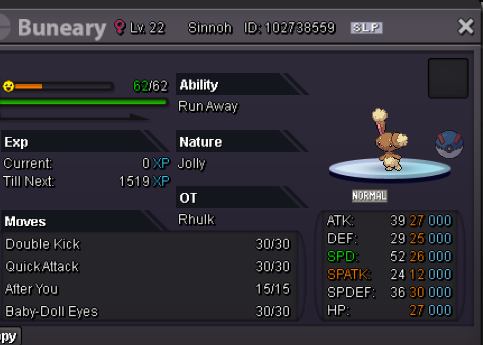
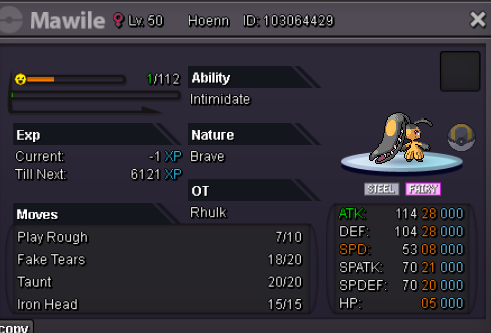
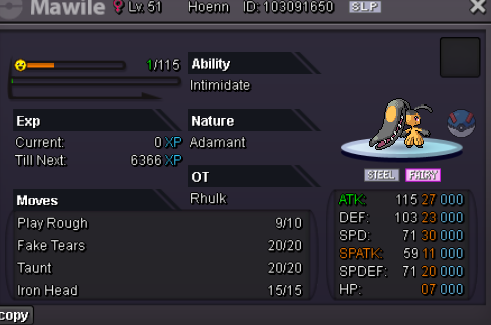
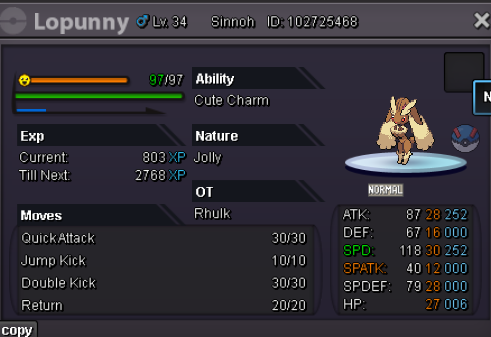
Cleanout bundle for anyone who likes to resell or needs some good mons to train! Start: 300k Min Raise: 100k Insta: n/a Duration: 24hrs CC, RC, RR accepted (500k,6k,550k)

-
250k
-
-
Encounter rates are busted. I did 1000-1200 encounters no Easter form. But yet I see people getting 2-3 In 500 encounters. im a firm believer some accounts have better RNG than others. As you see certain repeat names on the form encounters. I know of at least 2-3 names I’ve seen get 4+ forms each while I’m at zero while I’m farming.
-
2.2 mimic
-
-
2.4 medi
-
2.2 medi
-
2m medi
-
1.2 med
-
2CC Medi
-
Title says it all. Pm with price
-
Your late he already announced winner
-
Sweet. I’m in verm

